GetApp offers objective, independent research and verified user reviews. We may earn a referral fee when you visit a vendor through our links.
Our commitment
Independent research methodology
Our researchers use a mix of verified reviews, independent research, and objective methodologies to bring you selection and ranking information you can trust. While we may earn a referral fee when you visit a provider through our links or speak to an advisor, this has no influence on our research or methodology.
Verified user reviews
GetApp maintains a proprietary database of millions of in-depth, verified user reviews across thousands of products in hundreds of software categories. Our data scientists apply advanced modeling techniques to identify key insights about products based on those reviews. We may also share aggregated ratings and select excerpts from those reviews throughout our site.
Our human moderators verify that reviewers are real people and that reviews are authentic. They use leading tech to analyze text quality and to detect plagiarism and generative AI.
How GetApp ensures transparency
GetApp lists all providers across its website—not just those that pay us—so that users can make informed purchase decisions. GetApp is free for users. Software providers pay us for sponsored profiles to receive web traffic and sales opportunities. Sponsored profiles include a link-out icon that takes users to the provider’s website.
What you need to know to negotiate LinkedIn recruiting solutions costs and T&Cs
In this article, we'll look at what you need to know when using LinkedIn for recruiting, especially with regards to navigating T&Cs, and LinkedIn recruiting solutions costs.
Recruiting on social media is a must. Almost half of candidates used social media in the search for their most recent job, while more than two thirds are likely to use it for their job search.
LinkedIn should form part of your social recruiting strategy. It has more than 500 million users, and three quarters of small businesses saying they were more successful using LinkedIn Recruiter.
But LinkedIn is not right for every business. You need to know who you want to employ and where they hang out on online, whether it’s LinkedIn, Twitter, Instagram, or another obscure fisherman-only social network.
However, if you have done your research, and you’re sure LinkedIn is the right place to focus your attention, then you need to make sure you know how to make the most out of the social network.
In this article, we’ll look at what you need to know when using LinkedIn for recruiting, especially with regards to navigating T&Cs, and LinkedIn recruiting solutions costs.
LinkedIn T&Cs
As a recruiter, it can be easy to fall foul of LinkedIn’s T&C and find your account suspended pending investigation, or even blocked. This has arisen in part due to the use of third-party extensions and software, which some companies and recruiters use to scrape profile data.
Facebook has had similar issues with third-party apps scraping data, leading to changes over how users’ data is used.
Reasons why individual recruiters and companies have had their accounts blocked include:
Using third-party extensions to scrape data.
Carrying out a large number of searches, or visiting a large number of profiles, in a short period of time.
Excessive page requests.
Other reasons for suspension.
Below we’ll look at how to navigate these issues, and how to comply with LinkedIn T&Cs.
Use of third party software and browser extensions
In a landmark ruling, the US Supreme Court ordered LinkedIn to unblock talent management startup HiQ Labs from scraping publically available data. The Microsoft owned company had sent HiQ Labs a cease and desist letter saying it had violated its terms and conditions of use, and that it had implemented technological measures to stop it scraping data.
LinkedIn said that it wants to protect data privacy and: “protect [its] members’ ability to control the information they make available on LinkedIn”.
While HiQ Labs said that it doesn’t analyze private sections of LinkedIn, only public profile information, that it doesn’t republish or sell the data, but uses it as analysis for employers.
But, even if you haven’t had your account blocked or temporarily suspended, that doesn’t mean you aren’t violating their terms and conditions.
Here is an extract from LinkedIn’s help section on the use of third-party and extensions:
“In order to protect our members’ data and our website, we don’t permit the use of any third party software, including “crawlers”, bots, browser plug-ins, or browser extensions (also called “add-ons”), that scrapes, modifies the appearance of, or automates activity on LinkedIn’s website.”
What this means for recruiters
This means that if you’re using an extension, you’ll likely breaking the company’s T&Cs, and your account will be suspended.
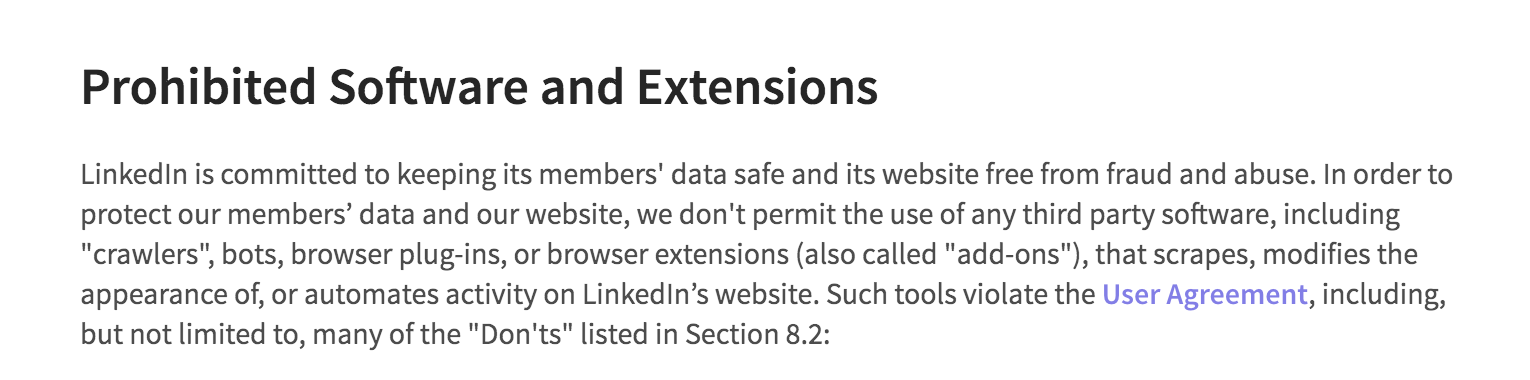
The only action you can take is to remove all extensions linked to your accounts.
2. Carrying out a large number of searches
LinkedIn has what it calls a Commercial Use Limit, which limits the amount of searches carried out per month for free accounts, Premium, and Career Accounts.
The company states that: “Until your limit resets next month, your search and suggested profile viewing experience will be limited. You can wait for the limit to reset on the 1st of each calendar month, or you can upgrade your account for unlimited people browsing.”
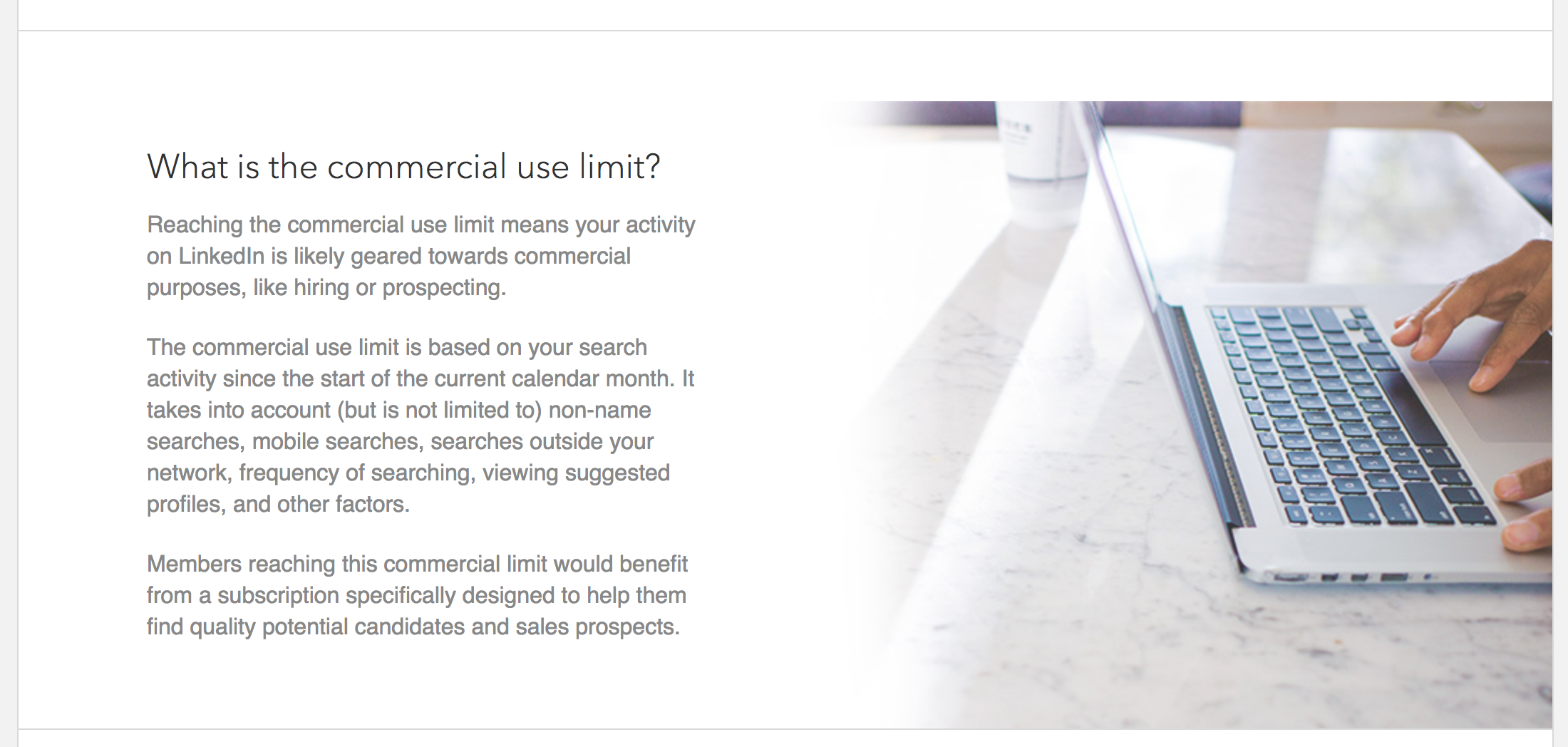
Recruiters have complained that this unfairly penalizes them, and tries to force them into switching to a paid account.
LinkedIn Recruiter Lite and Recruiter Corporate, for example, provide unlimited browsing and viewing of profiles (you can see the costs of these below).
What this means for recruiters
As LinkedIn doesn’t provide information on what this limit is, it’s very difficult for recruiters to be able to monitor and control this, and to know how many searches they can make in a month. While LinkedIn does send a warning when you are near your limit, unless you’ve been counting the number of searches you can out each week, there is no way to adapt to this, other than to upgrade to a recruiter account.
3.Excessive page requests
Linked to the both the issue with third-party extensions and the Commercial Use Limit, LinkedIn, also suspends or restricts accounts when they receive an abnormally high number of page requests from your account.

LinkedIn’s reason is that “Unusually high traffic volumes may be generated by third-party applications or browser extensions that copy data from, automate activity on, or otherwise interact with LinkedIn in violation of LinkedIn’s User Agreement. If you use any such software, we require that you disable it.”
What this means for recruiters
If your account has been suspended for this reason because you are using third-party software, the only action you can take is to remove it.
4. Other reasons for suspension
LinkedIn has also been known to suspend accounts when you access the same account from multiple IP addresses, as well as connect to too many services, what it calls “permitted services.”
What this means for recruiters
The action you need to take here is to check in your settings how many sessions you currently have access to.
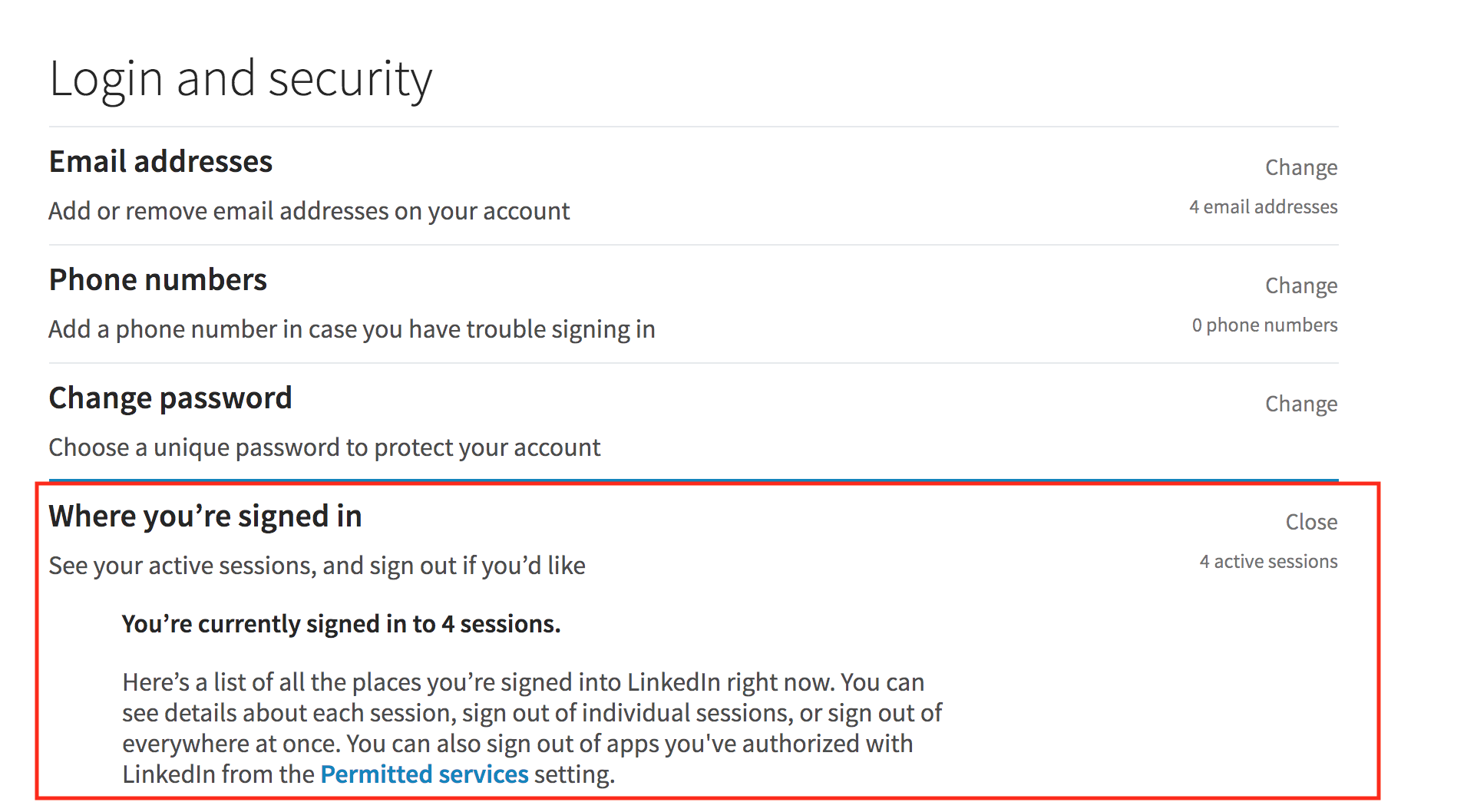
You may think that because you only access Linked on your computer and phone that you’ll be safe, but if you’ve travelled to conferences or logged on at a colleague or friend’s house, then you could have more sessions open than you think.
If you suspect there has been suspicious activity on your account, change your password immediately.
LinkedIn recruiting solutions costs
There are a number of different costs you’ll run into when using LinkedIn as a social recruiting tool. Firstly there are the costs of running a LinkedIn Premium Recruiter of Pipeline Manager account, and then there are the costs of posting job ads.
Recruitment account costs
While you can use LinkedIn as a recruiter for free, as we’ve mentioned above, you may run into restrictions. If recruitment is only a small part of your job, or you hire candidates on an infrequent basis, you may want to stick with a free account. Bear in mind that you’ll still have to pay for job ads.
The two main options for recruiters are Recruiter Lite and Recruiter Corporate; you can see a comparison of the costs and features below.

In 2017, LinkedIn also launched two new products aimed at recruiters: Pipeline Builder and Career Pages.
While the costs of either product are not clear, according to recruitment expert Katrina Collier, one of her clients was quoted £22,000 to add a Careers tab to their LinkedIn Company pages (although according to LinkedIn, Collier’s client misunderstood what was being offered).
Prices may vary per company, but that is still a lot of money for a small business to pay when there is no guarantee of a return on investment.
Job posting costs
When you post a job ad on LinkedIn, you can set a daily average budget, from which you’ll get charged per job ad views.

According to LinkedIn: “The higher your daily budget, the more your job posting is marketed into newsfeeds and emails of members that match the information listed in your job description.”

It’s important to note that you may be charged more than your average daily budget depending on the views of your post.
As we mentioned earlier, if you are just writing boring, templated job descriptions on LinkedIn and hoping for the best candidates, then you’re wasting your time and money.
Instead, you should focus on building up your employer brand to convert potential candidates into fans of your company, and invest in employee referrals to tap into your existing network.
GetApp research revealed that employee referrals provide the shortest time to hire and highest quality of applicants.
Next steps
If you want to focus your efforts on LinkedIn, and either purchase a LinkedIn Premium account of some flavor, or pay for a job advert, then information is power. You can start by taking a look at
A demo of the LinkedIn Recruiter account.
It’s also worth having a look at other recruitment software that can help you manage your social recruiting without having to purchase a LinkedIn subscription.
This article is intended to inform our readers about the current LinkedIn site and user terms and conditions in the United States. It is in no way intended to provide legal advice or to endorse a specific course of action. For advice on your specific situation, consult your legal counsel.
More on Human Resources

Jul 09, 2024
Jan 17, 2024