GetApp offers objective, independent research and verified user reviews. We may earn a referral fee when you visit a vendor through our links.
Our commitment
Independent research methodology
Our researchers use a mix of verified reviews, independent research, and objective methodologies to bring you selection and ranking information you can trust. While we may earn a referral fee when you visit a provider through our links or speak to an advisor, this has no influence on our research or methodology.
Verified user reviews
GetApp maintains a proprietary database of millions of in-depth, verified user reviews across thousands of products in hundreds of software categories. Our data scientists apply advanced modeling techniques to identify key insights about products based on those reviews. We may also share aggregated ratings and select excerpts from those reviews throughout our site.
Our human moderators verify that reviewers are real people and that reviews are authentic. They use leading tech to analyze text quality and to detect plagiarism and generative AI.
How GetApp ensures transparency
GetApp lists all providers across its website—not just those that pay us—so that users can make informed purchase decisions. GetApp is free for users. Software providers pay us for sponsored profiles to receive web traffic and sales opportunities. Sponsored profiles include a link-out icon that takes users to the provider’s website.
7 Top-Rated Affordable Photo Editing Software
The right photo editing software enables you to transform your photos into the vision you have in mind.

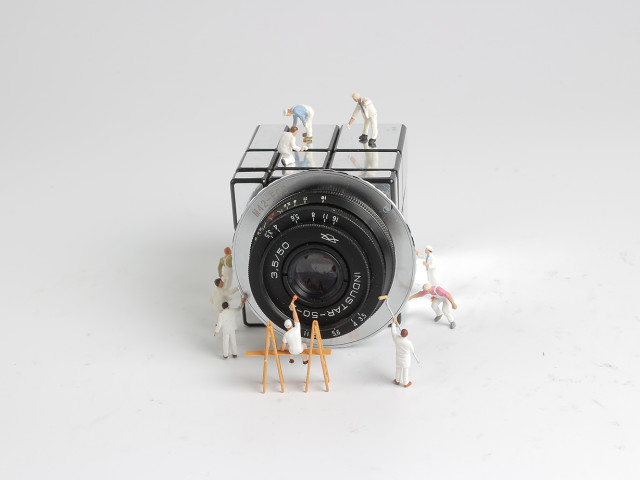
Imagine a professional photographer working on a client presentation showcasing their latest work. Upon reviewing the photos on the big screen, they discover a critical issue: a distracting element (say a power line) appears in the background of several key shots. With re-shooting out of the question due to time and budget constraints, the photographer turns to photo editing software for a solution.
Photo editing software provides various tools to enhance, modify, and manipulate photographs to achieve desired effects or corrections. However, selecting the right tool that aligns with your feature requirements can be confusing. This article lists seven top-rated affordable photo editing software solutions based on verified user reviews and pricing found on vendor websites. Per our research, we’ve considered products with base plans priced less than $22 per month as affordable software and arranged them in ascending order of their prices. (Read how we shortlisted these products at the end of this article.)
We’ve grouped these products into two categories: dedicated photo editing software and photo album creation and management software with editing capabilities. Irrespective of the categorization, all tools offer the core features of photo editing software: image editing and content import/export.
What is a base software plan?
A base plan is the most affordable pricing tier offered by a software provider. Besides having the lowest price, base plans provide access to all core software features. However, they may have limitations compared to higher-tier plans in terms of the available functionality, storage capacity, number of user seats, support options, etc.
We selected products for this article based on their average ratings between May 2022 - May 2024, which may differ from their current overall average ratings.
1. Pixlr
Pixlr is a dedicated photo editing platform with pre-installed collages, templates, and animations. The tool lets you add text to images, choose different fonts, sizes, and colors, and personalize them with captions and quotes. You can upload photos and use the automated photo grid maker to generate layouts with various grid sizes, aspect ratios, and photo arrangements. With Pixlr’s AI Object Remover and Generative Fill features, you can isolate and remove objects from images while filling the gap with a realistic background based on surrounding pixels. The Generative Expand feature analyzes existing image content to generate a natural-looking continuation, maintaining the original style and composition without stretching or distorting the content.
The base plan lets you save unlimited images. You get up to 80 monthly AI credits—a virtual currency form enabling you to access artificial intelligence (AI) features within Pixlr. Upgrading to a premium plan gives you up to 1000 monthly AI credits, a private mode for AI content generation, and a pre-installed elements library.
Base plan features:*
AI image generator: Describe the image you want to create by including specific information about the subject, style, colors, and mood, and click the “Generate” button to get several AI-generated image variations.
AI face swap: Leverage AI algorithms to detect and isolate faces in a photo and replace one face with another while maintaining realistic skin tones and lighting.
Super scale: Upscale your images to higher resolutions without compromising quality. This feature analyzes the image and adds details, resulting in sharper and clearer versions of your photos.
Starting price: $0.99 per month
Cost to upgrade: $4.90 per month
Billing cycle: Annual
Customer support options: Email, knowledge base, and video tutorials
Who should consider Pixlr?
Pixlr is worth considering for individual photographers and designers experimenting with different artistic styles or techniques without manually creating each variation. For instance, they might want to explore various color grading options or artistic styles before finalizing edits on a client's photo shoot. Its AI image generator helps generate different visual interpretations of a specific scene or concept. Whether they're exploring abstract compositions, surreal landscapes, or traditional art styles, the AI image generator could offer diverse interpretations based on their descriptions.
2. jAlbum
jAlbum is a photo album creation and management platform with editing capabilities. You can use its drag-and-drop editor to add new photos and organize your galleries. It includes multiple effects to enhance image quality, such as red eye, sepia, pixelate, and blur. jAlbum has a library of skins or themes that you can use to modify the layout of your photo albums. You can edit or create new skin templates with jAlbum's built-in editor. The tool lets you perform essential edits, such as cropping, sharpening, adjusting brightness and contrast, and even auto-correcting images.
The base plan supports up to 10GB of storage and priority customer service via email. If you upgrade to a premium version, you get up to 300GB of storage and unlimited upgrades.
Base plan features:*
Straightener: Adjust the alignment of your photos, correcting any tilt or slant. This feature helps straighten horizons and ensure vertical lines are perfectly upright in architectural shots.
Image protection: Add watermarks and disable right-click downloads to safeguard your images. This feature helps control your work and prevent unauthorized usage or distribution.
Artistic filters: Transform photos by adjusting colors, tones, and textures and applying pre-installed artistic filters, such as vintage, black and white, sepia, vignette, and red eye.
Starting price: $3.17 per month
Cost to upgrade: $8.48 per month
Billing cycle: Monthly
Customer support options: Email and knowledge base
Who should consider jAlbum?
Photographers and business professionals primarily focusing on gallery creation could consider jAlbum. It offers various customizable themes and design options, allowing users to personalize their galleries with layouts, colors, fonts, and various visual elements. jAlbum allows photographers to showcase their work in a narrative format, adding captions, descriptions, and music.
Pro tip
Compare the features and capabilities of different photo editing platforms. Evaluate factors such as editing tools, file format compatibility, workflow efficiency, and other software or services integration. Pay attention to specific features for your editing workflow and prioritize platforms that best meet your requirements.
3. Fotor
Fotor is a dedicated photo editing solution with various editing features, such as hue, saturation, luminance (HSL), denoise, inverted colors, smoothing, and reshaping. Fotor's AI-powered photo enhancer analyzes images to remove blur caused by shaky cameras or improper focusing, enhancing resolution for sharper results. It has a pre-built library of stock fonts, icons, graphics, and design elements to add to your images. Fotor’s AI capabilities include removing image backgrounds or unwanted elements, generating images from text or visual prompts, and sharpening portrait photos. You can transform photos into sketches, oil paintings, watercolors, or cartoons, with the option to download them watermark-free.
The base plan supports 100 monthly credits for AI generative content features and up to 2GB of cloud storage capacity. Upgrading to a premium version offers 300 monthly credits, up to 10GB of cloud storage, and access to AI batch editing features.
Base plan features:*
Old photo restorer: Leverage AI to repair damages, remove blurriness, and restore faded colors and details in old photographs.
AI colorization: Use AI to convert black-and-white photos into colorful ones by analyzing the grayscale tones of the original image and applying colorization to various elements.
Batch editing: Apply edits to up to 50 images simultaneously. This feature helps to crop, resize, add text, or change file formats across many photos.
Starting price: $3.33 per month
Cost to upgrade: $7.49 per month
Billing cycle: Annual
Customer support options: Query form and help center
Who should consider Fotor?
Photographers and hobbyists who frequently work on restoring old photos or improving their existing image collections could consider Fotor for its old photo restorer feature. This feature helps repair damage, remove blurriness from old photographs, and restore faded colors and details, preserving their original essence. Additionally, Fotor’s AI image enhancement features can improve the quality of photos by fixing blurry images caused by camera shake or improper focus and enhancing resolution for sharper and more detailed results.
4. Alboom Designbox
Like jAlbum, Alboom Designbox is a photo album creation and management platform with editing capabilities. It offers a library of ready-made templates that you can customize to suit your project requirements. You can drag and drop photos on the editing canvas within the software and modify them as needed. The software lets you crop and resize images, correct their colors, and remove red-eye to enhance the quality. You can also use brushes and masks to edit specific parts of your photos and use different fonts for text boxes.
Its base plan offers up to 5GB of storage and email and chat support. Upgrading to its premium plan gives you up to 50GB of storage, priority support, the ability to remove watermarks, and an image copy protection feature.
Base plan features:*
Design editor: Leverage the design editor to customize album layout and design by modifying image placement, text formatting, color schemes, and backgrounds. You can use the drag-and-drop editor to drag images, text boxes, shapes, and other elements onto the canvas and position them where you want.
History panel: Track the edits or changes made to an album over time. The history panel is a timeline, displaying a chronological record of every action taken during editing.
Image resolution alert: Ensure the quality of images used in an album by receiving alerts if any images have a resolution below a certain threshold. These alerts help identify pixelated or blurry images and improve their quality.
Starting price: $7 per month
Cost to upgrade: $14 per month
Billing cycle: Annual
Customer support options: Email, chat, and knowledge base
Who should consider Alboom Designbox?
Alboom Designbox is a good option for anyone looking to create professional-looking photo albums, slideshows, or photo websites, especially photographers and businesses. It offers a wide range of customizable templates, designed and optimized for showcasing visual content, making it easy to achieve a polished look without design experience. Users can leverage its design editor to tailor album layout and design according to their preferences.
Pro tip
Take advantage of free trials or limited free versions to explore the features and functionalities of a photo editing platform without committing financially. During the trial period, test various tools, experiment with different editing techniques, and assess the overall user experience.
5. PicMonkey
PicMonkey is a dedicated image editing platform that lets you crop, resize, and edit your photos. It has a pre-built library of stock photos, design templates, graphics, and icons that you can customize to suit your project requirements. You can adjust exposure by hand or use auto-adjust to refine the images. Its color changer effect helps you modify the color of specific objects in your photos (e.g., turn a pink flower red or orange dress yellow). You can also change the color scheme of images by modifying the hue, saturation, and luminance. PicMonkey lets you change the visual appearance of an image by applying textures, such as beams of light, bubbles, or aging effects.
The base plan includes 1GB of cloud storage and email support. Upgrading to a premium plan gives you unlimited cloud storage and priority chat support. You can also access advanced features, including uploading your fonts, real-time co-editing, shared folders, and custom branding options.
Base plan features:*
Pre-installed fonts: Leverage the pre-installed library of fonts for the text in your images, eliminating the need for additional downloads or installations. These fonts may include classic serif, sans-serif styles, and more decorative options.
Touch-up tools: Enhance and refine your photos with various touch-up tools, including blemish removal, teeth whitening, skin smoothing, and wrinkle reduction. You can select a tool and apply it to specific areas of your photo—skin, teeth, eyes, hair, or the background.
Resizing tool: Adjust the dimensions of your photos across multiple sizes at once. This resizing tool adapts the layout and composition of your design to align with the new dimensions, maintaining design balance and coherence across various sizes.
Starting price: $7.99 per month
Cost to upgrade: $12.99 per month
Billing cycle: Monthly
Customer support options: Email and knowledge base
Who should consider PicMonkey?
Content creators and graphic designers who frequently generate images in varying sizes tailored for different platforms could consider PicMonkey. Its smart resize tool enables batch resizing of images to specific dimensions for various platforms, such as Facebook, LinkedIn, and Instagram. This feature maintains photo quality and saves significant time and effort compared to manual resizing.
6. Adobe Lightroom
Adobe Lightroom is a dedicated photo editing solution that helps you create, edit, and export high-dynamic range (HDR) photos. You can access, edit, and organize photos stored locally on your computer without importing or syncing them to the cloud. Lightroom lets you remove imperfections and unwanted objects from your photos by selecting a specific area. It also fills the area with new content that blends with the surrounding image. You can crop images, merge multiple photos into a panoramic image, and fine-tune a specific color's hue, saturation, and luminance in your photos. Lightroom's AI-powered Denoise feature automatically removes noise and distortion from photos, particularly those with high sensitivity settings or in low-light conditions.
Its base plan offers up to 1TB of cloud storage and provides customer support via tutorials. Upgrading to a premium version gives you access to Adobe Photoshop on desktop and mobile devices.
Base plan features:*
AI-powered blur effect: Use the AI lens blur feature to selectively blur certain areas of an image while keeping other parts sharp. This feature helps you draw attention to specific subjects or create artistic effects, such as shallow depth of field.
Adaptive presets: Apply pre-defined settings to your photos to achieve a desired look or style. These presets auto-adjust the preset settings based on the characteristics of each photo—exposure, color balance, and content, ensuring ideal results for every image.
Intelligent image search: Leverage machine learning algorithms to analyze the content of your photos and identify specific objects, scenes, or characteristics. This allows you to search for photos based on their content rather than relying on manual keyword tags or metadata.
Starting price: $9.99 per month
Cost to upgrade: $19.99 per month
Billing cycle: Monthly
Customer support options: Tutorials
Who should consider Adobe Lightroom?
Photographers who frequently shoot in challenging conditions, such as low light or high sensitivity settings, can consider Adobe Lightroom for its AI-powered Denoise feature. This feature automatically cleans up noise and photo distortion, saving time and effort in post-processing and ensuring that images retain their quality even in less-than-ideal shooting conditions. Furthermore, Lightroom's intelligent image search feature, powered by machine learning, simplifies organizing and finding photos. This can be particularly useful for photographers with extensive photo libraries who need to locate specific images based on their content.
Pro tip
Opt for a platform that offers scalability regarding features, storage, and user capacity. Additionally, assess the platform's compatibility with external plugins, integrations, and third-party services to enhance its functionality. By choosing a scalable photo editing solution, you can future-proof your investment and avoid the need for costly migrations or upgrades down the line.
7. Capture One
Another dedicated photo editing tool on this list is Capture One. The tool automatically adjusts exposure and white balance across photos with different lighting conditions. It lets you analyze a batch of photos and select the best one for further editing. This feature reviews thumbnail previews and filters out blurry, out-of-focus, or poorly composed images. You can utilize ratings and color tags to designate favorites and organize photos into specific categories. You can use the before and after feature to review your edits and compare the edited image to the original file. Capture One helps you link your camera directly to your computer through a built-in tethering tool, enabling you to view photos on the computer screen as you capture them. This assists in identifying exposure, focus, and composition concerns in real time.
The base plan supports up to three desktop devices. Upgrading to its premium version will get you access to advanced features, including mobile access and priority support.
Base plan features:*
Capture One Live: Share a link to your image editing project with internal/external clients or team members. Recipients can view, rate, and tag images within the project, with the results automatically synced to Capture One on the desktop.
AI masking: Leverage artificial intelligence to identify and isolate the main subject (people, animals, etc.) from the background in your image for targeted editing.
Dehaze: Eliminate haze and enhance image depth by adjusting contrast, saturation, and other elements in flat photos. This feature uses a slider to reduce flatness and improve image quality.
Starting price: $14.92 per month
Cost to upgrade: $21.58 per month
Billing cycle: Annual
Customer support options: Live chat and help center
Who should consider Capture One?
Capture One is a valuable tool for photographers, designers, and anyone who frequently collaborates on photo editing projects, especially those involving multiple stakeholders. Its Live feature allows users to share a link to an editing project, enabling recipients to view, rate, and tag images within the project. This simplifies the feedback process, enhances collaboration, and ensures everyone is on the same page. Moreover, Capture One's automatic sync feature ensures that edits and feedback are integrated into the desktop editing software, making it ideal for time-sensitive projects and tight deadlines.
Top 5 photo editing software features users rate as highly critical
All the products listed in this article include the features mentioned below. To identify these, we asked users to rate, on a scale of “low importance” to “critical,” how important different features are for a photo editing app. The features showcased are those that the highest percentage of reviewers rated as “highly important” or “critical” over the past two years (as of May 1, 2024).
| Feature name | Criticality rating (%) | Description |
|---|---|---|
| Content import/export | 89% | Import images or other media from external sources into the editing software, including a digital camera, scanner, or external hard drive. Content export enables you to save or share your edited photos in various formats, such as JPEG, PNG, or TIFF, or to upload them directly to social media platforms or cloud storage services. |
| Real-time editing | 83% | See the effects of your edits immediately (in real time) without waiting for processing or rendering. |
| Customizable templates | 81% | Leverage predefined layouts or designs and modify them according to your preferences. These templates include pre-set arrangements of layers, filters, and effects that you can adjust or replace with your content. |
| Preview functionality | 80% | Preview your edits before applying them permanently to the image. This includes split-screen views, before-and-after comparisons, or zooming in to inspect details. |
| Drag and drop | 79% | Drag image files, layers, or other elements from your file explorer or a media library directly onto the editing canvas. This feature simplifies adding, arranging, or rearranging elements within the editing software. |
How much does photo editing software cost?
A photo editor can cost as low as $0.99 per month or up to $99+ per month, depending on various factors—features, number of users, infrastructure requirements, business size/type, training availability, deployment options, integrations, and storage. Most image editing software typically includes the following pricing plans:
Free trials: Range from seven to 30 days and give users access to either all or limited features of the software. These no-cost trial plans are ideal for businesses that wish to try out a photo editing tool before purchasing it.
Free versions: Offer limited access to basic software features. These free plans are ideal for small-business owners or individuals on a budget.
Entry-level plans: Start at $0.99 per month and offer access to limited features. These are ideal for small businesses with basic photo editing needs, such as raw editing filters and cropping tools.
Mid-tier plans: Range from $10 to $47 per month and offer advanced features such as advanced retouching tools, layer editing, and batch processing. These are suitable for businesses that have outgrown basic a photo editor but don’t require the full range of functionality offered by enterprise-level systems.
High-end plans: Cost over $99 per month and offer a range of advanced capabilities, including unlimited features from entry-level and mid-tier plans, unlimited templates, unlimited filters, layer editing, and advanced customization options. These plans are ideal for large enterprises with professional or complex photo editing requirements.
Hidden costs associated with photo editing software
Besides the software license, additional costs associated with a photo editing app can include:
Usage-based charges: Certain tools charge based on usage metrics, such as the number of images edited or stored. If your usage surpasses predefined limits, you may incur additional charges.
Integration fees: Integrating photo editing software with the existing tech stack may require additional charges. Additionally, certain integrations may require additional plugins or connectors, potentially leading to extra costs.
Training expenses: If the software is complex or requires specific expertise, you may need to invest in training programs or hire external consultants to fully utilize the tool’s capabilities.
Frequently asked questions when selecting affordable photo editing software
Ask the software vendors the following questions to ensure you find the best photo editing software.
Does the base plan include filters and effects? Many affordable photo editing software solutions offer a limited selection of filters and effects in their base plan. Knowing if these are sufficient for your needs or if you'll need to upgrade to a more expensive plan is important to maximize your investment. Additionally, if filters and effects are not included in the base plan, you may need to factor in additional costs when comparing the software to others.
What level of technical support is available, and is there an additional cost? Technical support helps resolve issues arising while using the software or receiving guidance on its features and functionalities. Inquiring about the level of technical support available helps you understand the assistance you can expect from the vendor. Additionally, clarifying whether technical support comes at an extra cost ensures you clearly understand the software's total cost of ownership.
Are there any limitations on the number of devices or installations allowed per license? Understanding the licensing terms regarding the number of devices or installations allowed per license helps determine the software's scalability. Some software may restrict the number of devices or installations permitted under a single license, impacting your ability to use the software across multiple devices or within a team. Knowing any limitations allows you to make informed decisions based on your needs.
Methodology
To be considered for this list, products had to:
Have at least 20 unique product reviews published on GetApp within the past two years, with an average rating of 3.0 or higher (as of May 1, 2024).
Include the core features of photo editing software: image editing and content import/export.
Meet our market definition for photo editing software: “Photo editing software allows users from various industries to enhance, manipulate, and format digital images. This software category ranges from basic applications for simple editing to industry-standard platforms for advanced needs.”
For products that met the first three criteria, we assessed the monthly subscription price of the base plans and found the average price to be $22—we considered only products with publicly available pricing information. We then shortlisted products with a monthly base price lower than $22 for this article.
*Our research team identified these features from vendor websites (as of May 1, 2024) based on their analysis of what users find valuable in or expect from photo editing software. This list is not exhaustive. For additional features, refer to the vendor’s website.
Products evaluated for the pricing calculation were taken from GetApp’s photo editing software directory. The pricing ranges exclude freemium versions of the products. The features highlighted were identified based on their relevance and the percentage of products in the GetApp directory that offer them. Only products with publicly available pricing information, as of May 1, 2024, were considered for pricing calculation.
Editorial independence: We select and rank products based on an objective methodology developed by our research team. While some vendors may pay us when they receive web traffic or leads, this has no influence on our methodology.
With expertise in marketing and content strategy, Barkha’s work has been featured in Medium and educational websites. When not working, she can be found re-watching “The Office” or “Brooklyn Nine-Nine.”
mentioned in this article







More on Creative & Design


Aug 04, 2022

May 01, 2024

Aug 02, 2022