GetApp offers objective, independent research and verified user reviews. We may earn a referral fee when you visit a vendor through our links.
Our commitment
Independent research methodology
Our researchers use a mix of verified reviews, independent research, and objective methodologies to bring you selection and ranking information you can trust. While we may earn a referral fee when you visit a provider through our links or speak to an advisor, this has no influence on our research or methodology.
Verified user reviews
GetApp maintains a proprietary database of millions of in-depth, verified user reviews across thousands of products in hundreds of software categories. Our data scientists apply advanced modeling techniques to identify key insights about products based on those reviews. We may also share aggregated ratings and select excerpts from those reviews throughout our site.
Our human moderators verify that reviewers are real people and that reviews are authentic. They use leading tech to analyze text quality and to detect plagiarism and generative AI.
How GetApp ensures transparency
GetApp lists all providers across its website—not just those that pay us—so that users can make informed purchase decisions. GetApp is free for users. Software providers pay us for sponsored profiles to receive web traffic and sales opportunities. Sponsored profiles include a link-out icon that takes users to the provider’s website.
How to Calculate Your Small Business Cybersecurity Budget: Use Our Template
Lack of budget for IT security leaves small businesses vulnerable to cyberattacks. Learn about key security tools and build your cybersecurity budget by using our template.


Small businesses are continuing to be a common target for cyberattacks. And security risks are compounded by the fact that networks keep growing, with new devices and higher volumes of data added every day.
To address the higher risk, small businesses must increase their cybersecurity budgets. But the IT department finds itself competing for budget with HR, marketing, and sales teams.
Another challenge faced by small businesses is how to best allocate their IT security budgets without leaving any gaps. For example, if you dedicate the bulk of it only to secure entry points of devices such as computers and mobiles, or antivirus software licenses, you leave your networks and data at the mercy of hackers.
Small businesses must set aside a dedicated cybersecurity budget that covers key elements such as endpoint protection, network security, and employee awareness training to minimize the risk of cyberattacks. In addition to costing billions of dollars as ransom and lost income, cyberattacks now also pose a threat to human lives if key infrastructure fails.
This article discusses the key cybersecurity tools you must budget for, as well as provides a helpful list of the average costs of different types of cybersecurity software. You can also download and use our template to roughly estimate what your cybersecurity expenses should be.
A dedicated IT security budget helps build a stronger cyber defense strategy
Creating a separate budget for IT security might seem like an added burden to a small business’s many to-do lists. But, it’s worth the effort because it helps you better optimize your allocated funds and spend towards areas which are more vulnerable to cyberattacks. Here, we discuss some of the main goals and benefits of keeping a separate IT security budget.
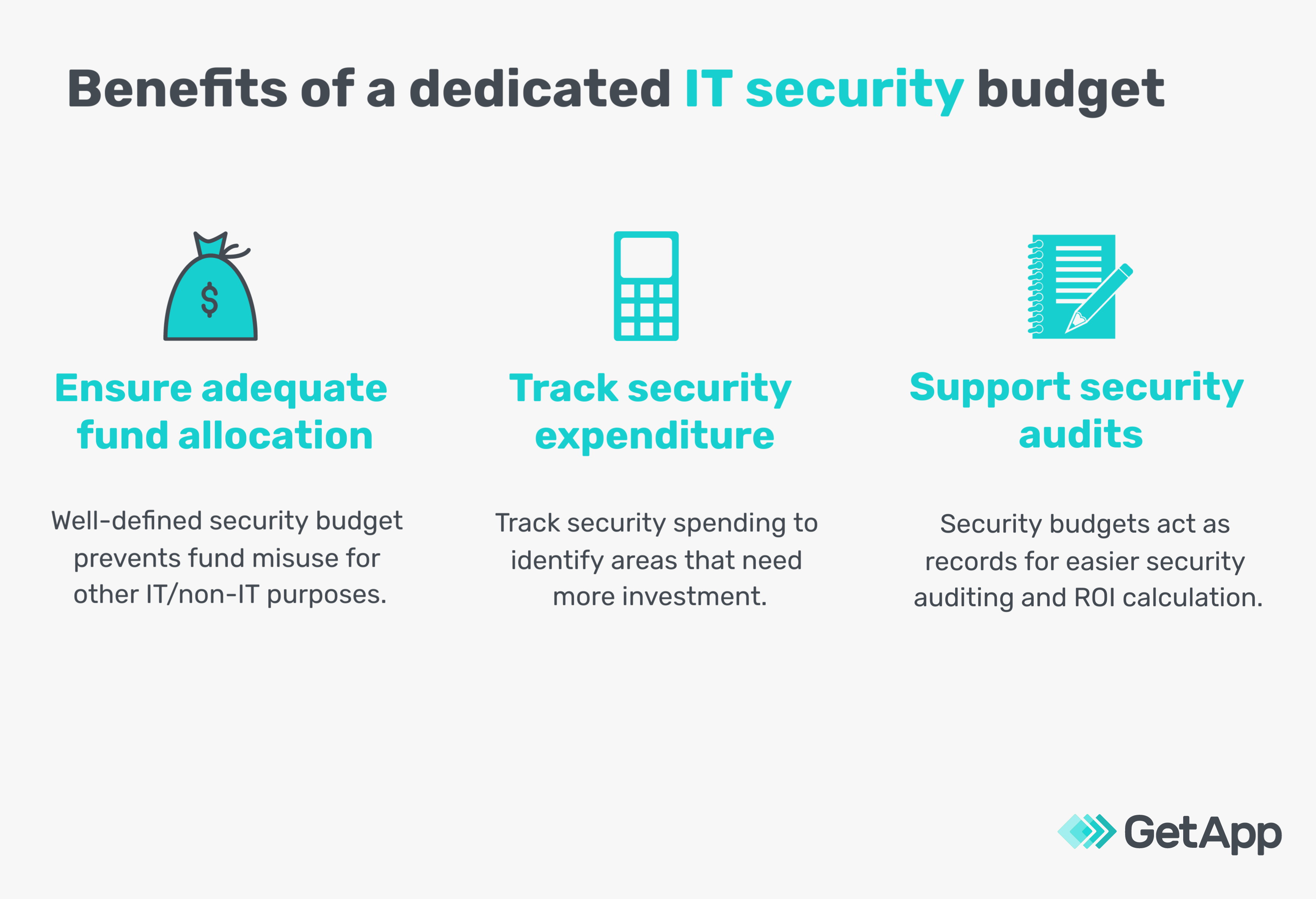
Primary benefits of a dedicated IT security budget
Ensure adequate fund allocation for cybersecurity. Marking out separate budgets for cybersecurity ensures that a specific amount will be used to fund your defenses against cyberattacks and for no other purpose. A separate cybersecurity budget ensures that funds can’t be siphoned off for other IT requirements. This management of funds is essential because companies (especially enterprises) allocate as small as 4.9% share of their total expenditure towards IT security (full report available for Gartner clients). This percentage is even lesser in small businesses, which makes them a prime target of cybercriminals.
Track security-related expenditures accurately. Businesses must create cost accounting systems such that they break down cybersecurity as a separate item or cost center. Having your own IT security budget will help you track all your security-related expenditures—software, hardware, data clean-up, and recovery—under one line item. This will help you better track your cybersecurity expenses and identify areas that need more or less investment.
Support security audits and estimate ROI. Security budgets help track various planned and unplanned cybersecurity costs. This makes conducting security audits easier, since you have a record of all your security spending. It also helps demonstrate return on investment (ROI) as well as identify under-invested areas that you need to budget for in the coming years.
10 must-have components of your small business cybersecurity budget
You must budget for the minimum-required cybersecurity technologies to keep your business safe.
Here we discuss 10 must-have security technology applications and software features that small businesses must opt for. Without these basic cybersecurity tools, you run the risk of losing money, brand reputation and in worst cases, a potential shut down of your business.
1. Endpoint protection: Involves protecting the perimeters of your network, including laptops, desktops, mobile devices, and other connected devices. Endpoint protection software suites offer a wide range of properties including antivirus, firewalls, centralized controls, and remote monitoring.
Key features to look for: Device detection, reports, alerts, incident investigation, third-party integrations.
2. Mobile security: Refers to efforts to secure data on mobile devices, tablets, and smart watches. Mobile security software identifies vulnerabilities and detects malicious software. Additionally, it ensures only authorized persons have access to the data on devices through passwords, screen locks, and other forms of authentication, such as biometrics.
Key features to look for: Wi-Fi security, malware-blocker, web protection, adware alerts.
3. Network security: Covers a broad range of areas including network monitoring, firewalls to filter traffic, anti-malware applications, and data backup and recovery. Network security software primarily helps keep the network and all data within it secure.
Key features to look for: Real-time monitoring, anti-malware, network mapping, network troubleshooting.
4. Document storage: Helps to securely store and manage digitized records and files. You can either opt for cloud-based storage or on-premises storage software.
Key features to look for: Version control, document management, archiving, editing.
5. Access management: Misuse of accounts is a common method for launching cyberattacks. Identity and access management software tools make it possible to manage user accounts, set user access controls, fix privilege rights, and restrict unauthorized user access and misuse of employee or partner accounts.
Key features to look for: Authentication, authorization, secure login, centralized dashboard to monitor access controls.
6. Patch management: Patches are simply updates to your software. Patch management software identifies vulnerable systems, alerts users about the patch, and tests how effective the patch is. You can also set which patches are critical and which ones are non-essential for your business using the control/settings feature.
Key features to look for: Centralized interface to manage vulnerabilities, alerts, automated updates, remote management system.
7. Vulnerability management: Vulnerabilities are weaknesses in your IT systems that hackers are most likely to exploit, such as unpatched applications, old passwords, etc. Vulnerability management tools identify loopholes such as SQL injection, cross-site scripting, and plug-in errors in websites and web applications. These tools also suggest remediation methods on how to correct these vulnerabilities.
Key features to look for: Website/application testing, remediation reporting, real-time scanning, risk scores.
8. Security awareness: Creating awareness among employees about cybersecurity best practices is crucial, since 85% of data breaches involved human element. Computer-based security awareness training software helps to train employees on different security policies and best practices such as identifying phishing emails, maintaining data integrity, data confidentiality, privacy, and more.
Key features to look for: Reporting, simulated attacks, customized security awareness programs, training library.
9. Security audit: Audit and compliance assessment software are important tools to ensure that your business follows various federal and industry regulations. Security audit tools also help you detect configuration changes, unauthorized user activity, and non-compliant networks. Security audit software centralizes intelligence gathering, tracks network device change management, and maintains audit trails.
Key features to look for: Compliance management, audit trails, license management, log management and analysis.
10. Disaster recovery: Downtime has huge cost implications on small businesses. Disaster recovery helps businesses quickly failover to their backup systems and data in case of an emergency and reduce downtime. Disaster recovery management involves keeping a copy of all critical systems and data and moving over to using them to quickly resume operations after a disaster strikes. You could use business continuity software to create such disaster management plans for your business.
Key features to look for: Bare-metal recovery, scalable data storage, support multiple data types, data protection, failover testing.
Pro tip
Don't let this list of must-have security technologies overwhelm you or leave you worried about the potential costs. There are a number of integrated cybersecurity tools on the market that offer suite solutions covering a wide range of features including endpoint protection, data backup, network security, and more. Suite solutions can help you minimize costs, as well as avoid the hassle of having to manage multiple software and vendors. You can also outsource your security functions to managed service providers who provide end-to-end security services.
How much should your cybersecurity budget be?
Mirroring a trend from bigger firms, small businesses should spend at least 5% of their IT budget on cybersecurity.
Deciding which areas of cybersecurity to invest in is one part of the challenge when implementing an IT security budget. The second part of the challenge lies in determining what the optimal value of your IT budget is.
IT security budget requirements will vary based on your industry and how mature your security structure is. According to Gartner, businesses are increasingly spending on operational security such as protection of networks, host and data.
In a more relative context, the report also suggests that small businesses should spend roughly $1.47 per thousand dollars of revenue on IT security (full report available for Gartner clients).
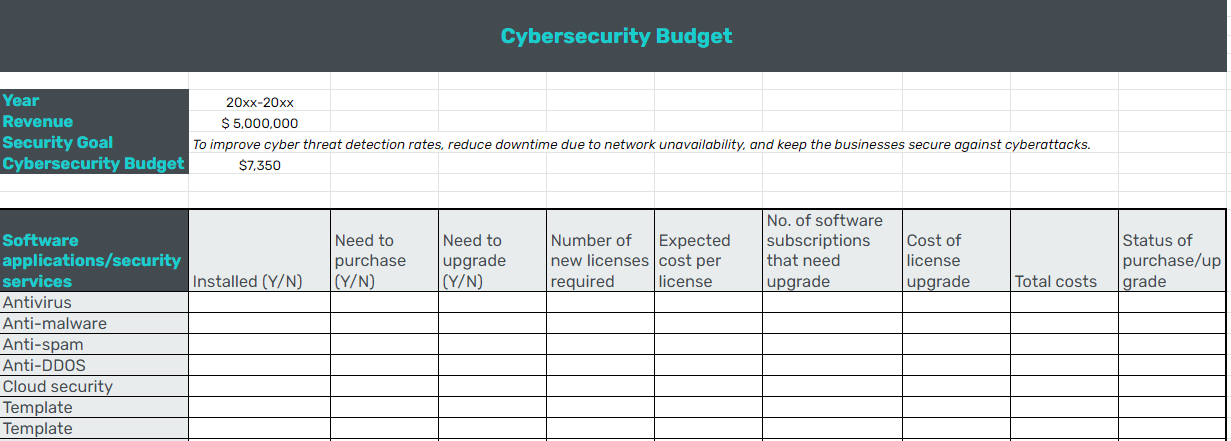
Use the sample calculation to find out how much you should be spending on IT security.
For example:
Business revenue = $5,000,000
IT security spend = (5,000,000/1000) x 1.47 = $7,350
Average costs of key cybersecurity software
Knowing the average costs of different cybersecurity software applications can help you plan your budget better. Identify key security tools needed in your business, and use the price chart below to estimate how much you’ll most likely have to spend on security applications.
Use free trials offered by different security software vendors before you choose the best software for your business. You should also check out some of the free plans or free tools that provide cybersecurity capabilities.
Other essential cybersecurity elements you must budget for
In addition to software tools, there are other cybersecurity expenses that you may incur. These include:
Cyber insurance
The annual cost of cyberattacks to small businesses in the U.S. is almost $25,612. Cyber insurance covers your company against financial losses incurred as a result of data loss from cyberattacks, network outage, or service interruption. It helps you mitigate the costs of cyber investigation and quickly recover from cyberattacks.
Cyber insurance providers offer different types of policies-those that cover against losses suffered by the insured as well as plans that also cover losses of third-party managed services.
Policy premiums differ based on the type of policy, your risk exposure, and your security posture. Most small business cyber insurance annual premiums range between $500 and $5,000.
Cybersecurity training
Investing in cybersecurity training will raise employee awareness of cyber threats and the best practices for tackling them.
You can either partner with a third-party security trainer, use computer-based security training software, or build your own materials to create a security training plan for your employees.
Cybersecurity consulting
Often small businesses do not have in-house expertise to plan their cybersecurity strategy and to identify and prevent cyberattacks. You may need to employ the services of a trained cybersecurity professional to fix your vulnerabilities.
You can liaise with third-party cybersecurity consultants on a case-by-case basis or enter into service agreements for a year or more. The fee charged by consultants will vary based on the services rendered, the size of your organization, complexity of the task, and more. Cybersecurity consultants, on an average, charge $250 - $300 per hour for their services.
Cybersecurity hiring
Cybersecurity talent is in great demand, and you may eventually need to hire expert in-house IT security professionals as your business grows. If you plan to build your own cybersecurity team, you’ll incur hiring and manpower costs. The average pay a cybersecurity executive draws in the U.S. is around $77,000 per year.
Next steps: Download our IT security budget template
Budgeting for cybersecurity essentials is important to ensure that you have a fixed sum set aside to meet your security requirements. This helps to ensure that your funds allocated for security applications do not get misused.
Audit your security systems before you prepare your cybersecurity budget for the year. Check what software tools you already have in place, what items require an upgrade, and what you need to purchase.