GetApp offers objective, independent research and verified user reviews. We may earn a referral fee when you visit a vendor through our links.
Our commitment
Independent research methodology
Our researchers use a mix of verified reviews, independent research, and objective methodologies to bring you selection and ranking information you can trust. While we may earn a referral fee when you visit a provider through our links or speak to an advisor, this has no influence on our research or methodology.
Verified user reviews
GetApp maintains a proprietary database of millions of in-depth, verified user reviews across thousands of products in hundreds of software categories. Our data scientists apply advanced modeling techniques to identify key insights about products based on those reviews. We may also share aggregated ratings and select excerpts from those reviews throughout our site.
Our human moderators verify that reviewers are real people and that reviews are authentic. They use leading tech to analyze text quality and to detect plagiarism and generative AI.
How GetApp ensures transparency
GetApp lists all providers across its website—not just those that pay us—so that users can make informed purchase decisions. GetApp is free for users. Software providers pay us for sponsored profiles to receive web traffic and sales opportunities. Sponsored profiles include a link-out icon that takes users to the provider’s website.
4 Virtual Instructor-Led Training Best Practices
Don’t be the instructor that only engages with their audience when they pause to ask, “Are there any questions?” Use these best practices to make sure your virtual training is as engaging as it is informative.


Whether you’re a seasoned virtual instructor or totally green, it takes effort and creativity to keep learners engaged during virtual training.
On top of that, going the extra mile is more important than ever given the increased prevalence of remote training this year.
We’re here to make it easy: Keep reading to learn about four virtual instructor-led training best practices.
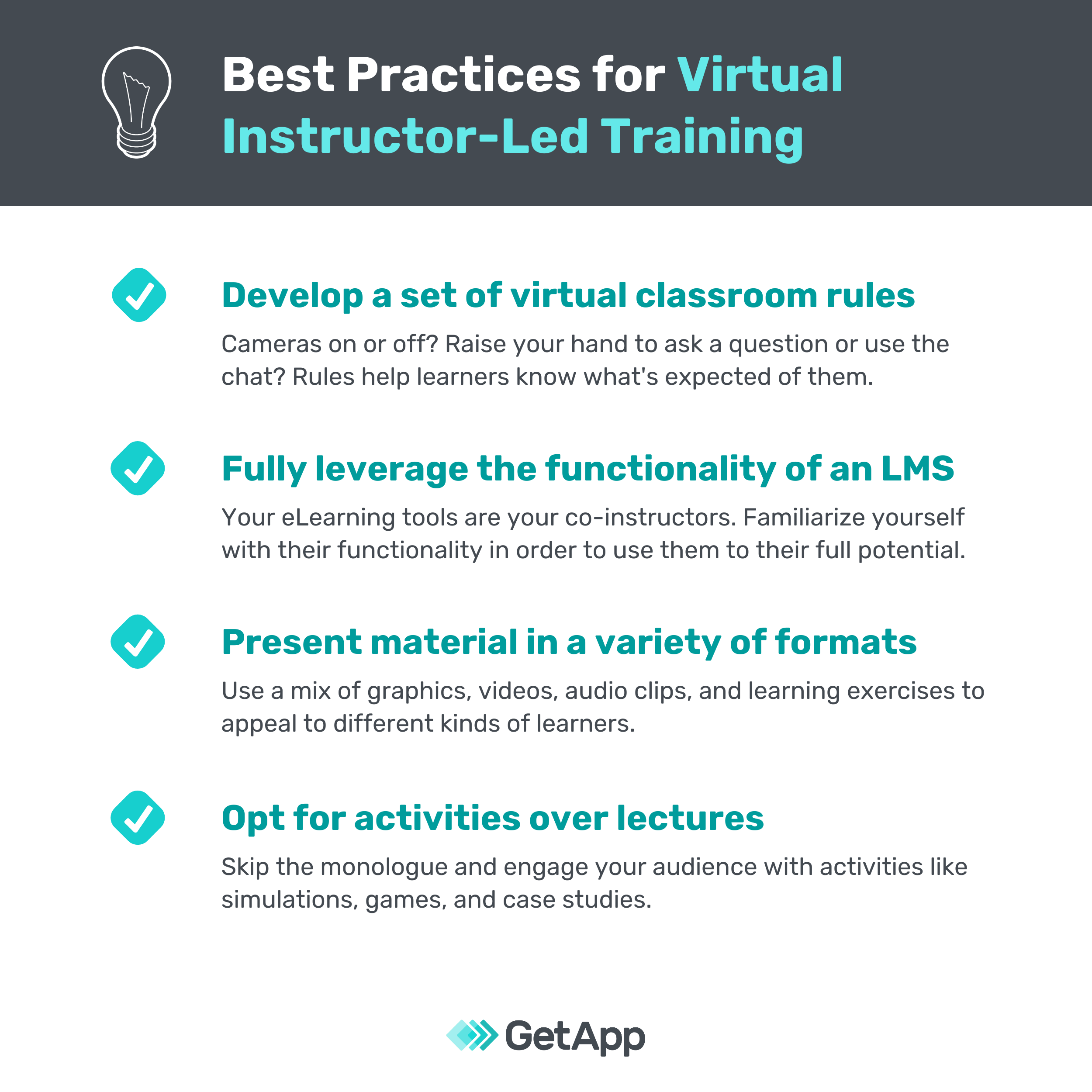
1. Develop a set of rules for your virtual classroom
Should participants have their cameras on or off? Should they interrupt with questions or hold them until the end of the session? These kinds of considerations are the reason why it’s a good idea to decide on a set of rules for your virtual classroom before kicking off a new course.
Whether you’re teaching toddlers or grown adults, rules help set expectations. For instance, you can request that students close any irrelevant tabs, turn mute on, and silence their cell phones during class in order to minimize distractions.
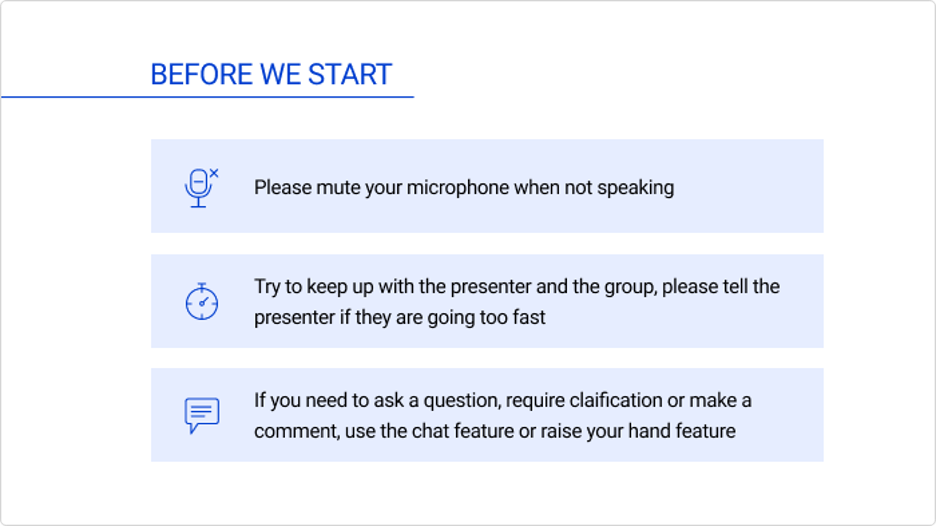
An example of expectation setting for virtual training (Source)
You can even make setting expectations a collaborative exercise:
Present your proposed set of rules to your class.
Ask them to speak up with any objections or additions to the rules they have.
Adjust the rules in real time based on your students’ feedback.
Once everyone is on board with the rules, document them in an easy-to-access place.
Involving your students in the expectation setting process helps them recognize their opinions are valued. As a bonus, they’ll also be more acquainted with the rules than they would have been if you had just listed them out an email.
Your homework
Draft a set of rules for your virtual classroom that will help learners stay focused and engaged.
2. Fully leverage the functionality of an LMS
When it comes to leading virtual training, think of the tools and systems you use as your co-instructors and harness their full potential. Almost every educational or training course is hosted with the help of a learning management system (LMS).
What is a learning management system? An LMS is a tool that manages the processes of creating, hosting, distributing, and assessing training sessions.
There are hundreds of learning management systems on the market (we have almost 300 listed in our LMS directory!), all equipped with different functionalities.
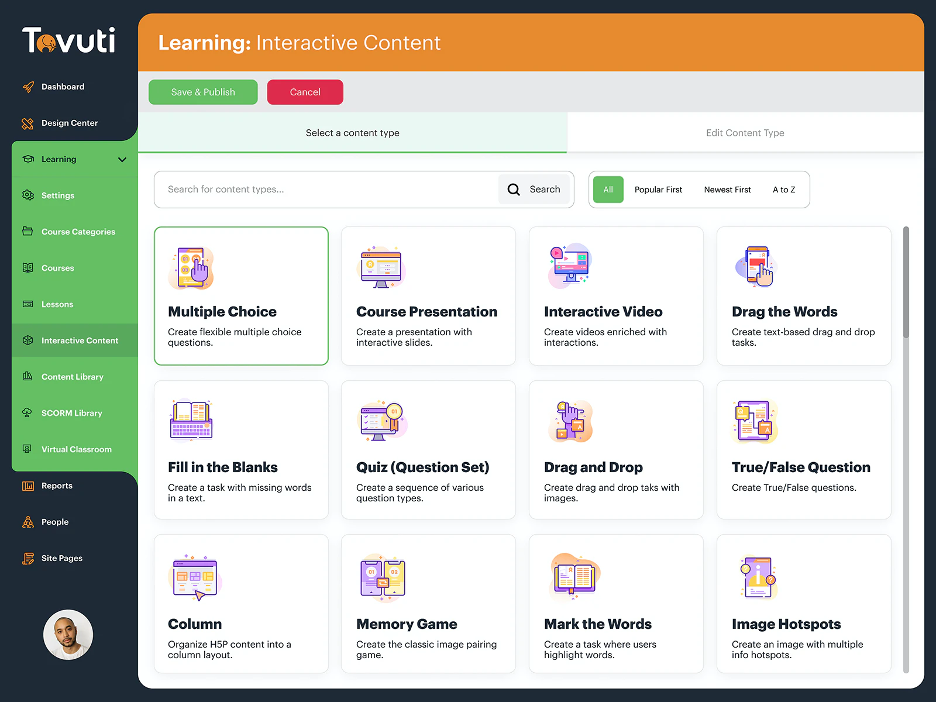
Interactive content options for course authoring in Tovuti (Source)
Without an LMS, creating and delivering courses and tracking trainee or learner progress can be complicated and unorganized. LMS are equipped to make these tasks easier. You can use an LMS to organize training administration, track and manage certification programs, test employee or student knowledge, and design and deliver your own courses.
Your homework
If you already have an LMS or other eLearning tool, take some time to get acquainted with the resources available to you. For instance, what kind of course authoring functionalities are available? What about collaboration options: Is there a live chat or discussion forum feature? If you don’t have a tool yet, read our LMS buyer’s guide and consider signing up for one of the many free options on the market.
3. Present training material in a variety of formats
We touched on this in the section above, but to repeat our point: Learning management systems allow you to host different types of training content such as lessons, worksheets, quizzes, and tests.
In fact, most LMSs allow for different multimedia within each of these types of training content — meaning you can incorporate video, audio, image, and text elements into your lessons or quizzes. Not to mention even more sophisticated additions such as animated gifs, click-and-reveal interactions, and pop-ups.
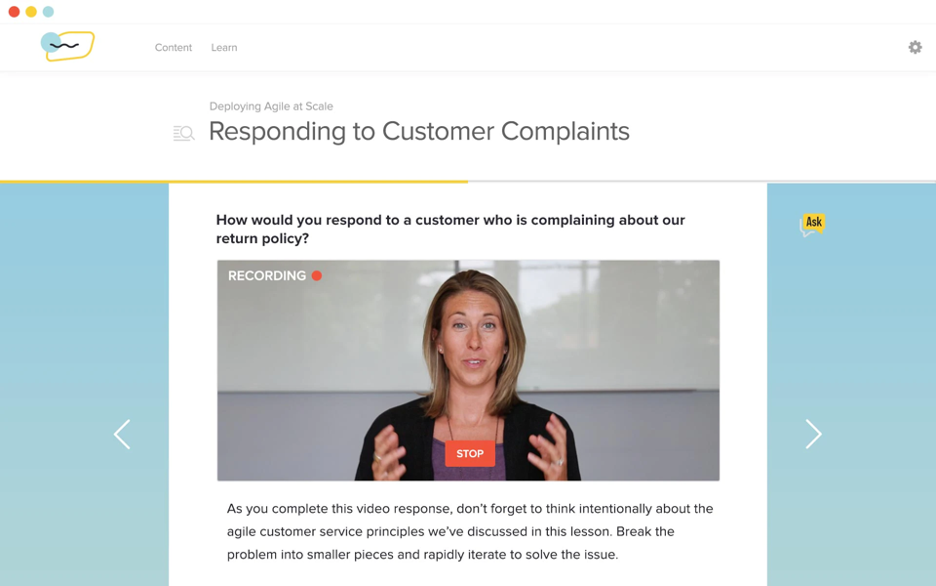
A roleplay assignment featuring video content in Lessonly (Source)
This is a huge benefit of using eLearning tools, because while the jury is still out on exactly how many different types of learners there are, one thing is clear: We all learn in different ways! Some of us prefer visual learning, while others retain information through auditory or kinesthetic learning methods. Incorporating a variety of content formats in your training course will ensure you’re catering to each type of learner.
Your homework
Think about your next lesson (or a lesson you’ve recently conducted) and figure out how you can use the options your LMS or other eLearning tools offer to accommodate different kinds of learners.
4. Opt for activities over lectures
Don’t get us wrong: Lectures have their time and place. But this deep into 2020, we’re all familiar with the term “Zoom fatigue.” For that reason, it’s best to have participants engage with learning material through activities.
The kind of activities that will have the most impact depend on the concepts you’re trying to teach. For instance, roleplay or mock calls are perfect for training customer service or sales representatives. On the other hand, shadow sessions or knowledge checks might work better for technical roles such as engineers or product designers.
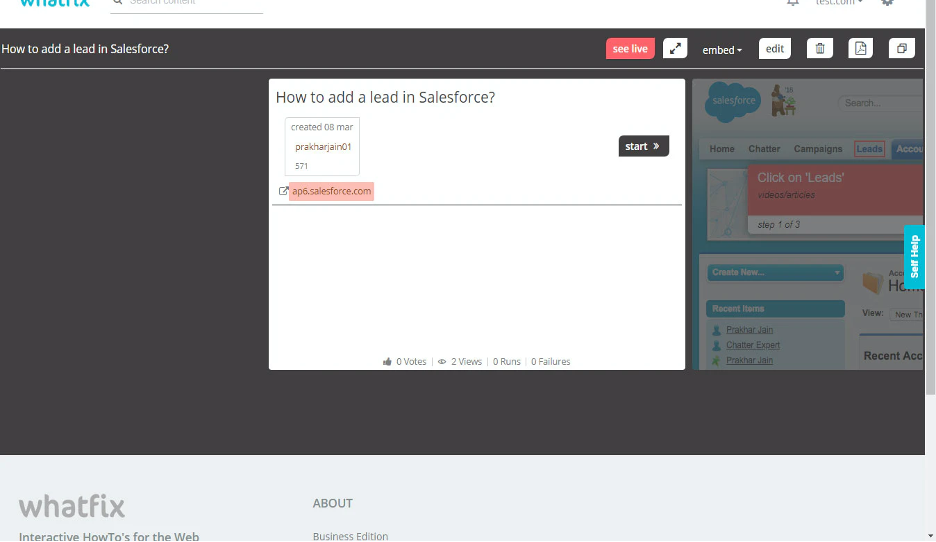
A live walkthrough of how to add a lead in Salesforce in Whatfix (Source)
Here are a few more activities you can use to engage learners in your virtual environment:
Simulations
Case studies
Games
Micro assessments
Q&A/discussions
Walkthroughs
Your homework
Picture yourself as a participant in your training session. What kind of activities would be the most interesting and helpful for mastering the concepts you’re teaching? Think of exercises that require learners to actively participate in your virtual training.
What’s next? Get the tools you need to put these best practices in action
Gartner predicts that 48% of employees will keep working remotely at least some of the time after COVID-19, and nearly one in five employees will work remotely all the time (full content available to clients).
Even if your organization plans to fully return to the office, there are benefits to virtual over in-person classroom training: cost-savings, trainee time-savings, and greater accessibility and scalability.
Whatever your motivation for going digital is, you’ll need the right technology and tools to make sure your virtual learning sessions are informative and engaging.
Visit GetApp’s learning management systems software directory to research tools rated and reviewed by real buyers. You can filter products by features, business size, customer rating, and more.