GetApp offers objective, independent research and verified user reviews. We may earn a referral fee when you visit a vendor through our links.
Our commitment
Independent research methodology
Our researchers use a mix of verified reviews, independent research, and objective methodologies to bring you selection and ranking information you can trust. While we may earn a referral fee when you visit a provider through our links or speak to an advisor, this has no influence on our research or methodology.
Verified user reviews
GetApp maintains a proprietary database of millions of in-depth, verified user reviews across thousands of products in hundreds of software categories. Our data scientists apply advanced modeling techniques to identify key insights about products based on those reviews. We may also share aggregated ratings and select excerpts from those reviews throughout our site.
Our human moderators verify that reviewers are real people and that reviews are authentic. They use leading tech to analyze text quality and to detect plagiarism and generative AI.
How GetApp ensures transparency
GetApp lists all providers across its website—not just those that pay us—so that users can make informed purchase decisions. GetApp is free for users. Software providers pay us for sponsored profiles to receive web traffic and sales opportunities. Sponsored profiles include a link-out icon that takes users to the provider’s website.
3 Ways To Collect Colleague Feedback for Software Selection
Colleague feedback is crucial for selecting a software tool that meets your needs. Check out 3 ways to get colleague feedback during software search!


The decision to purchase software can be driven by many factors. You may have finally decided to use software for business growth or outgrown the capabilities of your existing tool. Whatever the case, moving to new technology will affect everyone in your organization.
Members across teams—and not just direct users and IT administrators—will work with the software you select. Thus, it’s crucial to get feedback early on in the selection process and not after you’ve already made a decision.
Colleague feedback will help you zero in on a tool from among the options you have in mind. In this article, we’ve listed three ways in which you can collect feedback from your colleagues during the software selection process.
1. Make software selection a team task
You can’t single-handedly evaluate the scope of software usage for the entire organization. The good news is don’t have to! You have the best resources for the job: your colleagues who’ll be using the software. Their constructive feedback will help you during each step of software selection.
Identify all teams that’ll be impacted by software adoption/change, and include co-workers from those teams in the decision-making process. Your colleagues will help you understand the challenges faced by their teams and their expectations from the new software. You can also check if they have any good software recommendations.
Getting colleague feedback may seem like an additional step in an already long software selection process, but it’ll reduce the chances of selecting the wrong product and ensure that you face minimum user adoption challenges.
2. Narrow down your software list
Having too many options to choose from can be overwhelming and turn decision-making into a challenge—a phenomenon called “choice paralysis.” The more options people have, the tougher it becomes to choose one. The same also holds true for your software feedback process.
Conduct prior analysis and narrow down the software list to around three—but no more than five—tools. Ask for feedback only on these select options. By doing so, you’ll eliminate choice paralysis and reach a decision much sooner. You’re also likely to get thorough feedback, as your colleagues will have more time to delve into the functionality of each software compared to doing the same for several tools.
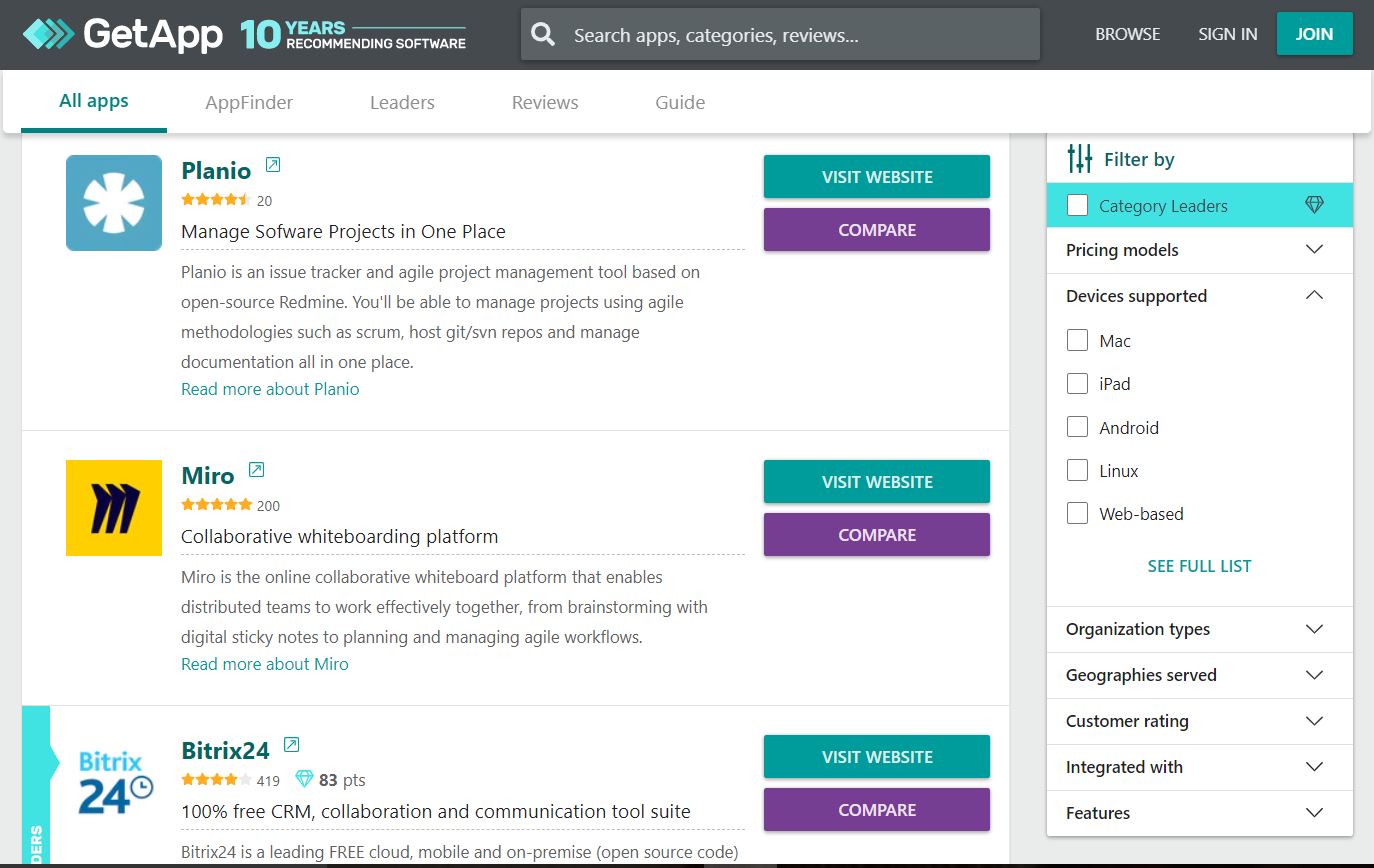
GetApp’s software directory allows you to shortlist tools relevant to your line of business. Select your software category, and filter products by features, pricing models, supported devices, integration options, and more.
3. Factor in the requirements of each team
Members from different teams will need different information about the tools you’ve shortlisted. Also, different teams have different areas of expertise, so you should aim to have all perspectives included in the feedback you collect. You can use these free survey software applications to collect feedback from all teams.
Here’s what your colleagues from different teams may want to know from you and what you can learn from them.
Finance
Members of this team will inquire about the cost of each software option. They can share insights on the software budget for the short and long term.
| Things to share | Things to ask |
|---|---|
| Cost of software license or subscription | The budget available for software purchase |
| Maintenance and upgrade costs, and other related expenses, such as setup and data transfer fees | Any likely budgetary changes in the next few years |
| Number of paid users in each tool | Payment preferences—monthly or annual (will be useful in getting vendor discounts) |
Legal
Members of this team will want to know if each software has a good track record of complying with data security standards and honoring customer contracts. They can assist with contract drafting and review as well as help you understand legal term definitions.
| Things to share | Things to ask |
|---|---|
| Details on how each software uses and stores data | Important questions to ask vendors during software negotiations |
| Data security standards that each software follows | Details on red flags to look for in software contracts |
| Whether or not each software complies with U.S. state regulations, GDPR in the European Union, etc. | A checklist of contract terms and conditions |
Leadership
Members of this team want to make sure the shortlisted tools can streamline company processes and help meet business goals. They can share the company's short- and long-term goals so that it’s easier for you to choose a tool that’s in line with the expectations of leadership.
| Things to share | Things to ask |
|---|---|
| Detailed comparison of what each tool can and can’t do | Expectations from the new software, and if priority is budget or features |
| Unique capability of each software that’s useful for your business | Long-term technology vision for the organization |
Users
They'll want to know how each software will help them in their daily tasks and how the existing processes will change. They can provide insights on essential software features.
| Things to share | Things to ask |
|---|---|
| Pros and cons of each software | Pain points faced by their teams |
| Details of the features offered by each tool and how these features improve productivity | “Must-have” vs. “nice-to-have” features in the new software |
Technical experts
Members of this team will ask questions related to software compatibility, integration, and implementation. They can provide insights into technical specifications and requirements.
| Things to share | Things to ask |
|---|---|
| Required vs. available integration options | Technical requirements to be checked with software vendors |
| Available deployment options | Any implementation issues they feel might occur while deploying the software |
Collecting colleague feedback is only one step in the software selection process
Getting effective feedback from your colleagues will help you decide on a software tool, but the road doesn't end there. You still have to think of ways to negotiate a successful contract. Learn how to ace software contract negotiations.
Visit GetApp’s software directory to read what real buyers have to say about the software you’ve selected. You can also check out other top-rated tools on the market.
Read related articles
Rahul Kumar
More on Software Buying Tips

Mar 25, 2025


Feb 25, 2025

Sep 27, 2024

Oct 10, 2024