GetApp offers objective, independent research and verified user reviews. We may earn a referral fee when you visit a vendor through our links.
Our commitment
Independent research methodology
Our researchers use a mix of verified reviews, independent research, and objective methodologies to bring you selection and ranking information you can trust. While we may earn a referral fee when you visit a provider through our links or speak to an advisor, this has no influence on our research or methodology.
Verified user reviews
GetApp maintains a proprietary database of millions of in-depth, verified user reviews across thousands of products in hundreds of software categories. Our data scientists apply advanced modeling techniques to identify key insights about products based on those reviews. We may also share aggregated ratings and select excerpts from those reviews throughout our site.
Our human moderators verify that reviewers are real people and that reviews are authentic. They use leading tech to analyze text quality and to detect plagiarism and generative AI.
How GetApp ensures transparency
GetApp lists all providers across its website—not just those that pay us—so that users can make informed purchase decisions. GetApp is free for users. Software providers pay us for sponsored profiles to receive web traffic and sales opportunities. Sponsored profiles include a link-out icon that takes users to the provider’s website.
Software Selection Criteria Template To Choose the Right Software
Use GetApp’s software selection criteria template to choose a product that’s the best fit for your business needs.


Purchasing new software requires considerable time and resources. You have a couple of products in mind but are unsure how to select only one from among them. You also have to take several things into consideration, such as budget, implementation timeframe, customer support options, and data security.
If you’re facilitating the software evaluation process, we know it can be tough. To help with the decision, we’ve created a software selection criteria template that lets you compare multiple vendor offerings to select a product that’s the best fit for your business needs.
6 factors to consider for software comparison
Our software evaluation template assesses the products you’ve shortlisted based on the following key selection criteria: software features, training assistance, customer support options, operating specifications, integrations, and pricing. Let’s check what information you’ll need to collect for each of these criteria.
Software features
Most tools that cater to a specific industry offer a common set of features. Check if the features you require are offered by the tools you’ve shortlisted. Our template lets you list essential as well as nice-to-have features so that it’s easier for you to decide. You’ll also need to mention if there’s any extra cost for the features, so you have complete visibility into what you’re paying for.
Software training
User training requirements differ based on the complexity of each software. Check with the vendor about the training support options available—live and recorded online training sessions, self-help resources, in-person training, etc. Inquire if the training support is provided for free or whether you’ll need to pay for it.
Customer support
Customer support options vary depending on the pricing plan users select, but they usually include email, phone (24/7 or 24/5), online ticketing, live chat, and a knowledge base. Ensure that the software you choose offers ample support resources so that you know who to contact in case you run into technical issues.
Operating specifications
The software you select must be compatible with your existing technology infrastructure and applications. Choose a suitable deployment model (on-premise or web-based), and check which operating systems (OS) are supported: Windows, Mac, or Linux. Also, inquire if the vendor offers mobile applications for iOS, Android, and Windows devices. This information will help you select a software system whose specifications are compatible with the technology you currently have.
Integrations
Ensure that the software you select integrates with your existing systems or at least supports integration with any other tools you have in mind. Since integration will involve sharing of data between applications, check with the vendor if there are any data security risks involved. Also, ensure that the software complies with all applicable data privacy regulations.
Pricing
For each tool you’ve shortlisted, check pricing-related details, including total cost of ownership, upfront costs (if any), price per user, billing frequency (monthly, annual, or one time), contract duration, average cost of any additional fees, free trial details, and any special rates, discounts, or promotions.
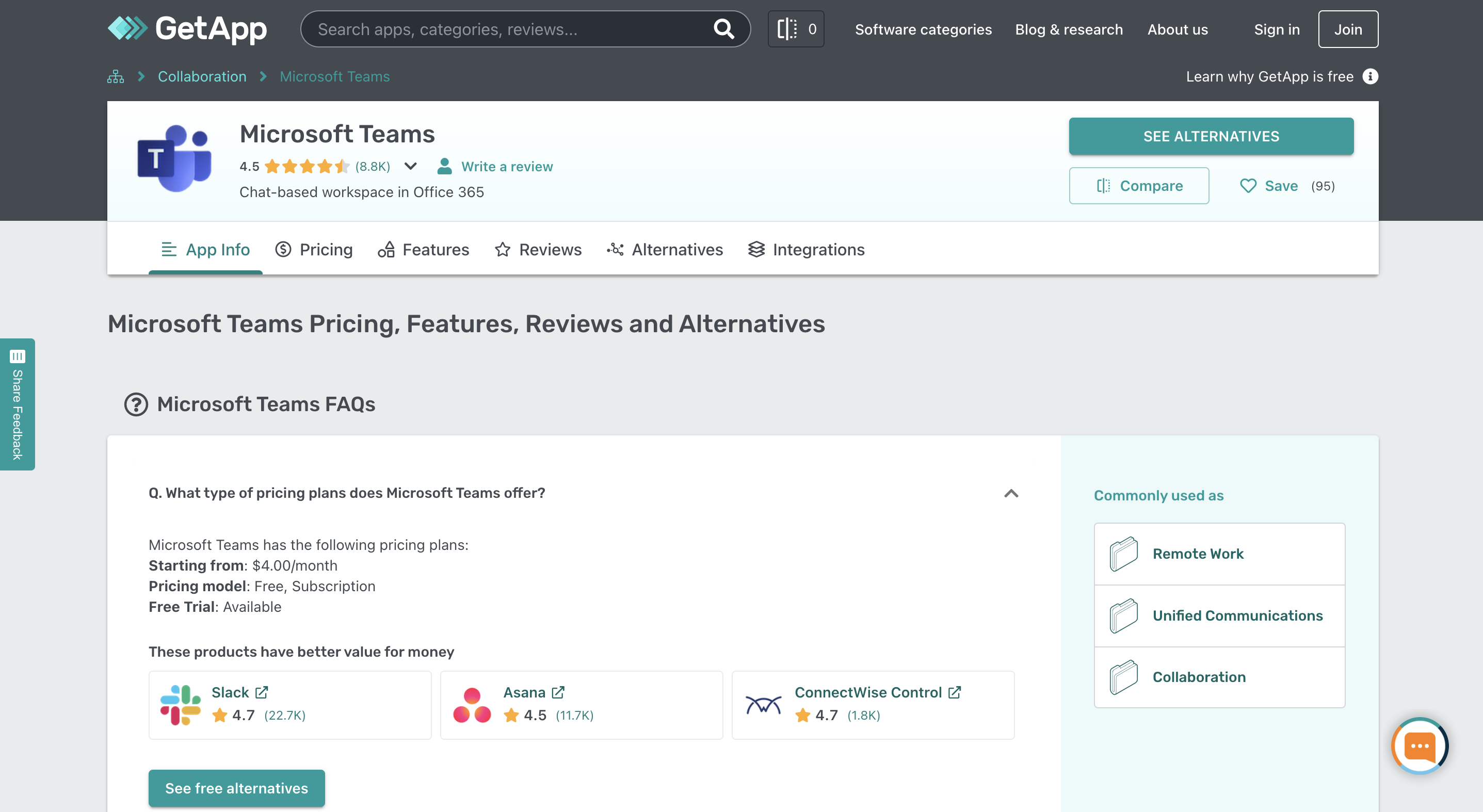
Visit GetApp’s enterprise software directory to research the products you’ve shortlisted. Our software directory provides complete information about each software comparison factor discussed above. You can also read user reviews to understand the experience real buyers have had with the tools you’ve selected. You can even get in touch with a software vendor and schedule a demo to check out software usability first hand.
How to use the template for comparing software
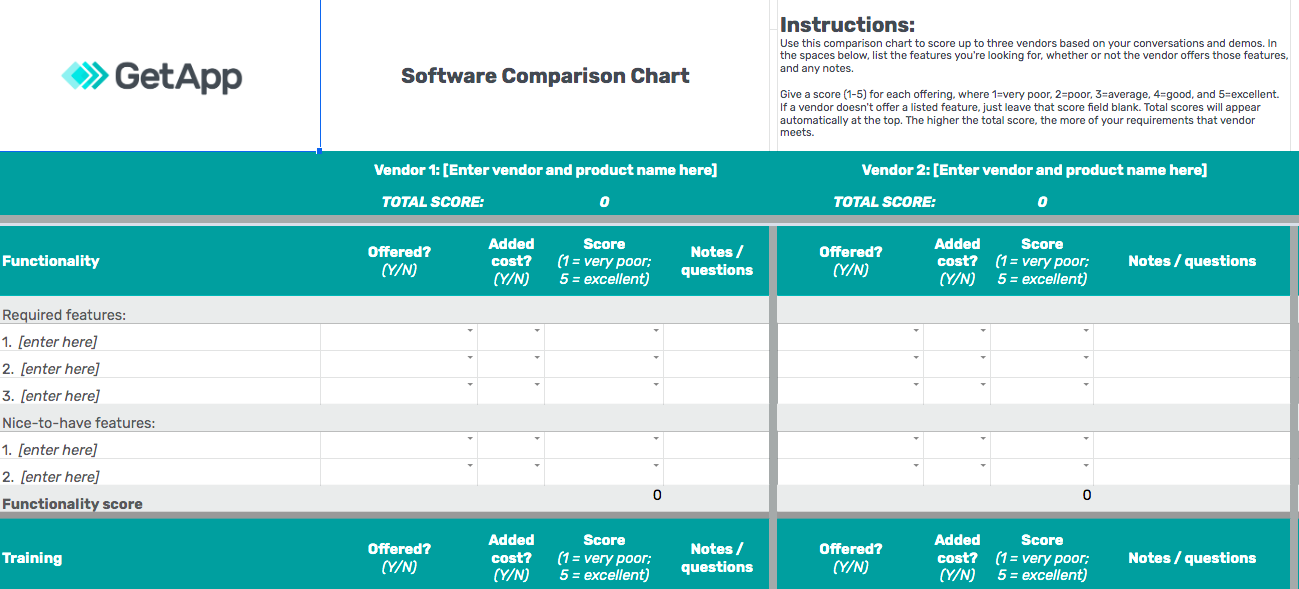
GetApp’s software selection criteria template lets you compare multiple vendor offerings. It has dedicated sections for the aforementioned comparison criteria. In the “features” and “desired integrations” sections, you’ll need to enter your preferences—functions that you’re looking for and not necessarily the ones that vendors offer. The remaining sections have either yes/no or descriptive questions.
In each section, you’ll have to rate software functions on a scale of one (very poor) to five (excellent). If a vendor doesn't offer a listed function, leave the score field blank. Assign a score based on every vendor evaluation you’ve had, demonstrations you’ve attended, and your opinion of software usability, ease of use, price feasibility, etc.
Once you’ve entered the individual scores, the template will automatically calculate the total score for each product, so it’s easier for you to draw a comparison. The higher the score, the better a tool meets your business requirement.
Our template is available for download as a spreadsheet. To enter your responses, please make a copy of this spreadsheet. We’ve done a sample comparison of two products to guide you on how to fill in the template. If you wish to compare multiple tools, simply add more product fields (via copy and paste) to the template.
Download GetApp’s software selection criteria template here
Disclaimer
The application selected in this article is an example to show a feature in context and is not intended as an endorsement or a recommendation by GetApp.
Toby Cox
More on Software Buying Tips

Mar 25, 2025


Feb 25, 2025

Sep 27, 2024

Oct 10, 2024