GetApp offers objective, independent research and verified user reviews. We may earn a referral fee when you visit a vendor through our links.
Our commitment
Independent research methodology
Our researchers use a mix of verified reviews, independent research, and objective methodologies to bring you selection and ranking information you can trust. While we may earn a referral fee when you visit a provider through our links or speak to an advisor, this has no influence on our research or methodology.
Verified user reviews
GetApp maintains a proprietary database of millions of in-depth, verified user reviews across thousands of products in hundreds of software categories. Our data scientists apply advanced modeling techniques to identify key insights about products based on those reviews. We may also share aggregated ratings and select excerpts from those reviews throughout our site.
Our human moderators verify that reviewers are real people and that reviews are authentic. They use leading tech to analyze text quality and to detect plagiarism and generative AI.
How GetApp ensures transparency
GetApp lists all providers across its website—not just those that pay us—so that users can make informed purchase decisions. GetApp is free for users. Software providers pay us for sponsored profiles to receive web traffic and sales opportunities. Sponsored profiles include a link-out icon that takes users to the provider’s website.
Why VPN is Important for All Businesses
Using VPN is an effective and inexpensive way for businesses to secure their devices and protect data from cyber threats.

Businesses today live under the constant threat of cybercrime. The rise of remote work, Bring-Your-Own-Device (BYOD) culture, and proliferation of mobile devices are some of the reasons behind it.
While there is a range of IT security solutions, such as firewalls and threat monitors, to safeguard business networks and data, the major challenge remains their high costs.
In this regard, a simpler and less expensive option businesses can leverage to manage cybersecurity is investing in a virtual private network (VPN) solution. Setting up VPN secures online activities as the transmitted data is encrypted and the identity of a device is masked, which makes that device invisible to the prying eyes that snoop on public networks looking for vulnerable systems.
In this article, we discuss how a VPN works and why it is important to businesses. We’ll also cover the key features of VPN solutions and give some examples of VPN software vendors.
What is a VPN?
A VPN is a secure tunnel for online browsing. The technology helps you establish a secure and encrypted connection over the internet between your device and the server. It masks your device’s identity and encrypts data that your PC or mobile phone pushes out onto the internet.
To better understand how a VPN helps, let’s begin with how your internet browsing looks without a VPN.
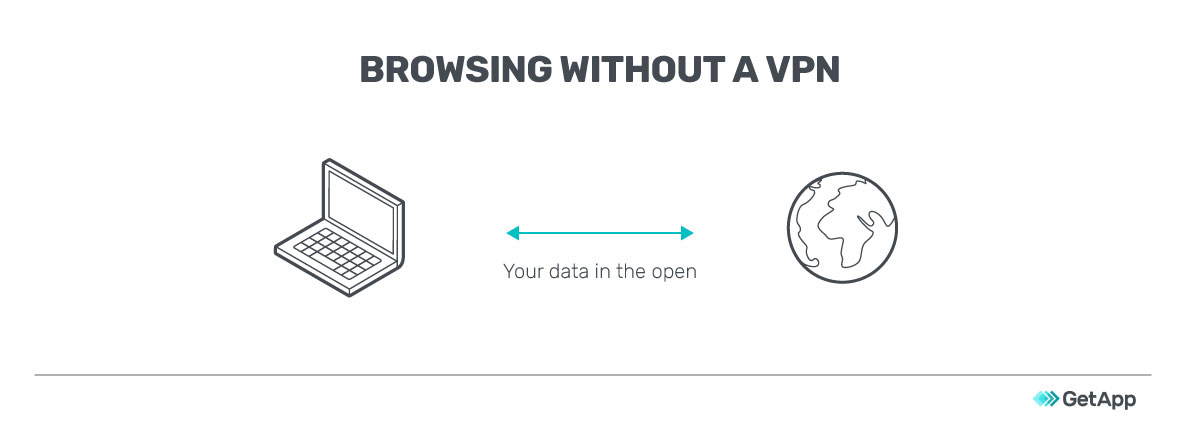
Without a VPN, the data you send over the internet (especially to non-HTTPS-compliant websites) is out in the open, without much protection. Hackers can see the data that’s in transit and follow the trail to identify and reach your IP address.
It may affect you directly if the exposed data is confidential information, such as tender bids or M&A agreements. Indirectly, hackers may compromise your servers or devices to launch cyberattacks.
A VPN secures your internet communications by creating a virtual network. Instead of your requests directly reaching the intended server, a VPN server routes the requests and connects on your behalf. The destination server identifies the VPN server, not you, as the traffic origin.
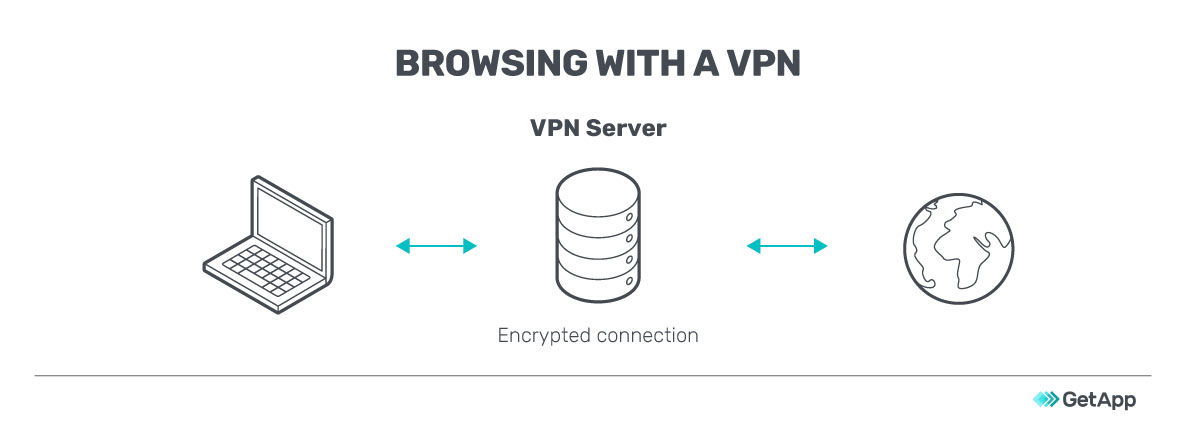
Your data requests are encrypted by VPN software even before your internet service provider (ISP) receives them, ensuring that hackers or malware can’t read your information.
Why VPN is important for businesses
Regardless of whether you’re a startup, small, or large business, a VPN is important as it secures internet communications and minimizes data theft incidents.
Here are some use cases that can be relevant to your business:
You have a remote workforce: You may have employees or freelance staff working from different geographic locations. Monitoring their online activities and granting them secure access to your IT network can pose a challenge.
You support a BYOD policy: While BYOD policies reduce a company’s infrastructure costs, they increase the security risks. Out of office, employees may connect their devices to unsecured networks, which exposes your data.
Your employees travel to client locations: Your employees may travel to client locations to close deals or to carry out after-sales work or consulting. While on location, they’ll require access to your private business network. They may also have to work while traveling, and using public Wi-Fi at airports and hotels increases security risks.
You simply want to secure communications and browsing: While an increasing number of websites are upgrading to HTTPS, several others still rely on HTTP. Your employees may easily land on one of these web pages while browsing, potentially exposing sensitive data such as passwords and business details.
VPN offers many benefits, few drawbacks
Installing a VPN secures your communications, improves privacy, and lets you bypass georestrictions.
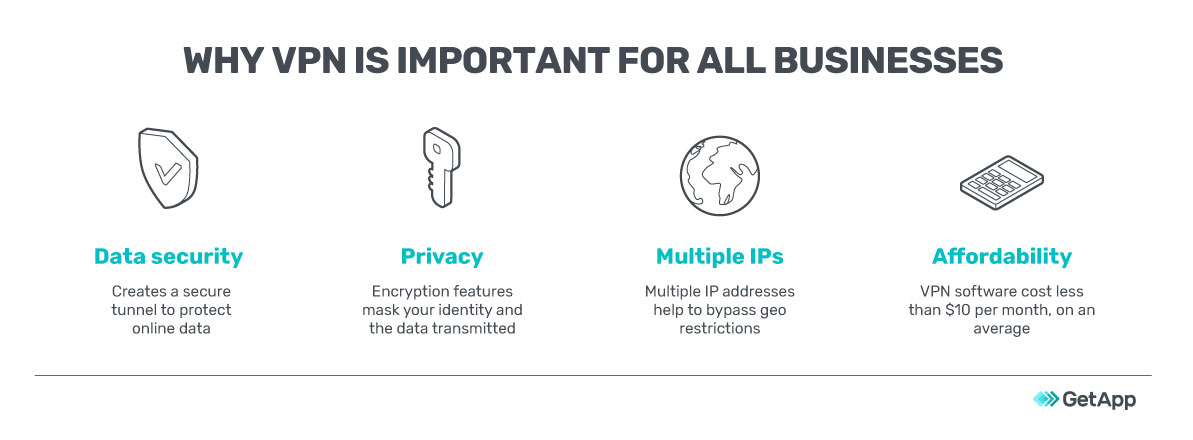
Enhanced data security: A VPN increases the security of your web sessions by passing your data through a secure tunnel as well as encrypting it. Some VPNs can also detect malware in files downloaded from the internet and provide warnings.
Better online privacy: Internet privacy is a major issue today. A VPN helps to mask your identity by providing you with new IP addresses when browsing online. Encryption of transmitted data further improves data privacy by ensuring that prying eyes on the internet are not able to read your data.
Ability to bypass geoblocking: Some websites or databases that support your business operations may not be directly accessible from your country. A VPN will bypass geo-blocking by obscuring your access request to appear to be originating from an IP address that’s in an unrestricted location.
Affordability: VPNs are security tools that make your internet experience safer with some tools coming at a cheap cost of less than $4 a month. A single VPN subscription or license usually supports multiple devices and most VPN software vendors also offer multi-year plans at lower rates per month.
There are no particular disadvantages to using VPNs, but they could slow down your browsing because of the extra steps involved in encrypting data requests and transmitting them to additional (VPN) servers.
You can get around this by switching off the VPN. However, it is recommended that you use the VPN during certain browsing activities, especially when accessing public Wi-Fi or sending confidential data.
Key features of VPN software
When shortlisting VPN software, look for the following key features.
| Feature | Description |
|---|---|
| Kill switch | Instantly blocks your device or selected programs from exchanging data over the internet when the VPN connection drops. |
| Peer-to-peer support | Supports peer-to-peer (P2P) traffic by connecting to a P2P server. A P2P network is a self-organized network in which each connected device functions as a client and a server simultaneously. |
| Anonymous browsing | Conceals your location and other personal details by changing IP addresses, concealing search activity, and connecting to the internet through remote third-party servers. |
| DNS leak protection | Ensures that all DNS requests are routed through the VPN and not via the ISP’s DNS server. |
| Remote access | Allows employees to connect to an organization’s private network from remote locations securely. |
| Encryption | Encrypts your data requests to ensure that only your VPN client and server can read them. Commonly used encryption protocols include IPsec (IPSec uses cryptography to encrypt and authenticate the traffic flowing between points of interest), OpenVPN, and 256-bit encryption. |
Additional things to look out for in VPN software:
Multiple server locations: The more countries your VPN provider has servers in, the more IP addresses you’ll have. This will improve the software’s geobypassing capabilities. More servers will also reduce internet traffic and improve browsing speed.
No-log policy: Ensuring that your VPN provider doesn’t log your online activities is important to maintain data privacy. Logging details are governed by state- or country-specific laws and may be mandated in some places. Check with your VPN provider for more details.
Mobile apps: With managing business processes on smartphones and tablets becoming ubiquitous, your VPN must extend the security umbrella to cover mobile devices. Check for the availability of iOS, Android, and Windows apps of your preferred VPN software.
3 examples of VPN software
Below we list (in alphabetical order) the three VPN software products with the highest average customer reviews on GetApp (as of May 2020). Read more about our product example selection methodology at the bottom.
Cisco AnyConnect
Cisco AnyConnect VPN works on computers as well as mobile (Android, iOS, and Windows) devices. Its features include home screen widgets for VPN access, double authentication, network roaming, and VPN on demand (triggered by destination).
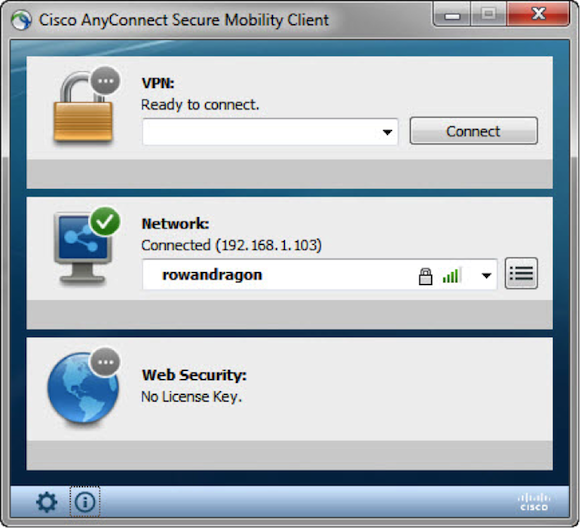
Securing connection using AnyConnect VPN
ExpressVPN
ExpressVPN works on Windows, Linux, and Mac operating systems as well as Android and iOS devices. Its features include kill switch, split tunneling, network lock kill switch, zero-knowledge DNS, and no activity/connection logs.
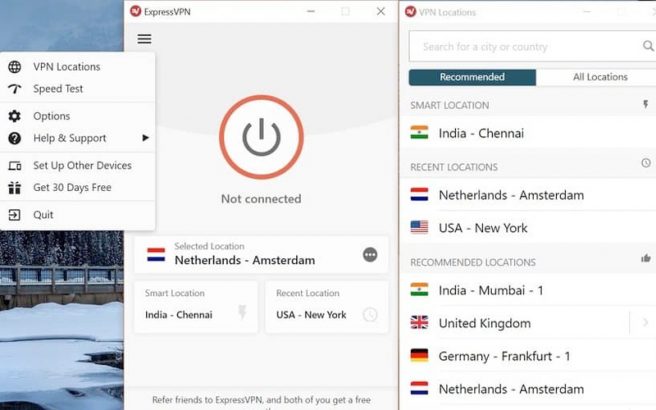
VPN interface of ExpressVPN
Windscribe
Windscribe is a data privacy solution that comes with features such as IP and domain (ads) blocker, anonymous IP and timestamp, static IPs, port forwarding, split tunneling, location warp, and data encryption.

Signing up screen in Windscribe
Next steps: Set up your VPN right away
If you don’t have a VPN yet, don’t wait for a data breach to happen: Sign up for VPN software immediately. Our directory of VPN software solutions can help you shortlist vendors.
Once you set up your VPN, you must encourage your employees to do all business work over the internet through the VPN. If your employees keep the VPN switched off most of the time, it will not help secure their online activities.
If you already have VPN software and are seeking an upgrade, check out VPN tools that offer faster browsing and support modern encryption features such as SSL and L2TP.
For all your IT security software needs, visit our Directory
Methodology
To be listed as examples of VPN products, the products had to be listed in our VPN directory page and had to meet the following criteria:
Products had to have a high recommendation rating (an average of at least 8.5 out of 10) on GetApp.
Products needed a minimum of 20 user reviews on GetApp (published in the last two years)
Note* The applications selected in this article are examples to show VPN features in context and are not intended as endorsements or recommendations. They were obtained from sources believed to be reliable at the time of publication.
Gitanjali Maria, Pritam Tamang