

GetApp offers objective, independent research and verified user reviews. We may earn a referral fee when you visit a vendor through our links.
Our commitment
Independent research methodology
Our researchers use a mix of verified reviews, independent research, and objective methodologies to bring you selection and ranking information you can trust. While we may earn a referral fee when you visit a provider through our links or speak to an advisor, this has no influence on our research or methodology.
Verified user reviews
GetApp maintains a proprietary database of millions of in-depth, verified user reviews across thousands of products in hundreds of software categories. Our data scientists apply advanced modeling techniques to identify key insights about products based on those reviews. We may also share aggregated ratings and select excerpts from those reviews throughout our site.
Our human moderators verify that reviewers are real people and that reviews are authentic. They use leading tech to analyze text quality and to detect plagiarism and generative AI.
How GetApp ensures transparency
GetApp lists all providers across its website—not just those that pay us—so that users can make informed purchase decisions. GetApp is free for users. Software providers pay us for sponsored profiles to receive web traffic and sales opportunities. Sponsored profiles include a link-out icon that takes users to the provider’s website.
RGB vs CMYK: What's the Difference?
Understanding the difference between RGB vs CMYK is key to any graphic designer. Learn when to use each and why both are useful in their own way.


Designers in all industries have to work with color on a daily basis, but so do branding experts and professionals who are tasked with creating letterheads, presentations, and other documents that speak to their personality and expertise.
So, while the theory behind color models—namely RGB and CMYK— is often overlooked, understanding them can help everyone be more creative and achieve professional results.
What's the difference between RGB vs CMYK?
The two primary color models are RGB and CMYK: RGB stands for red, green, and blue; CMYK stands for cyan, magenta, yellow, and black. You'll most often work with CMYK when working with printed materials, including magazines, brochures, and business cards. Meanwhile, RGB is the preferred color model for digital projects, including logos and websites.
Most people know the basics of how to mix the primary colors to get to the color they want, so the "additive" approach used by the RGB model is considered very easy to grasp. On the other hand, cyan and magenta can throw you off from the start, and having four values to work with instead of three complicates things, making the subtractive model used in CMYK all the harder to learn. Yet, both are critical for professional designers to understand.
If you work strictly with digital projects, you might be able to get away with never learning RGB. However, most professionals will need to work with print designs at some point. Understanding CMYK will make it that much easier to arrive at the ideal colors for your project and make sure they print the way you intend for them to.
What is RGB?
RGB is a color model that takes an additive approach, which means white is a combination of all primary colors, while black is the absence of light. The RGB model was developed explicitly for digital projects because of the way that screens display color.
When written in RGB, a color is represented by three values, each one ranging from zero to 255. The first value represents red, the second green, and the final blue. The closer a value is to 255, the whiter it becomes.
If you were to view a screen's pixels with a microscope, you'd see that each pixel is one of three colors consisting of red, green, or blue light. The closer a color is to white, the brighter the pixel gets as it blends all three colors together. This technique allows the retina in the human eye to perceive a wide range of colors, and, since today's screens consist of millions of pixels, they can produce extremely high-resolution images.
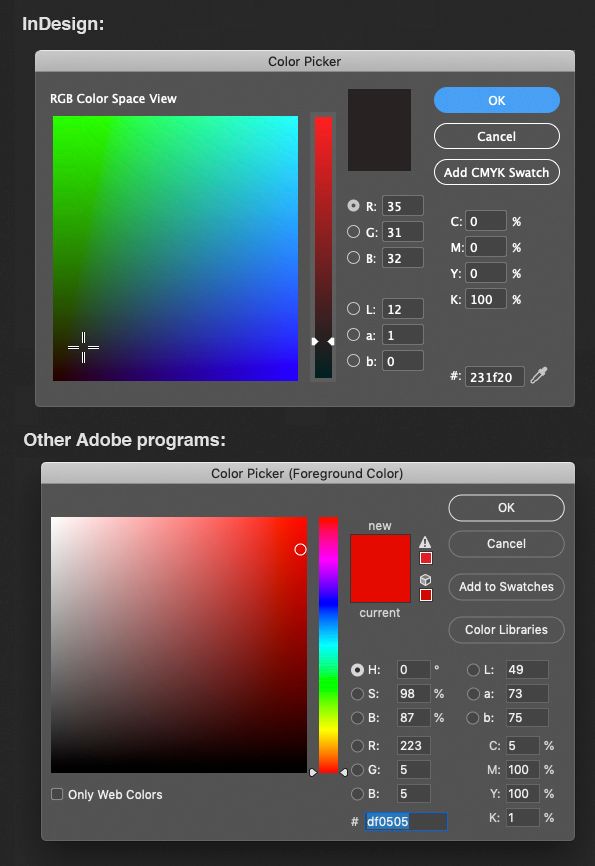
Screenshot of Adobe InDesign’s RGB color picker feature (Source)
What is CMYK?
CMYK is a color model that takes a subtractive approach, which means white is whatever the color of the paper or material is, while black is a combination of all the colored inks used by the machine. To print a design, machines lay down tiny dots of cyan, magenta, yellow, or black, each ranging from zero to 100 percent.
All in all, CMYK cannot reproduce all of the colors that are possible to achieve with the RGB model, which is precisely why all of your print projects should be designed using CMYK.
If you are using a design tool, switch to CMYK mode when working on a print project, or your designs are unlikely to turn out the way you'd expect. Likewise, when working with digital projects, switch to RGB to keep the mockups and designs consistent with the final product.
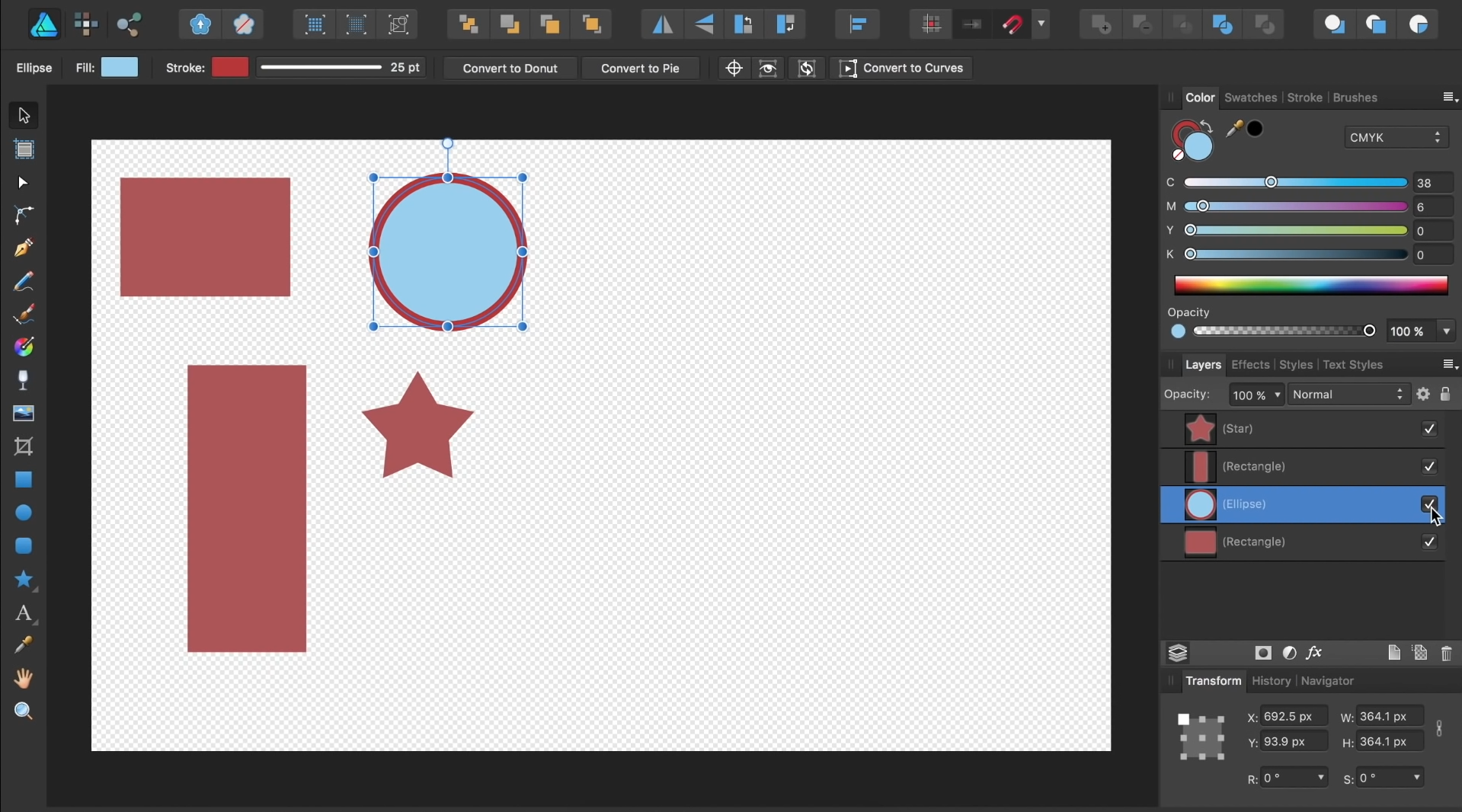
Screenshot of a CMYK color picker dashboard (Source)
When to use RGB or CMYK
Understanding both RGB and CMYK is a must, especially for professional designers who are bound to work with a mix of print and digital projects. However, it's easy to figure out which color model is best based on your medium:
Stick to RGB for digital projects, and CMYK for print media.
Now that you know when to use RGB and when to use CMYK, check out some of our leading graphic design tools to help you identify, choose, and use colors in your next project.
Need help narrowing down graphic design software? Check out the Top 10 Affordable Graphic Design Software for insights such as starting prices and user ratings.
Be sure to keep up with the latest tech and software advice in GetApp’s resource library.
Sydney Chamberlain
mentioned in this article


More on Creative & Design



May 17, 2024

Aug 04, 2022

May 01, 2024

Aug 02, 2022