GetApp offers objective, independent research and verified user reviews. We may earn a referral fee when you visit a vendor through our links.
Our commitment
Independent research methodology
Our researchers use a mix of verified reviews, independent research, and objective methodologies to bring you selection and ranking information you can trust. While we may earn a referral fee when you visit a provider through our links or speak to an advisor, this has no influence on our research or methodology.
Verified user reviews
GetApp maintains a proprietary database of millions of in-depth, verified user reviews across thousands of products in hundreds of software categories. Our data scientists apply advanced modeling techniques to identify key insights about products based on those reviews. We may also share aggregated ratings and select excerpts from those reviews throughout our site.
Our human moderators verify that reviewers are real people and that reviews are authentic. They use leading tech to analyze text quality and to detect plagiarism and generative AI.
How GetApp ensures transparency
GetApp lists all providers across its website—not just those that pay us—so that users can make informed purchase decisions. GetApp is free for users. Software providers pay us for sponsored profiles to receive web traffic and sales opportunities. Sponsored profiles include a link-out icon that takes users to the provider’s website.
4 Tips To Use Business Software Reviews To Find the Right Software
Use these tips to learn how to use buyer reviews for finding the right software for your business.


Ever booked a hotel without checking user recommendations online? Or purchased a gadget without asking your peers or viewing a review video on YouTube? No? Don’t be surprised—you’re not alone.
Most people rely on reviews and recommendations from actual buyers to understand the quality of a product or service they wish to buy. This holds true even for businesses looking to purchase software.
In fact, software reviews are arguably more important because software-related investments are substantial. Investing in the wrong software can severely impact a business’s financial health and productivity, and user reviews help buyers avoid choosing a tool that isn’t the right fit.
In this article, we’ve listed four tips for using business software reviews to find the right software.
1. Know what you’re looking for
Software reviews can pertain to several things. They can be complaints or praise about customer service; feedback about user friendliness and training support; compliments about software features, functionality, and integration; commentary about pricing plans/value for money—the list is never ending.
To navigate through this pile, you’ll first need to understand your needs. Take inputs from your team members to identify the challenges you’re aiming to address using the new software.
Use these insights to search for relevant user feedback. Be on the lookout for any recurring user sentiments, as they’ll provide an overall indication of how the software experience has been for most users and will be for you.
Visit user review platforms, such as GetApp, to shortlist tools relevant to your line of business. On GetApp’s software directory, you can select your software category and filter the listed products by user reviews.
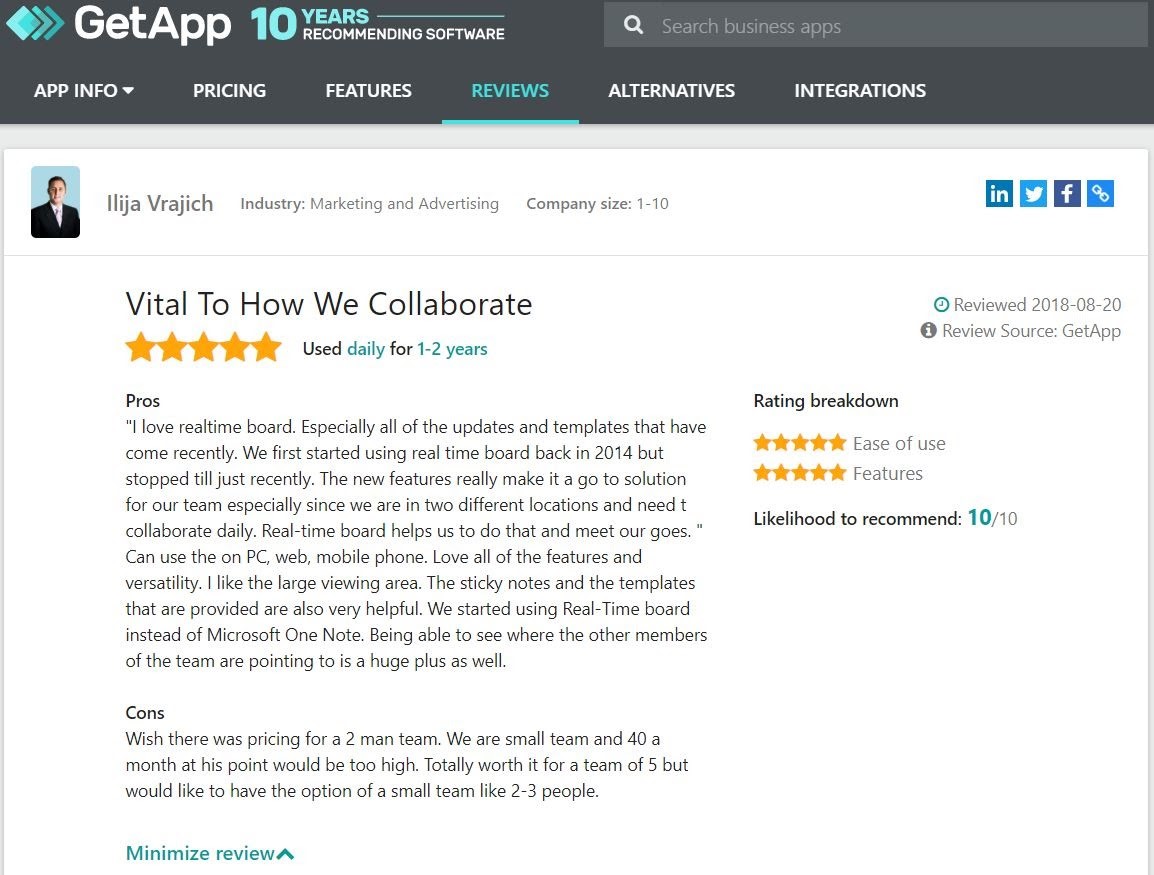
2. Check the authenticity of reviews
Not all the reviews are genuine. Fake reviews—positive as well as negative—can mislead buyers into spending money on a product that may not fit their needs. Here’s how you can verify the authenticity of reviews and the credibility of reviewers.
| Parameters | Warning signs | What to look out for |
|---|---|---|
| Language of a review | Use of marketing language and too many positive/negative adjectives or first-person pronouns, such as “I” and “me.” | Genuine reviews will usually have a mix of positive and negative elements. If there are no negatives mentioned, there’s a possibility that the review is fake. |
| Contents of a review | Generic statements or exaggerated claims about products, such as “best CRM software” or “great tool for digital transformation.” | Genuine reviews will usually describe specific features/functions and how they helped solve business challenges. They are also likely to have case stories. |
| Reviewer’s profile | Reviewer’s name is “anonymous,” company profile is unavailable on LinkedIn and the internet, or there’s a mismatch between the reviewer’s occupation and software use (e.g., a surgeon reviewing payroll software). | Genuine reviewers will usually use their real names instead of just “anonymous.” Also, companies that use business software will, in most cases, have an online presence. |
3. Watch out for the timeline of reviews
Reviews older than 18 months are likely to contain outdated information since most vendors release regular product/service upgrades based on user feedback and market trends.
Here’s an example of a recent user review on GetApp. The date of the review has been highlighted for your reference.
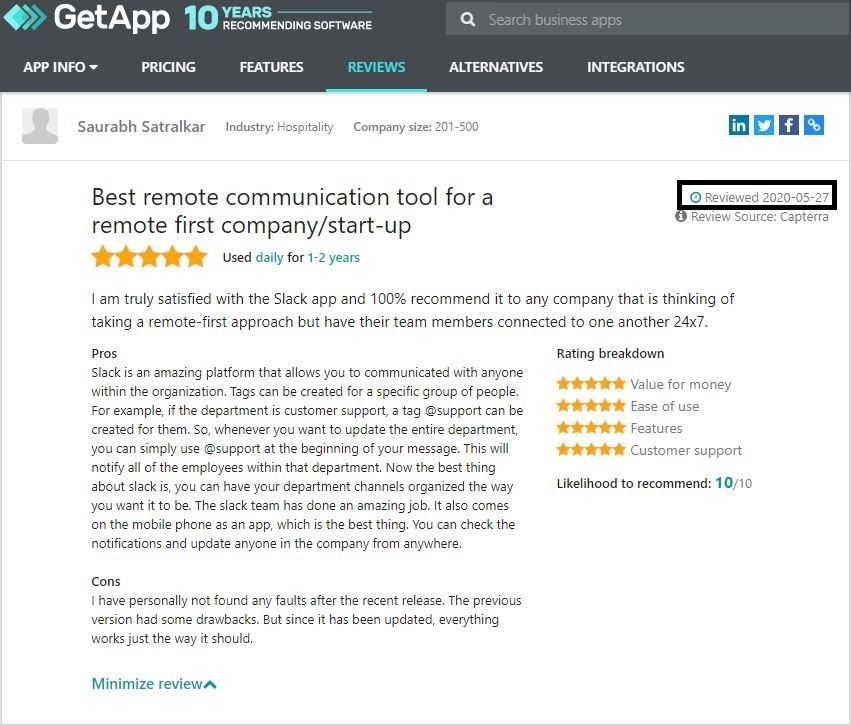
Here’s how you can use the latest user reviews during the software vetting process:
Make a list of the common concerns that the majority of reviewers have mentioned. Likewise, list out any concerns that you may have noticed. To cross-check the validity of the claims by users, discuss these with the sales team of the software you’re considering and purchase only if they’ve been addressed.
Check how vendors have responded to user reviews. Vendors that proactively reply to reviews, regardless of whether they’re positive or negative, are more likely to value their customers. Vendor responses are also indicative of how the customer service team will likely be.
4. Use filters to get specific and relevant reviews
Given the large number of reviews available online, it can be difficult to find information specific to your business challenges or needs. However, using software filters can help you dig out relevant reviews to make an informed purchase decision.
GetApp’s software directory allows you to filter user reviews based on several criteria. Select your software category, and filter reviews by overall rating, company size, industry, software usage time, and more.
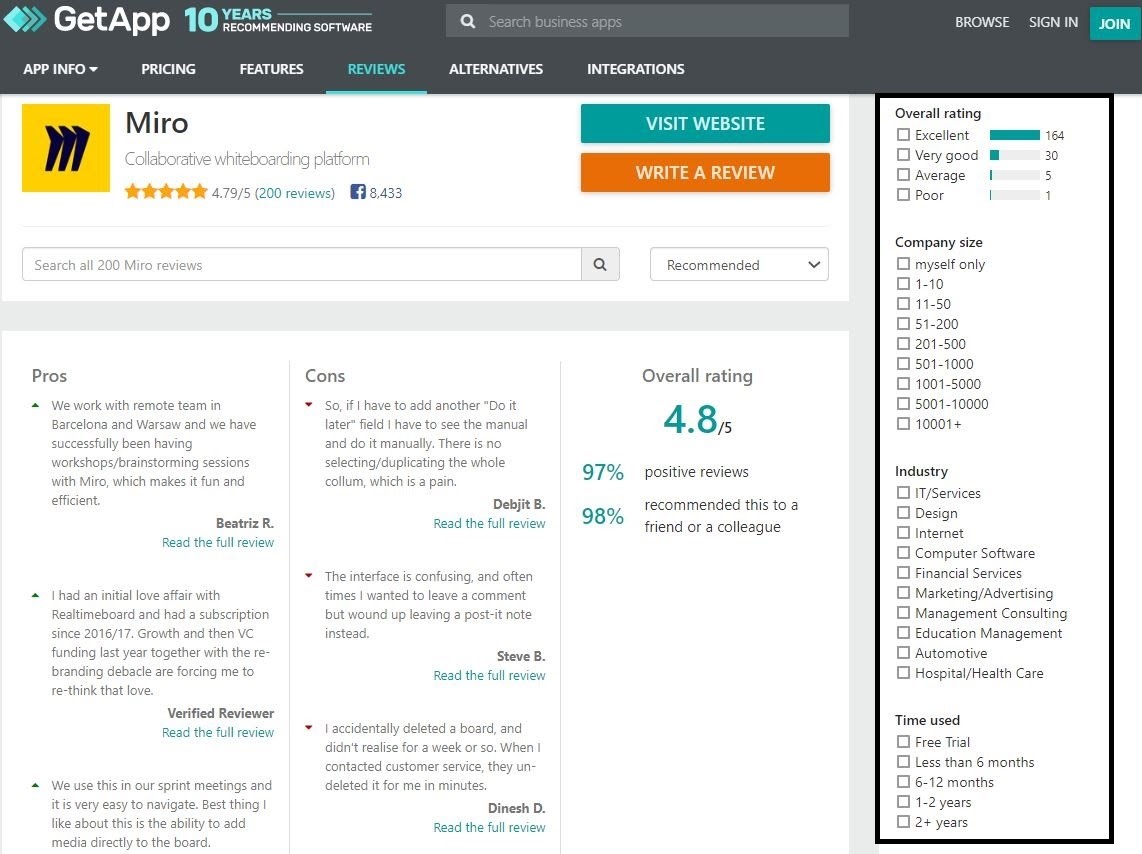
Here’s how you can use each filter highlighted in the above image:
Overall rating: Filter reviews by product rating: excellent, very good, average, or poor. Use this filter to know the strengths and weaknesses of the software solution you’re considering purchasing.
Industry: Read reviews from users belonging to the same industry as yours. If you’re from the IT industry, simply tick the relevant checkbox to understand the wins and challenges experienced by other IT buyers.
Company size: Filter reviews based on the size of the reviewers’ company. Use this filter to understand if a software tool is working well for businesses that are as big, or small, as yours.
Time used: Read reviews within a particular time frame. You can choose a review timeline and compare old reviews with relatively new ones to see how a product has evolved. You can also use this filter to jump straight to the latest user reviews.
Next steps
By now, you should have a fair idea of how to use online reviews by users to find the right software for your business. Here are a few more things to keep in mind:
Read negative reviews along with positive reviews of each software product in consideration to know about specific challenges faced by reviewers and to maintain a balance in your opinion.
Check out the frequency of reviews, as it’s an indication of user engagement. Products that have frequent reviews are more likely to have an engaged user base than those that don’t.
Read as many reviews as possible. Don’t make a purchase decision based on only three or four positive or negative reviews
Visit GetApp’s software directory to read what real buyers have to say about the software you’ve selected. You can also check out other top-rated products on the market. .
Disclaimer
Review screenshots mention the names of a few products, but they are not intended as endorsements or recommendations by GetApp.
Ankita Singh
More on Software Buying Tips

Mar 25, 2025


Feb 25, 2025

Sep 27, 2024

Oct 10, 2024