
App comparison
Add up to 4 apps below to see how they compare. You can also use the "Compare" buttons while browsing.
GetApp offers objective, independent research and verified user reviews. We may earn a referral fee when you visit a vendor through our links.
Our commitment
Independent research methodology
Our researchers use a mix of verified reviews, independent research, and objective methodologies to bring you selection and ranking information you can trust. While we may earn a referral fee when you visit a provider through our links or speak to an advisor, this has no influence on our research or methodology.
Verified user reviews
GetApp maintains a proprietary database of millions of in-depth, verified user reviews across thousands of products in hundreds of software categories. Our data scientists apply advanced modeling techniques to identify key insights about products based on those reviews. We may also share aggregated ratings and select excerpts from those reviews throughout our site.
Our human moderators verify that reviewers are real people and that reviews are authentic. They use leading tech to analyze text quality and to detect plagiarism and generative AI.
How GetApp ensures transparency
GetApp lists all providers across its website—not just those that pay us—so that users can make informed purchase decisions. GetApp is free for users. Software providers pay us for sponsored profiles to receive web traffic and sales opportunities. Sponsored profiles include a link-out icon that takes users to the provider’s website.
VSCRM
Manage Leads, Build Relationships, and Grow Sales with VSCRM
Table of Contents


Is this product right for your business?
Find out with a
VSCRM - 2026 Pricing, Features, Reviews & Alternatives


All user reviews are verified by in-house moderators and provider data by our software research team. Learn more
Last updated: October 2026
VSCRM overview
What is VSCRM?
VSCRM is a comprehensive Customer Relationship Management (CRM) platform designed to help businesses manage leads, customers, sales activities, and team performance from a single centralized system. It enables organizations to streamline their sales processes, improve customer engagement, and increase productivity by organizing all customer-related information in one place. Whether a company is a startup, small business, or growing enterprise, VSCRM provides the tools needed to manage customer relationships efficiently and drive business growth.
One of the core strengths of VSCRM is its lead management capability. Businesses receive inquiries from multiple channels such as websites, social media platforms, phone calls, emails, and marketing campaigns. Managing these leads manually can result in missed opportunities and delayed follow-ups. VSCRM helps capture, organize, and track leads throughout the sales pipeline. Sales representatives can easily view lead details, monitor progress, assign ownership, and ensure that every prospect receives timely attention. This structured approach improves conversion rates and helps teams focus on high-priority opportunities.
The platform also offers robust contact and customer management features. All customer information, including contact details, communication history, notes, documents, and interactions, is stored in a centralized database. This allows team members to access accurate and up-to-date information whenever needed. By maintaining a complete customer profile, businesses can deliver personalized communication, build stronger relationships, and provide better customer service.
VSCRM includes task management and follow-up reminder functionalities that help sales teams stay organized and productive. Users can create tasks, schedule meetings, set reminders, and track pending activities. Automated notifications ensure that important follow-ups are never missed. This feature is especially valuable for businesses that manage large numbers of prospects and customers, as it helps maintain consistent communication and improves customer engagement.
Sales pipeline management is another important feature of VSCRM. The platform provides a clear visual representation of sales stages, enabling businesses to track deals from initial inquiry to final closure. Sales managers can monitor the status of opportunities, identify bottlenecks, and forecast revenue more accurately. The visibility offered by the pipeline helps organizations make informed decisions and optimize their sales strategies .
Automation plays a significant role in enhancing efficiency within VSCRM . Repetitive tasks such as lead assignment , follow-up scheduling , activity tracking , and status updates can be automated , reducing manual effort and minimizing human errors . By automating routine processes , businesses can save time and allow sales teams to focus on relationship building and revenue-generating activities .
The platform also supports reporting and analytics , providing valuable insights into sales performance, lead conversion rates , team productivity , and customer behavior . Managers can access reports and dashboards to evaluate key metrics and identify areas for improvement . Data-driven insights help businesses make strategic decisions , improve forecasting accuracy , and optimize operational efficiency .
VSCRM is designed with a user - friendly interface that simplifies CRM adoption across teams. Users can navigate the system easily, access relevant information quickly , and perform daily tasks without extensive technical knowledge. This ease of use reduces training requirements and encourages greater adoption among employees.
Collaboration is another area where VSCRM adds value.Team members can share notes, updates, and customer information within the platform, ensuring everyone stays informed .
For growing businesses, scalability is an important consideration, and VSCRM is built to support expansion.
Starting price
per month
Alternatives
with better value for money
Do you work for VSCRM? Manage this product listing
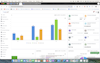
VSCRM’s user interface
VSCRM reviews
Overall rating

No reviews
- Value for money
- Ease of use
- Features
- Customer support
- Likelihood to recommend0/10
5
4
3
2
1
0
0
0
0
0
VSCRM's key features
Most critical features, based on insights from VSCRM users:
All VSCRM features
VSCRM alternatives
VSCRM
Starting from
1000
/user
Per month

Bigin by Zoho CRM
Starting from
7
/user
Per year
Brevo
Starting from
9
Per month

eWay-CRM
Starting from
20
/user
Per month
VSCRM pricing
Pricing plans
Pricing details:
User opinions about VSCRM price and value
Value for money rating:
VSCRM integrations (1)
Top integrations

VSCRM support options
Typical customers
Platforms supported
Support options
Training options
VSCRM FAQs
VSCRM has the following typical customers:
Small Business, Freelancers, Mid-size Business, Large Enterprises
These products have better value for money
Q. What level of support does VSCRM offer?
VSCRM offers the following support options:
Chat, 24/7 (Live rep), Phone Support, Email/Help Desk, FAQs/Forum, Knowledge Base