GetApp offers objective, independent research and verified user reviews. We may earn a referral fee when you visit a vendor through our links.
Our commitment
Independent research methodology
Our researchers use a mix of verified reviews, independent research, and objective methodologies to bring you selection and ranking information you can trust. While we may earn a referral fee when you visit a provider through our links or speak to an advisor, this has no influence on our research or methodology.
Verified user reviews
GetApp maintains a proprietary database of millions of in-depth, verified user reviews across thousands of products in hundreds of software categories. Our data scientists apply advanced modeling techniques to identify key insights about products based on those reviews. We may also share aggregated ratings and select excerpts from those reviews throughout our site.
Our human moderators verify that reviewers are real people and that reviews are authentic. They use leading tech to analyze text quality and to detect plagiarism and generative AI.
How GetApp ensures transparency
GetApp lists all providers across its website—not just those that pay us—so that users can make informed purchase decisions. GetApp is free for users. Software providers pay us for sponsored profiles to receive web traffic and sales opportunities. Sponsored profiles include a link-out icon that takes users to the provider’s website.
How to Improve Your Response Time to Customers
Don’t make your customers wait longer than they have to or you’ll lose revenue and customer loyalty. Use these three tips to improve response time to customers.


If you work directly with customers, you and your team likely spend a good chunk of time responding to any queries and questions they have about your service. This can quickly become overwhelming when your inbox is constantly refilling with email after email.
If you have slow response times, or worse, forget to respond altogether, you will not only lose that customer’s business, but you also risk a negative review and bad word of mouth. As a small or midsize business, word of mouth and positive reviews are everything. To help you respond to all customer queries and maintain your customer service reputation, take advantage of the features customer service software offers your business. This can greatly improve your customer response time.
According to a 2018 study from SuperOffice, the average company takes 12 hours and 10 minutes to respond to an email or customer service query. And that’s just from the first point of contact. That means you have plenty of time to beat the average and stand out from your competitors.
By improving your response time to customers, you will build better brand loyalty and increase customer satisfaction, all of which will lead to increased revenue.
In this article, we discuss the three key features that customer service software offers you to help improve customer response time.
1. Use automation to respond quickly to customers
One of the key advantages of using customer service software is that it enables your business to automate certain tedious tasks such as sending an “we received your message and will get back to you soon” email.
Customers enjoy instant gratification, being listened to, and feeling as though they aren’t wasting their time. Receiving an immediate response email lets them know when they can expect a follow-up response which goes a long way in establishing more credibility as a business. And it doesn’t have to be anything special, either.
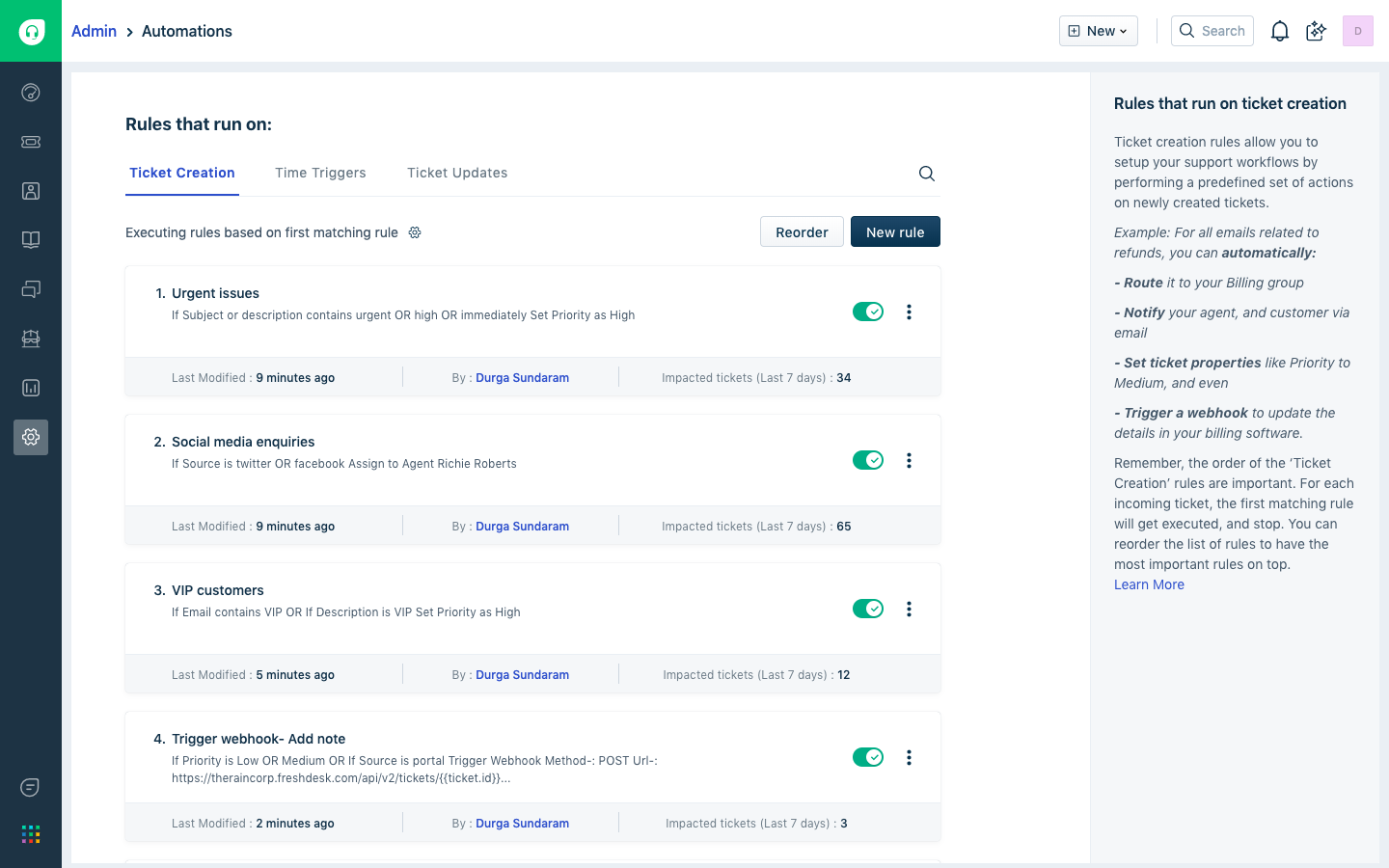
Freshdesk’s automatic response creation page
Some of the more common automatic responses are the following:
Simply letting them know that their question or concern has been received.
If the email is sent at a time when your customer service team isn’t available, let them know your business hours and when they can expect a response.
Letting your customer know your average response time is also great information to send automatically. Just be sure to actually stick to that time frame.
2. Have an easily-accessible FAQ to filter customers to first
If you’ve ever worked with customers, you’ve received the same questions again and again which can become tedious and frustrating, but it’s important to remember that each customer calling you is often experiencing that problem for the first time.
That’s why setting up a frequently asked questions (FAQ) page can help tremendously. You don't need to worry about quick response times if your customers find the answer to their question themselves. If you haven’t already invested the time and effort into creating a FAQ page, you’re losing hours of your time responding to questions and concerns that can easily be answered in one central location.
With customer service software, you’ll be able to automatically filter certain phrases and questions and redirect your customers to the FAQ. It takes a bit of time to both come up with a list of questions and answers and teach your software to filter appropriately, but it can pay dividends when you and your customer service reps aren’t answering the same questions over and over again while someone with a more complicated issue is left waiting.
3. Be responsive by using customer service software
The worst mistake a customer support team can make is to leave your customer without a response. This is a surefire way of ensuring that a customer never patronizes your business again.
When you’re receiving more questions than you can handle, whether it’s through email or social media, you run the risk of forgetting that one email or letting your inbox fill so much that some of the older responses get left behind.
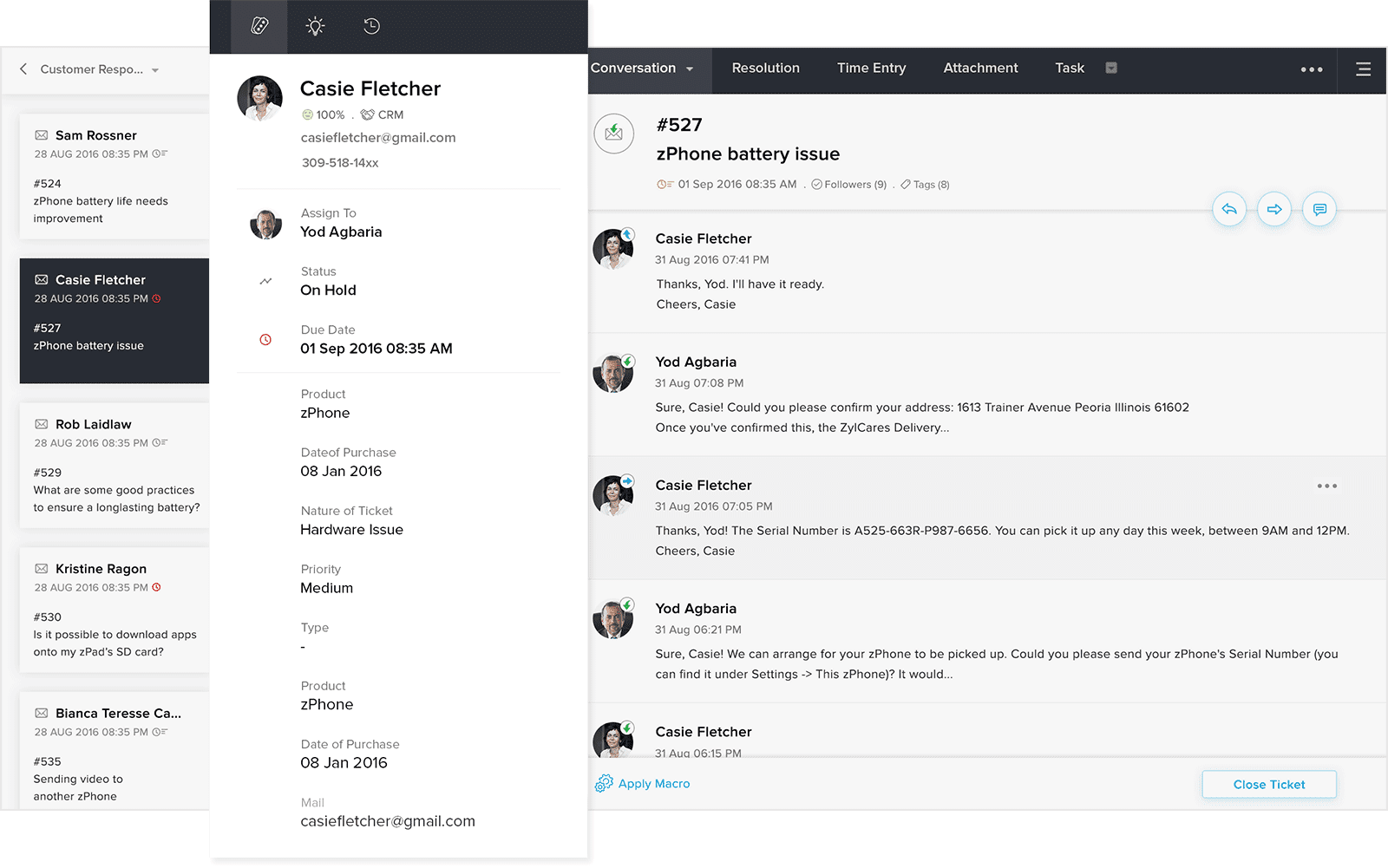
Zoho Desk’s customer questions page
Don’t worry though—customer service software comes equipped with tools that let you set up reminders for each email so that your service reps never leave an email in the inbox. Let’s say you aim to keep your response times within eight hours from when you receive a query. You can customize your software so that each email has a timer attached to it that will send automatic reminders to your service reps at a specified time before that eight hours is up.
Customer service software also lets you consolidate all of your outstanding customer complaints, questions, or customer feedback in one place. It will pull in every point of contact from email, social media, or contact forms and make sure your service reps have access to them from one easy-to-use location.
Improving customer response times is crucial to the success of your business
Reducing the response times to your customers will not only improve brand loyalty, but it will also make your business processes more efficient. By implementing process automation and using customer service software, you and your team will have more time to improve other aspects of your customer support structure.
Additional resources:
Not ready to take the plunge and purchase customer service software? Check out our list of the Top 4 Free Customer Service Tools.
For more insights into the different customer support channels and how they can affect your business, take a look at 5 Customer Service Channels You Shouldn’t Ignore.
More on Customer Service



Jun 18, 2024

Dec 08, 2023