GetApp offers objective, independent research and verified user reviews. We may earn a referral fee when you visit a vendor through our links.
Our commitment
Independent research methodology
Our researchers use a mix of verified reviews, independent research, and objective methodologies to bring you selection and ranking information you can trust. While we may earn a referral fee when you visit a provider through our links or speak to an advisor, this has no influence on our research or methodology.
Verified user reviews
GetApp maintains a proprietary database of millions of in-depth, verified user reviews across thousands of products in hundreds of software categories. Our data scientists apply advanced modeling techniques to identify key insights about products based on those reviews. We may also share aggregated ratings and select excerpts from those reviews throughout our site.
Our human moderators verify that reviewers are real people and that reviews are authentic. They use leading tech to analyze text quality and to detect plagiarism and generative AI.
How GetApp ensures transparency
GetApp lists all providers across its website—not just those that pay us—so that users can make informed purchase decisions. GetApp is free for users. Software providers pay us for sponsored profiles to receive web traffic and sales opportunities. Sponsored profiles include a link-out icon that takes users to the provider’s website.
How To Save Time and Money With OCR Invoice Processing
Learn how to go paperless and save time as well as money using an OCR invoice processing solution.


Capturing invoices is an essential part of your accounting process, but do you like the idea of sitting for hours at a stretch, typing in data from invoices into your accounting software? Needless to say, manual paper-based methods of processing invoices are not only time-consuming but also prone to challenges such as human errors, duplicate data, and loss of paper documents.
Optical character recognition (OCR) technology can automatically capture data from your invoices to help reduce the staff hours and, as a result, the money you spend on manual invoice processing. It also increases accuracy and reduces the chances of human errors, given data is picked directly from the invoices with minimal manual involvement.
In this article, we’ll provide an overview of the OCR invoice processing automation technology, its benefits for your business, and how you can implement it for your accounts payable processes.
What is OCR technology?
OCR is an automation technology that analyzes handwritten and printed text (letters and numbers) on paper documents and converts it into a digital format. It saves the output data as a file that can be edited easily.
How your invoices are processed through OCR
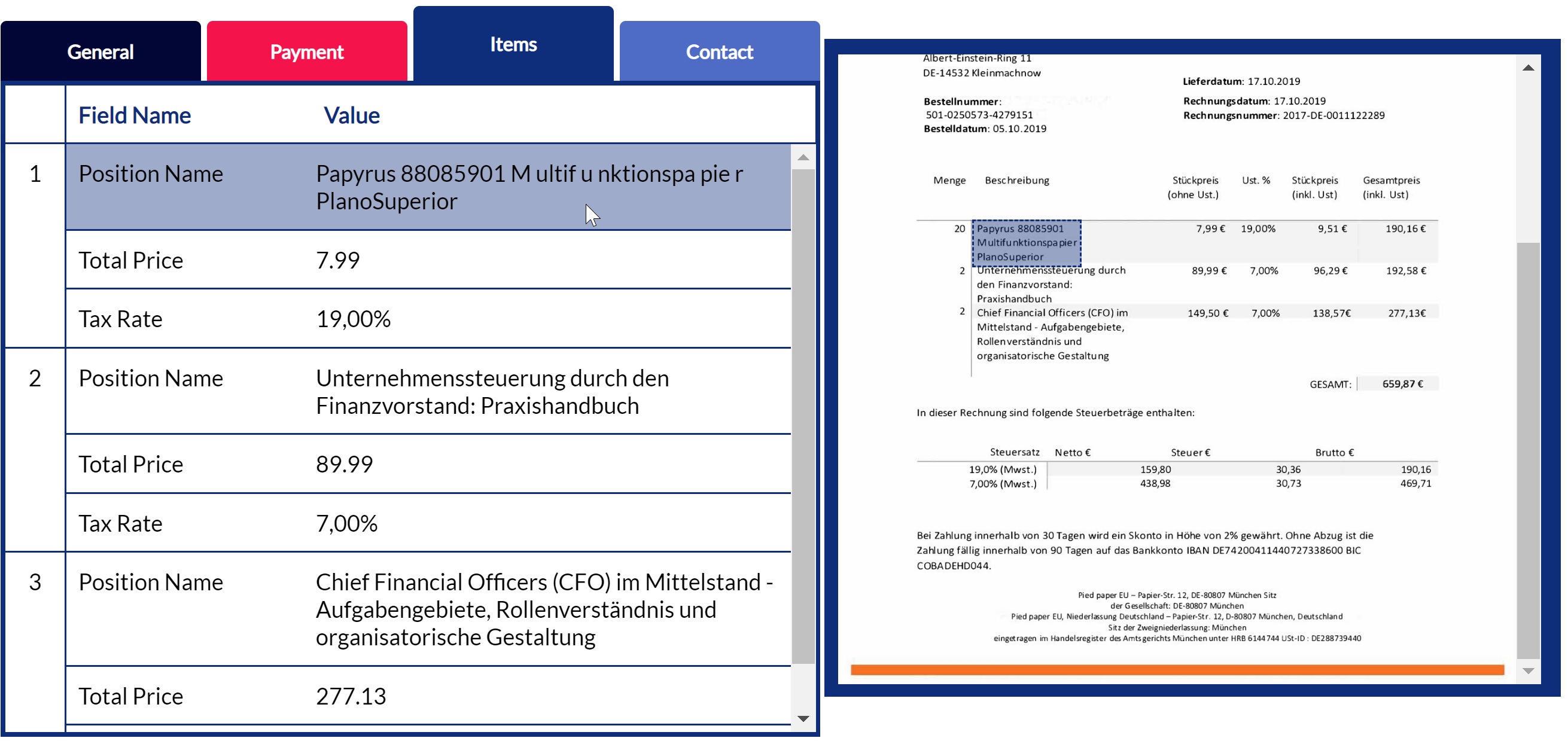
An OCR tool can process paper invoices, handwritten invoices, and even invoices you’ve captured through mobile phones, tablets, etc. All you need to do is define the invoice fields from which you want to capture data (e.g., invoice date, invoice number, due amount, and due date fields). The tool will automatically extract data from the defined fields and make it available as editable files in PDF, CSV, and other formats.
Extracted data can be fed into other software applications such as ERP and document management systems. Some OCR tools can integrate with accounting software solutions, so you can automatically process invoice data for getting approvals or processing vendor payments.
Benefits of OCR invoice processing for your business
An OCR invoice automation solution can benefit your business in many ways. Here’s a look at the key benefits you can get from the tool.
Automated invoice processing: OCR tools can automatically read, capture, and compile invoice data into your preferred file format within seconds. This means you don’t need to spend hours typing in invoice data manually.
Accurate data capture and fewer invoicing errors: When processing large volumes of invoices via manual methods, data entry errors are highly likely. These errors can lead to data discrepancies in your accounting books as well as financial reports. OCR invoice processing eliminates manual data entry and ensures captured data is accurate and free from errors.
Strong data security: A paper invoice can get easily stolen, misplaced, or manipulated, leading to data security concerns. With an OCR solution, your invoice data is stored digitally in a secure server, which helps minimize the risk of data getting stolen.
Quick invoice search: After scanning through invoices, OCR tools convert captured data into digital files that are stored at a centralized repository for quick access. You can search for invoices by simply entering the client name, invoice number, date, etc.
How to set up OCR invoice processing
You can start using an OCR invoice processing tool via one of the following approaches:
Purchase accounting software with built-in OCR functionality
If this is your first time buying software, opt for an accounting solution that offers built-in OCR invoice processing. Many accounting tools such as QuickBooks and Xero provide this functionality. But if you already have an accounting system, check with your vendor if it can support the invoice processing feature, either through a plug-in, an API, or an upgrade.
Invest in a stand-alone OCR tool
If the accounting software you use doesn’t support OCR, consider purchasing a stand-alone tool. Stand-alone OCR solutions will let you capture invoice data and access it via a centralized dashboard. If you don’t want to make an investment right away, here are some free tools to try. Likewise, you can also check these top-rated OCR software solutions.
3 things you should consider when purchasing OCR software
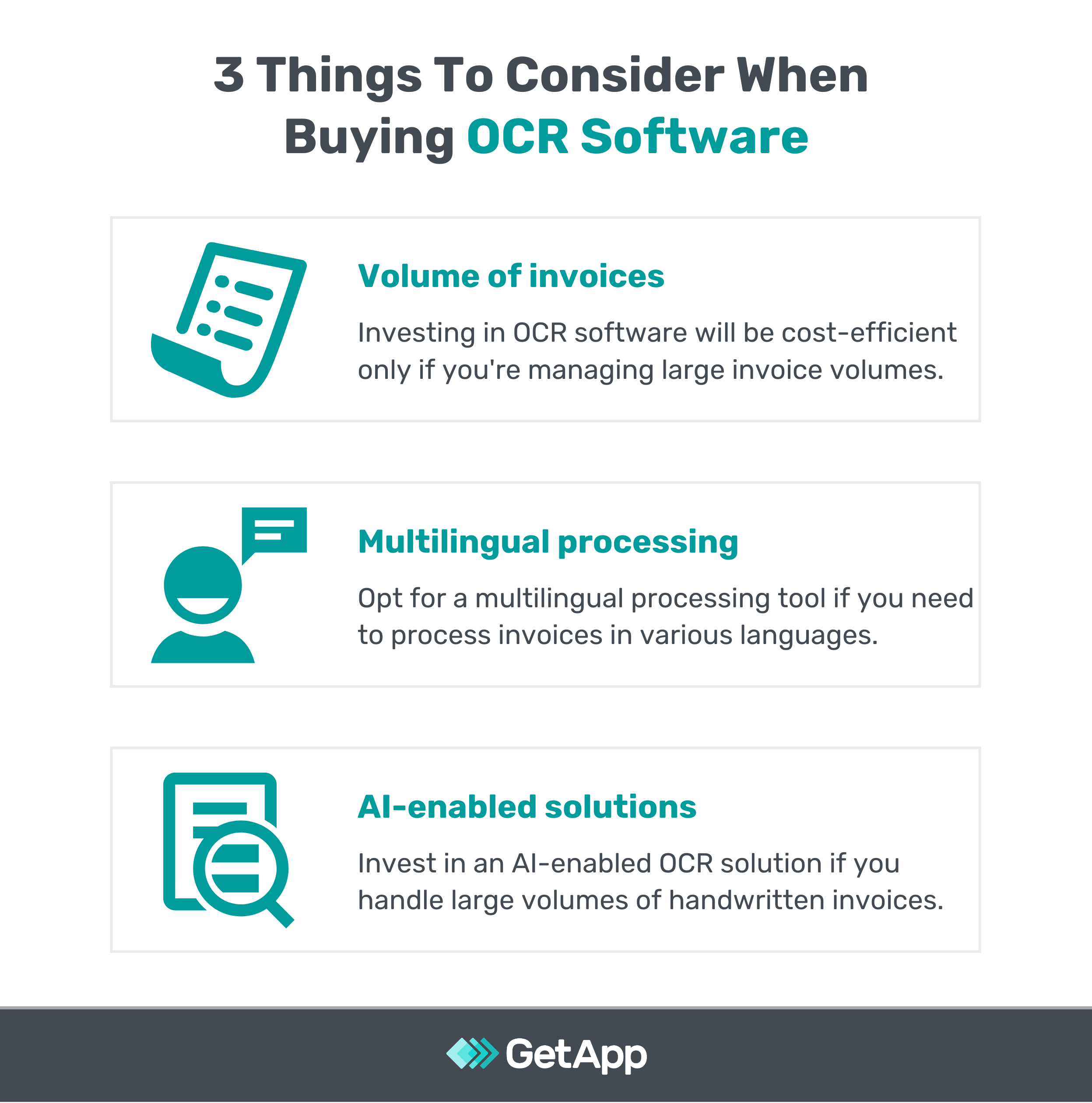
Here are the three key things to keep in mind when purchasing an OCR solution for invoice management.
1. Factor in the number of invoices you manage
Invest in an OCR tool only if you manage large volumes of invoices regularly. You can use the tool even if your invoice volume is low, but it may not be cost-efficient. For fewer invoices, it’s comparatively easier to check and correct errors manually, but the same becomes a task when you have hundreds of invoices to log into your accounting system.
2. Opt for multilingual processing if you deal with international clients
If you have clients or customers that belong to non-English speaking countries or regions, opt for OCR invoice processing software that supports multiple languages. The multilingual processing capability will let you capture data from client invoices without having to rely on any translation tools.
3. Assess the need for an AI-enabled OCR solution
AI technologies such as deep learning and digital neural networks are equipped with the ability to recognize handwriting patterns, even if the text is clumsy. These technologies offer high accuracy because they are trained using millions of handwritten notes. If your business processes large volumes of handwritten invoices, an OCR solution with AI capabilities is a safe bet.
Do your research before investing in OCR software
OCR invoice processing can speed up your invoice capture process, but it can’t guarantee 100% accuracy. Also, different solutions have different levels of accuracy. Thus, do complete research and evaluate multiple options before making a decision. Opt for demos, learn about products based on reviews, ask your colleagues for feedback, and try free options to shortlist a tool that caters to your needs.
Here are some additional resources on accounting and finance tools:
Harshit Srivastava
More on Accounting & Finance