GetApp offers objective, independent research and verified user reviews. We may earn a referral fee when you visit a vendor through our links.
Our commitment
Independent research methodology
Our researchers use a mix of verified reviews, independent research, and objective methodologies to bring you selection and ranking information you can trust. While we may earn a referral fee when you visit a provider through our links or speak to an advisor, this has no influence on our research or methodology.
Verified user reviews
GetApp maintains a proprietary database of millions of in-depth, verified user reviews across thousands of products in hundreds of software categories. Our data scientists apply advanced modeling techniques to identify key insights about products based on those reviews. We may also share aggregated ratings and select excerpts from those reviews throughout our site.
Our human moderators verify that reviewers are real people and that reviews are authentic. They use leading tech to analyze text quality and to detect plagiarism and generative AI.
How GetApp ensures transparency
GetApp lists all providers across its website—not just those that pay us—so that users can make informed purchase decisions. GetApp is free for users. Software providers pay us for sponsored profiles to receive web traffic and sales opportunities. Sponsored profiles include a link-out icon that takes users to the provider’s website.
6 Best Remodeling Estimating Software for QuickBooks (2027)
See which records sync, what the connection costs, and how each tool handles quotes, scope changes, and job budgets.

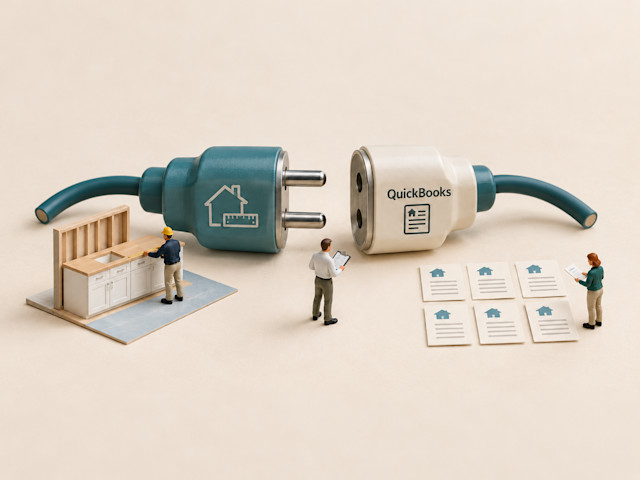
You’ve priced the remodel and the homeowner has approved the work. Now you’re copying those numbers into QuickBooks. A connected estimating tool can reduce that double entry, but the details matter. Some connections send invoices; others also bring payment updates or job costs back.
I compared six best remodeling estimating software that integrate with QuickBooks using user reviews and official product documentation. Below, I explain how each handles estimating, which records transfer, and what the required subscription costs. I also cover what reviewers like and where they run into problems, so you can compare the tools against the way you work.
Best remodeling estimating software that integrates with QuickBooks: A quick look
Here are my top six remodeling estimating software for QuickBooks integration. I compare their estimating workflows and documented accounting transfers below.
| Tool name | Overall rating | No. of reviews | Value-for- money rating | QuickBooks edition(s) supported | Starting price with integration |
|---|---|---|---|---|---|
| Jobber | 4.6/5 | 1,487 | 4.4/5 | Online | Connect plan: $99/month for 1 user, billed annually |
| Contractor+ | 4.7/5 | 231 | 4.6/5 | Online | Pro Team plan: $58/month for first 2 users, billed annually |
| ArcSite | 4.7/5 | 162 | 4.3/5 | Online | Takeoff plan: $99/month, billed annually |
| Buildxact | 4.6/5 | 183 | 4.5/5 | Online; Simple Start excluded | Pro plan: $339/month, billed annually |
| Tradify | 4.7/5 | 152 | 4.7/5 | Online; Self-Employed excluded | Lite plan: $47/user/month, monthly billing |
| Ressio Software | 5.0/5 | 36 | 4.9/5 | Online | Available upon request from vendor |
Ratings, reviews, and pricing are as of October 2026
How did I select these remodeling estimating tools for QuickBooks integration?
I selected six tools by filtering GetApp’s remodeling estimating category for QuickBooks integration and sorting by user rating. I used AI to analyze recurring themes in user reviews, then checked estimating features, sync details, and qualifying subscription prices against official vendor sources.
Find a detailed methodology at the end of this article.
1. Jobber: Best for quote-to-invoice workflows
Free plan or trial: 14-day trial
Starting price with QuickBooks integration: Connect plan, $99/month for 1 user, billed annually
Jobber connects itemized quotes, scheduled visits, customer records, and invoices in a field service management platform. For a remodeler handling repairs or individual trade jobs, that means pricing the work and scheduling the crew in the same system. For a remodel with separate demolition, installation, and finishing stages, I would test how those visits appear on the schedule.
Key remodeling estimating features of Jobber
Price line items with quantities, unit costs, and selling prices.
Reuse quote templates; create them on the web before mobile use.
Collect quote approvals or change requests through client hub.
Offer optional items and line-item images on the Grow plan and higher plans.
View job profitability on the Grow plan; the Connect plan includes time tracking.
How Jobber connects to QuickBooks
Compatibility and connection: Direct QuickBooks Online connection from the Connect plan. The connection supports US and Canadian accounts; supported US editions include Simple Start, Essentials, Plus, and Advanced. QuickBooks Desktop is not supported.
What syncs: Jobber sends clients, products/services, invoices, payments, and timesheets to QuickBooks Online. Customers and products/services can also be imported from QuickBooks into Jobber.
Important requirements or limits: Record invoice payments in Jobber and sync them to QuickBooks to keep payment records consistent. Before relying on invoice balances, test customer matching, payment updates, and deposits with your bookkeeper.
What reviewers like about Jobber
Connected quoting and billing. Reviewers value keeping customer details, quotes, jobs, and invoices together. For a remodeling contractor, that provides one customer record to consult when preparing a quote, scheduling the approved work, and issuing the invoice.
Scheduling crews. Users repeatedly praise the calendar and appointment management. For smaller remodeling jobs, this can make it easier to move visits and give office staff and field workers access to the same job details.
Learning routine tasks and getting help. Reviewers describe learning everyday tasks quickly and receiving useful support. I would have an estimator create a quote and a crew member open the scheduled job to check whether both can find the information they need.
What reviewers dislike about Jobber
QuickBooks discrepancies. Multiple reviewers report duplicated transactions, missing payments, or mapping problems. I would test customer matching, taxes, deposits, and payment totals with your bookkeeper before relying on the connection for billing.
The subscription can become expensive. Reviewers mention the cost of seats and higher tiers. Price the features your estimate needs: optional proposal items and job profitability require more than the qualifying Connect plan.
Related read: If you’re moving away from spreadsheets, learn how to replace Excel with remodeling estimating software.
2. Contractor+: Best for local-price estimates
Free plan or trial: Free plan and 14-day trial
Starting price with QuickBooks integration: Pro Team plan: $58/month for first 2 users, billed annually
Contractor+ combines itemized labor and material estimates with customer records, scheduling, contracts, and invoicing. Its supplier-price lookup and good, better, and best proposal options suit contractors pricing alternative materials for a homeowner. I would compare it when finding local prices and preparing a signed scope take more time than measuring quantities from plans.
Key remodeling estimating features of Contractor+
Look up local material prices from supported US retail suppliers.
Refer to local labor-rate data when building an estimate.
Reuse costbook items and templates for similar remodeling work.
Group optional line items into good, better, and best choices.
Collect digital signatures on scope and attached contract terms.
How Contractor+ connects to QuickBooks
Compatibility and connection: Direct QuickBooks Online connection on the Pro Team plan.
What syncs: Contractor+ sends queued invoices and associated payments to QuickBooks Online. Change orders can add a line to an existing invoice or create a separate invoice. The sync also handles tips, fees, refunds, disputes, and payouts.
Important requirements or limits: Adding an invoice to the queue does not complete its transfer; you must run the sync. Choose whether an approved change adds a line to the existing invoice or creates a separate invoice before sending it to QuickBooks.
What reviewers like about Contractor+
Local supplier-price lookup. Distinct reviewers praise searching for material prices while preparing estimates. For replacement flooring or fixtures, I would verify the product specification, selected store, and price before including that item in a homeowner's proposal.
Clear, itemized proposals. Users value separating labor from materials and producing professional estimates. This supports showing a homeowner what is included, rather than sending a single total that leaves the scope open to interpretation.
Estimates, appointments, and invoices together. Reviewers like keeping those records alongside customer details. An owner who prepares estimates and manages jobs can consult the customer's quote and billing paperwork without moving between separate applications.
What reviewers dislike about Contractor+
There is a lot to configure and learn. Reviewers describe confusing settings and time spent learning the feature set. I would build one of your own estimate templates during a demo and check how easily another person can use it.
Bugs can interrupt work. Multiple users report glitches or mobile problems, including issues following updates. Test estimate saving, editing, and document sharing on the devices you intend to use in the field.
3. ArcSite: Best for on-site drawing estimates
Free plan or trial: 14-day trial
Starting price with QuickBooks integration: Takeoff plan: $99/month, billed annually
ArcSite turns site drawings into material quantities and priced proposals. It suits contractors who need to show a homeowner the dimensions, product locations, and scope of proposed work during a property visit. Placing priced products in the drawing connects the measured layout to the estimate, so I would test it with a room or exterior project you regularly quote.
Key remodeling estimating features of ArcSite
Draw site layouts with dimensions, layers, and annotations.
Generate material takeoffs from products placed in drawings.
Price work from a digital price book and product bundles.
Turn drawings into branded proposals on the Estimates plan.
Collect digital approvals and manage priced change orders.
How ArcSite connects to QuickBooks
Compatibility and connection: Direct QuickBooks Online connection; Desktop is unsupported.
What syncs: ArcSite sends drawing-based data to create a QuickBooks Online estimate or invoice, matches or creates the customer, and maps products to invoice or estimate lines.
Important requirements or limits: Manual transfers use the web application after drawings are saved to the cloud. With ArcSite Payments enabled, an approved proposal requiring payment creates a QuickBooks invoice automatically; payments also post. An approved change order overwrites the linked invoice. Test whether that replacement behavior suits your billing process.
What reviewers like about ArcSite
Drawing and pricing at the property. Reviewers describe quoting on the spot and using takeoffs during site visits. This fits a contractor who wants to capture measured scope while the homeowner can still point out what needs changing.
Learning the drawing basics. Reviewers say they can produce layouts without prior computer-aided design (CAD) experience. I would test drawing an existing room, adding dimensions, and changing a wall length before judging how much training your estimates require.
Explaining the job to homeowners. Reviewers value clear plans, layers, and visual details in customer discussions. Showing where work will happen can help clarify a proposal whose written line items alone are difficult to picture.
What reviewers dislike about ArcSite
Detailed edits need practice. Reviewers describe difficulties with door sizing, connected sections, or less familiar drawing controls. Try an awkward existing room and a revised dimension before deciding that a simple demonstration represents your work.
Occasional crashes. Multiple users report the app crashing, even though others describe few technical problems. I would test your intended device with a detailed drawing and check recovery and cloud-saving behavior before relying on it on-site.
Related read: For access to schedules and job details from the field, explore mobile construction management apps.
4. Buildxact: Best for plan-based takeoffs
Free plan or trial: 14-day trial
Starting price with QuickBooks integration: Pro plan: $339/month, billed annually
Buildxact combines digital plan takeoffs, estimates, supplier pricing, purchasing, and job-cost tracking for residential builders and remodelers. Quantities measured from plans feed the estimate, while the accounting workflow links invoices and job costs. I would compare it when your team currently copies measured quantities into one spreadsheet and maintains the job budget in another.
Key remodeling estimating features of Buildxact
Measure digital plans and carry quantities into cost estimates.
Reuse estimate structures and import existing pricing lists.
Connect participating dealers' prices to material estimates.
Produce branded quotes with specifications and digital signing.
Track changes and estimated versus actual costs on the Pro plan and higher plans.
How Buildxact connects to QuickBooks
Compatibility and connection: Direct QuickBooks Online connection on the Pro plan and higher plans.
What syncs: Customer invoices go to QuickBooks. Received purchase orders can become QuickBooks bills; alternatively, QuickBooks bills and expenses can be imported and allocated to Buildxact jobs as actual costs. Recorded invoice payments return on a later sync.
Important requirements or limits: Choose whether purchase costs originate in Buildxact or QuickBooks before syncing. Work orders do not transfer. Imported bills appear in a rolling 30-day list; allocate them to jobs regularly and match existing orders to avoid counting the same cost twice.
What reviewers like about Buildxact
Takeoffs connected to estimates and quotes. Reviewers value moving from quantities to a professional quote without juggling spreadsheets. Others describe carrying those details into orders and cost tracking as the job progresses.
Reusable estimating work. Users praise copying estimates and templating previous quotes. That helps when several remodels share a structure, while still letting you check the quantities, supplier prices, and scope for each property.
Training and setup assistance. Multiple reviewers value vendor training and support. I would use those sessions to build a kitchen estimate with separate labor, material, and subcontractor costs, since other reviewers still report a learning curve.
What reviewers dislike about Buildxact
Initial setup takes time. Reviewers mention learning pricing, quoting, and more advanced functions. Bring your existing cost list to the demonstration and check what you must configure before producing a usable remodeling proposal.
Template and editing limits. Users ask for easier bulk edits, copying within estimates, and control over formatted output. If you use a particular proposal layout, have the vendor reproduce it before committing to a subscription.
5. Tradify: Best for trade-job quoting
Free plan or trial: 14-day trial
Starting price with QuickBooks integration: Lite plan: $47/user/month, monthly billing
Tradify connects quoting, scheduling, and invoicing for trade contractors, including builders and carpenters. For remodeling work organized as individual jobs and crew visits, it keeps the quote alongside the schedule and invoice. I would compare it for that workflow, then check which subscription covers the templates, cost tracking, or reusable labor-and-material kits your estimates require.
Key remodeling estimating features of Tradify
Build itemized quotes and control pricing and material markups.
Import supplier price lists rather than re-enter every item.
Reuse quote and invoice templates on the Pro plan and higher plans.
Offer quote options and online acceptance on the Pro plan and higher plans.
Bundle labor and materials into reusable kits on the Plus plan.
How Tradify connects to QuickBooks
Compatibility and connection: Direct QuickBooks Online connection, included on the Lite plan and higher plans.
What syncs: Tradify sends invoices and payments to QuickBooks Online. Sending bills requires bill tracking on the Pro plan or a higher plan. Customers, suppliers, and price-list items can be imported from QuickBooks; changes maintained in Tradify update QuickBooks when invoices are sent.
Important requirements or limits: Set the labor, materials, bank, and purchasing account mappings. Without the required item/account codes, line items may not appear on QuickBooks invoices.
What reviewers like about Tradify
Quotes and invoices linked to job details. Reviewers value retaining job information while preparing quotes and invoices. For smaller trade jobs, this gives the person handling billing the same job record used to prepare the customer's quote.
Learning everyday quoting and administration. Users describe learning routine tasks without extensive technical experience and value training and support. I would ask a new user to create, send, and find a quote during the trial to assess the help your team needs.
Office and field access. Reviewers like checking and managing work from phones as well as the office. For a small contractor, that helps keep job information available when the person preparing estimates is also visiting properties.
What reviewers dislike about Tradify
Price can be a concern. More than one reviewer questions the cost, despite positive comments about the workflow. Count everyone who needs a login and include the Pro or Plus plan if the listed estimating features are part of your requirements.
Scheduling does not fit every team. Reviewers describe crowded schedules or wanting different views and more automation. Test your own crew workload and appointment changes, particularly if several trades need separate visits on one remodel.
6. Ressio Software: Best for estimate-to-budget workflows
Free plan or trial: Not available
Starting price with QuickBooks integration: Available upon request from vendor
Ressio Software connects spreadsheet-style estimates with proposals, budgets, client selections, approvals, and change orders for residential builders and remodelers. Its budget compares estimated, committed, and actual costs. I would compare it for a remodel where changing fixtures or finishes need homeowner approval and the resulting costs must remain tied to the project budget.
Key remodeling estimating features of Ressio Software
Build categorized estimates with quantities, costs, and markups.
Reuse cost-catalog items and structures from earlier estimates.
Include allowances and connect client selections to approvals.
Turn estimate lines into proposals and priced change orders.
Compare estimated, committed, and actual project costs.
How Ressio Software connects to QuickBooks
Compatibility and connection: Direct QuickBooks Online connection; Desktop is unsupported. The setup guide requires expense-by-customer tracking and item-based cost coding.
What syncs: Ressio sends client invoices and approved bills to QuickBooks Online; invoice payment amounts and status return. QuickBooks bills and expenses feed budget actuals when correctly mapped. Time entries can move in either direction, subject to setup and employee requirements.
Important requirements or limits: Enable expense-by-customer and item-detail settings, then link projects and cost codes to QuickBooks customers/projects and Products & Services. Expenses coded only to account categories may not reach mapped budget lines. Record payments on integrated invoices in QuickBooks.
What reviewers like about Ressio Software
Reusable estimates and organized proposals. Reviewers praise detailed estimate creation, reusable structures, and professionally organized proposals. I would compare how much of a previous kitchen or bathroom estimate you can reuse while updating quantities, prices, and scope for the next property.
Client visibility and decisions. Users value keeping selections, approvals, and project information accessible to homeowners. For a remodel with changing finishes or allowances, that provides a place to review decisions alongside the job.
Help configuring the platform. Multiple reviewers describe responsive customer-success staff and working sessions to configure their processes. I would use those sessions to map your estimate categories, approval steps, and budget structure before entering a live project.
What reviewers dislike about Ressio Software
Setup requires your participation. Reviewers describe process mapping, initial data entry, and learning work. I would bring your estimate, cost codes, and approval process to a demo so you can identify what your team must prepare.
Some reporting needs spill into spreadsheets. Reviewers request more reporting options or broader estimate and budget summaries. Test the cost-type breakdowns you use to review labor, material, and subcontractor exposure before buying.
How to choose remodeling estimating software for your QuickBooks workflow
I would start with one kitchen or bathroom job you already priced, then check how each tool handles its quantities, customer choices, invoices, and costs.
Match the tool to how you estimate. ArcSite starts with drawings captured at the property; Buildxact emphasizes takeoffs from plans. Contractor+ adds local-price lookup to itemized estimating. Jobber and Tradify connect quoting to daily jobs, while Ressio connects estimates to managed project budgets.
Check how prices and scope changes are managed. Identify which prices come from a connected supplier and which come from a list you must update. Add a subcontractor quote and a fixture allowance, then price a countertop upgrade. Check how the homeowner approves that change and whether it updates an existing invoice or creates another.
Test the accounting handoff. Use your exact QuickBooks edition to transfer a customer's invoice, deposit, tax, and final payment. Compare the customer, line items, and totals in both systems. If your budget needs actual costs, enter a supplier bill in QuickBooks and verify that it reaches the correct job and cost code where that return flow is documented.
Assess adoption and total cost. Count the estimators, office staff, and crew members who need logins. Have them create a quote and open a job on their intended devices. Add the qualifying plan, extra seats, any required setup, and the separate QuickBooks subscription to your cost comparison; a free estimating account may exclude the connection.
Related read: Before committing to a paid subscription, compare free remodeling estimating software and trials to understand what you can try and where limits apply.
FAQs about remodeling estimating software that syncs with QuickBooks
These are the questions I would resolve before moving a remodeling estimate into a connected system.
Q1. My remodeling estimates are fine, but change orders never get priced or signed and my margin keeps leaking. Is there software that fixes what happens after the estimate?
Ressio connects estimates, client approvals, budgets, and change orders; Contractor+ documents signed changes that post as a new invoice line or a separate invoice. With ArcSite Payments enabled, an approved change order overwrites the linked QuickBooks invoice. I would test a priced countertop upgrade through approval and billing; your team still has to record and obtain approval for the extra work.
Q2. Why does it take me a whole evening to put together one remodeling proposal from my Excel estimate, and is there a faster way?
If you repeatedly reformat the same scope, compare reusable templates and estimate-to-proposal workflows. Buildxact and Ressio carry structured estimates into client documents; Jobber offers reusable quote templates, and Contractor+ supports costbook items and proposal options. Test whether one of your existing estimates imports or needs rebuilding before judging the time involved.
Q3. I keep re-keying every remodeling invoice into QuickBooks. How do I stop the double entry?
Choose a subscription with a documented invoice connection, such as Jobber's Connect plan, Contractor+'s PRO TEAM plan, Buildxact's Pro plan, or Tradify's Lite plan. Ressio also sends client invoices, while ArcSite can create invoices from drawing-based data. Confirm ArcSite's qualifying plan and Ressio's complete quote, then test customer matching, taxes, deposits, and subsequent edits before relying on the transfer.
Q4. Is there free remodeling estimating software for a solo contractor, and when is it worth paying?
Contractor+'s Freedom plan allows limited free estimating, but its QuickBooks connection requires the PRO TEAM plan. Buildxact advertises the Go plan for limited complimentary and pay-as-you-go estimating; its accounting workflow requires the Pro plan, while Tradify explicitly offers a trial of its QuickBooks connection. I would pay when the qualifying subscription covers a repeated task you actually need, after comparing seats, annual commitments, and any setup charges.
Q5. Will remodeling estimating software work with QuickBooks Online so I stop re-entering invoices?
All six shortlisted products document a QuickBooks Online connection, although ArcSite's lowest qualifying plan still needs confirmation. Edition details matter: Jobber supports US Simple Start accounts, while Buildxact excludes Simple Start and Tradify excludes Self-Employed. An Online connection does not establish Desktop support or mean that estimates and expenses transfer alongside invoices.
Q6. Which remodeling estimating software has two-way QuickBooks sync, not just estimate totals?
Buildxact supports sending invoices and receiving payment updates, with purchasing flows configured in either direction. Ressio sends invoices and bills, brings back payment and expense information, and documents time transfers both ways. I would compare those record types against your bookkeeping process; neither description means every field or estimate moves in both directions.
Q7. What is the best remodeling estimating software for a 1 to 10 person remodeling contractor leaving Excel?
I would compare Jobber for quotes linked to scheduled visits, Contractor+ for local material-price lookup, and Buildxact for takeoffs from plans. Ressio is relevant when client selections and actual costs need to stay connected to the estimate and budget. Count who needs a login, then recreate a previous estimate and one scope change to see which workflow your team can follow.
Q8. Which remodeling estimating platforms handle the steep learning curve well, per user reviews?
Ressio and Buildxact reviewers value guided onboarding or training, while also describing setup work. Jobber reviewers praise learning routine tasks and getting support; Contractor+ and ArcSite feedback describes settings or drawing controls that take practice. During a demo, ask each vendor to help you build your own estimate and record which tasks still require assistance.
Choose the estimating workflow your accounting can follow
The right fit depends on whether your main challenge is capturing quantities, pricing and presenting scope, or maintaining a budget through a changing remodel. I would narrow the field by that workflow, then check the precise QuickBooks edition, transfers, and full subscription cost. A low starting price matters less if the needed proposal or cost-tracking tools sit on a higher tier.
My advice: bring a completed kitchen or bathroom estimate to a demo or eligible trial, price a homeowner-approved scope change, and follow the supported invoice, payment, and actual-cost transfers with your bookkeeper. Ask for the qualifying subscription and mandatory fees in writing.
For a broader view of scheduling and contractor operations, explore GetApp's contractor management software category.
Methodology
To select and compare these six remodeling estimating tools for QuickBooks integration, I followed these steps:
Filtered GetApp’s remodeling estimating software category for QuickBooks integration, sorted the results by user rating, and selected six tools for further research.
Reviewed official vendor websites and product documentation to verify estimating features relevant to remodeling contractors, including line-item pricing, takeoffs, reusable templates, proposals, and change orders. The feature lists are selective, not exhaustive; refer to each vendor’s website for additional capabilities.
Checked official integration documentation to confirm supported QuickBooks editions, connection methods, record types, transfer directions, and setup requirements. I distinguished invoice transfers from estimate syncing and the return of actual job costs, rather than treating every connection as a two-way sync.
Reviewed official pricing pages to identify the lowest qualifying subscription, billing terms, user limits, and any required integration or setup charges. I also checked free plans and trials availability.
Used AI to analyze GetApp reviews, prioritizing feedback as of October 2026. I looked for recurring experiences with estimating, usability, setup, support, and accounting workflows, and deduplicated repeated reviews.