GetApp offers objective, independent research and verified user reviews. We may earn a referral fee when you visit a vendor through our links.
Our commitment
Independent research methodology
Our researchers use a mix of verified reviews, independent research, and objective methodologies to bring you selection and ranking information you can trust. While we may earn a referral fee when you visit a provider through our links or speak to an advisor, this has no influence on our research or methodology.
Verified user reviews
GetApp maintains a proprietary database of millions of in-depth, verified user reviews across thousands of products in hundreds of software categories. Our data scientists apply advanced modeling techniques to identify key insights about products based on those reviews. We may also share aggregated ratings and select excerpts from those reviews throughout our site.
Our human moderators verify that reviewers are real people and that reviews are authentic. They use leading tech to analyze text quality and to detect plagiarism and generative AI.
How GetApp ensures transparency
GetApp lists all providers across its website—not just those that pay us—so that users can make informed purchase decisions. GetApp is free for users. Software providers pay us for sponsored profiles to receive web traffic and sales opportunities. Sponsored profiles include a link-out icon that takes users to the provider’s website.
8 Remodeling Estimating Software for Small Contractors (2027)
Compare tools for pricing remodeling jobs, presenting clear proposals, and tracking approved changes; all with a small contractor’s workflow in mind.

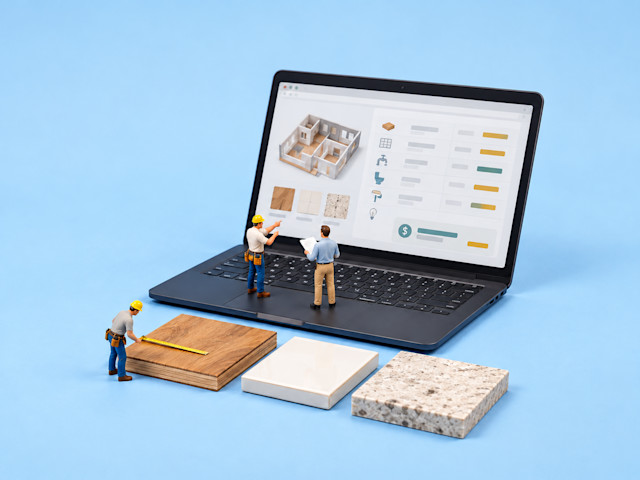
For a small remodeling business, an estimate often starts with one person pulling together site measurements, subcontractor quotes, and a homeowner’s choices. With a small team, I’d look for software that turns those details into a clear proposal and keeps approved changes connected to the job budget. The right fit depends on where you need help: preparing bids, presenting options, or tracking costs after approval.
In this article, I compare 8 best remodeling estimating software for small contractors by analyzing what real GetApp software users say about those tools. I’ll cover each tool’s fit, what reviewers like and dislike, and starting costs.
Best remodeling estimating tools: A quick look
After comparing ratings, review volume, and small-business feedback, I selected Jobber, Contractor+, Hover, ArcSite, ConstructionOnline, Materio, Buildxact, and Ressio Software as the best remodeling estimating tools for small contractors. The table below gives you a quick snapshot of these tools.
| Tool name | Overall rating | No. of reviews | Value-for-money rating | Starting price |
|---|---|---|---|---|
| Jobber | 4.6/5 | 1,487 | 4.4/5 | $29/month (billed annually; 1-user plan) |
| Contractor+ | 4.7/5 | 231 | 4.6/5 | $29/month (billed annually; 1-user plan) |
| Hover | 4.8/5 | 60 | 4.5/5 | $999/year (billed annually) |
| ArcSite | 4.7/5 | 162 | 4.3/5 | $30/month (billed annually) |
| ConstructionOnline | 4.5/5 | 613 | 4.5/5 | Available upon request from vendor |
| Materio | 4.9/5 | 42 | 4.7/5 | $115/month for 5 projects (billed annually) |
| Buildxact | 4.6/5 | 184 | 4.5/5 | $169/month (billed annually) |
| Ressio Software | 5.0/5 | 36 | 4.9/5 | Available upon request from vendor |
Ratings, reviews, and pricing are as of October 2026
How did I select the best remodeling estimating software for small contractors?
I considered both average ratings and review volume, so a handful of glowing reviews wouldn’t automatically outweigh a larger record of positive feedback. I then analyzed recurring small-business reviews and checked category-relevant features and pricing on official vendor sites.
1. Jobber
Best for: Small contracting teams that need quotes, crew schedules, and invoices in one workflow.
Free plan or trial: 14-day free trial
Starting price: $29/month (billed annually; 1-user plan)
Jobber connects quoting with customer records, scheduled visits, invoices, and payments. It’s a field service management platform with an estimate-to-job workflow, rather than a dedicated construction estimator. For service-oriented remodeling work, an accepted quote can become a scheduled job without rebuilding the customer and scope details.
Key features of Jobber:
Create branded, itemized quotes with your company information.
Let clients review and approve quotes through an online client hub.
Convert approved quotes into jobs without re-entering their details.
Schedule crew visits and adjust jobs using the visual calendar.
Sync with QuickBooks Online on Connect and higher subscription plans.
What reviewers like about Jobber:
Quotes carry into the job workflow. Reviewers like keeping requests, quotes, job details, and invoices together instead of rebuilding the record at each stage.
Scheduling keeps crew visits organized. Users value viewing appointments, assigning work, and adjusting schedules when jobs move, with customer and site details close at hand.
Clients can handle approvals and payments. Several reviewers appreciate the client hub, where customers review quotes, approve work, and pay invoices without a separate email exchange.
What reviewers dislike about Jobber:
Scope changes can complicate approved quotes. Reviewers report limited flexibility when changing an approved quote or managing later scope changes. I’d test how Jobber handles revisions and change orders before choosing it for remodeling work.
QuickBooks syncing needs checking. Some reviewers report duplicate entries or payments that don’t transfer correctly. Others find the connection useful, but recommend double-checking the accounting records.
2. Contractor+
Best for: Small contractors that need customizable estimates with local material pricing.
Free plan or trial: Forever free plan available
Starting price: $29/month (billed annually; 1-user plan)
Contractor+ puts line-item estimates, local cost data, contracts, and invoices inside a broader contractor management application. You can group labor and materials, save templates, and offer optional upgrades in a quote. Its estimating workflow lets contractors adapt proposals to individual jobs while keeping customer records and billing in the same application.
Key features of Contractor+:
Group labor, materials, and optional add-ons within an estimate.
Save line-item and group templates or import your existing costbook.
Offer optional items and pricing tiers in quotes on PRO and above.
Use local labor and material cost data on paid PRO and higher plans.
Connect QuickBooks Online through the PRO TEAM subscription tier.
What reviewers like about Contractor+:
Customizable estimates explain the work. Reviewers value editing line items, pricing, and estimate layouts to send detailed, professional proposals that match the job.
Local material prices support quoting. Several users highlight access to local supplier and store pricing when building estimates, rather than relying only on manually maintained item costs.
Estimating and billing stay together. Users appreciate creating estimates, turning them into invoices, and tracking customers and scheduled work in the same application.
What reviewers dislike about Contractor+:
The number of settings takes time to learn. Reviewers describe a busy initial setup and unfamiliar workflows. Several say regular use or training makes navigation easier once their account is configured.
Broader tools can require a paid upgrade. Reviewers value basic estimates and invoices but find some desired features outside their subscription. Solo contractors should check which daily tasks justify moving up a tier.
3. Hover
Best for: Exterior remodelers that need property measurements and 3D visuals for bids.
Free plan or trial: First three projects in the Starter plan are free.
Starting price: $999/year (billed annually)
Hover begins with the property: phone captures become a three-dimensional (3D) model and measurement report that can feed designs, material lists, and proposals. That makes it relevant for roofing, siding, and other exterior bids where existing conditions shape the estimate. Contractors can show homeowners design options on their own property before developing the proposed scope.
Key features of Hover:
Create a 3D property model from captures taken with your phone.
Access roof, siding, window, and other exterior measurements.
Develop estimates directly from property designs and measurements.
Add labor, markup, waste, and taxes when building an estimate.
Convert estimates to client proposals; full access requires Pro.
What reviewers like about Hover:
Measurement reports support exterior bids. Reviewers use roof, siding, window, and gutter measurements to prepare pricing and material lists without starting from a handwritten survey.
3D visuals help clients compare designs. Users appreciate showing homeowners siding, colors, and other design options on their own property before they decide what to buy.
Homeowners can help capture the property. Several reviewers value inviting clients to take guided photos, particularly for virtual appointments or properties that would require a long site visit.
What reviewers dislike about Hover:
Report costs can feel high at low volume. Some reviewers find measurements expensive for occasional jobs; others using Hover regularly see value in the reports. Compare the entry cost with your actual project volume.
Design choices may not match your range. Reviewers want more door, window, and manufacturer options. They still value the customer visuals, but check whether your products and planned alterations can be represented.
4. ArcSite
Best for: Contractors that need drawings, takeoffs, and estimates during site visits.
Free plan or trial: 14-day free trial
Starting price: $30/month (billed annually)
With ArcSite, a site drawing can become the basis for a material takeoff and customer proposal. A takeoff is the list of quantities measured from a plan or drawing. Its mobile workflow brings drawing tools, a product library, item pricing, and approvals together, helping contractors develop a bid around what they document during a site visit.
Key features of ArcSite:
Draw and annotate site plans using mobile drawing tools.
Generate material takeoffs from drawings on Takeoff and above.
Maintain a digital price book and custom product library.
Create branded proposal templates on the Estimates plan.
Manage digital approvals and change orders on the Estimates plan.
What reviewers like about ArcSite:
Drawings make the proposed work visible. Reviewers use layouts to explain drains, decks, additions, and other site work to customers, with a more professional presentation than hand sketches.
Drawing and quoting can happen on site. Users value preparing takeoffs and estimates during a visit, including landscape designs and other work priced from the drawing.
Support helps teams configure the workflow. Several reviewers value guidance during setup and help configuring ArcSite for their estimating and drawing tasks.
What reviewers dislike about ArcSite:
Advanced drawing takes practice. Reviewers describe initial confusion or unfamiliar tools, especially without drafting experience. Others say practice and support make the application easier to use.
CRM connections can leave gaps. Some reviewers report limited integrations or unreliable transfers to customer relationship management systems. Takeoffs remain useful, but test your exact sales handoff.
5. ConstructionOnline
Best for: Remodeling firms that need estimating, change approvals, and job finances connected.
Free plan or trial: 10-day free trial with full platform access.
Starting price: Available upon request from vendor
ConstructionOnline is a construction management platform with estimating built into a wider financial and project workflow. Its OnCost tools connect estimates with proposals, job costing, client selections, and change orders. Client and subcontractor portals give the people involved access to project information, while approved changes and costs stay connected to the job after the bid.
Key features of ConstructionOnline:
Build estimates with quantities, costs, margins, and tax settings.
Reuse sample, imported, or saved project estimate templates.
Create estimate proposals and track budgets with job cost reports.
Record change descriptions, costs, delays, and digital signatures.
Use QuickBooks Online integration with residential subscriptions.
What reviewers like about ConstructionOnline:
Changes stay connected to project finances. Reviewers value estimating alongside change orders and selections, including tracking client decisions and understanding where the job stands financially.
Office and field teams share project records. Users appreciate keeping documents, schedules, communications, and job updates together rather than finding details across emails and folders.
Onboarding helps teams adopt the platform. Several reviewers praise training and knowledgeable support during setup, migrations, and questions about how the tools fit their work.
What reviewers dislike about ConstructionOnline:
The broader workflow takes time to learn. Reviewers describe unfamiliar navigation and estimating or scheduling controls. Several say the tools become easier once they learn the layout and use support.
Mobile work differs from desktop use. Users report fewer functions or a different workflow in the field application. They still value mobile access, but check that crews can complete your required tasks.
6. Materio
Best for: Design and build teams that need client-facing scopes, selections, and budgets.
Free plan or trial: 14-day free trial.
Starting price: $115/month for 5 projects (billed annually)
Materio approaches estimating through the design and selection process. Scope items are mapped to floor plans, given budgets, and developed into proposals with quantities, pricing, and specifications. It also handles approvals, orders, and project timelines, making it relevant for kitchen and bath firms coordinating finishes with the proposed work.
Key features of Materio:
Map scope items and material selections to project floor plans.
Set item budgets that roll into a live, editable project budget.
Create proposals with quantities, prices, and specifications.
Collect selection approvals and comments through the client portal.
Model scope changes and manage change orders on Team Plus.
What reviewers like about Materio:
Visual scopes clarify client decisions. Reviewers appreciate clear scope outlines, floor-plan mapping, and shared drawings or finish schedules when explaining choices to clients and builders.
Budgets and purchasing stay organized. Users value managing budgets, payments, orders, and project execution together, with one reviewer highlighting delivery dates and purchase-order tracking.
The team responds to product questions. Several reviewers praise helpful support and ongoing improvements, including assistance when a requested feature or technical issue affects their workflow.
What reviewers dislike about Materio:
App bugs can interrupt project work. Some reviewers encountered bugs, while also describing responsive developers and fixes. The planning workflow remains valued, but test it on your team's devices.
Timeline views may not fit every process. Reviewers wanted lead-stage timelines or a calendar view of schedules. They still value project planning, but check how your sales and client-review steps would work.
7. Buildxact
Best for: Residential builders that need reusable estimates carried into quotes and job costs.
Free plan or trial: 14-day free trial
Starting price: $169/month (billed annually)
Buildxact combines plan takeoffs, assemblies, reusable templates, and client quotes with dealer-supplied material pricing. Its broader construction management platform carries estimates into project budgets, scheduling, purchase orders, and cost tracking. Residential builders and remodelers can reuse estimate structures and compare the priced scope with spending as the job progresses.
Key features of Buildxact:
Measure digital plans and carry takeoff quantities into estimates.
Use reusable assemblies and templates for recurring project work.
Connect dealer-supplied material prices with the estimating workflow.
Customize quote letters and collect digital client signatures.
Use two-way accounting sync with QuickBooks on Pro and above.
What reviewers like about Buildxact:
Reusable quotes avoid starting from scratch. Reviewers like copying previous estimates, saving templates, and keeping line items organized when preparing similar jobs for another customer.
Estimates carry into job costs. Users value the flow from estimate to quote, job, purchase orders, and actual costs, rather than maintaining separate records for each stage.
Training helps teams use the tools. Several reviewers praise setup help, refresher training, and support when learning quoting or other features, including assistance for new team members.
What reviewers dislike about Buildxact:
Template customization can need extra work. Reviewers mention coding for quote layouts and limits on bulk editing. Standard quotes remain useful, but test the format and template changes your team requires.
Immediate support is not consistent. Some reviewers want faster phone access, even while others praise training. One says callback waits are improving, so confirm how urgent questions are handled.
8. Ressio Software
Best for: Remodelers that need estimates, proposals, and client selections in one project workflow.
Free plan or trial: Not available
Starting price: Available upon request from vendor
Ressio Software keeps a spreadsheet-style estimate connected to the proposal, client decisions, and project budget. Once an approved estimate is locked, it becomes the budget baseline; change orders, selections, and actual costs feed that structure. The construction management platform also includes scheduling and QuickBooks Online integration, keeping the estimating workflow connected to project administration.
Key features of Ressio Software:
Build estimates with quantities, units, allowances, and markups.
Reuse cost catalog items and templates when preparing new estimates.
Generate client proposals directly from estimate line items.
Use a locked estimate as the budget baseline for approved work.
Create change orders from estimate items and track client approval.
What reviewers like about Ressio Software:
Estimates feed proposals and the job. Reviewers value detailed line-item estimating, professional proposals, and carrying the estimate into project work rather than re-keying it.
Client selections and approvals stay visible. Users appreciate tracking decisions and giving homeowners access to proposals, selections, and project information in the same workflow.
Guided onboarding fits the team's process. Several reviewers praise live training, configuration help, and ongoing support when adapting estimating, billing, and client communication to the platform.
What reviewers dislike about Ressio Software:
Setup requires process and data work. Reviewers describe upfront configuration, learning, and financial data entry. They also value guided onboarding, so allow time to map your workflow before moving jobs.
Reporting depth needs a closer look. Reviewers request broader reports and cost-type summaries; one exports estimates for further analysis. Detailed estimating remains valued, but test your required financial views.
FAQs about remodeling estimating software
These FAQs cover the practical questions that come up when choosing remodeling estimating software.
Q1. My remodeling estimates are fine, but change orders never get priced or signed and my margin keeps leaking; is there software that fixes what happens after the estimate?
Yes. ConstructionOnline connects estimates with change costs and digital approvals, and reviewers repeatedly value tracking client decisions alongside job finances. Ressio also carries approved changes into its estimate-based budget. I would compare both using a real scope change, following the price through approval, the revised budget, and the invoice.
Q2. Why does it take me a whole evening to put together one remodeling proposal from my Excel estimate, and is there a faster way?
Rebuilding scope, prices, and terms in a separate proposal adds another task after the estimate. Ressio generates proposals from estimate items, Contractor+ reuses line-item templates, and Buildxact offers customizable quote letters. I would compare those workflows with your current spreadsheet; Buildxact reviewers specifically value copying previous estimates, while Contractor+ users praise detailed proposals.
Q3. I keep re-keying every remodeling invoice into QuickBooks; how do I stop the double entry?
Use a subscription with a documented QuickBooks Online connection, then test invoices, payments, and customer matching. Jobber requires Connect or above, Contractor+ requires PRO TEAM, and Buildxact includes accounting integration on Pro; ConstructionOnline, Materio, and Ressio also document connections. Jobber reviewers report some sync discrepancies, so I would check transferred records before relying on the integration.
Q4. Is a free remodeling estimate template in Excel good enough for my contracting business?
A free Excel template can be enough when one person handles straightforward estimates and keeps prices, revisions, and approvals organized. I would consider software when you repeatedly rebuild proposals, track accepted changes outside the budget, or re-enter invoices. Those workflow gaps matter more than whether the template itself is free.
Q5. What are the signs my remodeling business has outgrown estimating in Excel?
Useful signs include copying the same scope into several documents, maintaining conflicting estimate versions, and losing track of which changes the homeowner approved. Re-entering invoices or separating estimated costs from actual spending is another signal. I would start by choosing software that addresses the repeated task causing the most work.
Q6. Is there free remodeling estimating software for a solo contractor, and when is it worth paying?
Contractor+ Freedom allows up to five estimates or invoices per month and 250 leads and clients. Buildxact Go provides five complimentary credits for its AI estimate and proposal workflow. I would consider paying when those limits restrict normal quoting, or when you need ongoing takeoffs, job management, or an accounting connection outside the free offering.
Q7. Will remodeling estimating software work with QuickBooks Online so I stop re-entering invoices?
Yes, several shortlisted platforms document QuickBooks Online integration, but the subscription and transfer details differ. Compare Jobber Connect, Contractor+ PRO TEAM, Buildxact Pro, ConstructionOnline, Materio, and Ressio against your invoices and payments. ArcSite also documents creating QuickBooks customers and invoices from drawings; confirm the edition and plan, then test the transfer rather than assume every field syncs.
Q8. Which remodeling estimating software has two-way QuickBooks sync, not just estimate totals?
Buildxact documents two-way accounting sync on Pro and above. Ressio sends client invoices to QuickBooks Online and pulls payment updates back; bills, time, and tax codes have their own transfer rules. I would verify each record type rather than assume every change syncs in both directions.
Q9. What is the best remodeling estimating software for a 1 to 10 person remodeling contractor leaving Excel?
Contractor+ is my starting point when customizable quotes and local material prices are priorities. Buildxact is worth comparing for reusable estimates and plan takeoffs, while Jobber suits quote-to-schedule-to-invoice work. For estimates that become managed project budgets with client decisions, I would compare Ressio and ConstructionOnline, accounting for the setup time reviewers describe.
Q10. What is the best simple remodeling estimating software with change orders and QuickBooks sync for a small contractor?
I would compare Contractor+ PRO TEAM for itemized quotes, invoice-level change approvals, and QuickBooks Online integration. Ressio and ConstructionOnline are alternatives when changes need to stay connected to a construction budget. Reviewers describe learning and configuration work with these platforms, so I would test the full change-and-invoice sequence before deciding which feels simplest for your team.
Q11. What is the best estimating software for a kitchen and bath remodeler who sends proposals from spreadsheets?
Materio is worth shortlisting when the proposal needs to connect finishes, floor plans, budgets, and client selections; change orders require Team Plus. Ressio suits a spreadsheet-style estimate that carries into proposals and project decisions, while Buildxact supports reusable quotes and plan takeoffs. I would compare those three using one kitchen or bathroom estimate you already know well.
Q12. Which remodeling estimating platforms handle the steep learning curve well, per user reviews?
I would start with Ressio, ConstructionOnline, and Buildxact if help during implementation matters. Reviewers repeatedly praise onboarding, training, and product support, while also describing time needed to learn the workflow. ArcSite and Contractor+ reviewers likewise say practice helps. This supports comparing assistance, rather than claiming one tool has the shortest learning curve.
Q13. Which remodeling estimating software manages initial template setup time effectively, according to reviews?
I would compare Buildxact and Ressio. Buildxact reviewers value reusing quotes and templates, but some describe extra work customizing layouts; Ressio offers templates and reviewers praise guided configuration. Ask each vendor to set up one template from your existing estimate, then confirm which import, formatting, and training tasks are included.
Q14. Which remodeling estimating software has line-item estimating, a material pricing database, and change order management?
Buildxact combines line-item estimating, dealer-supplied material pricing, and change-order workflows. Contractor+ offers local cost data and item templates, with change approvals through its invoice workflow; ConstructionOnline and Ressio provide stored cost items alongside estimating and changes. I would check whether prices come from a supplier or your own catalog, since those databases require different maintenance.
Q15. What are the best remodeling estimating software platforms for small-to-mid general contractors?
ConstructionOnline, Ressio, and Buildxact are candidates when estimating must continue into construction budgets and project work. Contractor+ supports customizable quoting with local costs, while Jobber connects quotes with crew visits and invoices. Materio fits design and selection-heavy work; Hover and ArcSite address measurement and drawing needs. I would narrow the list around that workflow before comparing subscriptions.
Q16. Which remodeling estimating platforms handle multiple trades in a single estimate most effectively?
Contractor+ groups labor and materials, ConstructionOnline supports structured estimates and classifications, and Ressio uses categories, units, allowances, and markups. Buildxact adds reusable assemblies and templates. I would test a multi-trade job in those four, including subcontractor costs and revisions; the reviews support useful estimating workflows, but not a measured cross-platform effectiveness ranking.
Q17. Which remodeling estimating software has the strongest change order management to protect project margins?
ConstructionOnline is my starting point because reviewers repeatedly value estimating, change orders, and client decisions alongside project finances. Ressio is another candidate when changes need to update the estimate-based budget. Neither review set establishes guaranteed margin protection, so I would test whether a priced, approved change reaches the budget and invoice before choosing.
Choose what needs to stay connected after the estimate
The useful distinction is where your estimate needs to go. A contractor coordinating service visits may prioritize quotes, schedules, and invoices, while a firm managing a kitchen renovation may need selections, change approvals, and budget tracking. Drawings and property measurements matter most when those inputs determine the quantities you're pricing.
My advice: I would take one recent remodeling job into a trial or demo and follow it from the estimate through a scope change and invoice. I’d use the recurring feedback on setup, proposal editing, and accounting transfers to decide what to test before moving live jobs.
Explore construction management software on GetApp if you also need to coordinate schedules, subcontractors, and project records after a proposal is accepted.
Methodology
To evaluate the best remodeling estimating software for small contractors for this list, I followed this process:
I ranked remodeling estimating software on GetApp using a Bayesian-weighted rating that combines each product's average overall rating with its review count. Products with fewer reviews are pulled toward the category average, so a high rating from a small sample doesn't automatically outrank a strong rating from many reviews. I selected the top eight by this score as of October 2026.
I used AI to analyze recurring review themes, prioritizing reviews between October 2024 - October 2026 and focusing specifically on feedback from small businesses to identify what users like and dislike about each tool.
I checked official vendor websites to identify the listed key features, focusing on capabilities users value or expect from remodeling estimating software. The feature lists are not exhaustive; refer to each vendor's website for additional features.