

GetApp offers objective, independent research and verified user reviews. We may earn a referral fee when you visit a vendor through our links.
Our commitment
Independent research methodology
Our researchers use a mix of verified reviews, independent research, and objective methodologies to bring you selection and ranking information you can trust. While we may earn a referral fee when you visit a provider through our links or speak to an advisor, this has no influence on our research or methodology.
Verified user reviews
GetApp maintains a proprietary database of millions of in-depth, verified user reviews across thousands of products in hundreds of software categories. Our data scientists apply advanced modeling techniques to identify key insights about products based on those reviews. We may also share aggregated ratings and select excerpts from those reviews throughout our site.
Our human moderators verify that reviewers are real people and that reviews are authentic. They use leading tech to analyze text quality and to detect plagiarism and generative AI.
How GetApp ensures transparency
GetApp lists all providers across its website—not just those that pay us—so that users can make informed purchase decisions. GetApp is free for users. Software providers pay us for sponsored profiles to receive web traffic and sales opportunities. Sponsored profiles include a link-out icon that takes users to the provider’s website.
What Is BYOD (Bring Your Own Device)? COO of a Startup Explains
Understand the basics of BYOD from the POV of a remote-first startup owner, and decide whether you should implement it for your small business.


BYOD is a corporate policy that allows employees to use their personal devices for work purposes. In many cases, BYOD has been found to save costs for businesses. For instance, a study by Samsung [1] found that adopting BYOD saves organizations up to $341 per employee.
If you’re an IT leader at a small business looking to reduce hardware expenses without impacting employee productivity, BYOD might just be your fix. In this article, we explain what BYOD is and whether you should adopt it for your small business.
To inform our guidance, we spoke with Lilian Chen [2], co-founder of Bar None Games, a startup hosting virtual events for remote teams and an early adopter of BYOD.
“We are a remote-first startup with over 60 professionals from states across the U.S. We started post-pandemic and have been following the BYOD culture since our beginning.”
—Lilian Chen, COO and co-founder of Bar None Games

Lilian Chen
What is BYOD?
BYOD, short for Bring Your Own Device, is an IT policy that allows employees within an organization to use their personal devices (e.g., laptops, smartphones, tablets) to access business data and apps and complete work-related tasks.
Typically, the organization’s IT department manages the BYOD policy. They configure employees’ personal devices so they can access company data, resources, and communication channels. However, the technical upkeep of BYOD devices, such as replacing a hard drive or battery, remains the responsibility of the employees.
3 reasons to adopt a BYOD policy for your small business
For Chen’s startup, the following were the key factors that influenced their decision to implement a BYOD policy:
1. Save hardware costs
Chen says that buying a device for every employee would have been a huge expense for her small business. With a BYOD strategy, her employees use their own mobile devices for work, saving the company significant IT hardware costs.
However, Chen’s organization does cover general IT support and maintenance expenses for employees, such as replacing a dead battery or a broken webcam, because these costs are significantly lower than buying an entirely new device.
Pro tip
Consider investing in mobile device management (MDM) software to ensure centralized control over employee devices connected to your organization’s network. MDM tools allow you to manage and secure BYOD devices remotely via features such as remote data wipe, data encryption, and password enforcement to enhance device security.
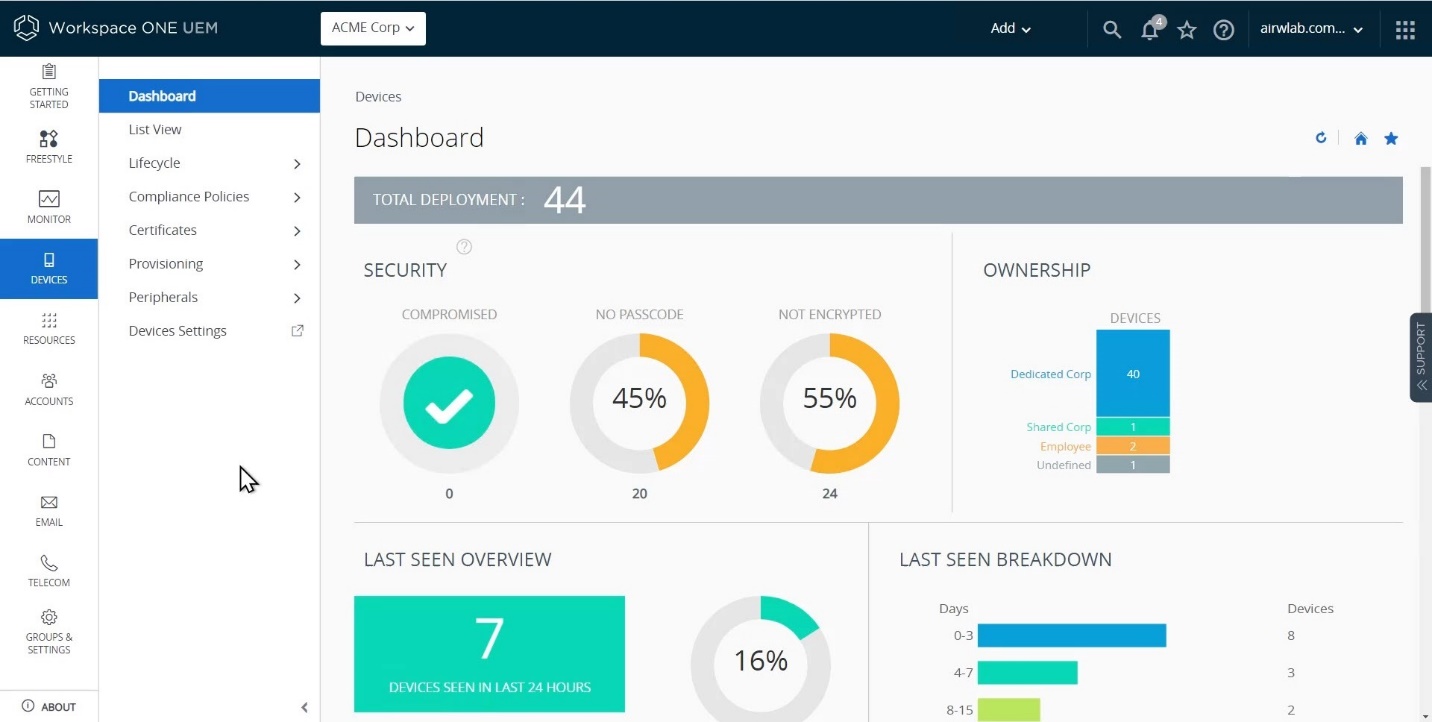
Overview of non-encrypted employee devices in MDM software VMware Workspace One (Source)
2. Improve employee productivity
Chen shares that implementing BYOD has allowed her team members to use the device they’re most comfortable with—be it a MacBook or a Windows desktop.
“This not only speeds up the onboarding process, as employees don't have to learn a new operating system, but also allows them to tailor their devices to suit their working style, thereby maximizing productivity,” she adds.
So why not let your employees be at ease with their own devices while supporting them with proper BYOD security measures and protocols?
Pro tip
Ensure your employees use a virtual private network (VPN) for secure remote access. A VPN encrypts the data transmitted between your employees’ devices and your company network, safeguarding confidential data and resources from potential security risks.
A VPN is especially useful when an employee connects to a public Wi-Fi network in locations such as coffee shops, which are often less secure. It keeps your business data safe by ensuring secure remote access when an employee is using their personal device.
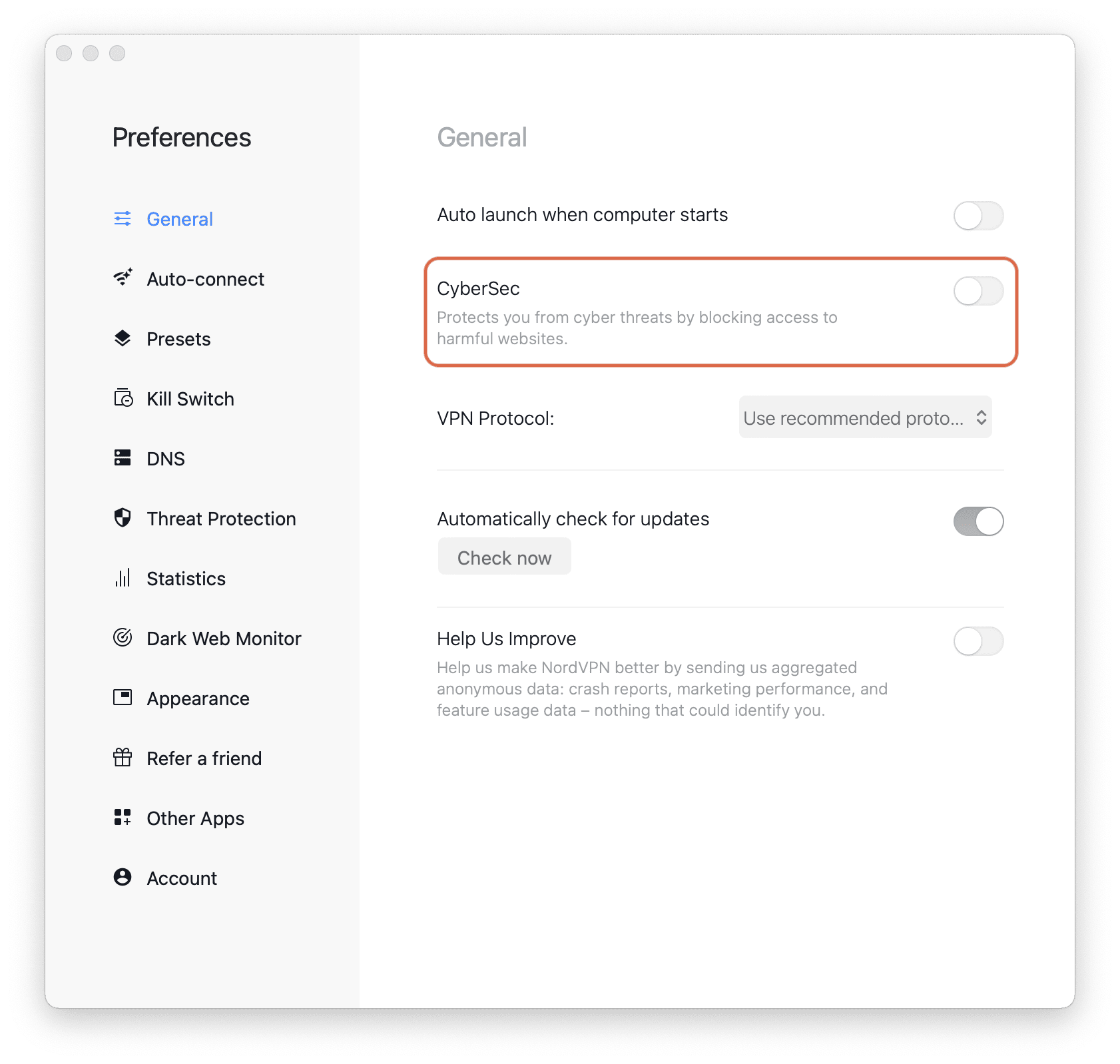
CyberSec feature in NordVPN prevents employees from accessing harmful websites (Source)
3. Streamline IT asset management
In our 2022 Employee Offboarding Survey*, 71% of HR workers who offboarded employees in the past year said at least one employee didn’t return nearly $2,000 worth of company-owned equipment, on average.
BYOD has helped Chen’s small business tackle this issue. She says, “When an employee departs, there’s no need for either party to worry about shipping or picking up devices. It also ends the risk of employees failing to return company-owned equipment.”
Not to forget, with a BYOD policy, the management of the device lifecycle—from its acquisition to disposal—becomes the responsibility of the employee, not the business. This practice also helps reduce a business’s carbon footprint—i.e., carbon dioxide emissions from producing and using IT devices.
Pro tip
To streamline device management in a BYOD setup, use IT asset management software. It offers real-time tracking to monitor the status and location of each employee device. It also ensures the software apps your employees use on their devices are GDPR compliant. It keeps an inventory of your IT assets, aiding in device lifecycle management and preventing any unauthorized access.
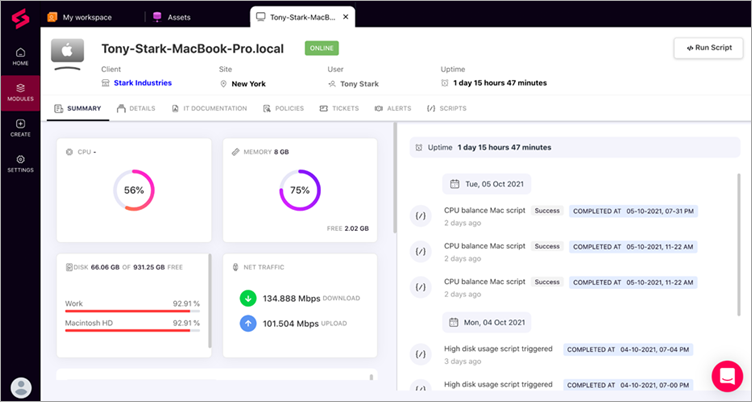
Complete stats of an employee’s device in IT asset management software SuperOps.ai (Source)
What are the challenges of adopting BYOD?
The reasons to implement BYOD are appealing, but it’s not all plain sailing. Mentioned below are three typical challenges most small businesses face when implementing the BYOD strategy.
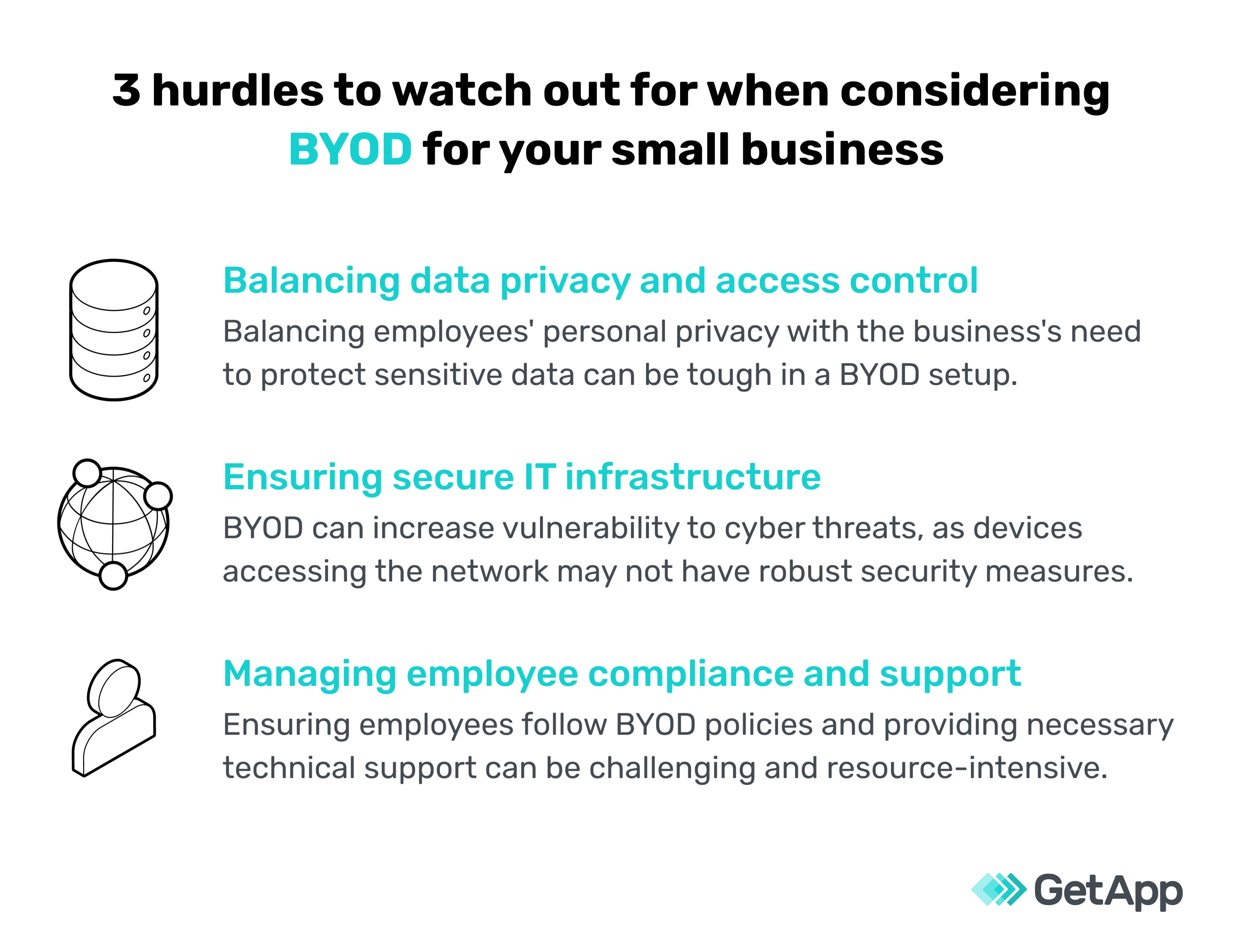
However, these challenges don't mean you should ditch the idea of BYOD. Chen shares how her organization has successfully navigated these hurdles:
To tackle data privacy and access control concerns, Chen’s team has implemented a clear policy wherein each employee signs a corporate data privacy statement: “It’s crucial for us because we handle a lot of customer data. We’re also meticulous about access control, granting employees access only to the data they need for their work.” Chen’s startup also uses privileged access management tools to add an extra layer of security, ensuring only authorized individuals have access to sensitive information.
To address issues related to IT infrastructure security, Chen’s business houses all of their tools and systems on public cloud infrastructure. This ensures everything is consistently and instantly backed up, which is vital in the event of any data breach or loss. They also have additional security measures: “Every software we use has to pass our security checks. Features such as strong encryption and multi-factor authentication are nonnegotiable for us.”
When it comes to employee compliance and support, Chen’s company has set specific norms around BYOD. Employees are required to use premium antivirus software and complete all necessary data security training, such as those around phishing and spamming.
Chen adds, “If an employee's device is malfunctioning, we request them to get it fixed at their nearest repair center as soon as possible. We also reimburse the repair costs. For more complex issues, we have partnered with an IT support contractor who assists us in getting our employees’ systems up and running again.”
Final thoughts on BYOD adoption
As a small-business IT manager, you may have concerns about adopting BYOD, mainly those related to data security and privacy risks. Our discussion with Chen highlights three common BYOD myths to avoid:
BYOD is just for big businesses. Not true! Any size business can use BYOD, as long as they manage it well.
BYOD increases data security risks. There are risks, sure, but a solid BYOD policy and good security practices can handle these risks effectively.
BYOD creates IT chaos. On the flip side, a good BYOD plan can make your IT team’s job easier and help them save time.
Chen advises planning cautiously and taking preventive steps for a successful BYOD work culture. Her parting advice: “Before you dive into BYOD, check the health of each employee’s device who’s opting for the BYOD policy. A BYOD device with issues today could disrupt your business tomorrow.”
Check out more resources on employee productivity and data security
Sources
Maximizing Mobile Value to BYOD, Samsung
Lilian Chen, LinkedIn
Methodology
*GetApp’s 2022 Employee Offboarding Survey was conducted in November 2022 among 287 HR employees who handle offboarding responsibilities for their employer. The goal of this survey was to understand the challenges companies run into offboarding employees, and if the prevalence of different challenges varies between on-site, hybrid, and remote employees.
Bhavya Aggarwal
mentioned in this article



More on IT Management


Aug 08, 2024



Sep 18, 2024

May 29, 2024