GetApp offers objective, independent research and verified user reviews. We may earn a referral fee when you visit a vendor through our links.
Our commitment
Independent research methodology
Our researchers use a mix of verified reviews, independent research, and objective methodologies to bring you selection and ranking information you can trust. While we may earn a referral fee when you visit a provider through our links or speak to an advisor, this has no influence on our research or methodology.
Verified user reviews
GetApp maintains a proprietary database of millions of in-depth, verified user reviews across thousands of products in hundreds of software categories. Our data scientists apply advanced modeling techniques to identify key insights about products based on those reviews. We may also share aggregated ratings and select excerpts from those reviews throughout our site.
Our human moderators verify that reviewers are real people and that reviews are authentic. They use leading tech to analyze text quality and to detect plagiarism and generative AI.
How GetApp ensures transparency
GetApp lists all providers across its website—not just those that pay us—so that users can make informed purchase decisions. GetApp is free for users. Software providers pay us for sponsored profiles to receive web traffic and sales opportunities. Sponsored profiles include a link-out icon that takes users to the provider’s website.
Field Service Management Software Features: Things to Look for When Choosing a Solution
To choose the best field service management software for your business, it's essential to know what features are available and what they can do for your business.

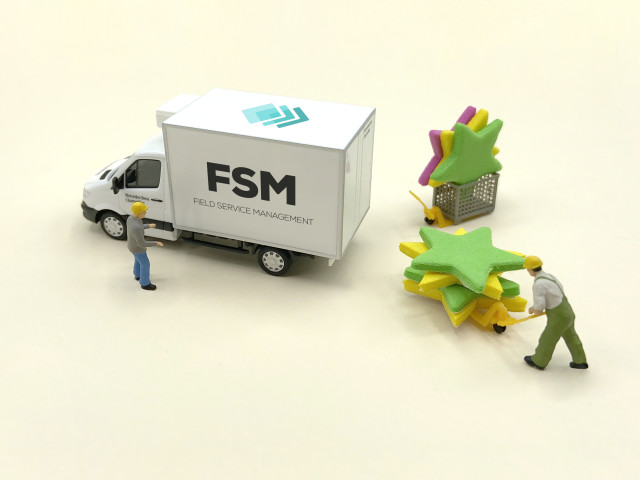
For most field service providers, managing a team of technicians who barely report to the office is one of the toughest operational tasks. They may still depend on obsolete manual methods to allocate work and track their mobile workforce, a tedious and error-prone task.
On top of that, field technicians answer emergency calls daily that need to be prioritized over their regular workflow, and require on-the-spot schedule changes. Slight miscommunication, delays, or missing information can all lead to poor customer service, idle technician time, and low efficiency.
Enter field service management software. While choosing a tool can be a challenge due to the plethora of available software features, capabilities, and considerations, we've compiled a list field service management software features, followed by a brief description of each feature, to aid your search.
If you click on a feature below, you'll land on a page listing all software solutions offering that specific feature in GetApp's field service management software directory.
Core field service management software functionalities
Scheduling: Enables you to receive job requests from customers, prioritize and schedule daily activities, and create schedules based on optimal routing that account for the location of each job site on the schedule.
Dispatch management: Match the most qualified employees to each job based on job requirements, and notify technicians of assignments and changes.
Work order management: Track and monitor the progress of a job from scheduling to assignment, as well as throughout the job's progress until completion/payment.
Mobile access: Provide technician access to key operations in the field.
Common field service management software functionalities
Most field service management software solutions have features in common. The below list covers features most applications have, but don't necessarily need to have to be considered field service management software.
Many of these can be considered subsets of the four core features above. For easier navigation, we grouped common features by overall business function.
Work order management
A decade ago, one could easily expect at least a week-long gap between the technician visiting and the customer receiving the invoice. With modern field service management software, generating invoices and receiving payments is easily manageable within a day. Most field service management apps offer invoicing and payment processing features that allow you to generate single or bulk invoices in a single-click and receive instant payments.
Here are some of the estimating, invoicing, and payment-processing features you can expect:
Estimates: Automate quoting and quote proposal forms by inputting necessary information while at the job site.
Billing and invoicing: Manage customer balances and send invoices for payment. Some systems allow mobile payments, thus eliminating the need for invoices and speeding up final payment receipt.
Mobile payments: Swipe a credit card or manually process payments while with the customer in the field.
Scheduling and dispatch
If you've got experience managing field staff, then you've multitasked. A good field service management tool comes equipped with scheduling and dispatch functionalities that can take some of the burden off your shoulders.
Here are some common scheduling and dispatch features to look for:
Route optimization: Provide directions and plan the day's work to optimize employee scheduling.
Alerts: Notify technicians and managers of scheduling changes and other events.
Customer management
Knowing your customers well and understanding their needs is the key to great customer service. You can easily store your customers' contact details, billing cycles, customer history, and interactions with field technicians, as well as set personal communication preferences.
Look for these customer management features when evaluating field service software:
Client portal: Dedicated portal for customers to perform basic administrative activities such as submitting service requests, tracking job progress, making payments, communicating with service agents, and more.
Customer management: Record, track, and analyze customer job histories as well as contact and payment information. Some solutions also add a marketing component for reminding customers about routine maintenance.
Data collection and processing
Data is essential to increasing the visibility of your business operations, and being able to collect data on remote sites is especially important for field service businesses.
Here are some common data collection and processing features:
Time and expense tracking: Technicians can clock in and out of jobs to track how much time each job requires.
Custom forms: Customize your contracts and forms to increase brand awareness and familiarity among customers.
Electronic signature capture: Efficiently complete a contract in one email, and allow digital signature capturing by technicians in the field.
Reporting: Use gathered data to generate business insights.
Integration capabilities
It's important that the software solutions your business uses properly integrate. Disparate systems that can't talk to each other make your job harder.
Here are some key integrations and features to look for in your field service management app: .
Accounting integration: Supports integration with third-party accounting software to handle your business' accounting needs.
API: Application Programming Interface refers to a set of functions that allows users to integrate multiple independent applications together to build a robust platform.
CRM integration: Integrates with third-party CRM solutions to seamlessly transfer customer details and service history across applications with the aim of improving customer engagement and providing better service quality.
Mobile integration: This feature offers mobile employees the ability to access all or a limited set of functions on their mobile device, using the software's dedicated mobile app or a native mobile browser.
Third-party integration: Allows users to integrate their field service management software with other applications (such as a fleet management solution) to build a complete business management software platform.
Additional features
Depending on your unique business needs, these features are worth exploring in your field service management software research:
Employee management: Record employee information for HR processes.
Inventory management: Track and manage the quantity of equipment and tools used for service. Some systems even account for inventory on a vehicle-by-vehicle basis, ensuring mobile employees know what parts and tools are stocked in their vehicle.
Next steps
These GetApp resources will assist you further in your field service management software selection:
Compare the top 25 solutions in our Category Leaders ranking of top field service management software.
Read independent user reviews of field service management software.
Use our field service management software scorecard to identify the most suitable apps for your company based on your unique pricing and feature requirements.