GetApp offers objective, independent research and verified user reviews. We may earn a referral fee when you visit a vendor through our links.
Our commitment
Independent research methodology
Our researchers use a mix of verified reviews, independent research, and objective methodologies to bring you selection and ranking information you can trust. While we may earn a referral fee when you visit a provider through our links or speak to an advisor, this has no influence on our research or methodology.
Verified user reviews
GetApp maintains a proprietary database of millions of in-depth, verified user reviews across thousands of products in hundreds of software categories. Our data scientists apply advanced modeling techniques to identify key insights about products based on those reviews. We may also share aggregated ratings and select excerpts from those reviews throughout our site.
Our human moderators verify that reviewers are real people and that reviews are authentic. They use leading tech to analyze text quality and to detect plagiarism and generative AI.
How GetApp ensures transparency
GetApp lists all providers across its website—not just those that pay us—so that users can make informed purchase decisions. GetApp is free for users. Software providers pay us for sponsored profiles to receive web traffic and sales opportunities. Sponsored profiles include a link-out icon that takes users to the provider’s website.
How To Create a Password Policy To Secure Your Small Business
A strong password policy ensures security from password-related insider threats as well as makes it difficult for cybercriminals to gain access to your confidential data.


One in three (35%) IT managers from our 2022 Zero Trust Survey* say poor passwords and weak logins are the top reasons for cyberattacks on their business.
A strategically-devised password policy, as recommended by the National Institute of Standards and Technology (NIST) [1], provides a strong line of defense against password-related data breaches—irrespective of whether you’re creating a password policy for the first time or looking to strengthen your existing one.
Ahead, we share best practices from Gartner [2] to help small-business owners create a password policy that’s both NIST-compliant and easy to follow for their teams. We’ve also included expert advice from Anthony Green [3], CTO of FoxTech Cyber, a UK-based cybersecurity company that regularly handles password breaches for small businesses.
“Having designed and developed security systems of national importance, including secure networks, intrusion detection systems, and robust password protocols, my prime focus has always been on making cybersecurity more accessible and effective for SMEs.”
—Anthony Green, CTO at FoxTech

Anthony Green
What is a password policy?
A password policy is a company’s playbook for creating, using, and managing secure passwords across business applications and systems. It’s designed to protect the company’s data, systems, and devices from unauthorized access and cyberthreats. This policy encompasses various elements such as minimum password length, character mix, password expiration and reuse rules, and guidelines for password storage and recovery.
Compliance with regulations such as the Payment Card Industry Data Security Standard (PCI DSS) and General Data Protection Regulation (GDPR) is essential, making these elements vital to a sound policy. However, crafting a password policy is just the beginning. Businesses also need to document it, make it accessible to all employees, and weave it into relevant procedures, such as the acceptable use policy and security awareness training.
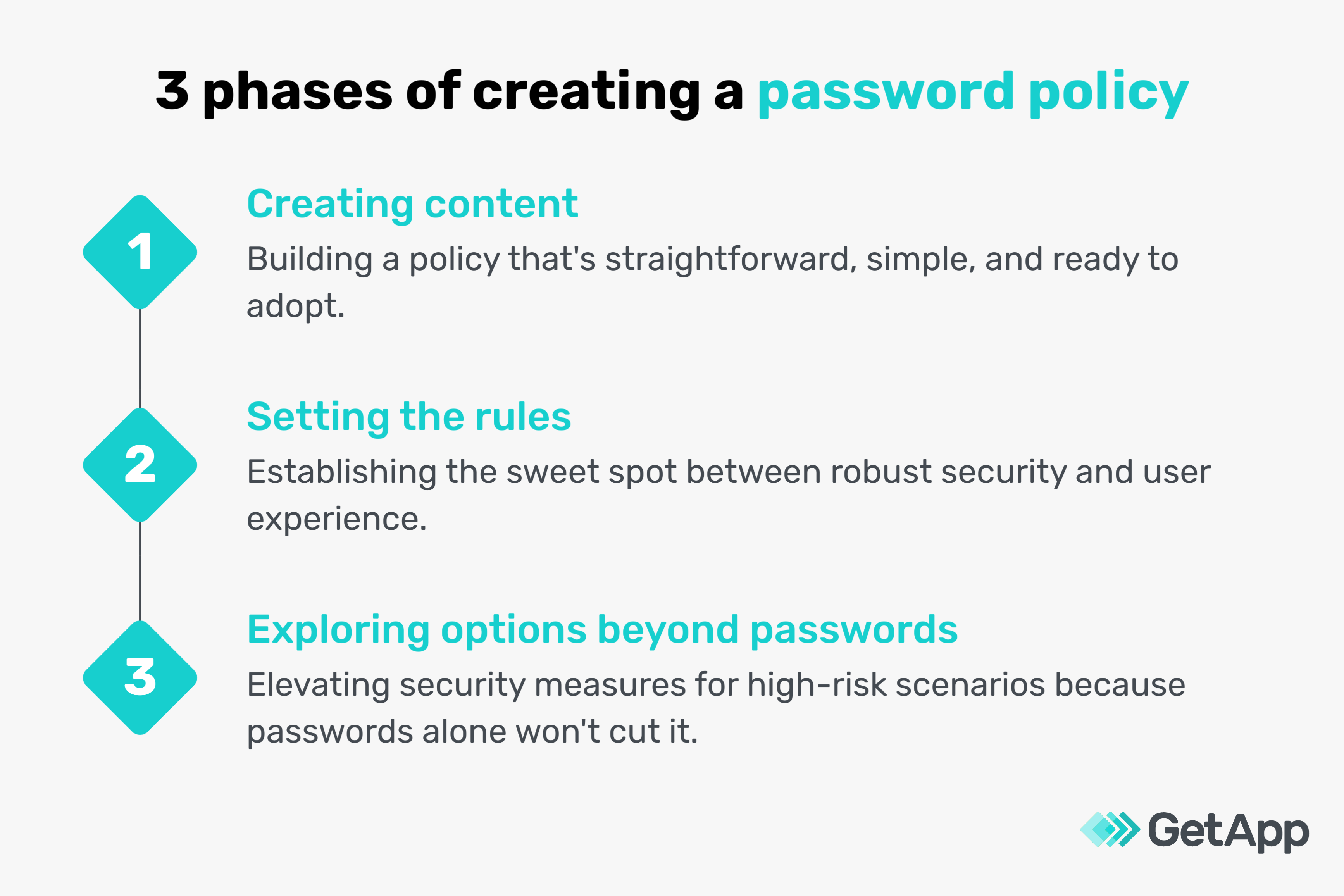
Phase #1. Draft the content of your password policy
The first phase of creating an effective password policy revolves around drafting content that’s clear, precise, and understandable to everyone at your small business. Here’s how to navigate this phase:
Get stakeholder agreement
Creating an effective password policy requires agreement from key stakeholders, such as your HR team, IT team, and co-founders. Here are a few rules they should mutually agree on:
Regulatory compliance: Ask all stakeholders to list out, in a central planning document, privacy laws and regulations relevant to your industry, such as the GDPR for securing users’ personal data. This collaborative approach not only ensures everyone is informed but also contributes to the compliance process. It's also important that stakeholders revisit this document regularly to accommodate new regulations introduced since the policy’s inception or last update.
User experience (UX): It’s vital to get stakeholder consensus on making the policy user-friendly. They should agree on practices that allow employees to create, remember, and manage their passwords easily. An agreed example could be allowing the use of a memorable passphrase instead of a complex password that's hard to recall.
Feasibility and enforceability: Stakeholders should find common ground in making the policy realistic, affordable, and enforceable. This might involve a joint decision on allocating a budget for software upgrades or replacing an existing software tool to meet policy goals. If working with existing resources, collectively engage with vendors to discover new functions or capabilities that can enhance your policy. For instance, a unanimous agreement on recommending biometric authentication is valuable but only if your existing systems can support it.
Prepare the policy document
The policy document should clearly lay out rules and responsibilities. Here’s what to keep in mind:
Employee-specific password guidelines: Introduce dedicated sections in your policy that cater to different employee categories. Consider one primary policy that applies to everyone, supplemented by additional rules for employees from various departments handling sensitive data. This tiered approach makes your policy both comprehensive and specific. For instance, you might set more stringent password requirements for employees that access sensitive client data.
Clarity and simplicity in language: When crafting the policy, keep the language clear and avoid complex jargon or legalese that might confuse employees. For example, instead of saying “Avoid sequential alphanumerics,” you could simply advise, “Don't use ‘1234’ or ‘abcd’ in your password.” Keep in mind that while your policy needs to be robust, it isn't a legal document, so prioritize clarity and comprehensibility for your employees.
Define responsibilities
While outlining user roles in your policy, make sure not to assign duties incorrectly. Every user’s responsibilities should be specific to their role and should not overlap with tasks meant for others. For instance, the IT team might be responsible for maintaining the password management system, while employees are responsible for setting and managing their passwords.
Enforce mandatory requirements
When stating mandatory requirements, make them enforceable with clear consequences for noncompliance. For example, if a password must not include the user’s name, clearly state the consequence of breaking this rule, such as a password reset.
Remember, some password requirements can be mandatory in one system but optional in another. For instance, a strong password could be essential to access your company's financial database or customer records. However, it might only be a recommendation for less-sensitive systems such as internal communication tools or access to your company’s news bulletin.
Avoid ambiguity
When including “if possible” statements in your policy, always provide clear guidance on what actions should be taken if the initial task isn’t feasible. For instance, if it’s not possible to update your security questions twice a year, ensure they’re reviewed and updated at least once a year. Also, don't forget to:
Document approved exceptions and variations: For instance, you might allow temporary password resets to be performed by team leaders for urgent tasks when IT is not immediately available.
Define escalation paths: Clearly explain what to do if someone needs an exception. For instance, if an employee forgets their password, they should know who to contact for a temporary password reset or the recovery process.
Anthony Green [3] sheds some light on the human aspect of password security:
"Understanding people—how they operate and what motivates them—is vital to making security intuitive. The IT team’s role isn't just to say “no.” It's about creating a culture where good password management and security practices become second nature."
—Anthony Green, CTO at FoxTech
Phase #2. Set the rules of your password policy
This phase focuses on password confidentiality, blocklisting vs. complexity rules, password length, password aging, password history, and login attempts. Here’s how to approach each rule:
Prioritize password confidentiality
Maintain password confidentiality as a strict requirement. However, remember that an absolute prohibition on sharing passwords may not be practical. For instance, a team might need to share a password for a shared tool, but ensure such cases are exceptional and controlled.
Emphasize blocklisting over complexity rules
Block listing, which prohibits the use of banned passwords, is more effective than password complexity rules, which demand certain combinations of letters, digits, and symbols. If regulations require complexity rules, supplement them with blocklisting. For example, block common passwords such as “password123” or “admin.”
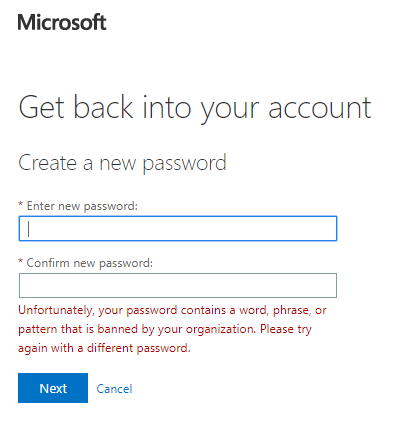
A representation of how blocklisting works in Microsoft [4]
Set a minimum password length
A minimum of eight characters is typical, aligning with NIST’s guidance [1]. Encourage employees to use longer passwords for stronger security, but be aware that password complexity rules could hamper user experience.
If you’re not enforcing complexity, you could recommend simple passwords composed of dictionary words. To aid password creation, suggest mnemonics such as initials from a favorite song or a series of words related to a personal interest. For instance, “apple” could be expanded to “amazon-pecos-pecos-loire-elbe”, referencing rivers.
Use password strength meters or similar tools to provide feedback when users are setting their passwords. Also, don’t hide your password creation guidelines—make them visible where users are setting or changing their passwords.
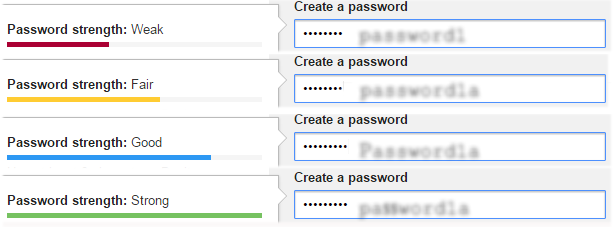
Real-time feedback from a password strength meter (Source)
Prompt password changes after suspected compromise
Recommend employees to change passwords after using a public device or if they suspect a password compromise. You can also set up notifications prompting password changes if a potential user account compromise is detected.
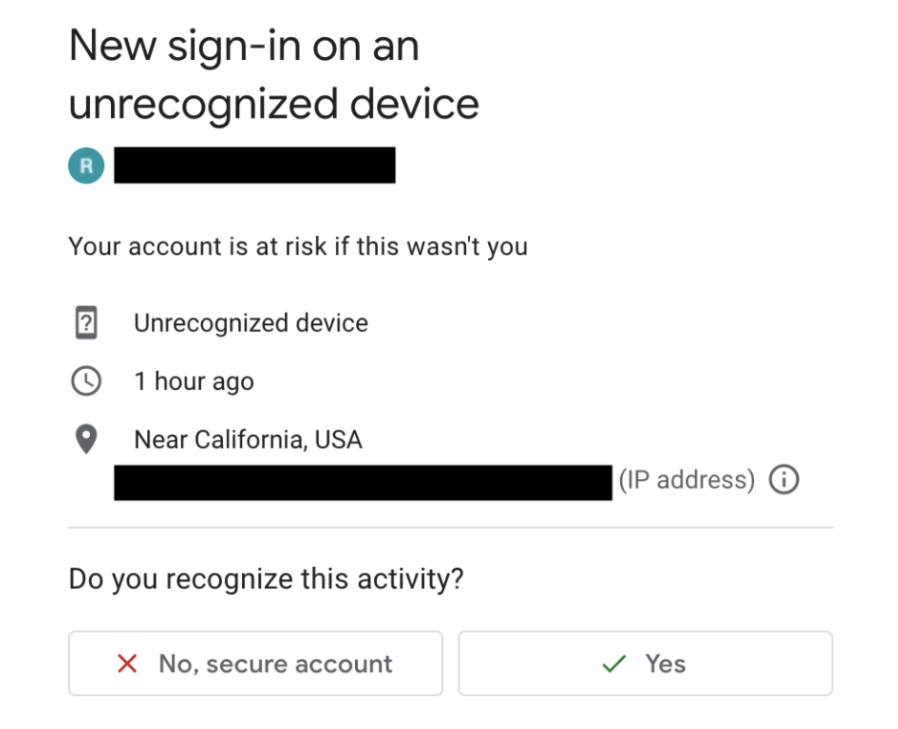
An example of a security notification after logging in to a public device [5]
Maintain password history
To discourage cycling back to familiar passwords, maintain a password history—typically of four to six previous passwords. Monitor frequent password changes, and investigate any suspicious behavior. Allow users the freedom to change their passwords multiple times a day, giving them control if they believe their password has been compromised.
Set login attempt limits and account recovery
Allow at least 10, but not more than 10, consecutive failed password attempts before imposing restrictions. This allows for mistakes while maintaining security. If failed attempts exceed the threshold, lock the account temporarily and offer account recovery options, such as a reset link to the registered email or verification through secondary contact details, rather than forcing a service desk intervention. This helps improve user experience and ensures uninterrupted access for them.
Anthony Green [3] shares his frustration with password rules:
“Outdated password practices such as mandatory 90-day change and using an arbitrary mix of characters are my pet peeves. They lead people to choose and reuse weak passwords—a security nightmare. Besides, this guidance was relevant 30 years ago. We've found the U.K. National Cyber Security Centre's guidance incredibly useful in shaping a modern, secure policy. Their “three random words” approach simplifies password creation while resisting brute force attacks, especially when paired with sound lockout policies for crucial assets.”
—Anthony Green, CTO at FoxTech
Phase #3. Explore add-ons beyond passwords
In this phase, we’ll look into multi-factor authentication (MFA), setting rules for privileged users, and using privileged access management tools.
Implement multi-factor authentication (MFA)
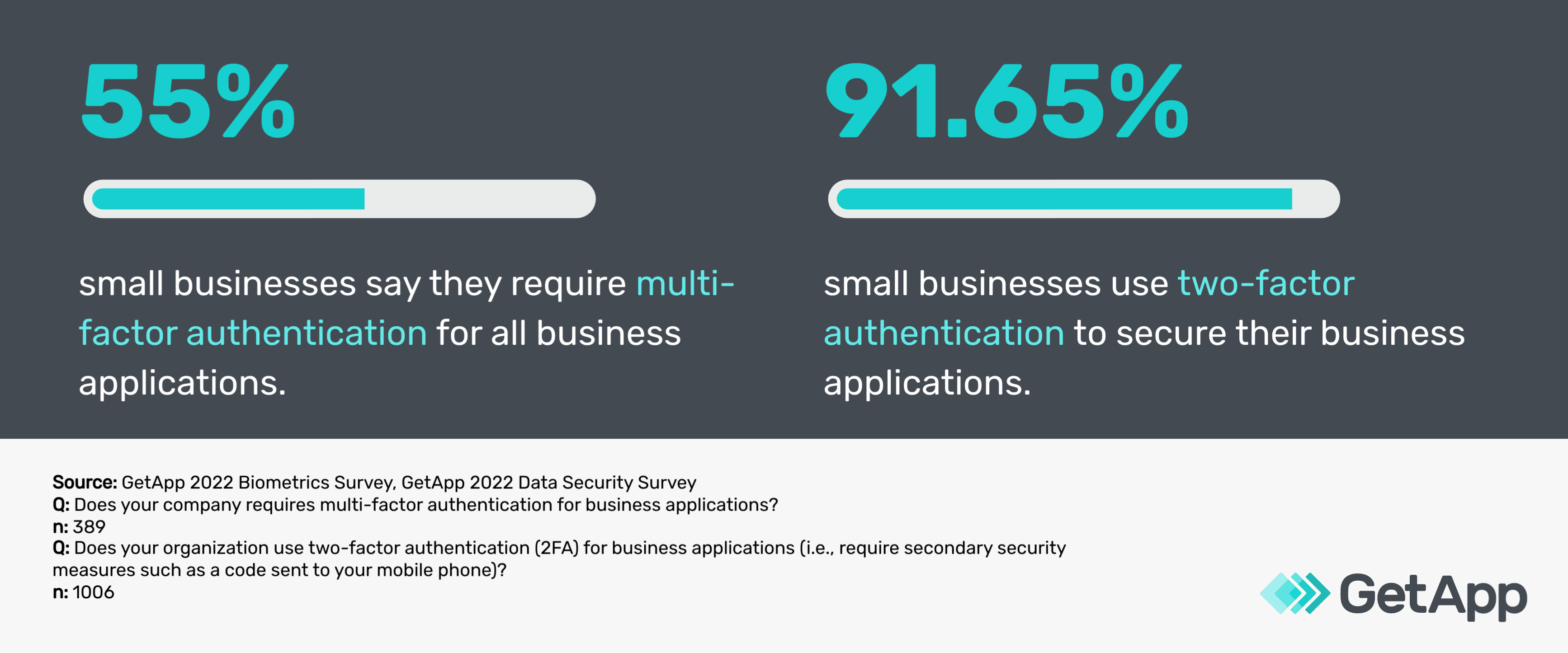
Passwords alone aren’t sufficient for security, particularly in high-risk situations. MFA, which also includes two-factor authentication, adds an additional layer of security by requiring users to provide at least two verification factors to gain access. This could be something they know (password), something they have (a mobile device), or something they are (biometrics).
Keep in mind
Do not, however, ease your password rules just because MFA is in place. Also, consider making passwordless MFA your strategic goal. This could mean using biometrics and authentication devices, which reduces the risk of password-related breaches.
Use privilege access management tools
For software and system-related password management, a privilege access management tool is highly recommended. These tools help centrally manage privileged accounts (e.g., systems admin, network admin, team managers), minimizing the risk of those credentials being stolen or misused.
They also automatically update passwords, providing a simple way to keep them up to date and secure. They track password usage and provide detailed reports for compliance purposes. It's like having a vigilant security guard overseeing password use and ensuring the best password practices are maintained.
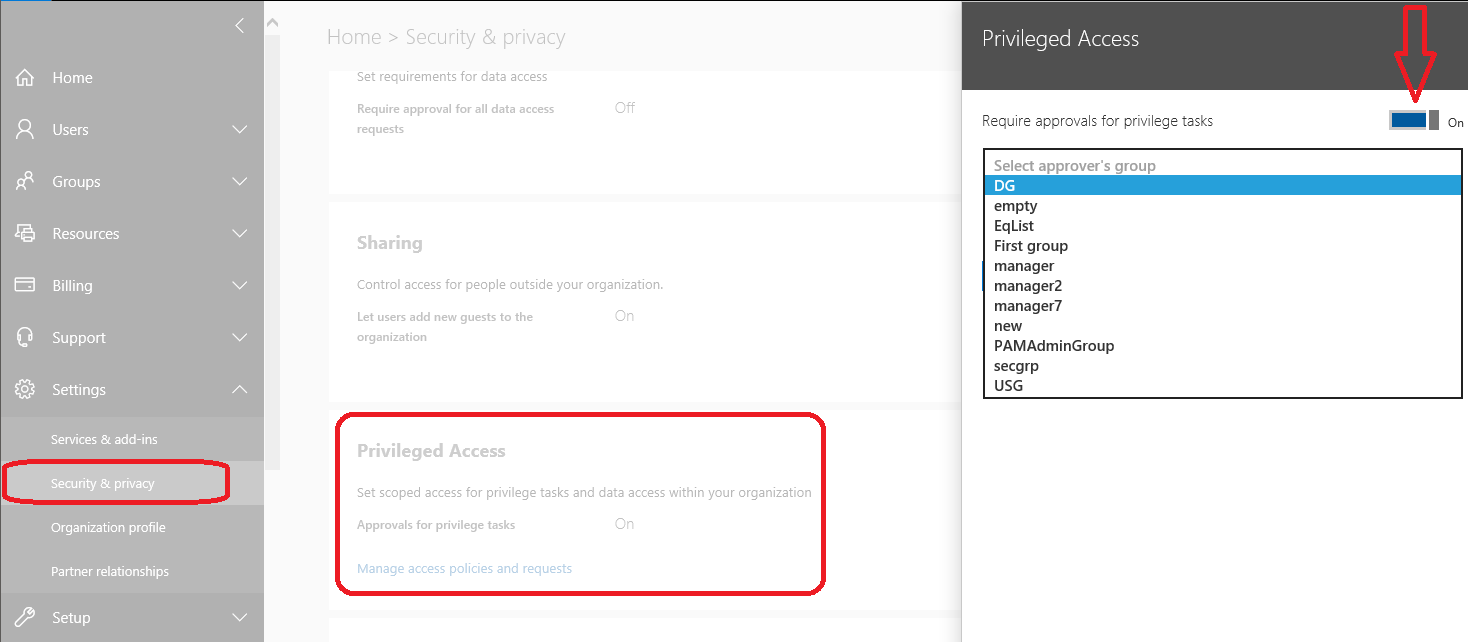
Privileged access security feature in Microsoft 365 (Source)
Keep in mind
Contrary to what you might think, you don't need stricter rules for privileged users. Instead, the use of MFA is good practice, often in combination with privileged access management tools. This approach provides an added layer of protection without overly complicating access for these key users.
Ensuring compliance can be tough, but it doesn’t have to be
While creating an effective password policy is crucial, it’s just the first step. Ensuring employees comply with these rules often poses a more significant challenge. You’re not alone if you're facing resistance from your staff. After all, remembering multiple complex passwords can be difficult.
Anthony Green says “simplicity is key” when it comes to encouraging adherence to password policies. To ease the burden on employees, his organization leverages single sign-on and uses an approved corporate password manager to store randomly generated passwords. “Our employees only have to remember one or two passwords, making secure behavior a breeze rather than a hurdle.”
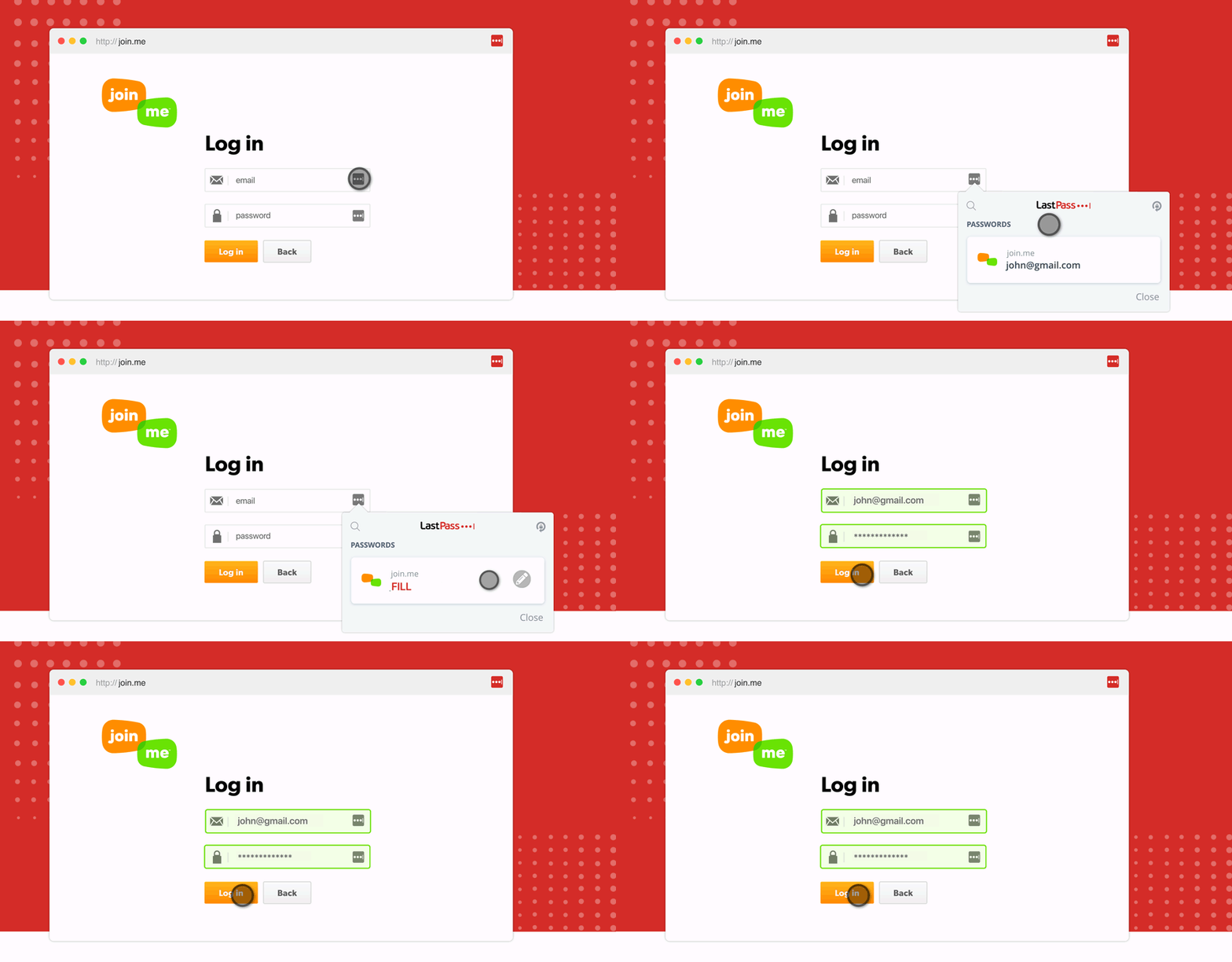
LastPass software’s password autofill feature (Source)
Therefore, always consider the human aspect when implementing your password policy. Ease of use often leads to increased security, and the key to achieving this balance lies in understanding and addressing the challenges your employees face.
By doing so, you not only strengthen your cybersecurity infrastructure but also create an environment where security becomes second nature.
Survey methodologies
*GetApp’s 2022 Zero Trust Survey was conducted in June 2022 among 235 U.S. respondents to learn more about zero trust adoption trends. All respondents identified as either IT professionals, executives, or owners at their company.
GetApp conducted the Biometrics/Passwordless survey in January 2022 among 974 consumers, including 389 business leaders who reported management responsibilities or above to learn about attitudes toward biometrics and the use of multi-factor authentication by U.S. businesses.
Sources
Anthony Green, LinkedIn
Eliminate Bad Passwords, Microsoft
Security notification example image, AndroidCentral
Bhavya Aggarwal