GetApp offers objective, independent research and verified user reviews. We may earn a referral fee when you visit a vendor through our links.
Our commitment
Independent research methodology
Our researchers use a mix of verified reviews, independent research, and objective methodologies to bring you selection and ranking information you can trust. While we may earn a referral fee when you visit a provider through our links or speak to an advisor, this has no influence on our research or methodology.
Verified user reviews
GetApp maintains a proprietary database of millions of in-depth, verified user reviews across thousands of products in hundreds of software categories. Our data scientists apply advanced modeling techniques to identify key insights about products based on those reviews. We may also share aggregated ratings and select excerpts from those reviews throughout our site.
Our human moderators verify that reviewers are real people and that reviews are authentic. They use leading tech to analyze text quality and to detect plagiarism and generative AI.
How GetApp ensures transparency
GetApp lists all providers across its website—not just those that pay us—so that users can make informed purchase decisions. GetApp is free for users. Software providers pay us for sponsored profiles to receive web traffic and sales opportunities. Sponsored profiles include a link-out icon that takes users to the provider’s website.
I Compare 7 Best Pool Service Software for SMBs (2027)
From weekly maintenance to repair work, find tools that fit your small team’s scheduling, service records, customer communication, and budget.

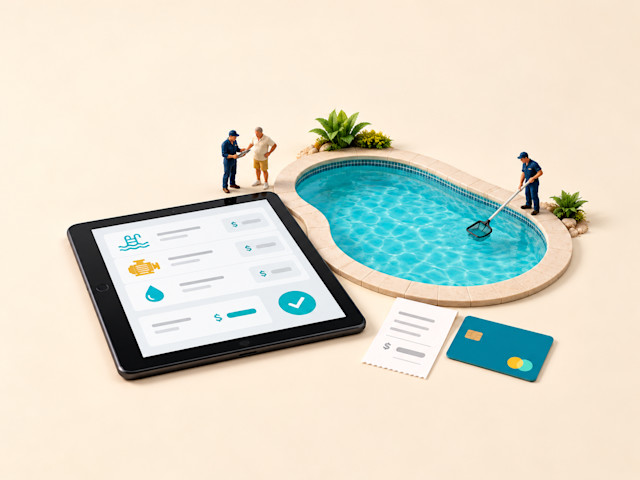
If you own a small pool service company or manage its office, choosing software to manage it means connecting the weekly route with what happens at each pool. Your technicians need the right stops, chemistry records, and photos. You need those records to reach customers and billing, while leaving room for repairs and equipment work.
In this article, I compare seven best pool service software for small businesses by analyzing what software users say about these tools. I’ll cover each tool’s fit, what reviewers like and dislike, and starting costs. My focus is the workflow you need, whether that is weekly maintenance, mixed service jobs, or larger renovation projects.
Best pool service tools: A quick look
After comparing ratings and reviews of several pool service software for small businesses, my top picks are I Skimmer, Jobber, EasyWeek, ConstructionOnline, Ressio Software, Taskora, and Zoho FSM. Some handle daily service; others support booking, construction, or office administration. Here is a quick snapshot of these tools:
| Tool name | Overall rating | No. of reviews | Value-for-money rating | Starting price |
|---|---|---|---|---|
| Skimmer | 4.9/5 | 232 | 4.8/5 | $49/month (billed monthly); $1/serviced location/month |
| Jobber | 4.6/5 | 1,487 | 4.4/5 | $29/month for one user (billed annually) |
| EasyWeek | 4.8/5 | 104 | 4.6/5 | $10.42/month (billed annually) |
| ConstructionOnline | 4.5/5 | 613 | 4.5/5 | Available upon request from vendor |
| Ressio Software | 5.0/5 | 36 | 4.9/5 | Available upon request from vendor |
| Taskora | 5.0/5 | 14 | 5.0/5 | $199/month (billed monthly) |
| Zoho FSM | 4.6/5 | 55 | 4.4/5 | US$30/organization/month (billed monthly); 60 appointments and up to 200 users. |
Ratings, reviews, and pricing are as of October 2026
How did I select the best pool service tools?
I considered both average ratings and review volume, so a handful of glowing reviews wouldn’t automatically outweigh a larger record of positive feedback. I then analyzed recurring small-business pool service reviews and checked category-relevant features and pricing on official vendor sites.
Find a detailed methodology at the end of this article.
1. Skimmer
Best for: Small pool service teams that need weekly routes and documented pool visits.
Free plan or trial: 1-month free trial
Starting price: $49/month (billed monthly); $1/serviced location/month
Skimmer is a pool service platform for recurring maintenance and repair work. Technicians can keep pool readings, dosages, checklists, and photos with the service history, then send customers a report when the visit ends. That makes it a practical starting point when your main concern is knowing what happened at every pool. Its offline field workflow also matters if parts of your route have weak cell coverage.
Key features of Skimmer:
Build weekly routes and assign service locations to technicians.
Log water readings and chemical dosages against each pool visit.
Capture onsite photos; the entry plan allows five photos per visit.
Send service emails and give customers access to a service portal.
Optimize routes automatically on Scaling Up or Enterprise plans.
What reviewers like about Skimmer:
A useful record of each visit. Reviewers value having chemistry readings, photos, notes, and service reports together. Customers can see the work completed, and the office can return to a past visit when a question comes in.
Routes technicians can follow. Users repeatedly praise route assignments and the field app’s ease of use. For a small crew, that helps keep the stop list and customer details together instead of passing instructions between separate tools.
Help with daily questions. Reviewers describe support staff who explain settings and work through problems. Training videos also help owners learn billing and administration without having to figure out every screen alone.
What reviewers dislike about Skimmer:
Location charges grow with the route. Multiple owners question affordability or the per-customer cost model. I would price your busiest month and the plan with optimization, rather than judging the subscription only by its minimum charge.
The app can interrupt a service day. Reviewers report occasional glitches and unexpected logouts, even while praising routine field use. Test reconnection and account access with your technicians, especially if they rarely use the office website.
2. Jobber
Best for: Small service businesses that need one workflow for recurring visits, repair quotes, and billing.
Free plan or trial: 14-day trial
Starting price: $29/month for one user (billed annually)
Methodology
To evaluate the best pool service software for small businesses for this list, I followed this process:
I ranked pool service software on GetApp using a Bayesian-weighted rating that combines each product's average overall rating with its review count. Products with fewer reviews are pulled toward the category average, so a high rating from a small sample doesn't automatically outrank a strong rating from many reviews. I selected the top seven by this score as of October 2026.
I used AI to analyze recurring review themes, prioritizing reviews between October 2024 - October 2026 and focusing specifically on feedback from small businesses to identify what users like and dislike about each tool.
I checked official vendor websites to identify the listed key features, focusing on capabilities users value or expect from pool service software. The feature lists are not exhaustive; refer to each vendor's website for additional features.
Jobber helps pool service businesses manage recurring maintenance and repair work, from customer requests and quotes to scheduled visits and invoices. It keeps customer details and job records together so office staff and technicians can refer to the same information. I see it as a practical fit for small pool companies coordinating weekly service, equipment repairs, and customer billing.
Key features of Jobber:
Schedule recurring visits alongside one-off repair appointments.
Create repair quotes and convert approved work into scheduled jobs.
Attach field notes and photos to customer and job records.
Let clients approve quotes and pay invoices through Client Hub.
Optimize anytime visits on Connect or above through Jobber.com.
What reviewers like about Jobber:
Work stays connected from request to payment. Reviewers value moving customers through quotes, jobs, schedules, and invoices in one system. Pool and mixed-service users also describe keeping different service lines within the same business workflow.
Daily scheduling is approachable. Users repeatedly find the schedule and customer records easy to navigate. That is useful when an owner or small office team needs to look up a job, adjust visits, and answer a customer without extensive training.
Support helps with implementation. Reviewers praise phone and chat assistance and onboarding sessions. Small teams can use that help to set up their first workflows and ask questions when they begin using more of the system.
What reviewers dislike about Jobber:
The full workflow can cost more than the entry price. Reviewers raise subscription prices, added features, and processing fees. For a crew, check included users and the cost of Connect features such as QuickBooks Online sync and checklists.
The app differs from the desktop. Reviewers describe functions that are absent from the app or work differently there. If you manage jobs mostly from a phone, test the quote, visit, and payment steps you use each day rather than assuming every office function is available.
3. EasyWeek
Best for: Small businesses that need customer self-booking and appointment reminders.
Free plan or trial: Forever free plan; 14-day free trial of paid plans
Starting price: $10.42/month (billed annually)
EasyWeek brings online booking, customer records, and staff scheduling together. Small pool service companies can use its website widget to let customers book assessments or service appointments, while the office manages bookings and team availability in a shared calendar. Customer self-booking makes it relevant for pool businesses that want to organize service appointments without handling every booking by phone.
Key features of EasyWeek:
Publish a booking widget so customers can reserve service times.
Manage appointments and staff availability in a shared calendar.
Store customer information and group contacts for future work.
Send appointment reminders on paid plans; message fees may apply.
Allocate available resources to the services customers can book.
What reviewers like about EasyWeek:
Customers can book for themselves. Reviewers repeatedly value online booking and the website widget. That can suit a small office arranging assessments or appointments, although these experiences do not establish pool-route planning performance.
The calendar is easy to pick up. Users describe a clear interface and quick setup for basic appointment management. Teams can start organizing bookings without learning the estimating and job-control functions of a larger service platform.
Reminders help with appointment attendance. Reviewers appreciate customer notifications and reminders that reduce the need for manual follow-up. This is most relevant when someone must be available for an assessment or scheduled service visit.
What reviewers dislike about EasyWeek:
Booking rules may need workarounds. Users want more control over available slots, service combinations, and booking-page design. I would test your actual appointment lengths and staff rules before inviting customers to book directly.
Changes do not always notify everyone as expected. Reviewers report incorrect reminders after rescheduling, missing notifications, or calendar sync delays. Test a moved appointment and a reassigned staff member so you know what the customer and technician receive.
4. ConstructionOnline
Best for: Pool construction or renovation teams that need project documents, schedules, and cost control.
Free plan or trial: 10-day free trial
Starting price: Available upon request from vendor
ConstructionOnline is UDA Technologies’ construction management platform, bringing schedules, estimates, change orders, photos, and client communication together. For pool businesses handling builds or renovations, it helps coordinate subcontractors, customer approvals, and project budgets. I’d consider it when you need office staff, onsite teams, and customers to follow progress and keep decisions connected throughout a pool project..
Key features of ConstructionOnline:
Build project estimates and proposals for construction work.
Schedule construction phases with task dependencies on a Gantt chart.
Document site activity and progress with daily logs and photos.
Record change orders and client selections within the project.
Share project information through client and subcontractor portals.
What reviewers like about ConstructionOnline:
Project information has one home. Reviewers value keeping schedules, files, communication, and job details together. For a pool renovation, that can help office staff and site teams refer to the same project record as the work changes.
Financial changes are easier to follow. Users praise estimating, budgets, selections, and change-order tracking. These experiences support construction work where approved changes and costs need to remain visible through the project.
Support answers detailed questions. Multiple reviewers describe responsive staff and useful training. That matters when a small construction team is moving from existing processes and needs help configuring several connected project tools.
What reviewers dislike about ConstructionOnline:
The field app differs from the desktop. Reviewers describe fewer mobile functions, glitches, and crashes. If supervisors work mostly onsite, test photo uploads, schedules, and the records they need on their actual phones before committing.
Navigation and scheduling take practice. Users report difficulty finding tools or setting dependencies, even when they like the overall platform. I would use the trial to build a representative renovation schedule and train the people who will maintain it.
5. Ressio Software
Best for: Residential project teams that need guided setup for estimates, homeowner approvals, and change orders.
Free plan or trial: Not available
Starting price: Available upon request from vendor
Ressio Software brings estimating, project financials, schedules, and homeowner approvals together. Pool businesses handling renovations can use these tools to track material selections, document scope changes, and keep customers informed as work progresses. Reviewers repeatedly value its onboarding support and client collaboration, making it worth considering for small teams that want guidance setting up estimates and approval processes.
Key features of Ressio Software:
Build estimates with quantities, allowances, markups, and templates.
Track homeowner selections from proposed choices to approval.
Create change orders and collect approval within the project.
Show project updates, files, selections, and invoices in a client portal.
Track estimated, committed, and actual costs against project budgets.
What reviewers like about Ressio Software:
Setup comes with hands-on guidance. Reviewers repeatedly praise live onboarding and responsive customer success staff. That support is useful for a small contractor translating existing estimating and approval processes into a new system.
Homeowners can follow decisions. Users value project transparency, selections, approvals, and client communication. The shared record helps a project team keep customer choices connected to the work instead of searching through separate messages.
Estimates carry into project work. Reviewers appreciate estimate creation, reusable details, and the connection to later approvals and billing. For renovations, that supports a workflow where the original proposal remains useful after construction starts.
What reviewers dislike about Ressio Software:
Implementation needs time and data. Reviewers describe an initial learning curve, process mapping, or substantial data entry. I would reserve time to configure a real project and decide who will keep financial and approval records current.
Reporting may not match your cost questions. Users ask for more report options and more detailed estimate or budget analysis. If you need totals by labor, materials, and subcontractors, have the vendor demonstrate those reports with your own cost structure.
6. Taskora
Best for: Service offices that need to automate repeated paperwork across existing systems.
Free plan or trial: 14-day free trial
Starting price: $199/month (billed monthly)
Taskora uses artificial intelligence (AI) to automate office work across field service systems, accounting tools, email, and customer portals. For pool service businesses, it can support tasks such as following up on quotes, collecting paperwork to close work orders, and transferring invoice details between systems. Its appeal for a small pool service office is automating repeated administrative tasks alongside daily service operations.
Key features of Taskora:
Follow up on open quotes through configurable office workflows.
Coordinate technician paperwork to close completed work orders.
Transfer work-order details into customer portals for review.
Match vendor invoices and carry out reconciliation workflows.
Monitor service-agreement renewals across connected systems.
What reviewers like about Taskora:
Repeated office tasks can be automated. Reviewers describe reducing manual administrative work and keeping existing customer-management data organized. This supports an office-workflow recommendation rather than a claim about pool-stop performance.
Existing data becomes easier to use. Users value reporting and visibility into service records that their operating systems did not provide in the form they needed. I would explore it if staff currently rebuild the same management reports by hand.
The team helps people get started. Reviewers praise onboarding, intuitive use, and responsive help when questions arise. Those experiences matter when a small office is adopting automation and needs to understand how its own workflows will run.
What reviewers dislike about Taskora:
New automations take some adjustment. Reviewers describe needing several attempts to configure workflows or correct an agent’s interpretation. I’d check the results of a routine task before letting it run independently.
Previous chats can be hard to find. Reviewers report difficulty locating earlier conversations and want better search. If your team needs to revisit past instructions, I’d test how easily staff can retrieve them.
7. Zoho FSM
Best for: Small service teams already using Zoho that need connected work orders, dispatch, and invoicing.
Free plan or trial: Forever free plan; 15-day free trial of paid plans
Starting price: $30/organization/month (billed monthly)
Zoho FSM is a field service management platform connecting requests, estimates, work orders, technician appointments, and billing. Pool service businesses can use it to coordinate dispatch and recurring maintenance, while its connections to other Zoho tools help keep customer and service records together. Reviewers repeatedly value the connection between office records and field work. Pool companies already using Zoho can bring scheduled visits, repair jobs, and billing into the software family their team knows.
Key features of Zoho FSM:
Create estimates and work orders for service requests and repairs.
Assign appointments through calendar and dispatch views.
Give technicians mobile job access; offline access is read-only.
Schedule recurring maintenance plans on Professional or Premium.
Connect Zoho Books or Invoice with two-way sync on paid plans.
What reviewers like about Zoho FSM:
Zoho records stay connected. Reviewers repeatedly praise connections with Zoho CRM and Books. For teams already using those tools, linking customer information, work orders, and invoicing is a concrete reason to consider this platform.
The office can see field progress. Users value scheduling, dispatch, service reports, and technician updates in one workflow. Several describe replacing printed work orders with phone-based information that office staff can also access.
Onboarding support helps with setup. Reviewers describe helpful demos, assistance, and responses to feedback. That matters because a small team may need guidance configuring fields and workflows before everyday use becomes straightforward.
What reviewers dislike about Zoho FSM:
Configuration can need technical help. Reviewers describe time-consuming setup, rigid workflows, and a learning curve for nontechnical administrators. I would budget implementation time and ask for a demonstration using your actual service and billing process.
Weak signal limits field updates. Users report difficulty completing reports when connectivity is poor, or problems with app-to-web synchronization. Current vendor documentation describes offline access as read-only, so test how technicians will record work before they reconnect.
FAQs about pool service software for small businesses
These practical questions can help you compare the tools against your route, crew, and customer records.
Q1. Which pool service platforms handle QuickBooks integration reliably, according to user reviews?
Reviewers value Skimmer and Jobber for connecting service billing with QuickBooks Online. Jobber requires Connect or above for the integration, and some users report synchronization errors. Before choosing, test how an invoice, payment, and subsequent correction move between your service software and accounting records.
Q2. Which pool service software manages mobile app performance in the field well, based on reviews?
Skimmer receives repeated praise for its field app and supports recording visits offline, although some users report glitches and unexpected logouts. Jobber users also appreciate its usability, while noting differences between mobile and desktop functions. For routes with weak reception, test what technicians can complete offline; Zoho FSM’s documented offline access is read-only.
Q3. Which pool service software has route optimization, chemical treatment logging, and technician scheduling built in?
Skimmer combines technician scheduling, pool-water readings, chemical dosages, and route management; automatic route optimization requires Scaling Up or Enterprise. Jobber offers route optimization on Connect or above and chemical application tracking on selected plans, with chemical entries available through the web interface. I’d compare how technicians enter readings and treatments during an actual stop before choosing.
Q4. Which pool service platforms have customer notification after service and an online customer portal?
Skimmer combines service-completion emails with a customer portal containing service history and billing information. Jobber’s Client Hub gives customers access to quotes, appointment details, and invoices, with automated communications available on applicable plans. Check a sample completion message and portal account to see exactly which photos, notes, and service details customers receive.
Q5. What is the best pool service software for photo documentation of pool condition and service history tracking?
Skimmer is a strong starting point for documenting pool visits because it connects onsite photos with service records, a workflow reviewers repeatedly value. Getting Started allows five photos per visit and Scaling Up allows 20; service-stop photos must be captured in the app. Jobber also stores photos and notes with jobs, so compare how easily you can retrieve a pool’s previous visits and share relevant records with its owner.
Q6. I run my pool route out of a notebook and Google Maps and keep missing stops or doubling back. Is it time for pool route software?
Yes—repeated missed stops and backtracking are good reasons to try software that keeps scheduled visits, route details, and completion records together. Skimmer offers pool-route workflows, while Jobber combines recurring visits with route optimization on Connect or above. Use a real week of stops during your trial, including cancellations and last-minute additions, to see how easily you can adjust the schedule.
Q7. A customer says their pool wasn’t even serviced and I have no photo or log to prove it. How do pool companies protect themselves?
Create a consistent record for every visit: the technician, service date, completed tasks, water readings, and onsite photos, followed by a customer completion report. Skimmer connects these details within its pool-service workflow, while Jobber supports job photos, notes, and checklists on applicable plans. Make capturing and sending that record part of closing each stop so you have a history to consult when questions arise.
Q8. A customer is blaming me for an algae bloom and I have no chemistry record. How do pool service companies document water chemistry?
Record water-test results, chemical dosages, service notes, and photos at every visit so you can review conditions and treatments over time. Skimmer provides pool-specific records for readings and dosages; Jobber offers chemical application tracking on selected plans, with entries made through the web interface. Check that technicians can record the measurements you use and that the office can retrieve a dated history when a customer raises a concern.
Q9. Is there free pool service software for a small route and when does it make sense to pay?
Zoho FSM offers a free plan with 30 appointments per month and up to 20 users, while EasyWeek’s free option covers basic appointment booking. Zoho FSM’s recurring maintenance plans require Professional or Premium, so distinguish booking individual visits from automatically scheduling ongoing service. Paying makes sense when you need capabilities such as recurring routes, chemistry records, or connected billing that your free plan does not cover.
Q10. Will pool service software work on the iPad my techs already carry?
Jobber supports iPad use, and Skimmer offers an iOS app; check your existing iPad model and operating-system version against the app’s requirements. Before replacing any devices, have a technician use one to open a scheduled stop, enter service details, take photos, and complete a customer report. That will show whether the screen layout and available mobile functions suit your daily work.
Q11. Does pool service software work well on Android phones, or is it iPhone only?
Pool service software is available for Android: Skimmer, Jobber, and Zoho FSM all offer Android apps. Test the app on the phones your technicians already use, including taking photos, entering service details, and reconnecting after a stop with poor reception. Check offline functions carefully—Zoho FSM’s documented offline access, for example, is read-only.
Q12. Will my pool techs actually use the app at each stop, or will it slow them down?
Skimmer and Jobber reviewers frequently describe approachable daily workflows, but the required steps still need to fit your crew’s service routine. Have one technician complete a typical stop, including readings, photos, notes, and the completion report. Use that trial to remove unnecessary fields, establish what every visit must include, and identify where training is needed.
Q13. Skimmer vs Jobber for a small pool service company, which is better?
I’d favor Skimmer when weekly pool routes, chemistry records, and service-completion reports drive most of your work. Jobber suits companies that want to manage customer requests, quotes, recurring visits, and payments across pool work and other service lines. Compare the plans that include your requirements: Skimmer’s automatic route optimization starts with Scaling Up, while Jobber’s optimization, checklists, and QuickBooks Online integration start with Connect.
Q14. What is the best pool service software for an owner-operator with one to three techs?
Skimmer is a useful starting point for an owner-operator managing regular pool visits because its subscription includes unlimited technicians and administrators. For a company combining maintenance with repairs or other services, compare Jobber’s quoting and scheduling workflow, remembering that Core covers one user and Connect includes five. Choose the subscription around the number of people who need access and the route, reporting, and billing tasks they must complete.
Q15. What is the best software for a pool repair and weekly pool service company?
Skimmer brings pool-maintenance records together with repair-job workflows, with quotes and job management available through Scaling Up. Jobber is another option for coordinating repair quotes, recurring visits, customer records, and billing. When your work includes larger pool renovations, ConstructionOnline and Ressio offer project workflows for budgets, customer approvals, and scope changes.
Choose around the work your crew does every week
Start with the records that matter at a pool stop. Skimmer is a natural option to examine for routes, chemistry, and customer reports; a broader service platform may suit a business whose repairs and other services dominate its office workflow. Construction platforms become relevant when your work is organized around projects, approvals, and budgets. An automation layer makes more sense once those operating systems are already in place.
My advice: put one representative route, one repair, and one invoice through your leading candidates. Have a technician capture readings and photos, move a stop, and reconnect after losing signal; have the office retrieve the history and reconcile the payment. Price the necessary users, locations, appointments, and higher-plan features.
Compare GetApp’s field service management software category if you also need to coordinate repair dispatch and other service lines.
Methodology
To evaluate the best pool service software for small businesses for this list, I followed this process:
I ranked pool service software on GetApp using a Bayesian-weighted rating that combines each product's average overall rating with its review count. Products with fewer reviews are pulled toward the category average, so a high rating from a small sample doesn't automatically outrank a strong rating from many reviews. I selected the top seven by this score as of October 2026.
I used AI to analyze recurring review themes, prioritizing reviews between October 2024 - October 2026 and focusing specifically on feedback from small businesses to identify what users like and dislike about each tool.
I checked official vendor websites to identify the listed key features, focusing on capabilities users value or expect from pool service software. The feature lists are not exhaustive; refer to each vendor's website for additional features.
More on Field Service Management

Jun 25, 2024