GetApp offers objective, independent research and verified user reviews. We may earn a referral fee when you visit a vendor through our links.
Our commitment
Independent research methodology
Our researchers use a mix of verified reviews, independent research, and objective methodologies to bring you selection and ranking information you can trust. While we may earn a referral fee when you visit a provider through our links or speak to an advisor, this has no influence on our research or methodology.
Verified user reviews
GetApp maintains a proprietary database of millions of in-depth, verified user reviews across thousands of products in hundreds of software categories. Our data scientists apply advanced modeling techniques to identify key insights about products based on those reviews. We may also share aggregated ratings and select excerpts from those reviews throughout our site.
Our human moderators verify that reviewers are real people and that reviews are authentic. They use leading tech to analyze text quality and to detect plagiarism and generative AI.
How GetApp ensures transparency
GetApp lists all providers across its website—not just those that pay us—so that users can make informed purchase decisions. GetApp is free for users. Software providers pay us for sponsored profiles to receive web traffic and sales opportunities. Sponsored profiles include a link-out icon that takes users to the provider’s website.
How to Sell Massage Gift Cards and Handle Payments and Tips in 2027
A simple guide to deposits, checkout, gift card tracking, tip reporting, and payments for solo therapists and small studios.

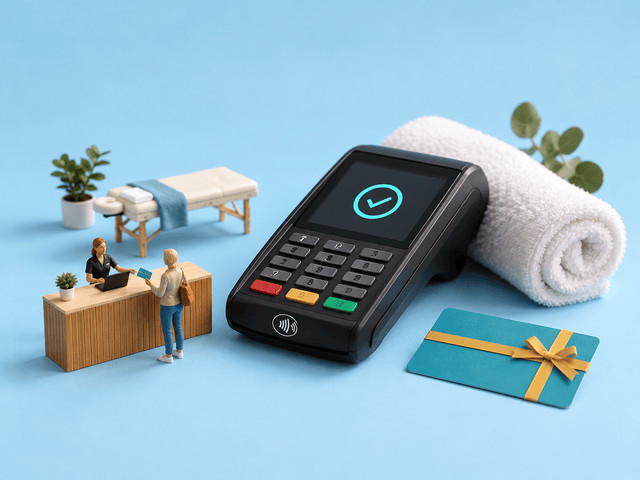
Massage practices don’t only need a way to take payment. They need a way to know what happened to the money after the appointment: whether a client prepaid, tipped, redeemed a gift card, still has a balance, or left a card on file for next time.
On GetApp's Massage Therapy software listings, gift cards and card payments get more attention from buyers than any single scheduling feature, with gift-card features alone drawing around 1,000 mentions. In other words, buyers are saying the same thing: the money side, not just the calendar, is where many buyers need more control.
This guide explains what “handling the money” really means at a massage practice, which parts software can take over, when to move from scattered apps to one system, and which tools manage payments, tips, and gift cards well.
TL;DR: how should a massage therapist take payments, tips, and gift cards?
Take payments through one system that handles booking and checkout together, so a card on file, a deposit, a tip and a gift card all land on the same record.
The clean setup: collect a card when the client books, keep tipping optional and easy at checkout, and sell gift cards from the same tool so balances and reports stay in one place.
Massage tools (MassageBook, ClinicSense, Vagaro, Noterro) and general ones (Square Appointments, Acuity Scheduling, Mindbody) all do this, to different depths.
What counts as a gift card at a massage practice in 2027?
A gift card at a massage practice is any credit a client pays for now and uses later, against a service or a product. People buy them for simple reasons: to give a massage as a present, to treat themselves to a few sessions in advance, or to lock in today's price before rates go up.
A digital gift card works like a coupon with its own unique code: the buyer pays on your booking page, the code arrives by email, and each time it is used the balance drops until it reaches zero.
In 2027 the word covers four things, and it helps to tell them apart because software handles each one differently:
Digital gift cards: bought on your booking page, sent by email as a code, with the balance going down on its own each time it is used.
Prepaid packages: a bundle of sessions (say, five one-hour massages) paid for up front and used up over time.
Memberships: a regular monthly charge that gives the client a session or some credit each month.
Paper gift certificates: printed or handwritten, with no running total unless you keep your own list of who bought what and how much is left.
A quick way to tell the first three apart: a gift card holds a dollar amount, a package holds a set number of sessions, and a membership charges every month. Therapists lean on their software to do exactly this tracking for them.
What does juggling separate payment, tip and gift-card tools actually cost you?
Using separate methods for collecting payments, tips, and gift card money costs you three things:
Lost income: the gift card no one logged, the deposit no one took, and the tip that never got recorded.
Wasted time: at the end of the month, someone has to piece the numbers together from each app, and they rarely agree.
Risk: a gift card is money you have already taken but still owe in massages, so if you cannot see the balance, you cannot plan around it.
These add up against a real number. The average US spa visit brought in about $123 in 2025, per the ISPA US Spa Industry Study (run by PwC), so a few missed payments or lost tips a week is real money over a year. Gift-card money is easy to lose too: a Bankrate survey found 43% of US adults are holding an unused gift card, worth $244 on average.
From the reviews: Therapists who moved everything into one tool describe the difference plainly.
"It’s so much better than having to track appointments in one place and handling payment in another system. One customer database supports the entire business"
—Booker review on GetApp
What parts of gift card sales, redemption, payments, and tips can software handle?
Almost all of it. Software can run nearly the whole money side on its own, and your job shrinks to setting the rules and handling the odd exception. The table shows the split.
| Task | How much is automatic | What the software does | What you do |
|---|---|---|---|
| Selling a gift card | All of it | Puts a gift-card page on your site, takes the payment, emails the code | Set the amounts and rules |
| Keeping track of the balance | All of it | Takes money off the balance at checkout, keeps part-used cards live, saves the history | Check the right service was used |
| Taking a deposit or a card on file | All of it | Takes payment up front or keeps a card on file, based on your rule | Set the rule for each service |
| Collecting a tip | All of it | Shows a tip question with suggested amounts at checkout | Pick the suggested amounts |
| Taking the payment | All of it | Runs the card, adds tax, keeps the service, any products and the tip separate | Deal with a card that gets declined |
| Matching it to your books | Most of it | Sends sales, tips and gift-card totals to QuickBooks or similar | Check it and approve it |
| Refunds and disputes | Some of it | Gives refunds and saves receipts and signatures as proof if a client disputes a charge | Decide and reply to disputes |
Source: GetApp product pages and reviews (2026)
Takeaway: the split is clear. Software runs the payment and keeps the records; you set the rules and handle the exceptions. That is the whole case for putting it in one place.
How do I get gift cards, payments and tips into one system in 6 steps?
Run gift cards, payments, deposits and tips through one booking-and-checkout tool, then link it to your accounting. Here is the order that works.
Step 1: Pick a tool that actually takes the money, not just one that shows your calendar.
Make sure it runs cards itself, instead of sending you off to a separate reader.
Check that one client record holds their appointments, payments and gift-card balance together.
Why it matters: one tool that does the payments as well as the booking is what makes everything after this possible.
Step 2: Start taking payment at the time of booking, or keeping a card on file.
Decide which services need a deposit, full payment up front, or just a card on file.
Say so clearly on your booking page. (This works with any card or digital wallet your tool accepts, not just one payment type.)
Why it matters: taking payment, or saving a card, when the client books is what makes your income steady and predictable.
Step 3: Set up your gift-card page.
Choose the amounts, whether cards expire (check your local rules), and whether they can be spent on products too.
Put the buy-a-gift-card link on your website and social pages.
One choice to make here: sell gift cards as a dollar amount (a $100 card) rather than a named service (a "60-minute massage"), so a later price rise does not leave you honoring an old rate.
Why it matters: a gift card only becomes real income once it is sold through your tool and tracked until it is used. Left as paper in a drawer, it is easy to lose and easy to forget you owe it.
Step 4: Switch on the tip question at checkout.
Set suggested amounts so clients are asked to tip automatically.
Keep a clear "no tip" option on the screen so clients never feel cornered.
Make sure tips show up on their own line, kept apart from your service income.
If a client tips in cash, log it in the same tool so everything stays in one place.
Why it matters: the tip is asked for at checkout, after the massage, on the card screen or the emailed receipt, so clients can still tip the way they are used to.
One GetApp reviewer described the flow: "the first thing that pops up when checking a client out is asking for a tip then signing then swiping the card" (Vagaro review on GetApp).
Step 5: Connect your accounting.
Link the tool to QuickBooks or whatever accounting software your bookkeeper uses.
Check that tips, discounts, and gift cards land in the right place.
Why it matters: this hand-off is what keeps your books clean without a second round of data entry, and it is the step that breaks when your tools are separate.
Step 6: Move any gift cards you've already sold into the new tool, then go live.
For each gift card or certificate a client has bought but not finished using, add it to the new tool as a gift card with the amount still left on it. Many tools let you upload a list to do this in bulk.
Pick a start date and stop handing out paper.
Why it matters: those unused cards are money you already owe in massages. Moving the leftover balances across means you start with a true picture and no client turns up with a certificate your new tool has never heard of.
How do I sell gift cards online and keep track of them automatically?
Sell gift cards straight from your booking page and let the software keep the balance for you, from the day a card is bought until it is used up. It runs in two moves:
Selling. The client buys a gift card on your booking page, picks an amount, pays by card, and the person receiving it gets a code by email. Therapists who mention gift cards in GetApp reviews speak well of how the software keeps each balance and package straight.
Using. At checkout, you enter the code and the software takes the service cost off the balance, then keeps whatever is left ready for next time, so a half-used card is never a problem and you never owe a balance you cannot see.
One thing worth testing in a free trial: check that the tool can take a card when a client books online, not only in person, if that matters to how you run your days.
Related: If payment data has to move cleanly into accounting, CRM, or ecommerce tools, this GetApp integration report compares payment processing products by integration strength.
How do I keep payments, tips, and gift-card money organized for my books and taxes?
Three people will check your money records later: your bookkeeper, your card company, and your client. Keeping everything in one tool means each of them gets what they need without you digging.
Your books and your accountant
Your sales, tips and gift-card totals come out as clear, labelled lines you can hand to a bookkeeper, instead of a shoebox of receipts. Keeping tips on their own line makes pay and tax time simpler, and a running total of gift cards sold tells you, at any moment, how much pre-paid service you still owe.
Your card company and disputes
When a client disputes a charge, your record is your proof. One tool keeps the booking, the signed receipt, and the card-on-file permission together, which is what your card company asks for. Keeping cards on file comes with a duty, too: use a tool that follows the card industry's security rules (known as PCI compliance), so card details are stored safely by the payment company rather than written on an intake form.
Your clients
Clients partly judge a practice on how smooth the paying part feels. A proper gift card, a receipt by email, and a tip question that does not make them do the math all say "this person runs a real business," which keeps people coming back as much as any marketing.
Does the money side differ for a solo therapist, a 2 to 4-table studio, or mobile work?
Yes. Every massage business needs a way to collect payments, handle tips, sell gift cards, and enforce cancellation rules. While jobs are the same, what changes is which parts matter most day to day.
Solo therapists need simple no-show protection.
For a solo massage therapist, every missed appointment is your own lost hour. A card on file, deposit, or full prepayment helps protect that time, especially for new clients or high-demand slots. A simple gift card page can cover holiday and referral buyers, while an optional tip prompt keeps checkout easy. Since there are no staff commissions to split or complex retail sales to manage, a lighter booking and payment tool is usually enough.
Small studios need therapist-level tracking.
For a 2 to 4-table studio, the payment system has to show who earned what. It should track each therapist’s services, tips, schedules, and commissions separately, while still supporting shared gift cards that any therapist can sell or redeem. Packages, memberships, and retail checkout also become more useful here, so this is where a more complete practice management system may be worth the cost.
Mobile therapists need a checkout that works anywhere.
For mobile or outcall massage, the payment flow has to happen on your phone, often outside a front-desk setup. A card on file, mobile checkout, tip prompt, and tap-to-pay or phone card reader matter most. Test the setup in low-signal areas before relying on it, so payment does not get stuck after the session.
When is it time to move your massage business from scattered apps to all-in-one payment software?
Move when tracking payments, tips, gift cards, and client balances starts taking as much effort as the appointment itself. Separate apps can work when the volume is low, but they become risky when you have to manually match bookings, payments, redemptions, and monthly reports.
| What to check | Your current setup is still fine if... | It may be time to move if... |
|---|---|---|
| Gift cards sold per month | You sell only a few and can track them by hand | You sell enough that balances, expiry terms, or redemptions are hard to follow |
| Number of payment tools | Booking and payment happen in one place | You use separate tools for booking, checkout, gift cards, tips, or accounting |
| Tips | Most tips are cash or simple enough to record manually | You want tips tied clearly to each therapist, service, or sale |
| Client balances | You can remember who has prepaid, who has credit, and who owes money | Prepaid sessions, memberships, or gift card balances are starting to slip |
| Monthly bookkeeping | Reconciliation takes a few minutes | You spend hours matching numbers across apps or fixing mismatched reports |
| Outstanding gift cards | You know roughly how much unredeemed value is still out there | You cannot quickly say how much gift card value you still owe |
Source: Self-diagnosis thresholds drawn from the buyer patterns in the GetApp reviews for Massage Therapy.
Takeaway: the clearest sign is the last row. If you cannot say how much you still owe in gift cards, the money side has already outgrown scattered apps.
Read next: If the real pain is invoices, payment follow-up, and month-end billing, compare billing and invoicing tools built for small businesses.
Which massage therapy software includes gift card management alongside payments and tips?
The best tools connect the full money flow: booking, card payments, tips, gift cards, packages, and accounting. That way, a client’s payment, tip, gift card balance, and prepaid sessions are not scattered across separate apps.
Before comparing names, it helps to know what “gift card management alongside payments and tips” actually means. The strongest tools usually include:
Client profiles that keep each client’s payments, packages, gift cards, and card-on-file details together.
Online booking with payment options, so clients can pay in full, leave a deposit, or save a card when they book.
Built-in checkout, so service payments, retail sales, tips, and gift card redemptions are recorded in one place.
Gift card tracking, including balances, partial redemptions, and online gift card sales.
Tip prompts at checkout, with suggested amounts and clean reporting.
Accounting integrations, usually with QuickBooks, so payment totals are easier to reconcile.
Massage therapy software to compare
GetApp lists more than 120 massage therapy products. These seven are a practical starting shortlist because they cover different payment needs: solo practice checkout, gift cards, tipping, treatment notes, studio retail, and larger spa operations.
| Column 1 | Column 2 | |
|---|---|---|
| MassageBook | Solo therapists who want gift cards built in | Massage-focused booking and client management with online booking, gift cards, and payments in one place. Rated 4.7 with 450+ GetApp reviews. Plans start at $20/month, with a free version. |
| ClinicSense | Solo therapists who want gift cards and treatment notes together | Combines online booking, SOAP notes, gift card sales, and no-show protection for wellness practices. Rated 4.8 with 650+ GetApp reviews. Plans start at $39/month. |
| Vagaro | Growing 2 to 4-table studios that need fuller checkout | Supports booking, checkout, products, packages, memberships, and tipping, making it stronger for studios with multiple therapists. Rated 4.7 with 3,600+ GetApp reviews. Plans start at $23.99/month. |
| Noterro | Clinical, multi-therapist practices centered on notes | Stronger for scheduling, billing, and treatment notes than retail-style checkout. Include it if documentation matters as much as payments. Rated 4.8 with 600+ GetApp reviews. Plans start at $30/month. |
| Square Appointments | Therapists already using Square for payments | Strong for card payments, tap-to-pay, booking, and tip prompts, but less massage-specific for treatment notes and gift card workflows. Rated 4.5 with 250+ GetApp reviews. Free plan available; paid plans start at $49/month. |
| Acuity Scheduling | Solo therapists who want deposits and card capture at booking | Good for flexible booking payments, deposits, card capture, and gift certificates, with accounting integrations. Rated 4.8 with 5,700+ GetApp reviews. Plans start at $20/month. |
| Mindbody | Multi-location spas selling memberships, products, and gift cards at scale | Built for larger wellness businesses with memberships, retail, payments, and gift cards. Rated 4.0 with 2,900+ GetApp reviews. Plans start at $79/month. |
Source: GetApp product pages and reviews
How does AI help with massage payments and gift cards?
AI (artificial intelligence) is starting to smooth out the money side in a few real ways, mostly by spotting patterns, sending timely reminders, and reducing manual follow-up. Though the judgment calls and business rules still need to come from you.
Smarter tip prompts. Payment tools may suggest checkout prompts or tip options based on service type, visit history, or past checkout behavior, without making the client feel pressured.
Easy to catch payment mismatches. Software can compare bookings, deposits, payouts, gift card redemptions, and sales totals, then flag anything that does not add up.
Trigger reminders for unused gift cards. AI can help identify clients with unused balances and send a timely nudge to book before the card is forgotten.
Less manual chasing for failed payments. If a card on file is declined, the system can retry the payment, send a client reminder, or flag the account before the balance gets lost.
The line stays with you: AI can flag the issue and write the reminder, but your practice still decides the tip policy, refund rules, gift card terms, and how to handle disputed charges.
How do you know your payment setup is working?
Your payment setup is working when it protects your time, keeps checkout simple, and gives you clean numbers at the end of the month. You shouldn’t have to rebuild payment records from booking notes, card reader reports, gift card spreadsheets, and tip totals.
Look for these signs:
More appointments have a card on file, deposit, or prepayment. This means fewer sessions end with no payment if a client cancels late or does not show.
Gift card balances are visible in one place. You can quickly see what was sold, what was redeemed, and how much value is still outstanding.
Tips are recorded separately from service income. This matters for reporting, therapist payouts, and cleaner bookkeeping.
Checkout is fast after the session. Clients can pay, tip, redeem a gift card, or use a saved card without a long back-and-forth.
Monthly bookkeeping takes minutes, not hours. You are checking the numbers, not piecing them together from separate apps.
Warning sign: if you still cannot quickly say how much gift card value you owe, which tips belong to which therapist, or whether a prepaid session has been used, the setup is not finished, even if the dashboard looks clean.
Frequently asked questions about massage gift cards, payments and tips
Q1. How should a massage therapist take payments, tips, and gift cards?
A massage therapist should use one booking-and-checkout tool that processes card payments, asks for tips, sells and tracks gift cards, and connects to accounting. Separate apps can work early on, but they often create extra reconciliation work at month-end.
Q2. Can clients add a tip when they pay online for a massage?
Yes. Many massage and booking tools include a tip prompt at checkout, including online or mobile checkout. If you have more than one therapist, make sure the system records which therapist earned the tip.
Q3. Can I sell gift cards online and have the software track them automatically?
Yes. Many wellness booking tools let clients buy gift cards online, send them by email, and redeem them through checkout. The software should reduce the balance after each redemption, including partial use.
Q4. How do I keep track of gift certificates I’ve already sold?
Enter any unused paper gift certificates into your software as gift cards with the remaining balance. Then use the software for new gift cards going forward, so you can see how much unredeemed value is still outstanding.
Q5. Do massage platforms include gift card management alongside billing?
Many do, especially tools built for massage, spa, and wellness businesses. Before choosing one, check that gift card sales, redemptions, service payments, and tips all appear in the same checkout and reporting system.
Q6. What is gift card breakage, and does it apply to my practice?
Gift card breakage is the unused value left on gift cards that clients never redeem. It can apply to any massage practice that sells gift cards. Even if breakage becomes revenue under your local rules, you still need to track outstanding balances clearly.
Q7. Is it safe to keep a client’s card on file?
Yes, if the payment tool is PCI compliant and stores card details through the payment processor, not in your own notes or paper forms. Do not write down card numbers manually; use the software’s secure card-on-file feature.
Q8. What is the difference between a gift card and a prepaid package?
A gift card usually holds a dollar value that can be used toward services or products. A prepaid package is a set number of sessions bought in advance, often at a discount. Software tracks them differently, so keep them separate when setting up checkout.
Q9. Do I owe tax on gift cards I’ve sold but clients haven’t used yet?
Tax treatment depends on your location and accounting method. In many cases, unredeemed gift cards are tracked as a liability until they are used, but you should confirm this with your accountant. The software’s job is to give them a clean report of sold, redeemed, and outstanding gift card value.
Q10. Can I take tips without a separate card reader?
Yes. If your booking software includes payment processing, the tip prompt can be part of checkout. Clients can still tip in cash, but logging cash tips in the same system keeps reporting cleaner.
Q11. What does it cost to take card payments at a massage practice?
Card payments usually cost more than the monthly software fee alone. You may pay a per-transaction processing fee, a percentage of each payment, or both. Compare the real cost per payment, including software fees, payment processing fees, and any extra charges for gift cards, deposits, or tap-to-pay.
Bring the money side back into the practice
The goal is not to make checkout more complicated. It is to make every dollar easier to place: the deposit that protects your time, the tip that belongs to the right therapist, the gift card balance that should not live in a drawer, and the payment report your accountant can trust.
For a solo therapist, that may mean a lighter booking tool with card capture and gift cards. For a growing studio, it may mean fuller checkout, staff-level reporting, packages, and retail. Either way, the right setup should make the business feel calmer, not heavier.
The money coming in is only one part of the picture. Two nearby tools worth a look: accounting software to take the clean hand-off, and email marketing software to promote gift cards around the holidays.
Amita Jain
More on Medical

Apr 20, 2020