
App comparison
Add up to 4 apps below to see how they compare. You can also use the "Compare" buttons while browsing.
GetApp offers objective, independent research and verified user reviews. We may earn a referral fee when you visit a vendor through our links.
Our commitment
Independent research methodology
Our researchers use a mix of verified reviews, independent research, and objective methodologies to bring you selection and ranking information you can trust. While we may earn a referral fee when you visit a provider through our links or speak to an advisor, this has no influence on our research or methodology.
Verified user reviews
GetApp maintains a proprietary database of millions of in-depth, verified user reviews across thousands of products in hundreds of software categories. Our data scientists apply advanced modeling techniques to identify key insights about products based on those reviews. We may also share aggregated ratings and select excerpts from those reviews throughout our site.
Our human moderators verify that reviewers are real people and that reviews are authentic. They use leading tech to analyze text quality and to detect plagiarism and generative AI.
How GetApp ensures transparency
GetApp lists all providers across its website—not just those that pay us—so that users can make informed purchase decisions. GetApp is free for users. Software providers pay us for sponsored profiles to receive web traffic and sales opportunities. Sponsored profiles include a link-out icon that takes users to the provider’s website.
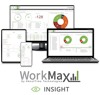
WorkMax
Based on GetApp‘s extensive, proprietary database of in-depth, verified user reviews
Trusted by 1 million plus users to improve profits
Table of Contents


Is this product right for your business?
Find out with a
WorkMax - 2026 Pricing, Features, Reviews & Alternatives


All user reviews are verified by in-house moderators and provider data by our software research team. Learn more
Last updated: March 2026
WorkMax overview
What is WorkMax?
WorkMax leverages real time integration with design, estimating, scheduling and ERP solutions to expedite timely decisions and improve profits.
Results are expedited with centralized cost and productivity information. Critical KPI's are available to project members across the enterprise, including estimators, project controls, procurement, schedulers/planners, finance, CFO's, CEOs, and other capital project stakeholders.
The only centralized time, quantity, and resource management platform with earned value capture. Real time progress, cost and productivity management increases project margins by 17%+.
Plan, execute, and analyze past, present and future projects with interoperability to estimating, scheduling, project management, owners and finance.
Key benefits of using WorkMax
Contractors, EPCM’s, and Owners Lower project costs with REAL TIME productivity reporting at the WBS, phase, activity, and cost code level. Improve work and crew pace.
Leverage HISTORICAL performance to improve current and future bids with actual productivity on estimates and schedules.
Increase FORECAST accuracy with productivity, observation and critical path management to reduce risk and improve schedule and budgets.
Increase profit margins 17%+ with centralized progress, time and productivity management.
Deliver real-time KPI's across the enterprise to estimators, project controls, procurement, safety, schedulers, finance, CEO's and other capital project stakeholders.
Results expedite centralized cost, productivity, progress and compliance.
Centralize time, quantities, and resources to understand productivity, forecast results and capture earned value.
Manage real-time progress, cost and productivity to increase margins by 17%+.
Plan, execute, and analyze past, present and future projects with interoperability to estimating, scheduling, project management, finance and owners.
Pre-Construction
Improve Bids, Estimating and Scheduling with Increased Accuracy
Accelerate bidding with historic project production rates, units, and man hours connected to estimates and schedules.
Leverage historic cost code, phase code, WBS, location, work type, cost and productivity historic libraries.
Integrate with estimates to cost and resource load project plans and schedules with historic production history. Bid and win more work with precision accuracy.
Project Execution
Project teams leverage in-depth insight and future visibility into labor, material and planned productivity.
Progress is measured on hours, units, and scheduled completion dates.
Real time productivity empowers project managers, schedulers, finance and other project stakeholders with live site information to reduce risk and improve profits immediately.
Automate Daily Reports
Manage daily site activity including - Daily Site Summary, Observations, Metrics, User Entries, Active Progress, Workers Inducted, Equipment Inducted, Incidents, Injuries, Meetings, and Pre-Task Plans.
Centralize Field Reporting
Record notes for each activity including: assumptions, meetings, jobsite observations, productivity and more. Increase communication and provide additional information that enables field operators to prevent staging and other issues.
Increase Profit, Estimate, and Schedule Accuracy
Build better bids and estimates with past, present and forecasted field production rates. Real-time hours, units, and quantities from the field calculate planned vs. actual field earned value keeping schedules and estimates on track.
Manage Multiple Projects
Manage approvals, reporting, productivity across multiple projects at the portfolio or project level from anywhere. Select one or more projects for productivity, cost, and time and other reporting at the portfolio level, project or worker level.
Time and Labor Compliance
Manage time and attendance, overtime, union, and Job costing with real-time mobile reporting and compliance. Reduce admin time by 90% while gaining compliance with local, federal and owner regulations and requirements. Expedite billing to improve cash flow and budget accuracy.
Reporting and Compliance
Improve Owner, Stakeholder Communication and Compliance
Timesheet standards eliminate double entry, reducing data input time while improving Owner/Contractor collaboration. Real time productivity, units, quantities, man hours, and daily progress is managed on mobile dashboards.
Payroll Compliance
Minimize and eliminate compliance risks. Simplify the management of multiple union, shift, cost code, and pay type rules. Automate the calculations of hours, overtime, holidays and certified payroll.
Starting price
per month
Alternatives
with better value for money
Pros & Cons
Customer Support
Employee Clock-In
Features
Employee Management
Project Cost Tracking
Bugs and Issues
WorkMax’s user interface
WorkMax pros, cons and reviews insights
To determine these pros and cons insights, we analyzed responses from
Overall rating
Value for money
4.1
Features
4.1
Ease of use
4.2
Customer support
4.5
Reviews sentiment
What do users say about WorkMax?
Our experience has noticeably degraded since the Foundation Software acquisition. While the WorkMax team has great team members, we continue to experience a lack of transparency and access to critical information, which has strained the partnership.
Select to learn more
Who uses WorkMax?
Based on 115 verified user reviews.
Company size
Small Businesses
Enterprises
Midsize Businesses
Top industries
Use cases
WorkMax's key features
Most critical features, based on insights from WorkMax users:
All WorkMax features
Features rating:
WorkMax alternatives
WorkMax
Starting from
11
/user
Per month

Connecteam
Starting from

No pricing info

Clockify
Starting from
No pricing info

Jibble
Starting from
No pricing info
WorkMax pricing
Value for money rating:
Starting from
11
/user
Per month
User opinions about WorkMax price and value
Value for money rating:
To see what individual users think of WorkMax's price and value, check out the review snippets below.
Laurie W.
Vice President
Amy W.
Corporate Administrator
WorkMax integrations (16)
Integrations rated by users
We looked at 115 user reviews to identify which products are mentioned as WorkMax integrations and how users feel about them.

Integration rating: 4.5 (8)
“WorkMax seamlessly integrating with Foundation is VITAL for our weekly payroll process.”
Melissa M.
Payroll Accounting Manager

Integration rating: 5.0 (2)

Integration rating: 2.0 (1)

Integration rating: 5.0 (1)











WorkMax customer support
What do users say about WorkMax customer support?
Customer support rating:
We analyzed 33 verified user reviews to identify positive and negative aspects of WorkMax customer support.
Widespread user sentiment highlights the support team's responsiveness and quick resolution of issues, often within hours.
A significant portion of users found onboarding and implementation support attentive, knowledgeable, and proactive throughout setup.
Certain users experienced inconsistent support quality, including lack of help for complex issues and discontinued support for some products.
Support options
Training options
To see what individual users say about WorkMax's customer support, check out the review snippets below.
“WorkMax's implementation and support teams are phenomenal, and the software engineers are close by if the support team needs additional answers. While there is no program that will ever cover 100% of a company's needs, as each one will have their own unique processes, WorkMax comes as close as we've ever found.”
Heather D.
Project Engineer/Accounting & Payroll Mgr.
“However, the tech support team had my issued resolved in less than 2 hours and I was very pleased with the quick response time.”
Neil R.
Operations Manager
“I was handed off to tech support many times over the first month before I asked for a refund and was given the promise of better customer service.”
Maria H.
Human Resources Manager
WorkMax FAQs
WorkMax has the following typical customers:
Large Enterprises, Mid Size Business, Small Business
These products have better value for money
Q. What languages does WorkMax support?
WorkMax supports the following languages:
English, Spanish
Q. Does WorkMax support mobile devices?
WorkMax supports the following devices:
Android, iPad, iPhone
Q. Does WorkMax offer an API?
Yes, WorkMax has an API available for use.
Q. What level of support does WorkMax offer?
WorkMax offers the following support options:
Chat, Phone Support, FAQs/Forum, Email/Help Desk, Knowledge Base, 24/7 (Live rep)



