

GetApp offers objective, independent research and verified user reviews. We may earn a referral fee when you visit a vendor through our links.
Our commitment
Independent research methodology
Our researchers use a mix of verified reviews, independent research, and objective methodologies to bring you selection and ranking information you can trust. While we may earn a referral fee when you visit a provider through our links or speak to an advisor, this has no influence on our research or methodology.
Verified user reviews
GetApp maintains a proprietary database of millions of in-depth, verified user reviews across thousands of products in hundreds of software categories. Our data scientists apply advanced modeling techniques to identify key insights about products based on those reviews. We may also share aggregated ratings and select excerpts from those reviews throughout our site.
Our human moderators verify that reviewers are real people and that reviews are authentic. They use leading tech to analyze text quality and to detect plagiarism and generative AI.
How GetApp ensures transparency
GetApp lists all providers across its website—not just those that pay us—so that users can make informed purchase decisions. GetApp is free for users. Software providers pay us for sponsored profiles to receive web traffic and sales opportunities. Sponsored profiles include a link-out icon that takes users to the provider’s website.
My 6 Best Pool Service Software for Mobile (2027)
Learn what technicians can record at a stop, which phones and tablets each app supports, what survives lost signal, and which subscription covers your crew.

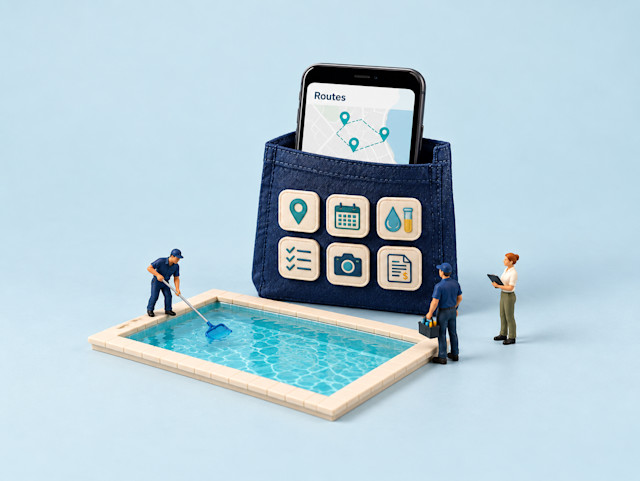
When a customer questions a pool visit, you need more than a photo on a technician’s phone and chemical readings in a notebook. You need a mobile app that helps your crew record each visit and share it with the office. Choosing one means checking what technicians can do on their devices, including when the signal drops.
To help you make that choice, I compared six pool service software that come with a mobile app using user reviews and official documentation. I cover visit records, device support, offline work, recurring app complaints, and subscription costs.
Best pool service software with mobile apps: A quick look
Top-rated pool service software with mobile apps are Skimmer. GorillaDesk, Striven, Housecall Pro, EasyWeek, and Jobber. Below, I compare their field tasks, device support, and subscription costs.
| Tool name | Overall rating | No. of reviews | Value-for-money rating | Mobile app availability | Starting price (with mobile app) |
|---|---|---|---|---|---|
| Skimmer | 4.9/5 | 232 | 4.8/5 | iPhone, iPad, Android | Getting Started plan: $49/month; billed monthly |
| GorillaDesk | 4.8/5 | 278 | 4.8/5 | iPhone, iPad, Android | Basic plan: $49/month for one technician schedule; billed monthly |
| Striven | 4.8/5 | 130 | 4.7/5 | Mobile-friendly web app | Standard plan: $35/user/month; billed monthly |
| Housecall Pro | 4.7/5 | 2,749 | 4.6/5 | iPhone, iPad, Android | Basic plan: $59/month for one user; billed annually |
| EasyWeek | 4.8/5 | 108 | 4.6/5 | iPhone, iPad, Android business app; pool-technician fit unverified | Solo plan: $8.33/month for one user; paid every two years |
| Jobber | 4.6/5 | 1,487 | 4.4/5 | iPhone, iPad, Android | Core plan: $29/month for one user; billed annually |
Ratings, reviews, pricing, and mobile app availability are as of October 2026
How did I select these pool service tools?
I applied the Mobile App filter to GetApp’s Pool Service category, sorted the results by user rating, and selected six products for comparison. I reviewed user feedback with AI assistance, prioritizing mobile experiences and using broader product feedback where needed. I then checked mobile capabilities, device compatibility, offline functionality, and qualifying subscription prices against official vendor documentation.
Find a detailed methodology at the end of this article.
1. Skimmer: Best for documenting weekly pool visits
Free plan or trial: Not available
Starting price: Getting Started plan: $49/month; billed monthly
Skimmer is pool-specific software for recurring service and repair work. Its technician workflow brings water readings, chemical dosages, equipment details, checklists, and visit photos into the same pool record. I’d start here if your main problem is documenting what happened at each weekly stop and giving customers a clear service record.
Key features available in Skimmer’s mobile app
Daily routes: Open assigned stops and view the day’s route on a map.
Pool history: Check previous readings, dosages, equipment, and completed tasks.
Water records: Enter readings and chemical dosages against the serviced pool.
Visit checklists: Record completed tasks and add proof-of-service photos.
Service reports: Complete a stop to trigger a customer email after data syncs.
Using Skimmer’s mobile app in the field
Apps and supported devices: Skimmer Pro is available for iPhone, iPad, and Android.
Offline work: After signing in online and syncing current work, technicians can open routes, complete stops, enter readings, and take photos without a signal. Work syncs automatically when connectivity returns; customer delivery needs that connection. Do not log out or uninstall before syncing; unsynced work is erased.
Important app limitations: The Getting Started plan limits photos to five per visit. Route optimization, required checklist items, and the Orenda dosing calculator are available from the Scaling Up plan. Managing company settings and some administrative work uses the web app.
What reviewers like about Skimmer
Easy for field technicians. Multiple pool-service reviewers describe a straightforward app that their cleaners can use on their phones. That supports a daily workflow in which the technician records the visit while the office follows along.
Clear proof of service. Reviewers repeatedly value reports combining visit details, readings, dosages, and photos. Customers can see what was done, while the business retains a record when someone questions a visit.
An organized service day. Reviewers describe using the app to follow routes and keep work orders, chemicals, and customer information together. I’d check how easily a substitute technician can find the same information.
What reviewers dislike about Skimmer
Some administration still needs the web. Several reviewers want more administrative functions on their phones. Reports include difficulty finding the mobile Jobs area and switching to the web for certain tasks; test your owner-operator workflow.
Occasional interruptions. Distinct reviewers reported glitches, slow updates after entries, or unexpected logouts. These are historical experiences, not proof that the current version has the same faults; check saving and sign-in behavior during evaluation.
Related read: To compare field tasks across service trades, explore what users value in mobile field service apps.
2. GorillaDesk: Best for field job updates
Free plan or trial: A 14-day trial is available
Starting price: Basic plan: $49/month for one technician schedule; billed monthly
GorillaDesk is a broader field-service platform with a documented pool-service offering. It combines job scheduling, notes, maintenance checklists, material-use records, and invoicing. Pool businesses should configure their chemicals and service templates before rollout: recording material use is different from having a built-in water-balancing calculator.
Key features available in GorillaDesk’s mobile app
Job calendar: Open scheduled jobs and check their requirements before arrival.
Directions: Launch navigation to a job address through the phone’s map app.
Customer records: View customer details and add job notes or attachments.
Material entries: Record the chemicals and other materials used during a visit.
Job closeout: Update status, edit invoices, and collect payments while online.
Using GorillaDesk’s mobile app in the field
Apps and supported devices: GorillaDesk supports iPhone, iPad, and Android phones and tablets.
Offline work: Load the calendar online first. Offline mode stores the current Monday–Sunday week and allows status changes, check-in/out times, notes, and material entries. Job and invoice details are view-only. The app prompts you to return online when connectivity returns.
Important app limitations: Routing on the Basic plan is limited to 25 stops; the Pro plan adds Drive Matrix routing, custom documents, the customer portal, and QuickBooks Online sync. Do not assume invoice editing, payments, or customer messages work offline.
What reviewers like about GorillaDesk
Useful work can stay in the field. Reviewers value having field tools in one app, with feedback mentioning jobs, notes, and payment collection. These experiences come from other service trades, so I’d check how well your pool-service templates fit.
Help when the crew needs it. Reviewers repeatedly praise responsive support by chat or phone and help resolving problems. That matters when an owner or dispatcher needs an answer before the next round of service visits.
An approachable system for staff. Users describe the broader software as easy to learn and value its training resources. I’d use those resources to teach technicians the scheduling, customer-record, and job-update tasks they need.
What reviewers dislike about GorillaDesk
Setup takes some learning. Reviewers describe an initial learning curve before the system feels straightforward. Allow time to configure service templates and show staff how your company records each visit.
Scheduling and routes need checking. Reviewers want better control over appointment windows and how jobs are arranged into routes. These are broader planning concerns, so I’d check the schedule your technicians receive before relying on it for a full pool route.
3. Striven: Best for office-led pool operations
Free plan or trial: A seven-day trial
Starting price: Standard plan: $35/user/month; billed monthly
Striven supports pool and spa operations through a mobile-friendly web app that technicians can access from a phone or tablet browser. Its broader platform combines accounting, inventory, customer records, and job management. I’d check the screens your crew needs at a service stop and how those records reach the office.
Key features available through Striven’s mobile-friendly web app
Mobile calendar: Check appointments and tasks in Day, Month, or Agenda view from a phone or tablet.
Customer details: View and update customer information through the mobile browser.
Field notes: Add notes while working at a property so the office can follow the visit.
Photo records: Add photos from the field to document service work.
Office communication: Exchange updates with office staff while working away from the desk.
Using Striven’s mobile-friendly web app in the field
Access and supported devices: Use Striven through a mobile browser on a phone or tablet.
Offline work: With an internet connection, technicians can view customer details, add notes and photos, and communicate with the office through Striven’s mobile-friendly web app.
Important limitations: Mobile calendar views are limited to Day, Month, and Agenda. Check how your custom pool-visit fields and reports display on the crew’s phones and tablets.
What reviewers like about Striven
Access beyond the office. Reviewers value mobile access, with feedback mentioning field navigation and iPhone and iPad use. I’d check the screens your crew needs in its phone or tablet browser.
Connected business records. Users value keeping scheduling, inventory, customer records, and accounting together. This broader product feedback matters when the office needs to connect service work with stock and billing.
Responsive support. Reviewers praise help with questions, setup, and configuration. That support could help a pool business adapt the system to its visit records and office processes.
What reviewers dislike about Striven
A learning curve before routine use. Reviewers say the number of options can make setup and training demanding. I’d narrow each technician’s workflow to the records needed at a stop.
Search can take extra effort. Reviewers, including an older account, want better search tools. I’d check how quickly a technician can find a customer or job in the mobile browser.
Related read: If you are weighing pool-specific records against repair quoting, see how Skimmer and Jobber compare for pool companies.
4. Housecall Pro: Best for technician onboarding
Free plan or trial: A 14-day trial
Starting price: Basic plan: $59/month for one user; billed annually.
Housecall Pro is broader field-service software serving pool businesses alongside other trades. Its mobile workflow connects scheduled jobs, customer details, notes, estimates, and payment collection. The reviewer evidence makes ease of learning a useful reason to consider it, particularly when you want technicians to follow a familiar job screen rather than move between separate office tools.
Key features available in Housecall Pro’s mobile app
Job schedule: View assigned work and, with permission, adjust appointments.
Visit records: Add job notes and photos while working at the property.
Arrival updates: Send customers an on-my-way message from the field.
Repair estimates: Create or update an estimate and send it from your phone.
Invoices and payments: Send invoices and process customer payments online.
Using Housecall Pro’s mobile app in the field
Apps and supported devices: Housecall Pro Field Service is available on iPhone, iPad, and Android.
Offline work: Offline Mode is view-only. It automatically downloads your assigned jobs for the dat and the next two days, up to the ten earliest-starting jobs per day. It includes job details, appointments, and checklists, but never customer history. Other jobs can be prepared by opening them online. Confirm the last successful sync; changes from the office appear after reconnection. Editing, payment collection, and job completion require internet.
Important app limitations: A weak connection may keep the app trying live access instead of using downloaded jobs. Routes, checklist automations, and photo reports are available from the Essentials plan; technician permissions also govern access.
What reviewers like about Housecall Pro
Straightforward to learn. Reviewers describe an app that is easy for technicians to use and teach to employees. That supports onboarding a crew without assuming every device offers the same experience.
Billing can happen in the field. Reviewers value scheduling and taking payments in one place, including payment collection through the app. This can help an owner-operator finish the billing step before moving to the next stop.
Customer and schedule details stay organized. Users value keeping appointments, client information, and daily tasks together. This broader workflow feedback is useful when the office needs to prepare clear assignments for technicians.
What reviewers dislike about Housecall Pro
Costs rise with the required features. Reviewers describe subscription costs and extra feature charges as difficult to justify for smaller businesses. I’d price the plan and optional services your crew needs rather than judge the product by its starting price.
Workflows can be difficult to tailor. Users want more control over scheduling, templates, and reporting. These are broader product concerns; I’d check whether your recurring visits, repair calls, and office reports fit the available setup.
5. EasyWeek: Best for appointment-led scheduling
Free plan or trial: 14-day trial
Starting price: Solo plan: $8.33/month for one user; paid every two years
EasyWeek is booking and customer-management software with a business app separate from its customer booking app. Its pool page describes swim-center visits, memberships, and training sessions, while a separate cleaning page covers service appointments. I would consider it for appointment administration, but its suitability for a technician’s pool route, chemistry record, and proof-of-service handoff remains unverified.
Key features available in EasyWeek’s mobile app
Booking calendar: View and manage appointments from a phone or tablet.
Staff schedules: Check availability and organize work around booked slots.
Client records: Access customer history and notes in the business app.
Booking alerts: Receive notifications when new appointments are made.
Financial records: Track business finances; online payment functions are available from the Solo plan.
Using EasyWeek’s mobile app in the field
Apps and supported devices: EasyWeek is available on iPhone, iPad, and Android. It also offers a separate app for customers.
Offline work: EasyWeek’s iOS guidance describes viewing schedules and customer information with a weak connection, with changes syncing when connectivity returns.
Important app limitations: Route optimization, structured pool readings, dose calculations, and technician proof-of-service reports were not established for this app.
What reviewers like about EasyWeek
Accessible appointment management. Reviewers describe an easy-to-navigate business app and a calendar that makes bookings simple to track.
Less back-and-forth to book visits. Users value online booking and having appointments organized in one place. This broader scheduling feedback is relevant if you want customers to request service while your crew is working.
Reminders help with appointments. Reviewers value automated reminders and report fewer missed appointments. For pool work, I’d check whether the reminders suit visits that require customer access or an agreed arrival time.
What reviewers dislike about EasyWeek
Navigation can need work. Reviewers describe mobile screens and settings that are not always intuitive. I’d have a technician find a client, move an appointment, and return to the day’s schedule before committing.
Changed appointments can cause notification problems. Users report missing or incorrect alerts after rescheduling, cancellation, or reassignment. These broader booking-workflow complaints make it worth checking which updates reach the customer and the technician when a visit changes.
Related read: If team size and budget shape your choice, compare pool service software for small businesses.
6. Jobber: Best for quoting between service stops
Free plan or trial: 14-day trial
Starting price: Core plan: $29/month for one user; billed annually
Jobber is broader field-service software marketed for recurring pool maintenance and one-off repairs. You can move from a customer request to a quote, scheduled visit, and invoice from the field. Pool readings and treatments use configured checklists rather than a verified built-in pool chemistry calculator, so include that setup when comparing it with a pool-specific app.
Key features available in Jobber’s mobile app
Assigned visits: View scheduled work and switch between calendar and map views.
Job details: Open visit instructions, customer information, and job records.
Pool checklists: Record readings and treatments; available from the Connect plan.
Site photos: Attach images captured at the property to document the work.
Quotes and invoices: Create and send a repair quote or invoice from your phone.
Using Jobber’s mobile app in the field
Apps and supported devices: Jobber Field Service Software supports iPhone, iPad, and Android.
Offline work: Official guidance confirms starting/stopping timers, completing job forms, and adding notes or attachments offline; entries save locally and sync automatically after reconnection. Live team changes, location-based timers, and reports need internet.
Important app limitations: Forms and time tracking are available from the Connect plan. Mobile access does not mean every administrative function is available. Tap to Pay requires internet and a compatible phone; it is unavailable on iPad.
What reviewers like about Jobber
Quotes and billing on a phone. Multiple reviewers describe setting up work, quoting, or invoicing while on the move. That matters when a weekly service visit reveals a repair you want the customer to approve before you order parts.
A visible daily schedule. Reviewers describe checking or changing appointments from the field and keeping crews informed. I’d compare the permissions and schedule views available to a technician with those available to an administrator.
Field and office stay connected. Reviewers value having job information and team updates in the app. This supports a shared record of the visit, although positive reports of fast updates do not cancel out the syncing complaints below.
What reviewers dislike about Jobber
Slow loading or difficult syncing. Distinct reviewers report delays with client lists, photos, job switching, or uploading field records. Test a visit with several photos and a completed form, then confirm the office can see the saved result.
Desktop functions do not all travel. Multiple reviewers want more mobile administrative access or find the app harder to navigate than the website. Identify the changes your owner or dispatcher must make between stops and verify each one.
What should your technicians test in a pool service mobile app?
I’d use one ordinary weekly visit and one repair call to work through these four checks. For a mixed-device crew, repeat the relevant tasks on each phone and tablet platform you use.
Open the day’s work. Find assigned stops, directions, gate notes, pool history, and equipment details. Check which route changes the technician can make, and distinguish seeing a map from optimizing the route.
Record a complete visit. Enter readings, treatment, checklist results, notes, photos, and a repair need. Compare Skimmer’s pool records with GorillaDesk’s configured materials and Jobber’s checklists; check plan limits before assuming everything is included.
Check poor-signal behavior. Prepare records as documented, then check what remains visible and what can be saved. Housecall Pro’s view-only jobs differ from saved entries in Skimmer, GorillaDesk, and Jobber. Verify the office record after reconnecting.
Complete the office and customer handoff. Check status, reassignment updates, service reports, and customer notifications. If you use accounting software, trace an estimate, invoice, and payment separately; ask whether actual job costs transfer. An invoice amount shows what you billed; it does not establish which labor, chemical, or parts costs transferred.
Before paying, confirm technician logins, serviced-location or schedule limits, required plans, and any separate app, messaging, or payment charges. Require a demonstrated technician workflow for Striven and EasyWeek before advancing either as a pool-route app.
FAQs about pool service software with mobile apps
These are the questions I’d resolve before moving a crew from paper records to a mobile workflow.
Q1. I run my pool route out of a notebook and Google Maps and keep missing stops or doubling back. Is it time for pool route software?
Repeated missed stops and manual rescheduling are good reasons to evaluate a shared route and visit record. I’d compare Skimmer’s pool-focused stops, GorillaDesk’s job-and-material workflow, and Jobber’s recurring visits. Skimmer’s route optimization is available from the Scaling Up plan; GorillaDesk’s Basic plan limits routing to 25 stops, while the Pro plan adds Drive Matrix routing.
Q2. A customer is blaming me for an algae bloom and I have no chemistry record. How do pool service companies document water chemistry?
Keep dated readings, treatments, technician notes, and visit photos together for each pool. Skimmer provides pool-specific reading and dosage records; GorillaDesk records material use, while Jobber’s configured checklists can capture readings and treatments. A record helps establish what was documented, but it does not establish the cause of a bloom by itself.
Q3. Is there free pool service software for a small route and when does it make sense to pay?
EasyWeek’s Basic plan includes up to 30 bookings a month and business-app access, but its full pool-technician workflow remains unverified. I verified trials or limited introductory access, rather than permanent free subscriptions, for the four clear pool-service app fits here. A free trial or free booking tier does not establish free accounting-integration access; compare the qualifying paid plan and any separate accounting subscription.
Q4. Will pool service software work on the iPad my techs already carry?
Skimmer, GorillaDesk, Housecall Pro, Jobber, and EasyWeek’s business app support iPad, subject to current operating-system requirements. App availability does not establish every task: Jobber’s Tap to Pay requires a compatible phone, and Striven’s downloadable technician app remains unverified.
Q5. Does pool service software work well on Android phones, or is it iPhone only?
Pool service software is available for both Android and iPhone. Skimmer, GorillaDesk, Housecall Pro, and Jobber offer apps for both platforms. Before choosing, check your phone’s operating-system requirements and try the tasks your technicians need, such as entering visit notes, uploading photos, and accessing records offline.
Q6. Should I use Jobber or a pool-specific app if I do repairs as well as weekly pool service?
I’d compare Jobber’s mobile quoting and job-to-invoice flow with Skimmer’s built-in pool records and repair work orders. Jobber’s pool checklists are available from the Connect plan; its job costing is available from the Grow plan. Skimmer’s quotes, recurring work orders, and dosing calculator are available from the Scaling Up plan. Follow one service visit that becomes a repair and compare the records each app retains.
Q7. What can technicians do when they lose internet access?
Skimmer documents saving readings, photos, and completed stops, while GorillaDesk permits selected updates to the week’s preloaded jobs. Jobber documents saved forms, notes, attachments, and timers; Housecall Pro’s downloaded jobs are view-only. EasyWeek’s zero-signal workflow and Striven’s mobile-web offline behavior remain unverified.
Q8. Does the mobile app include the same features as the desktop software?
Do not assume it does. Skimmer and Jobber reviewers repeatedly describe mobile administrative limits. Subscriptions also matter: Jobber’s forms and time tracking are available from the Connect plan, while Housecall Pro’s routes, checklist automations, and photo reports are available from the Essentials plan. I’d ask the vendor to show each office task in the app role and plan you will use.
Choose around the service visit your crew completes
I’d start with Skimmer for built-in pool records, GorillaDesk for job and material updates, Housecall Pro for an approachable technician workflow, or Jobber for quoting alongside recurring visits. Striven offers mobile-browser access to broader business operations, while EasyWeek focuses on appointment management.
Use a trial or demo to follow a typical service visit on your crew’s devices. Compare visit records, offline tasks, office updates, and the required subscription. Choose the option that makes your crew’s daily work straightforward and fits your budget.
Compare GetApp’s field service management software if repair dispatch, estimating, and wider trade operations are central to your business.
Methodology
To select and compare these six pool service software options for mobile use, I followed these steps:
I filtered GetApp’s Pool Service category for mobile apps, sorted the results by user rating, and selected six tools for further research.
I reviewed official vendor websites, help documentation, and vendor-published app-store descriptions to verify field tasks such as viewing schedules, accessing customer records, logging chemicals, adding notes, and uploading photos. The feature lists are selective, not exhaustive; refer to each vendor’s website for additional capabilities.
I checked iPhone, iPad, and Android support, along with mobile-browser access where applicable. I reviewed which tasks require internet, what information remains accessible offline, and how saved changes sync after reconnection.
I reviewed official pricing pages to identify the lowest qualifying subscription, billing terms, user or service-location limits, and mandatory charges. I also checked free plans and trials, keeping optional add-ons separate.
I used AI to analyze GetApp reviews, prioritizing feedback published as of October 2026. I prioritized mobile experiences and used broader feedback about scheduling, usability, setup, support, and costs where needed.
More on Field Service Management



Oct 21, 2026

Jun 25, 2024