GetApp offers objective, independent research and verified user reviews. We may earn a referral fee when you visit a vendor through our links.
Our commitment
Independent research methodology
Our researchers use a mix of verified reviews, independent research, and objective methodologies to bring you selection and ranking information you can trust. While we may earn a referral fee when you visit a provider through our links or speak to an advisor, this has no influence on our research or methodology.
Verified user reviews
GetApp maintains a proprietary database of millions of in-depth, verified user reviews across thousands of products in hundreds of software categories. Our data scientists apply advanced modeling techniques to identify key insights about products based on those reviews. We may also share aggregated ratings and select excerpts from those reviews throughout our site.
Our human moderators verify that reviewers are real people and that reviews are authentic. They use leading tech to analyze text quality and to detect plagiarism and generative AI.
How GetApp ensures transparency
GetApp lists all providers across its website—not just those that pay us—so that users can make informed purchase decisions. GetApp is free for users. Software providers pay us for sponsored profiles to receive web traffic and sales opportunities. Sponsored profiles include a link-out icon that takes users to the provider’s website.
How To Use GetApp's Comparison Tool To Find Your Best Software Fit
See how that software platform you’ve been eyeing stacks up against competitors with our easy-to-use comparison tool. We’ll show you how to use it in just three steps.


According to a recent GetApp survey*, businesses spend around nine months finding and implementing new software. And yet 66% say that in retrospect, their company could have chosen better products than what were selected.
Here at GetApp, we aim to instill confidence in your software buying process. Our comparison tool was built to equip you with the knowledge you need to compare software solutions for your small business. Whether you’re undergoing a digital transformation, or you’ve decided to automate processes so your team can focus on higher-level tasks, we’re here to help.
Take the stress out of software shopping with our comparison tool
Our easy-to-use comparison tool lets you instantly compare software solutions side by side, so you’re more likely to find the right software for your small business. We’ll walk you through how to use this feature in three easy steps.
1. Select a category of software
GetApp has over 800 software categories for you to choose from. You can either browse for a specific type of software or search according to your industry using the search bar.
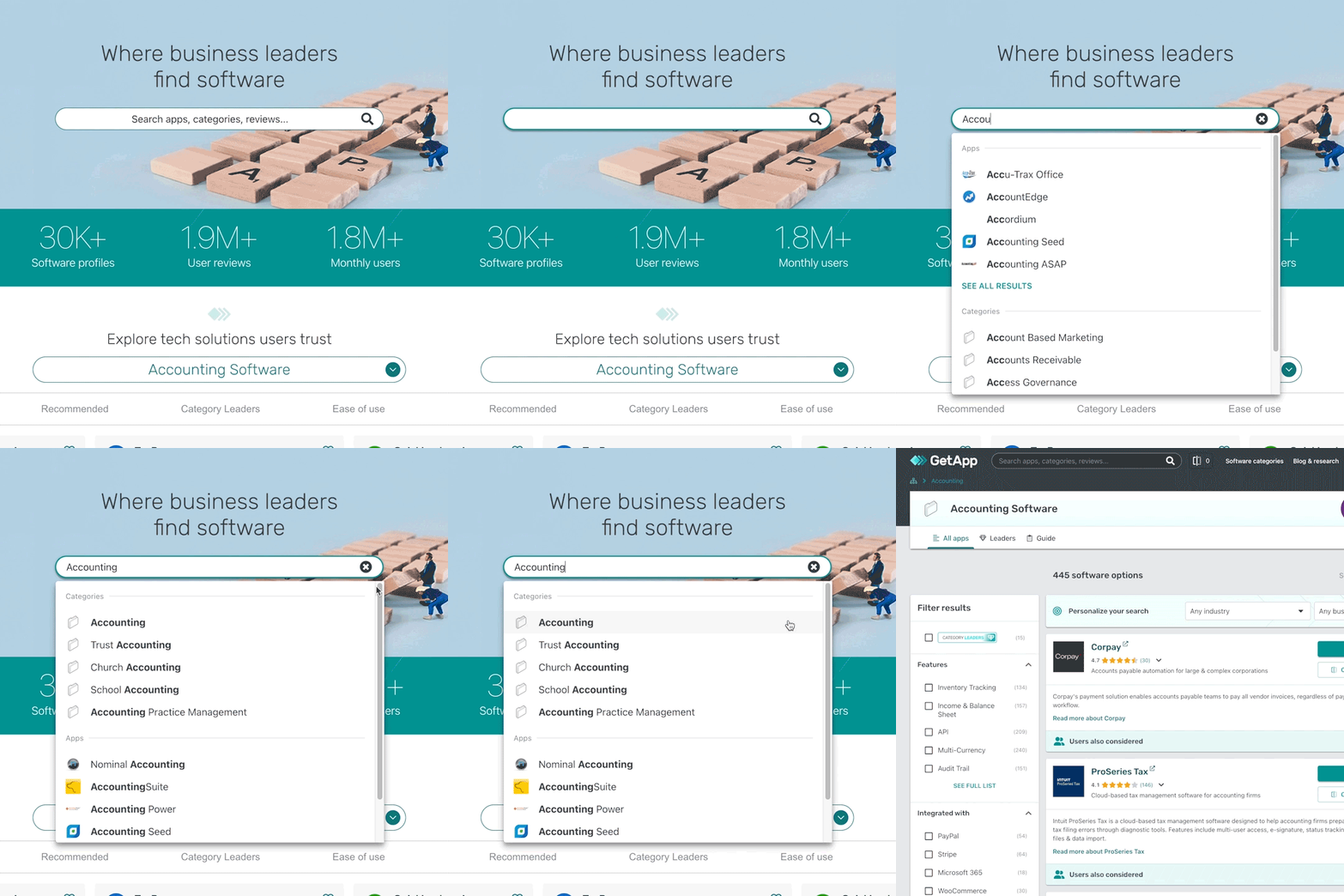
GIF that shows user searching for accounting software
Not sure what type of software solution you need? The following tips can help you build a tech stack that addresses your business’s specific needs and prepares you for future growth.
Identify what processes can be automated. For example, if you send promotional emails manually to customers, consider using an email marketing platform to automate the process and save time.
Look for similar workflows that can be improved by a common tech solution. Identifying like processes will not only lower your tech investment but also optimize the use of software tools across your organization. For example, you can use the same chat tool for team communication as well as collaboration between different departments.
Shortlist software tools that offer the functionality you need within your budget. On GetApp, you can read what real buyers like you have to say about product features, integration capabilities, scalability, cost, vendor support, etc.
Review the performance of your stack regularly. New tools and features enter the market every few years. Monitor your tech stack regularly to track current usage rates, identify bottlenecks, measure your ROI, and foresee any tech gaps. Then, add new tools or features based on how well—or poorly—your stack is performing.
2. Check the compare box under each product you want to compare
Here at GetApp, you can compare up to four different vendors so you can see their features and options listed side by side. Begin by clicking the orange box at the top of the screen, or you can start by checking the box that says “compare” under each product you want to compare.
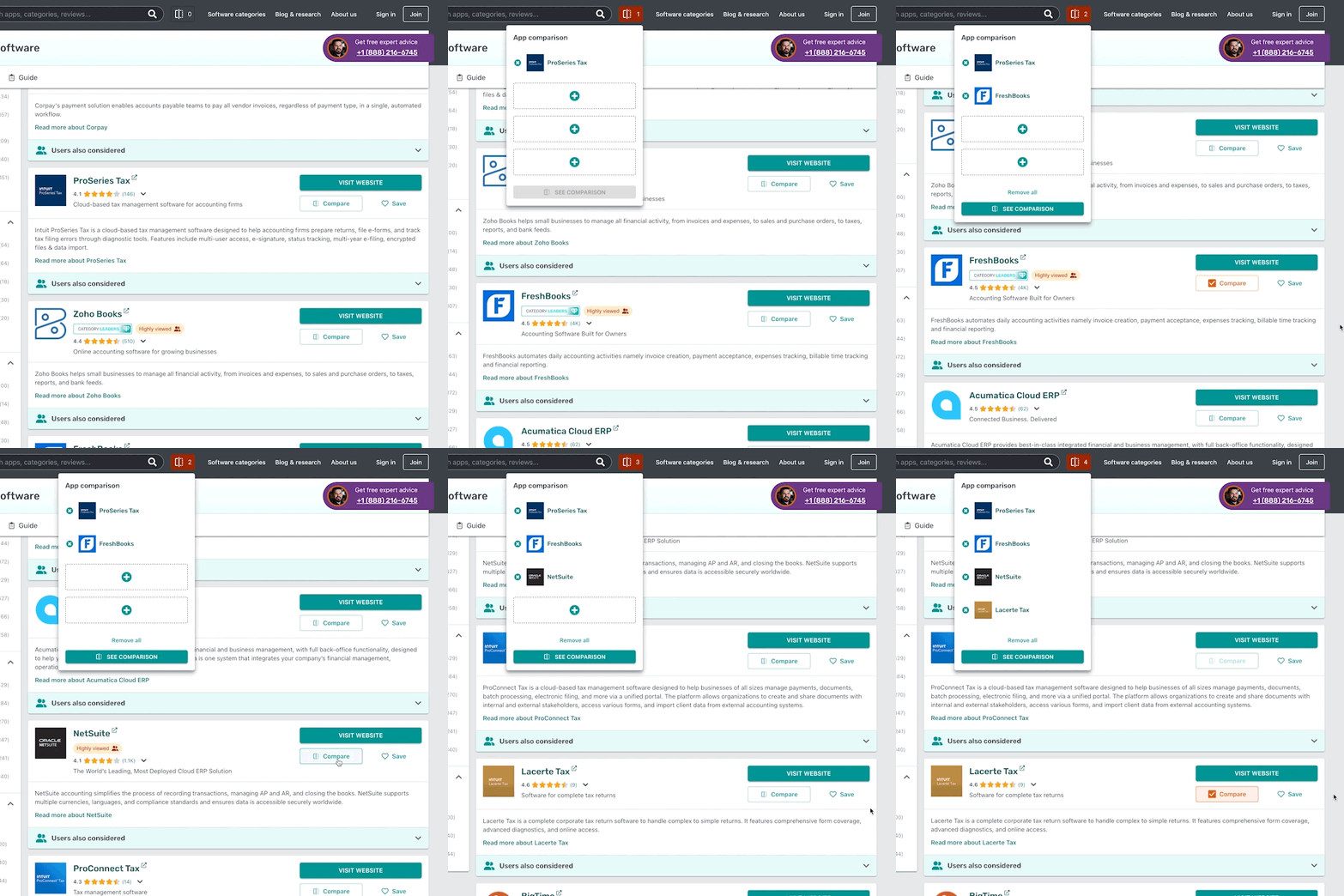
GIF that shows user selecting four accounting software options to compare
Still browsing? Access your selections whenever you’re ready by clicking the orange box again, or create an account to shortlist your favorites.
Alternate option:
If you have a product in mind and want to see how it stacks up against competitors, or what similar buyers have considered, you can click on its profile and scroll all the way down to “common comparisons.” Clicking on any one of the options provided will take you directly to a one-on-one comparison between that product and others that have been rated similarly.
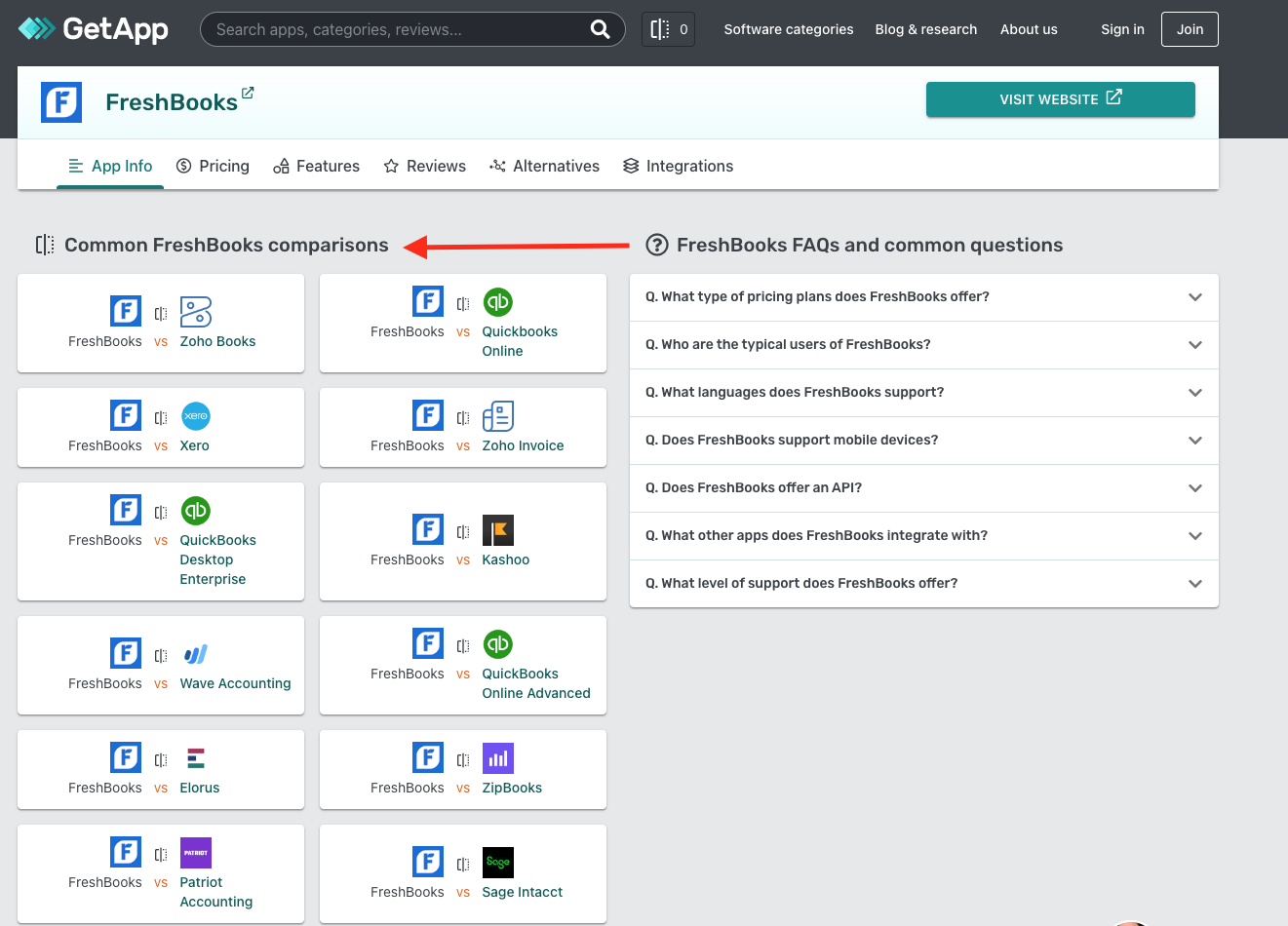
Screenshot of common FreshBooks comparisons, taken by author
3. Click “see comparison” to see your results
This last step will take you to our compare page, where your two to four selections will be listed side by side so you can compare overviews, screenshots, pricing, reviews, features, and more.
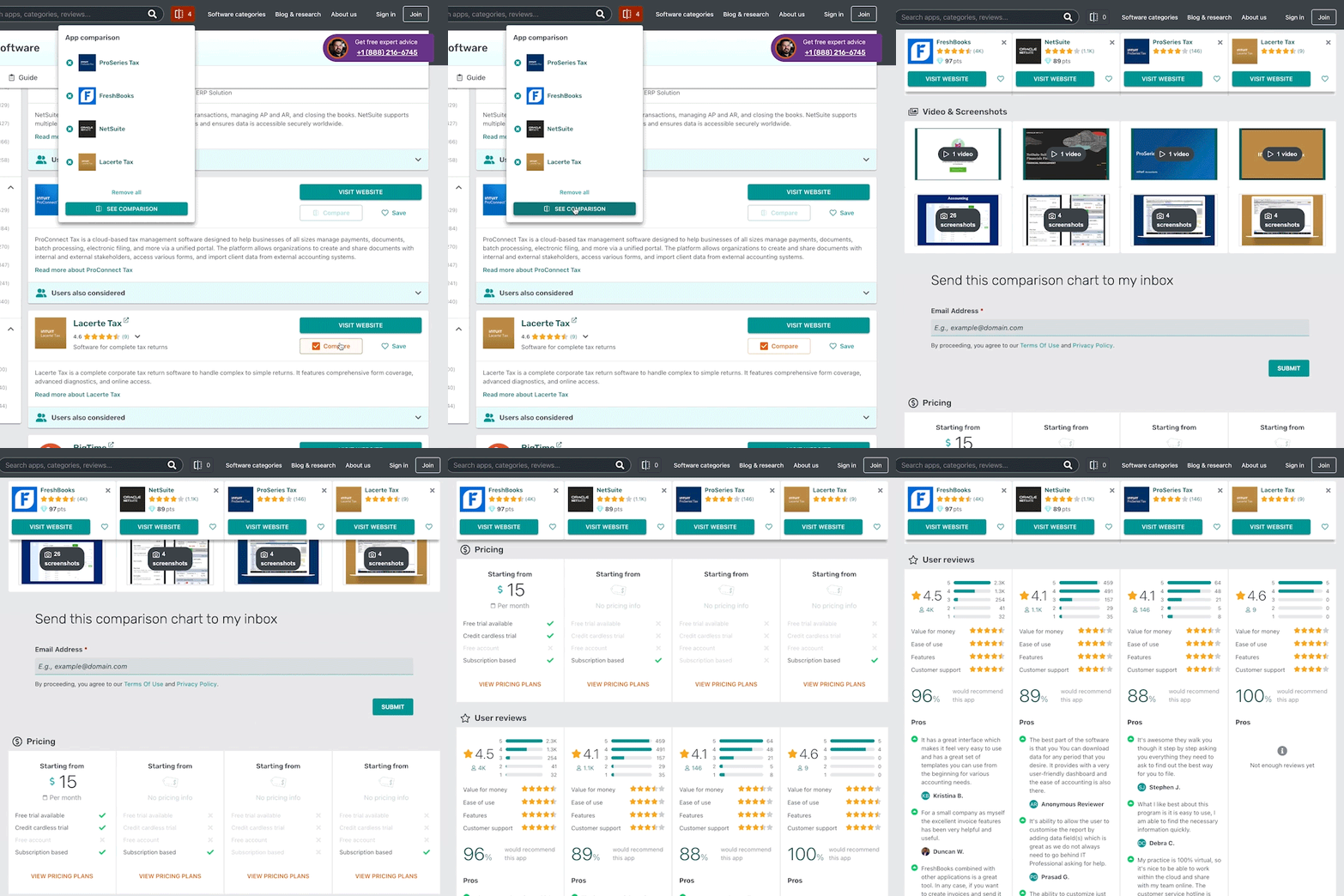
GIF that shows user scrolling through compare page features
We’ll discuss these points of comparison in more depth below:
Overviews give a brief pitch of each software solution. They’ll provide a sense of what industries and business sizes they’re most suited for and may also touch on features offered.
Screenshots provide visual images of the platform’s top features. Videos may also be included.
Pricing describes what you can expect to spend on each software product. It also discloses whether any free versions or trials are available.
User reviews provide first-hand accounts of real user experiences. Scores are calculated based on stars given by users for the platform’s value, ease of use, features, and customer support.
Key features list all common features for a tool in a given category. Features with a green checkmark indicate that they’re offered by the tool you’re considering.
Integrations list all other platforms that this software vendor is capable of integrating with. Learn more about software integrations and the criteria you should use to evaluate them here.
Alternatives list software tools in the same category that have scored similarly based on user reviews, or offer similar features.
Build a stronger case for tech adoption
Now that we’ve laid out how to use GetApp’s comparison tool, it’s time to do some research so you can build a stronger case for tech adoption. Once you’ve come up with a shortlist of vendors, download our software selection criteria template. This free spreadsheet serves as an additional resource you can use to present your findings to stakeholders.
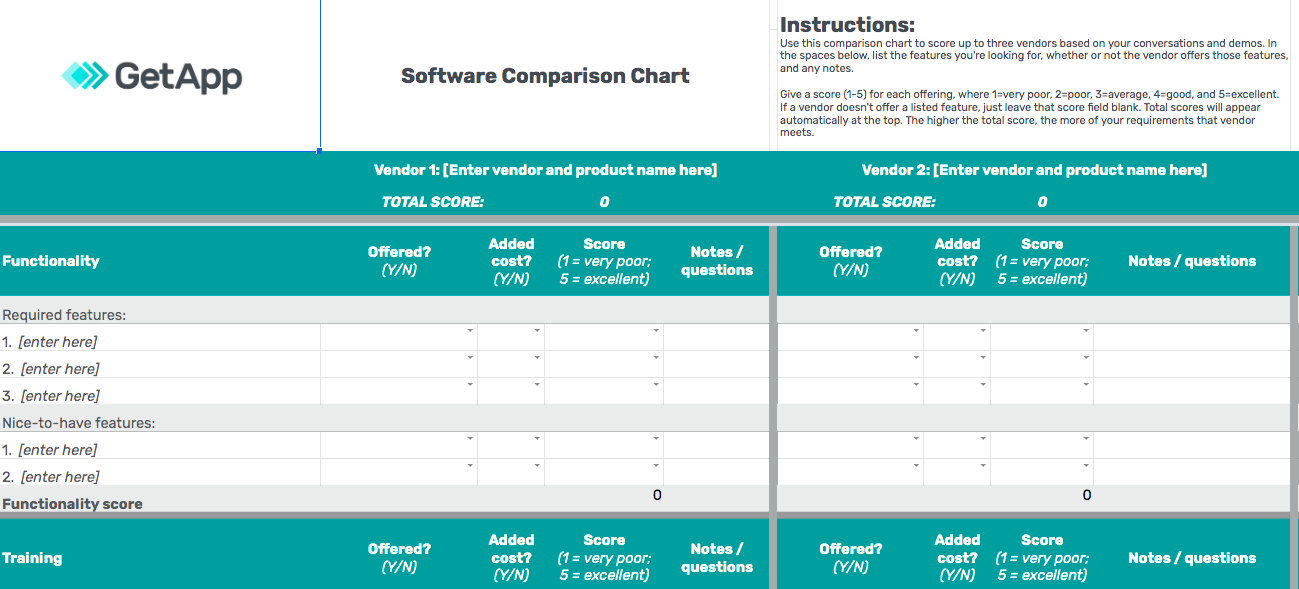
Screenshot of GetApp Software Comparison Chart
For more resources, check out our collection of articles on software buying tips here.
Note: The screenshots of applications selected in this article are examples to show a feature in context and are not intended as endorsements or recommendations.
Survey methodology
* The GetApp 2022 Technical Project Management Skills and Digital Disruption Survey was conducted in June 2022 of 319 U.S. project managers who've managed an IT software development/implementation project to understand how often and why software is getting replaced, the technical knowledge of PMs, and the tools/approaches they use to help their companies choose and implement the right tech. Respondents were screened for their involvement with project management at their company (very to extremely involved) and that they use a formal PM methodology.
Lauren Spiller
mentioned in this article

More on Software Buying Tips

Mar 25, 2025


Feb 25, 2025
Sep 27, 2024

Oct 10, 2024