GetApp offers objective, independent research and verified user reviews. We may earn a referral fee when you visit a vendor through our links.
Our commitment
Independent research methodology
Our researchers use a mix of verified reviews, independent research, and objective methodologies to bring you selection and ranking information you can trust. While we may earn a referral fee when you visit a provider through our links or speak to an advisor, this has no influence on our research or methodology.
Verified user reviews
GetApp maintains a proprietary database of millions of in-depth, verified user reviews across thousands of products in hundreds of software categories. Our data scientists apply advanced modeling techniques to identify key insights about products based on those reviews. We may also share aggregated ratings and select excerpts from those reviews throughout our site.
Our human moderators verify that reviewers are real people and that reviews are authentic. They use leading tech to analyze text quality and to detect plagiarism and generative AI.
How GetApp ensures transparency
GetApp lists all providers across its website—not just those that pay us—so that users can make informed purchase decisions. GetApp is free for users. Software providers pay us for sponsored profiles to receive web traffic and sales opportunities. Sponsored profiles include a link-out icon that takes users to the provider’s website.
7 Top-Rated Help Desk Software
Manage all your customer support efforts with one tool. Here are the top seven help desk software solutions that will simplify the job of all help desk agents.


Picture this: You are a customer help desk manager who frequently needs to juggle multiple tasks at once, including handling customer issues and prioritizing requests. While you enjoy your daily work, challenges such as providing omnichannel customer support, maintaining an average response time, and meeting consumer expectations often leave you feeling overwhelmed. If this situation resonates with you, it is likely time to invest in a help desk solution.
Help desk software streamlines the entire process of customer support by automating tasks, such as support ticket categorization, routing, and prioritization for users. The tool also generates reports, such as agents, tickets, and chat summaries to help you determine the effectiveness of your customer support operations. Nevertheless, we understand that it is not easy to select a tool that perfectly aligns with your service desk requirements.
In this article, we’ve highlighted the top seven help desk software solutions, in alphabetical order, based on verified software reviews. Read how we selected these products at the bottom of the page*.
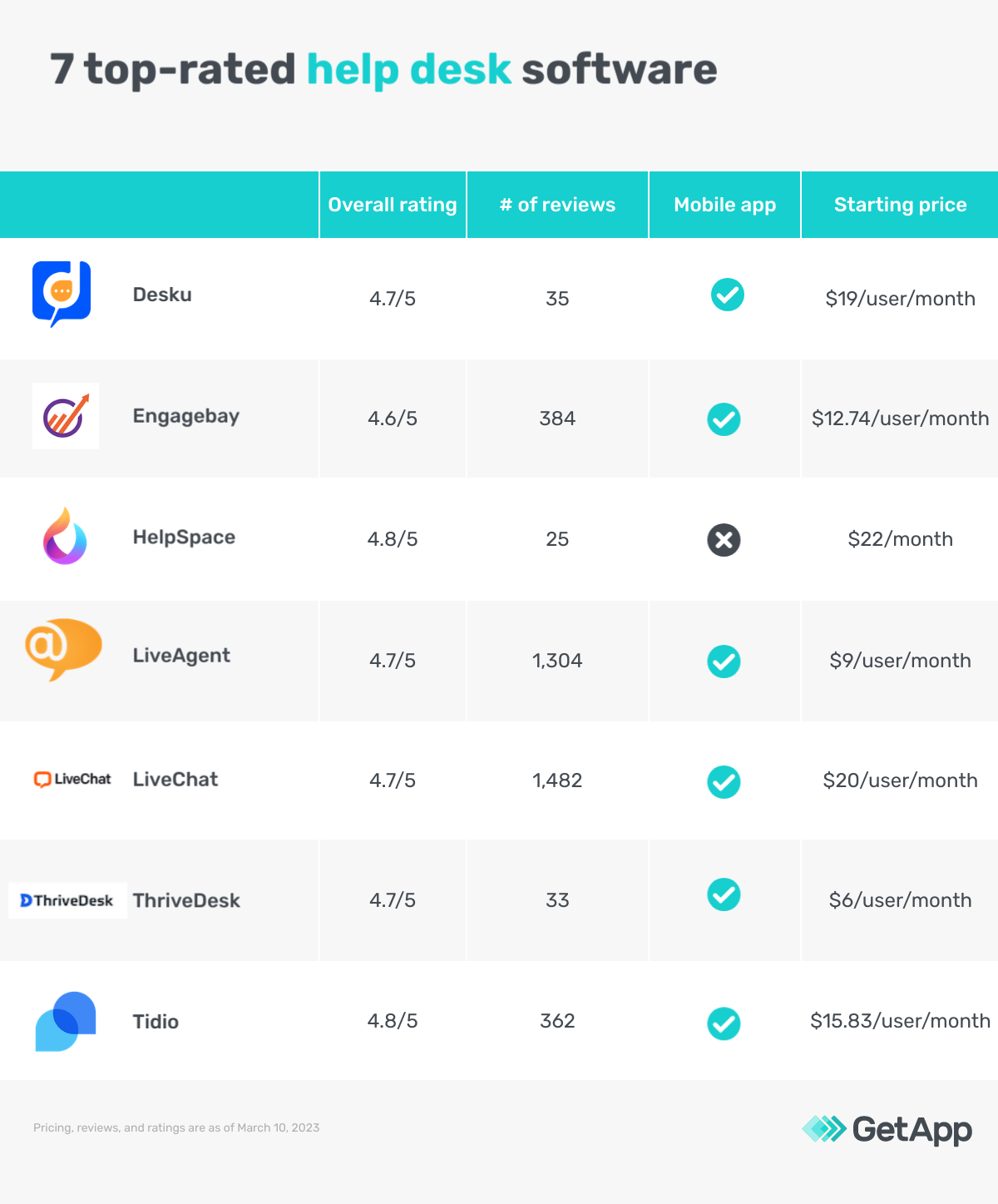
1. Desku: Features no-code chatbot builder for building chatbots
Desku is an online help desk platform that centralizes customer assistance for businesses. The software features a no-code chatbot builder that allows users to build conversational chatbots to engage with customers, collect leads, and obtain feedback. You can use these chatbots to get an overview of your customer’s entire journey, send instant messages to customers, collect questions, and transfer the conversation from the chatbot to your customer support team. Desku also offers you pre-built templates to start your bot building.
Product features of interest*:
Ticket management: Assign tickets to the right agent based on the ticket subject and category. The software also helps you convert a live chat to a ticket, pin tickets based on their priority or importance, add short messages to tickets for easy search, and view complete ticket history to refer to customer conversations.
Advanced reporting: Track your agents’ performance, activities, and customer trends using Desku’s reporting and analytics feature. Some of the important metrics and reports that you can generate with Desku include average response time, ticket flow ratio, agent performance, chat response time, and customer satisfaction.
Live chat widget: Provide self-service assistance to customers even when you are offline. The software helps you speed up your response time by saving answers to repeatedly asked questions. It also offers an external help center and knowledge base support in the live chat widget for customer assistance.
Customer support options: Phone, email, and chat
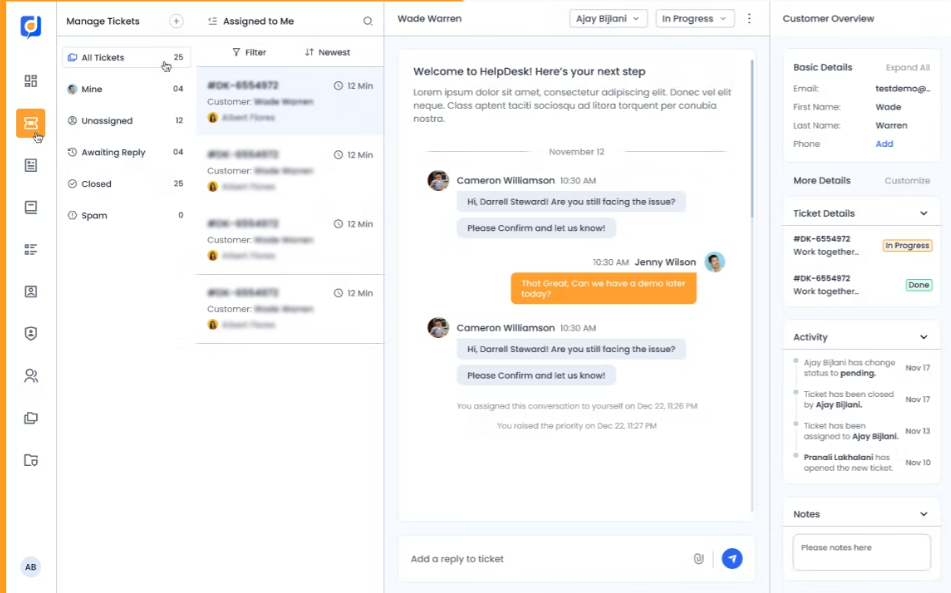
Live chat option in Desku (Source)
2. Engagebay: Offers SLA for faster ticket resolution
Engagebay is an all-in-one customer relationship management (CRM) solution with marketing, sales, and help desk support. The software allows you to outline support level agreement (SLA) to set expected timeframes for customer query redressal and ensure that your team meets the expected SLA for enhanced customer experience. You can also set trigger campaigns to alert your team in case the support ticket resolution window exceeds the due date.
Product features of interest*:
Ticket automation: Use automation to set ticket statuses, define their priorities, and assign them to customer support members. The software saves you time in routine administration by helping you queue and route tickets. You can also use automation to organize your help desk tickets based on several conditions, such as the ticket source, inquiry subject, and companies that are generating inquiries.
Canned responses: Create pre-defined email and message responses to frequently asked customer questions. You can save these responses as canned for later use. For every customer query, you can either write a new response and save it as ‘canned’ or choose an appropriate response from the already existing canned responses.
Self-service knowledge base: Build a knowledge base for publishing self-service content that can be used to quickly answer customer queries. You can customize the look of your knowledge base using a drag-and-drop builder, edit the design, add articles, and even add sections for sorting your articles.
Customer support options: Phone, email, and chat
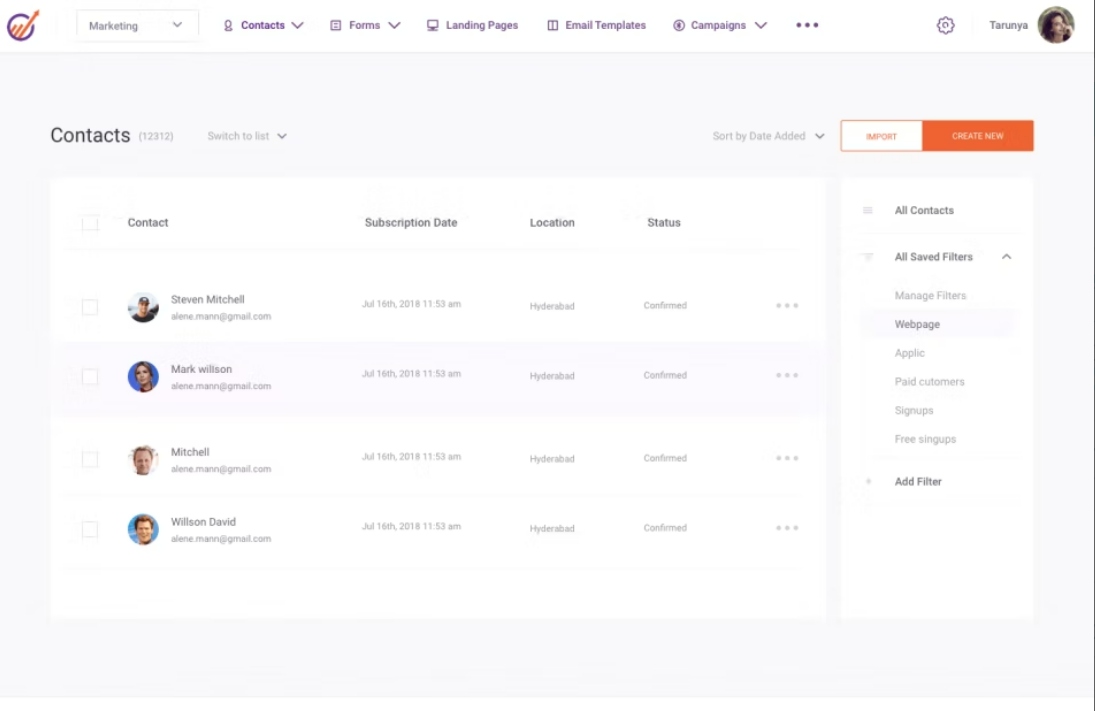
Client database in Engagebay (Source)
HelpSpace is a customer service tool that streamlines customer support processes for users. The software features a shared inbox that organizes all your incoming customer messages in one place. It allows multiple agents to manage and collaborate on customer conversations from a single place, which further helps enhance your response rate and improve customer satisfaction.
Product features of interest*:
Internal notes: Add internal notes to a ticket, which could be any relevant information or details to help agents address the query better. You can use @mentions in the internal notes to assign a ticket to a specific team member or team for better and prompt redressal.
Message scheduling: Write responses to customer queries and schedule them to be sent at a specific time and date. The tool also provides you with the option to include the signature of the channel directly in your responses, rather than adding it later when you actually send the message.
Task management: Organize your tasks with the help of Kanban boards, break them down into simpler subtasks, and visualize the progress of your tasks in real time. You can also connect tasks to tickets to create a workflow for your team and prioritize tasks by setting due dates for them.
Customer support options: Chat, email, and knowledge base
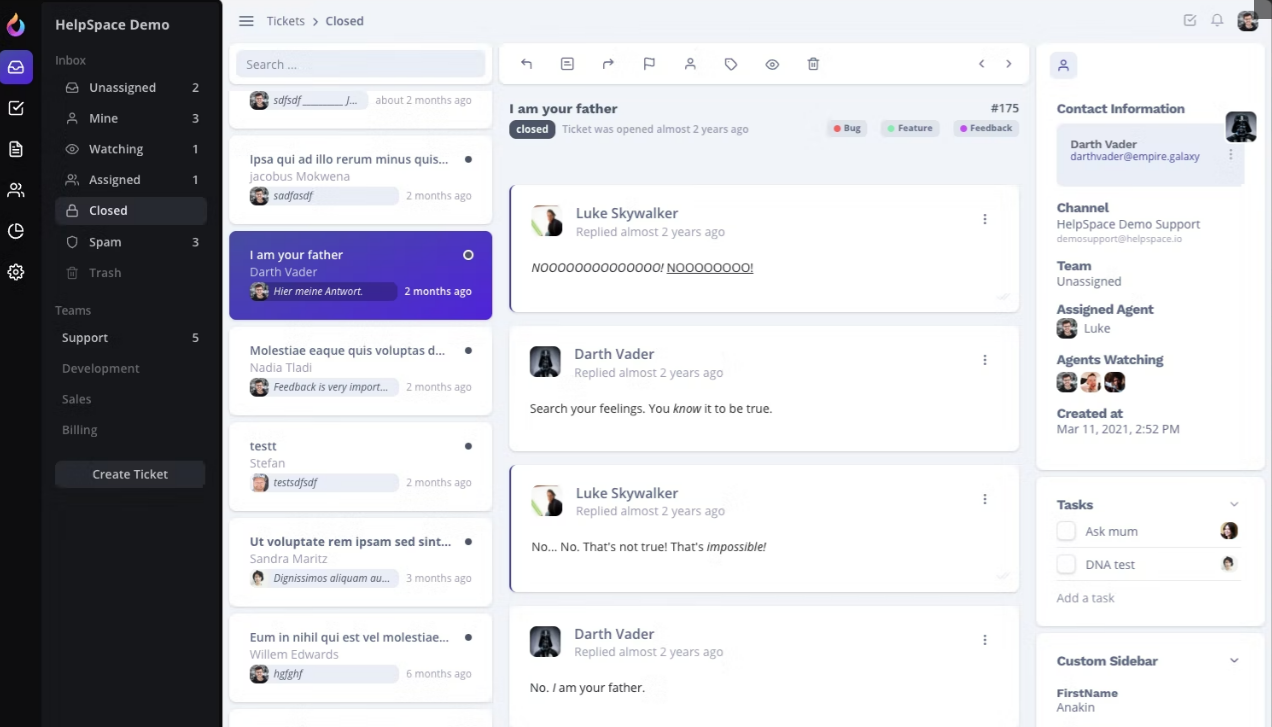
Managing tickets in HelpSpace (Source)
4. LiveAgent: Provides agent collision detection
LiveAgent is a help desk and live chat platform that supports personalized and multilingual customer interaction. The platform provides agent collision detection that enables you to prevent multiple agents from working on the same ticket. With LiveAgent, you can view who’s viewing or working on a ticket. The feature ensures that agents do not open a ticket that is already being addressed.
Product features of interest*:
Agent ranking: Leverage agent ranking to enable customers to rate agent interactions and responses. You can use this feature to identify negative trends in your customer support services and take action accordingly. The software provides you with a report of rewarded agents with customer feedback that can be further exported to a CSV file.
Audit log: Use audit logs as a reference in case a query escalates. The tool saves documentary evidence of activities undertaken by customer support agents to address user queries. The audit log automatically tracks actions like ticket status, forwards, chats, internal messages, transfers, splits, and voice messages.
Automated ticket distribution: Automatically assign customer service tickets to your customer support team according to predefined rules, which include maximum utilization, average utilization, random assignment, and chatting priorities. The feature helps shorten response time and improve staff efficiency.
Customer support options: Phone, email, and chat
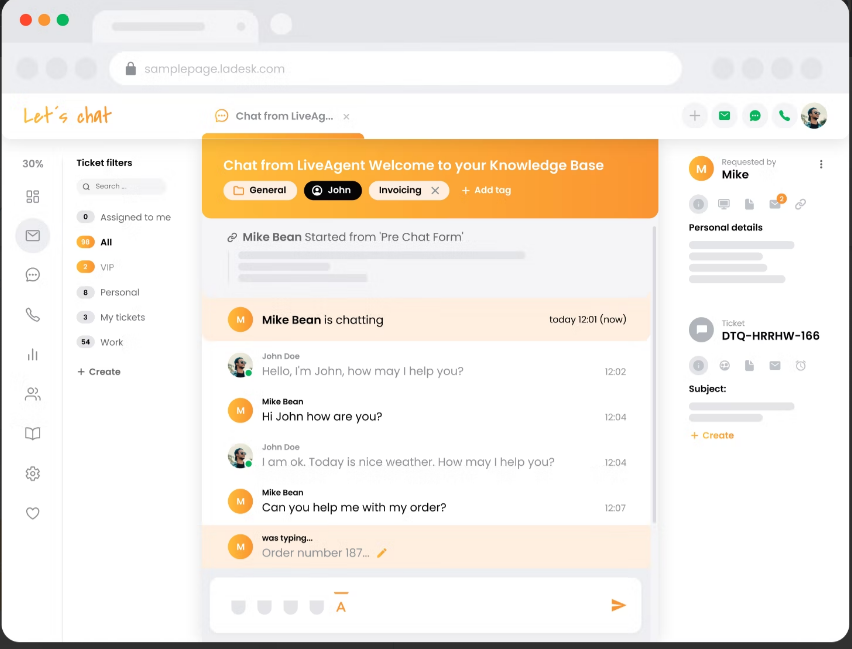
Agent chat view in LiveAgent (Source)
5. LiveChat: Prevents spam chats via visitor banning feature
LiveChat is a help desk platform that allows businesses to connect with their website visitors via messaging. The software not only offers chat tools, such as message sneak-peek, chat tags, and archives to facilitate customer interaction but also offers several security features, such as visitor banning, access restriction, and 2-step verification for added security. With visitor banning, you can ban disruptive visitors from initiating a chat on your website.
Product features of interest*:
Chat transcripts: Save important conversations after a chat session for future reference. The software offers live chat transcripts that can be downloaded as a CSV file or shared with customers via email. You can either get a single transcript or transcripts in bulk using the application programming interface (API).
Automatic and manual chat routing: Automatically route chats to the first available agent or select an agent manually from the queue. The software also allows you to offer multilingual support to customers and automatically route customer inquiries to agents that understand global language.
Reporting and analytics: Generate essential help desk reports, such as data summary, chat, agent, ticket, eCommerce, and customer reports for analyzing your team’s performance. The reports can be filtered further to display results for specific conditions and the statistics can be shared with the team in real time.
Customer support options: Phone, email, and chat
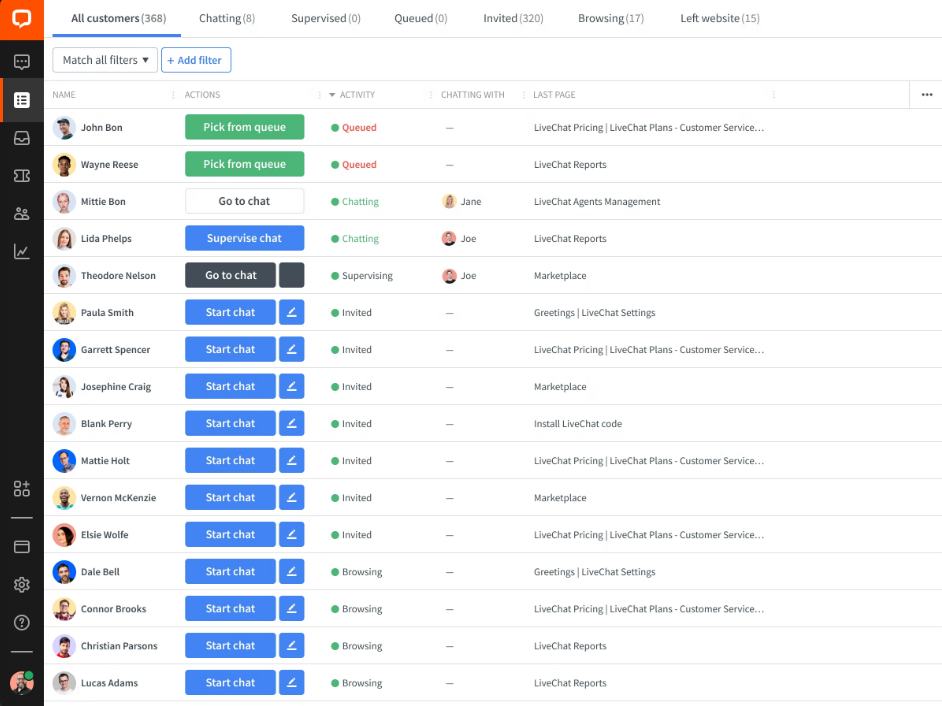
Tracking on-site visitors in LiveChat (Source)
6. ThriveDesk: Drives customer engagement with communities
ThriveDesk is a help desk tool with features, such as live chat, shared inbox, and communication tools to support customer support operations. The software offers a community feature to drive user engagement and enhance customer lifetime value. It enables customers to collaborate on ideas, discussions, and projects. With ThriveDesk, you can set multiple types of communities, such as topic-related communities, product committees, and role-specific communities.
Product features of interest*:
Knowledge base management: Create unlimited knowledge bases and add text, images, tables, videos, and hyperlinks for better engagement. The software also provides you with important metrics, such as most viewed articles, article suggestions, views, and the number of visitors to understand article performance. You can also ensure an access limit to your content using password protection.
Conversation reporting: Monitor the number of conversations, average turnaround time by your team, and highest performing support members, and view related reports on your dashboard. The software also offers a leaderboard reporting that offers you an overview of your team’s/individual member’s performance for any period of time.
Live chat assistance: Use the live chat option to interact with customers. You can get creative and customize every aspect of your communication, including colors, notification sounds, and logo. Additionally, you can choose which agents and widgets to show or hide during a live chat interaction.
Customer support options: Email, chat, and knowledge base
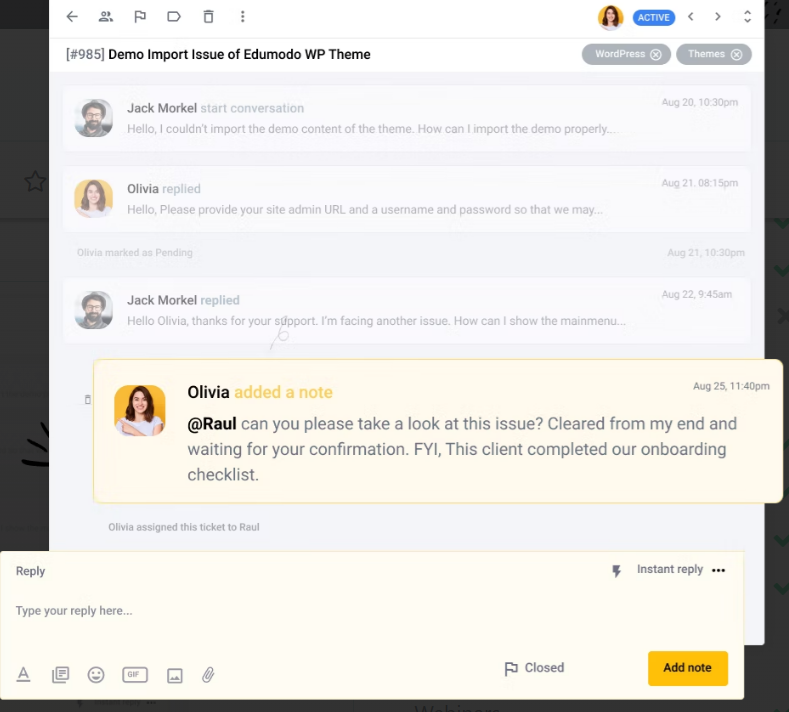
Private notes in ThriveDesk (Source)
7. Tidio: Automates customer queries
Tidio is a customer service platform that allows users to automate up to 47 percent of repetitive queries, including product availability and order status, leaving more time for the agents to answer complex questions. Moreover, the tool offers integration with all your work platforms, such as Shopify, WordPress, BigCommerce, Weebly, Google Analytics, and WooCommerce to streamline workflows.
Product features of interest*:
Pre-chat surveys: Collect essential customer information, such as their names, addresses, contact numbers, and GDPR consent via a short survey that is displayed at the beginning of the live conversation. With this feature, you can generate leads and share promotions, news, or any other relevant information with customers.
Customer service chatbots: Create and use chatbots to automate conversations and processes. You can use chatbots to respond to customers during busy hours, collect post-communication feedback, sell to customers, rescue abandoned shopping carts, and automate email marketing campaigns.
Ticketing: Transform chats and emails into tickets and tag tickets to keep them organized. Tidio also allows you to set priority levels to match urgency, check the ticket’s history, and change ticket ownership when required. The software also comes with a workload optimizer that automatically assigns new tickets to available agents and enhances agent productivity.
Customer support options: Email, chat, and knowledge base
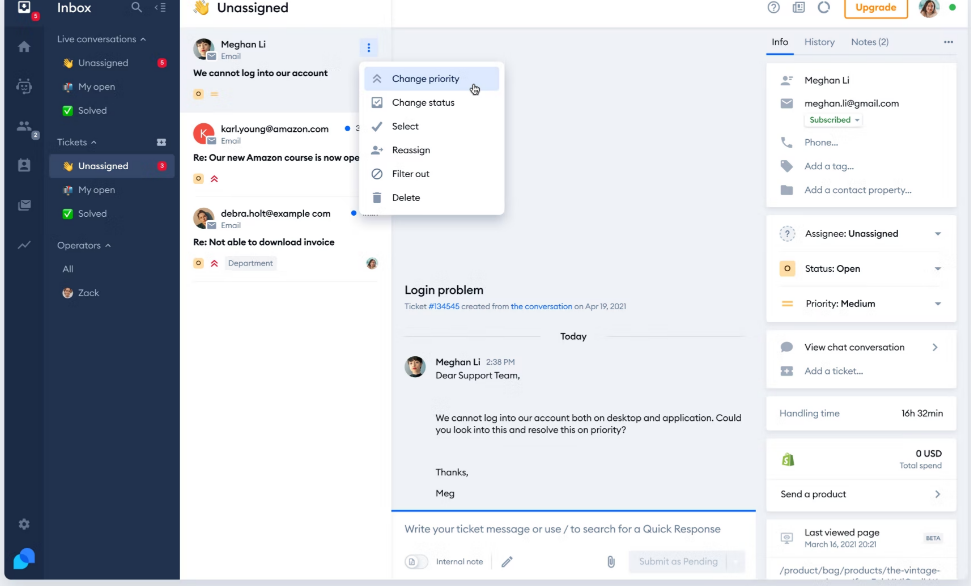
Ticket management in Tidio (Source)
How to choose the top help desk software for your business
Understand ticket management and automation capabilities: Ticketing is an important feature of a help desk solution. Look for a tool that automatically routes tickets to service desk agents based on predefined rules, such as agent availability, language, and product knowledge to improve agent productivity. Your shortlisted help desk tool should also allow you to prioritize tickets based on urgency, track important ticket milestones, and escalate unaddressed tickets after a certain period.
Consider SLA management: Service Level Management, abbreviated as SLA, is a commitment between a customer and a service provider that outlines minimum expected service requirements. Before evaluating the best help desk software for your business, make sure that the platform allows you to set time-based deadlines across different types of customer inquiries, detail the ways in which a customer can raise a support request, mention how tickets are classified, and specify exceptions to the agreement.
Look for live chat support: Live chat is another important feature that you should consider while evaluating potential help desk solutions available on the market. Consider a tool that allows your customers to connect with customer service representatives in real time, offers you a chat overview, helps you download chat history, provides preformatted replies, and enables you to convert live chats into tickets.
How much does help desk software cost?
In case you want to scale your customer support efforts and require more features, check the cost you would have to incur to upgrade to a plan with an advanced set of features. Most products in the market are priced on a "per user, per month" basis and can be broken down into three common pricing tiers based on their starting price.
Price ranges:*
$9 - $14
$15 - $20
$20+
*The pricing included is for the entry-level/lowest-priced offering found on vendor websites on March 10, 2023. These ranges correspond to the 25th, 75th, and 100th percentiles of pricing information gathered from vendor websites of sample products.
Hidden costs associated with help desk software
The above pricing list summarizes pricing for the base plans of most products. An enterprise or premium product that is priced higher may include additional features, for example, automated routing, call center management, customer database management, email management, email templates, and customizable reports. While the paid version of the software may come with certain hidden charges, such as call recording and time tracking charges, the free plan may also involve some hidden costs, such as software implementation, training, integration, and scalability costs. Before making a choice, ask the software provider about any such hidden charges to ensure complete pricing transparency.
Frequently asked questions when selecting top help desk software
What are the languages supported by the software?
A help desk system with multilingual support helps you manage customer support tickets in the language of your choice and meet the support request of a global audience. Before considering the best service desk software, make sure to ask the vendor about the languages supported by the platform.
Does the tool offer knowledge base management?
Knowledge base management is an integral feature of a quality help desk system. Consider a solution that allows you to create and manage a store of commonly-asked questions and their responses, which could be in the form of articles, tutorials, how-to instructions, and videos. This will help small business owners improve response time and provide a better customer experience even when the help desk agents are busy or not available.
Does the software provide multichannel support?
As a small business owner, multichannel support is essential for you to provide good customer service and ensure retention. Your service desk software should allow your customers to reach out to you via various channels, such as email, live chat, Facebook, Instagram, and text messages. The best help desk software also has a unified inbox to organize and manage customer issues from all channels.
Methodology
To be considered for this list, products had to:
Have at least 20 unique product reviews published on GetApp within the past two years, with an average rating of 3.0 or higher. We selected the top seven products from GetApp’s Category Leaders report for help desk software, having the highest ratings to feature in this article.
Include the core features of help desk software—knowledge base management and ticket management.
Meet our help desk software market definition: “Help Desk software enables organizations to respond more efficiently to users.”
We select and rank products based on an objective methodology developed by our research team. While some vendors may pay us when they receive web traffic or leads, this has no influence on our methodology.
*Products evaluated for the pricing calculation were taken from GetApp’s help desk software directory. The pricing ranges exclude freemium versions of the products. The features highlighted were identified based on their relevance and the percentage of products in Capterra’s directory that offer them.
Product features have been highlighted based on the features available on the vendor website as of March 10, 2023.
mentioned in this article






More on Help Desk



Aug 28, 2024

Nov 29, 2023