GetApp offers objective, independent research and verified user reviews. We may earn a referral fee when you visit a vendor through our links.
Our commitment
Independent research methodology
Our researchers use a mix of verified reviews, independent research, and objective methodologies to bring you selection and ranking information you can trust. While we may earn a referral fee when you visit a provider through our links or speak to an advisor, this has no influence on our research or methodology.
Verified user reviews
GetApp maintains a proprietary database of millions of in-depth, verified user reviews across thousands of products in hundreds of software categories. Our data scientists apply advanced modeling techniques to identify key insights about products based on those reviews. We may also share aggregated ratings and select excerpts from those reviews throughout our site.
Our human moderators verify that reviewers are real people and that reviews are authentic. They use leading tech to analyze text quality and to detect plagiarism and generative AI.
How GetApp ensures transparency
GetApp lists all providers across its website—not just those that pay us—so that users can make informed purchase decisions. GetApp is free for users. Software providers pay us for sponsored profiles to receive web traffic and sales opportunities. Sponsored profiles include a link-out icon that takes users to the provider’s website.
5 Best Scheduling Software for the Healthcare Industry
Use healthcare scheduling software to keep things organized and focus more on your medical practice.


As a healthcare practitioner, you may find it challenging to manage both the medical and business sides of your practice. Dealing with no-shows, sending appointment reminders to multiple patients, managing bills, registering new patients, and the list goes on.
With so many balls to juggle, you can find yourself overwhelmed with administrative chores. And failing to manage these tasks effectively can hurt your business. One way to deal with this situation is using an online scheduling solution.
Healthcare scheduling software, also known as medical scheduling software, helps automate the patient scheduling process. It automatically resolves scheduling conflicts, sends appointment reminders to patients, informs you about the financial health of your practice, and much more.
To help you get started, we’ve built a list of the highest rated scheduling software products on GetApp.com, based only on reviews from users in the healthcare industry. These products are listed alphabetically. You can read our full methodology at the bottom of this page.
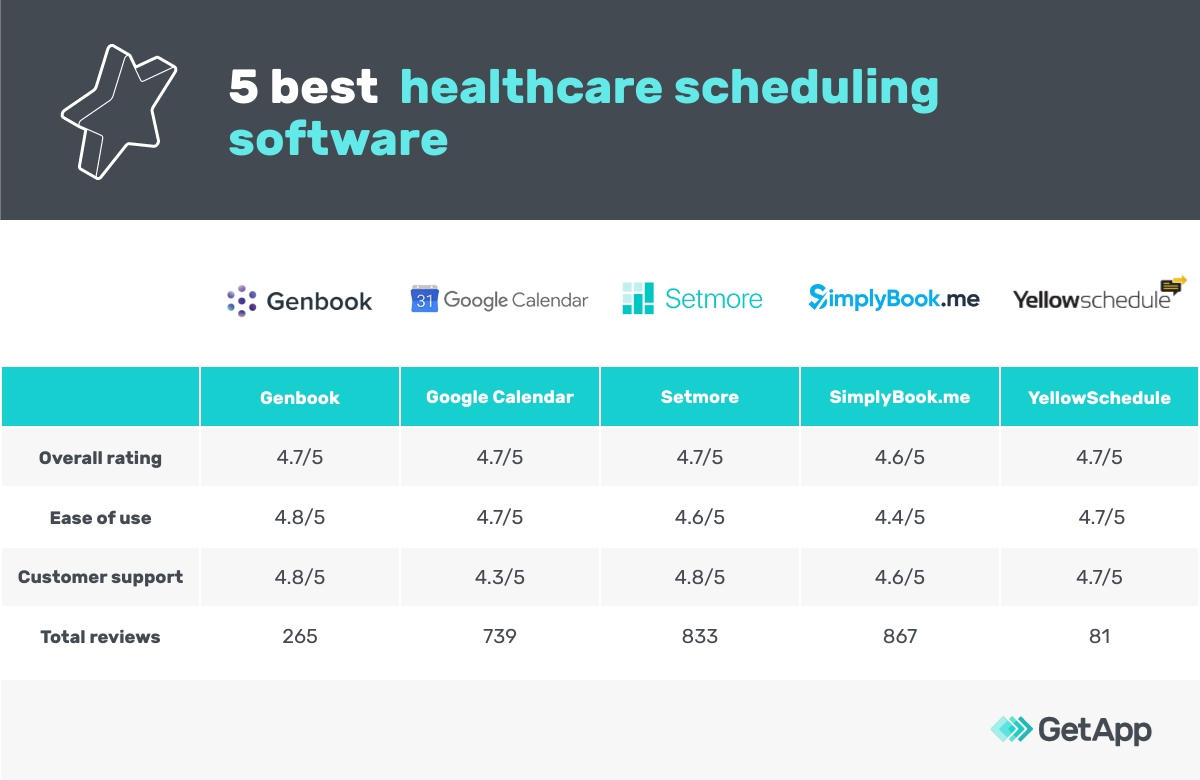
1. Genbook
Overall healthcare user rating: 4.75 (136 reviews)
Notable features: Smart marketing, customer relationship management (CRM), and personalized emails
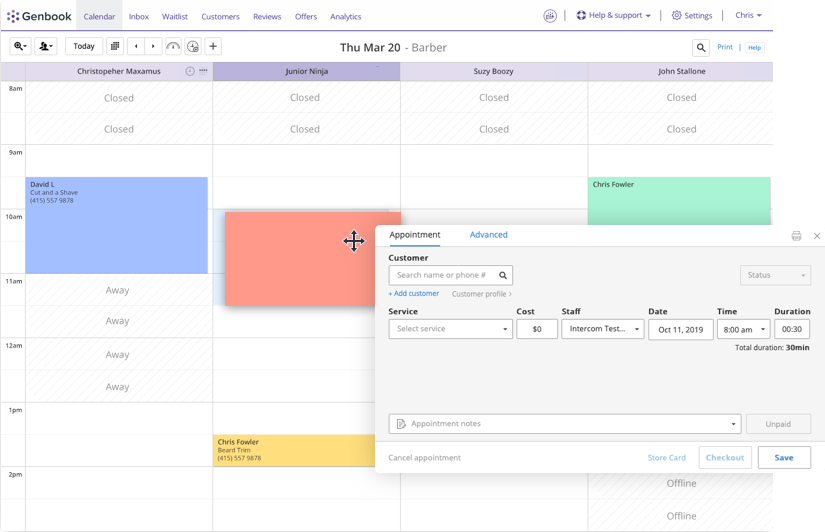
Genbook is a cloud-based appointment scheduling solution that helps you connect with customers via social media and online search.
The software lets patients book or cancel appointments online. These appointments automatically reflect on your calendar, so you don’t have to do manual scheduling. The tool’s built-in CRM functionality allows you to maintain a client database from where you can import or export patient data, manage communication, access patients’ medical history, and share promotional offers.
With the smart marketing feature, you can fetch the patient data stored in the CRM to share personalized emails. You get access to pre-designed templates that can be used to create eye-catching emails. The tool also allows you to add branding elements to your online scheduling webpage and customize it per the needs of your medical practice.
Here’s what reviewers on GetApp have to say about Genbook:
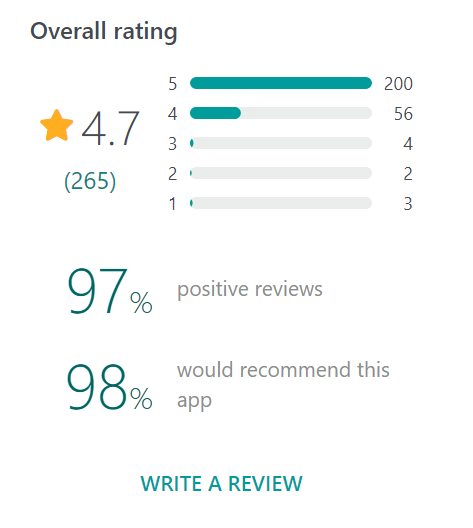
Visit Genbook’s reviews page to read more in-depth opinions, including pros and cons.
2. Google Calendar
Overall healthcare user rating: 4.89 (28 reviews)
Notable features: Google Forms integration and add-ons
Google Calendar is a cloud-based scheduling platform that offers features such as medical appointment scheduling, online video appointments, recurring appointments, and reminders.
You can use the tool to create a separate calendar dedicated to managing your bookings and appointments. You can select a particular date and schedule appointments for it, set a time for the appointments, and mark them as recurring if needed. Alternatively, you can use Google Workspace add-ons and Google Forms to let patients self-schedule appointments, and you can confirm the appointments on your end.
Google Workspace add-ons help you extend the capabilities of Google Calendar. You can automate various tasks in your calendar or interact with third-party tools without opening a new window. For example, TeamCal visually depicts your team’s tasks and availability on a calendar, whereas Google Calendar Tags lets you add tags to calendar events and highlight selected tags you want to focus on.

Weekly view of scheduled tasks in Google Calendar (Source)
Here’s what reviewers on GetApp have to say about Google Calendar:
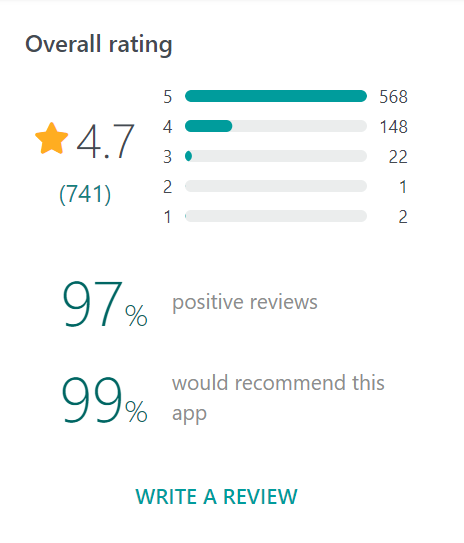
Visit Google Calendar’s reviews page to read more in-depth opinions, including pros and cons.
3. Setmore
Overall healthcare user rating: 4.64 (279 reviews)
Notable features: Personalized reminders, patient profiles, and backup of digital medical record
Setmore is a cloud-based scheduling system with features tailored for the healthcare industry. These include online self-booking for patients, secure telemedicine appointments via video calls, contactless payment options, multiple staff calendars, admin automation, and patient reminders.
You can use the tool to store patients’ data, such as their treatment plans and contact details, and maintain a digital backup of their health records. You can add notes to patient profiles about specific conditions or special cases and allow only authorized team members or specialists to access these records.
The tool automatically sends personalized reminders to patients, via text or email, to help minimize no-shows. It also allows you to set up individual logins for the healthcare professionals on your staff, and track their work hours and leaves.

Here’s what reviewers on GetApp have to say about Setmore:

Visit Setmore’s reviews page to read more in-depth opinions, including pros and cons.
4. SimplyBook.me
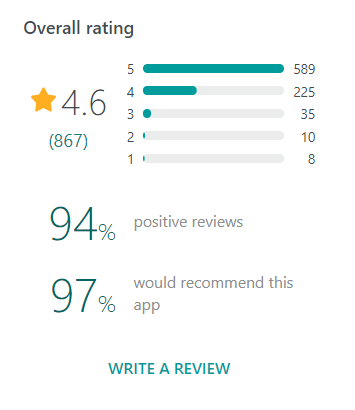
Overall healthcare user rating: 4.69 (81 reviews)
Notable features: Intelligent booking bot, online classes, and eCommerce
SimplyBook.me is a patient appointment scheduling software tool. Its key features include intake forms for booking online appointments, social media bookings management, integration with Google Business, membership management, service category division, and sync with Outlook and Google Calendar.
You can use the software to manage bookings across locations and outlets. You can accept group bookings in which multiple patients book a group service in one session. You can also bundle up services and offer them as a package. This helps increase your revenue by offering supplementary services at a discounted rate.
The tool’s artificial intelligence-driven booking bot, iBOB, can work as your personal scheduling assistant. It can guide customers through the booking process by asking them a series of questions and scheduling appointments automatically. The bot can understand human speech, so it can also answer your phone calls and have a conversation with patients.

A view of the homepage in SimplyBook.me (Source)
Here’s what reviewers on GetApp have to say about SimplyBook.me:
Visit SimplyBook.me’s reviews page to read more in-depth opinions, including pros and cons.
5. YellowSchedule
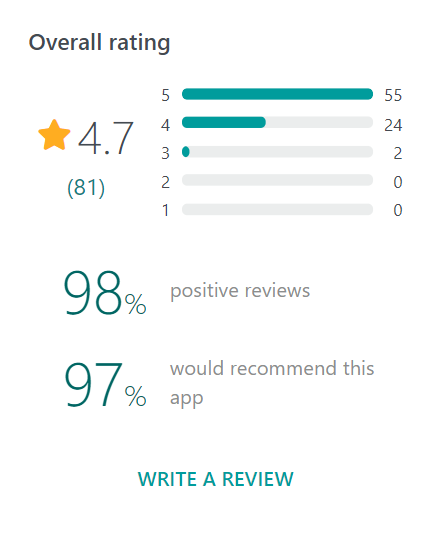
Overall healthcare user rating: 4.67 (24 reviews)
Notable features: Trend spotting and multiuser calendars
YellowSchedule is cloud-based medical appointment scheduling software that helps manage your bookings, work schedule, and communication with patients.
The software lets you create appointments for your patients as well as allows patients to self-book appointments online. It can sync appointments from external calendars such as Google, iPhone, and Outlook calendars. Your team can also use the software to manage their individual schedules.
The tool’s trend spotting feature lets you measure and view, in the form of graphs, the number of confirmed appointments, cancellations, and no-shows you’ve had in a specific period. This helps track how your medical practice is performing over time.
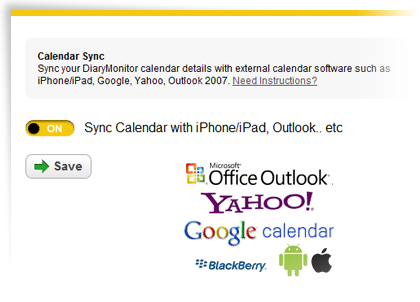
Syncing the calendar with external apps in YellowSchedule (Source)
Here’s what reviewers on GetApp have to say about YellowSchedule:
Visit YellowSchedule’s reviews page to read more in-depth opinions, including pros and cons.
Next step: Find a scheduling tool that best fits your medical practice
We’ve listed the best online scheduling tools for your healthcare organization, so you can focus more on patient care and less on administrative management. However, every healthcare facility has its unique needs.
If the listed tools don’t have the exact set of features you’re looking for, check out GetApp’s Category Leaders for scheduling software. It’ll give you a shortlist of some of the best products in the medical scheduling software market as well as serve as a great starting point for your research.
Methodology
The five products with the highest ratings from healthcare reviewers are featured in this article.
To be considered for this article, products had to:
Meet the market definition for scheduling software: Scheduling software automates the scheduling of events, employees, rooms, and other resources. Organizations use these applications to manage the planning of internal and external activities. Typically, scheduling software provides tools such as a shared calendar providing real-time project, task, employee, and resource scheduling as well as a variety of forecasting, allocation, and resource management features.
Offer the following core feature: calendar management
Have at least 20 reviews from healthcare reviewers in the past two years
Only reviews from users in the healthcare industry were evaluated to select the products featured in this article. Product ratings and no. of reviews are as of March 21, 2021.
Bandita Awasthi