

GetApp offers objective, independent research and verified user reviews. We may earn a referral fee when you visit a vendor through our links.
Our commitment
Independent research methodology
Our researchers use a mix of verified reviews, independent research, and objective methodologies to bring you selection and ranking information you can trust. While we may earn a referral fee when you visit a provider through our links or speak to an advisor, this has no influence on our research or methodology.
Verified user reviews
GetApp maintains a proprietary database of millions of in-depth, verified user reviews across thousands of products in hundreds of software categories. Our data scientists apply advanced modeling techniques to identify key insights about products based on those reviews. We may also share aggregated ratings and select excerpts from those reviews throughout our site.
Our human moderators verify that reviewers are real people and that reviews are authentic. They use leading tech to analyze text quality and to detect plagiarism and generative AI.
How GetApp ensures transparency
GetApp lists all providers across its website—not just those that pay us—so that users can make informed purchase decisions. GetApp is free for users. Software providers pay us for sponsored profiles to receive web traffic and sales opportunities. Sponsored profiles include a link-out icon that takes users to the provider’s website.
CRM vs. Sales Management Software: Which One Does Your Small Business Need?
What's the difference between a CRM and sales management software? And which do you need? We're breaking it all down here!
What's the difference between customer relationship management (CRM) and sales management software? And, which one will bring more value to your business? Most importantly, do you even need either type of software for your business?
All these questions can make your head spin.
Don't worry, though, in this article, we'll answer these questions, and more, to help you decide whether CRM or sales management software is a better fit for your business. We'll cover the differences between CRM and sales management software, their key features, some of the most popular options, the tools they integrate with, and some extra resources in case you want to find out more info.
CRM vs. sales management software
Think of a CRM as a digital Rolodex full of important customer data. Sales management software, on the other hand, is more about how managers monitor the activities of sales staff, assign tasks, and analyze performance against goals.
While some CRMs do offer sales management functionalities and vice versa, there is a clear contrast between the two types of software.
What is CRM software?
Customer relationship management (CRM) software is primarily used by teams across sales, customer service, and even marketing departments to store and manage important information about customers and leads, including contact information, interaction histories, preferences, and other related details.
Users may also be able to view a customer's status in the sales process and take a look at sales figures and forecasts.
Typical CRM features include:
| Features | Description |
|---|---|
| Contact and lead management | Stores customer and leads information in a centralized, easily accessible database. |
| Marketing integration | Enables marketing teams to run campaigns, capture leads, and pass them off to the sales teams. |
| Email integration | Lets users access their email accounts from within the CRM, update the customer database from their inbox, or send an email directly from the platform. |
| Task management | Allows users to schedule and assign tasks related to customers and prospects, including customer service, sales, marketing, etc. |
| Workflow automation | Automates and standardizes the sales process, sets up notifications for next steps, and sets reminders based on previous interactions. |
| Intelligence and reporting | Lets users run and generate standard or customized reports, helping them gain valuable insights into customer relations, sales, marketing, and other business activities. |
What is sales management software?
Sales management software is used by organizations to track and monitor sales performance and the activities of the sales team. It is often used in combination with sales force automation and contact management solutions.
Typical sales management software functionalities include:
| Features | Description |
|---|---|
| Productivity | Lets managers oversee daily workflows and organize meetings with potential leads through calendar invites, task scheduling, and more. |
| Sales forecasting | Predicts the likelihood of future sales based on leads captured, past sales data, market trends, and macroeconomic conditions. |
| Analytics | Gives managers insights on sales team's performance, sales funnel, sales forecasting, and more, helping them make strategic decisions. |
| Task scheduling and tracking | Helps sales staff schedule sales calls and appointments and set up timetables for the upcoming days or weeks. Tracks previous tasks that have been completed, task status, and more. |
| Opportunity management | Gives sales reps and managers an overview of sales opportunities through order management, pipeline management, and quote management. |
While CRM software will sometimes include features for lead management, more in-depth capabilities for managing sales processes and a team of sales representatives are typically found in sales management software.
Which tools are out there?
Now that we've discussed the distinction between CRM and sales management software, let's have a look at a few CRM and sales management software solutions. There are many tools that offer features of both a CRM and sales management software, but we've tried to narrow down the options and choose those solutions that fit well into one category.
If you're looking for a CRM…
Salesforce Sales Cloud
Salesforce Sales Cloud is an all-in-one CRM platform that offers capabilities to help sales, service, and marketing professionals with customer-facing and customer-related tasks.
The robust suite offers features such as contact management, collaboration, lead management, and opportunity management.
Its contact management feature allows users to access critical customer data, key contacts, and customer histories, so they can view a complete overview of a customer before any interactions.
Users can also pull data from customers' social media feeds to better understand their preferences and habits.

Contact details in Salesforce Sales Cloud (Source: Salesforce.com)
Teamgate
Teamgate is a sales CRM solution suitable for startups and small businesses. Some of its core features include contact management, time management, analytics and reporting, and sales pipeline management.
Users can manage customer communication histories to get a complete picture of past interactions and transactions. Users can also segment contacts into different categories to target specific groups.
Teamgate also offers leads management, as users can view leads in one place helping them plan tasks, interact with and segment leads, and ultimately convert them to customers.
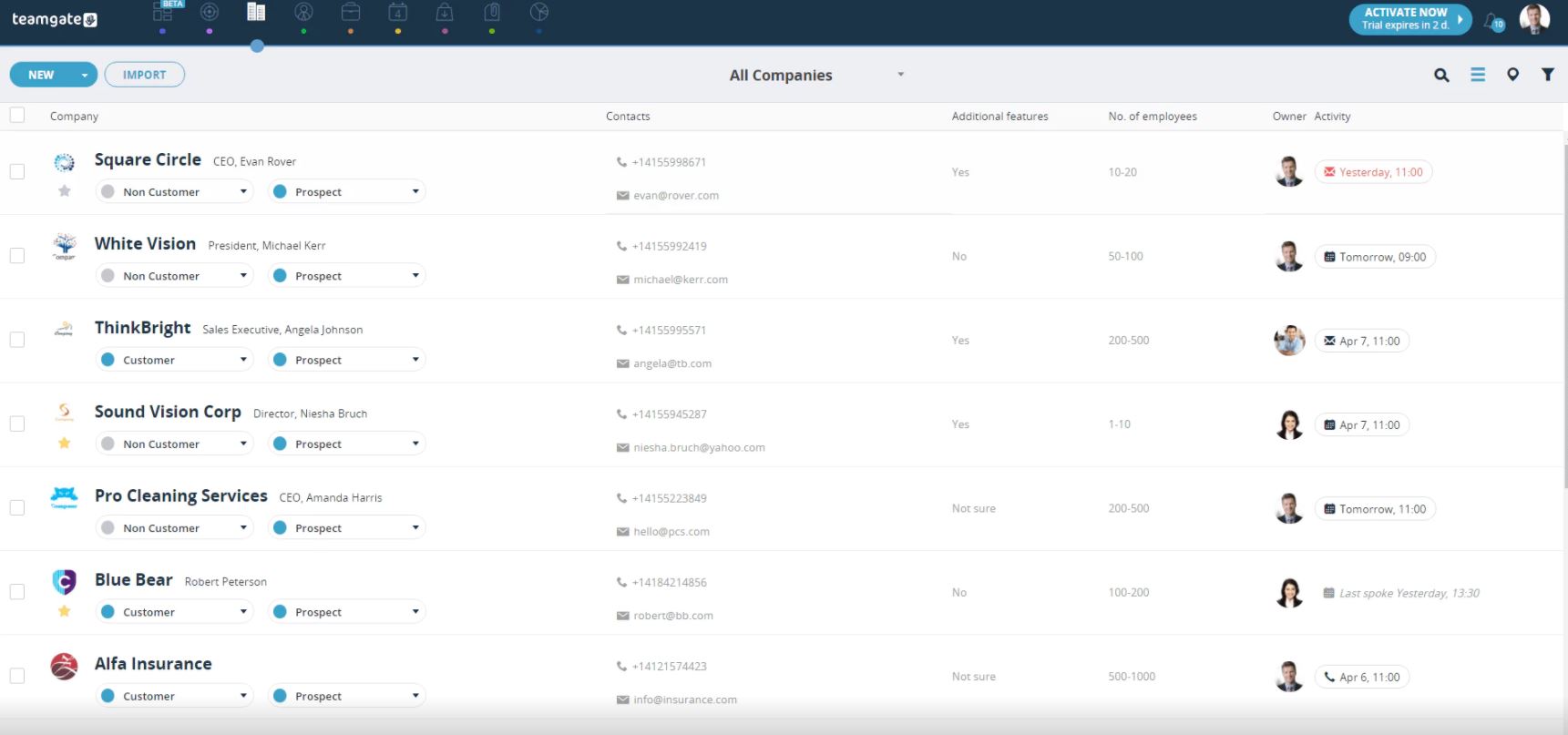
Contact management in Teamgate (Source: GetApp)
Zoho CRM
Zoho CRM is a cloud-based CRM solution businesses of all sizes can use to manage sales, marketing, customer service, and other related tasks in a single system.
Some of its core features include multichannel communication, sales force automation, marketing automation, and reporting and analytics.
Its multichannel communication functionality enables users to reach out to customers via email, phone, social media, live chat, etc. Using the platform's site visitor tracking and email analytics features, users can gain an understanding into what their customers are looking at and identify opportunities for engagement.

Leads by status view in Zoho CRM (Source: GetApp)
If you're looking for sales management software…
amoCRM
amoCRM is a sales management and CRM platform. In addition to typical CRM functionalities, it offers some core sales management features as well, including lead capturing, email integration, collaboration and messaging, reporting and analytics, and more.
Its reporting and analytics function analyzes sales data to gather insights into percentage of deals won or lost, sales team's response time to incoming deals, average lead life cycle, and more.
A snapshot of sales data and insights helps sales managers set sales targets, and activity reports enables sales managers to see the team's activities in detail.
The software's iPhone and Android apps make it possible for your field staff to access emails, calls, and chats while on the go.
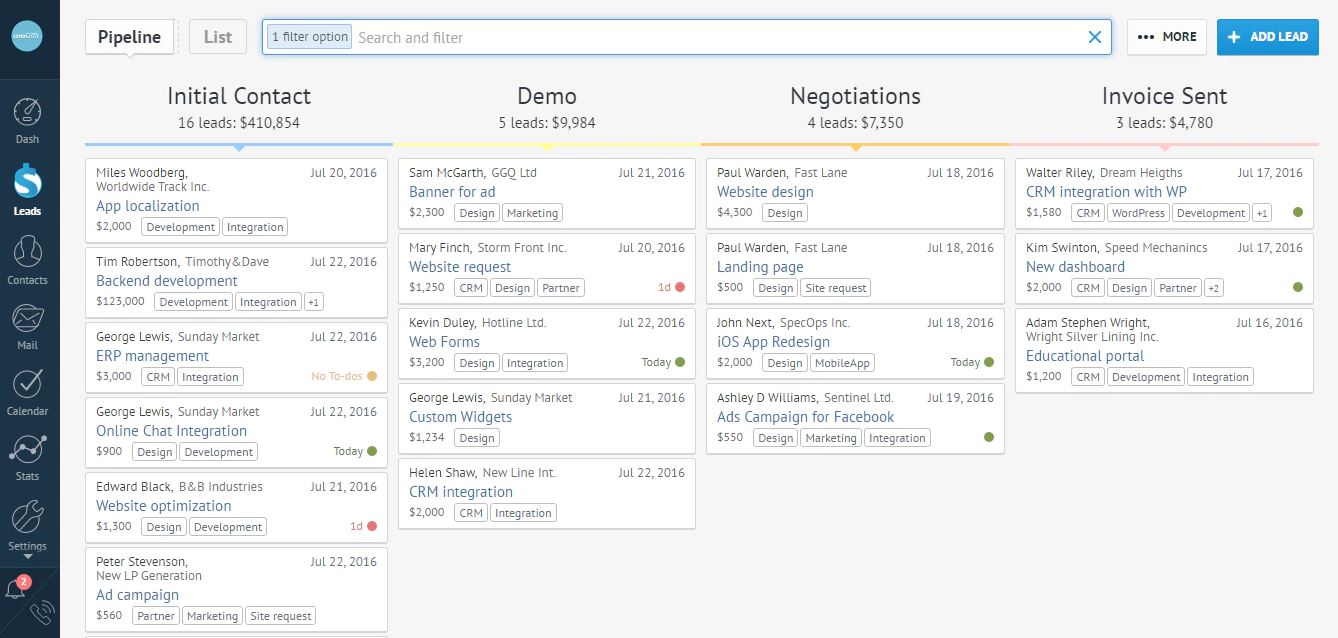
Sales pipeline view on amoCRM (Source: GetApp)
Outreach
Outreach is a sales engagement platform that can help sales teams effectively communicate with prospects and grow engagement, helping them close more deals. It assists with range of activities from creating sales pipelines to optimizing workflows.
Outreach gives sales managers an overview of their team's activities and performance as a whole, as well as each individual team member's performance.

List of tasks with prioritization in Outreach (Source: Outreach.io)
noCRM.io
noCRM.io is a sales management software solution intended to help sales team convert more leads by allowing users to set reminders for upcoming tasks, manage to-do lists, update lead status, and more.
The platform stores leads data in a centralized location for easy access. Users can import contacts through Excel or CSV files, and sales teams can create personalized sales steps and view leads histories to know where they are with each prospect.
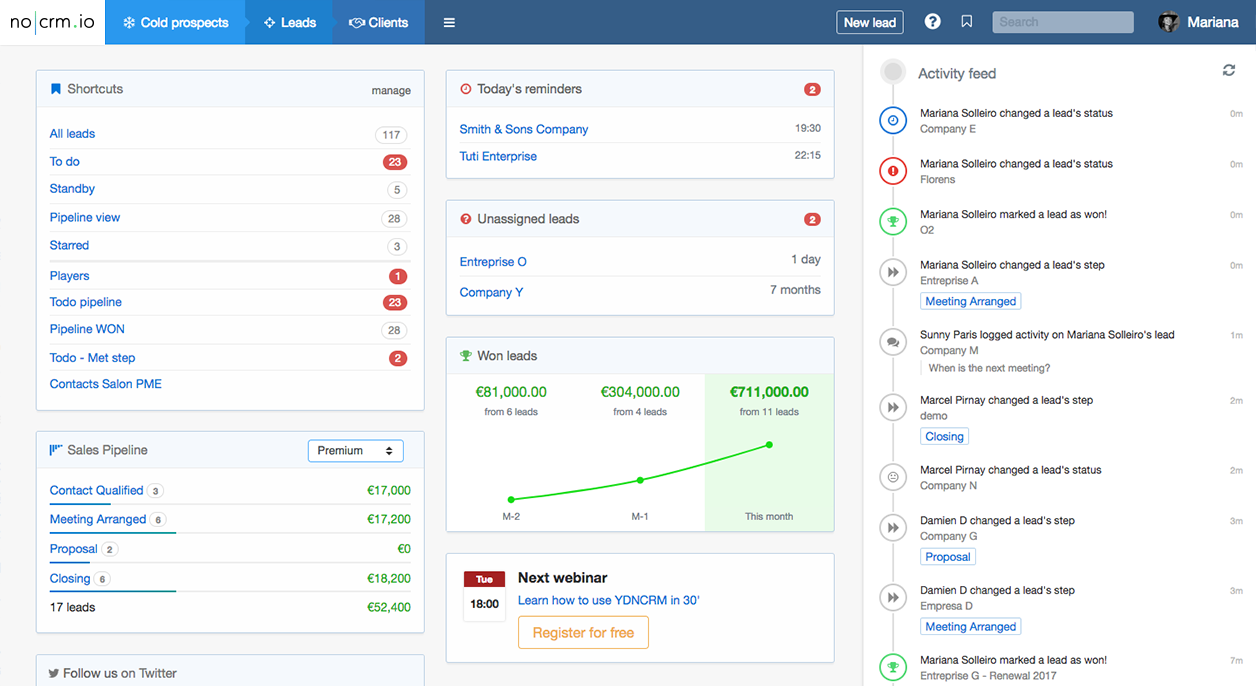
Dashboard with overview of activity, performance, unassigned leads, and more in noCRM.io (Source: GetApp)
More about CRM
Check out our CRM features guide to learn more about the essential features of a CRM.
Try out GetApp's Scorecard to see which CRM is a good fit for your business.
Browse our Category Leader ranking of the top 25 CRMs on the market.
More about sales management software
Take a look at our sales management features guide to see which features you want in your sales management software.
Use the sales management software scorecard to decide the software that best fits your business requirements.
Compare the top 25 software in our Category Leaders ranking of sales management software.
More on CRM


Apr 22, 2024

Jul 03, 2024

Mar 26, 2024

May 16, 2024

Mar 04, 2024