GetApp offers objective, independent research and verified user reviews. We may earn a referral fee when you visit a vendor through our links.
Our commitment
Independent research methodology
Our researchers use a mix of verified reviews, independent research, and objective methodologies to bring you selection and ranking information you can trust. While we may earn a referral fee when you visit a provider through our links or speak to an advisor, this has no influence on our research or methodology.
Verified user reviews
GetApp maintains a proprietary database of millions of in-depth, verified user reviews across thousands of products in hundreds of software categories. Our data scientists apply advanced modeling techniques to identify key insights about products based on those reviews. We may also share aggregated ratings and select excerpts from those reviews throughout our site.
Our human moderators verify that reviewers are real people and that reviews are authentic. They use leading tech to analyze text quality and to detect plagiarism and generative AI.
How GetApp ensures transparency
GetApp lists all providers across its website—not just those that pay us—so that users can make informed purchase decisions. GetApp is free for users. Software providers pay us for sponsored profiles to receive web traffic and sales opportunities. Sponsored profiles include a link-out icon that takes users to the provider’s website.
Forget About the Phone Companies: 7 VoIP Apps for iOS
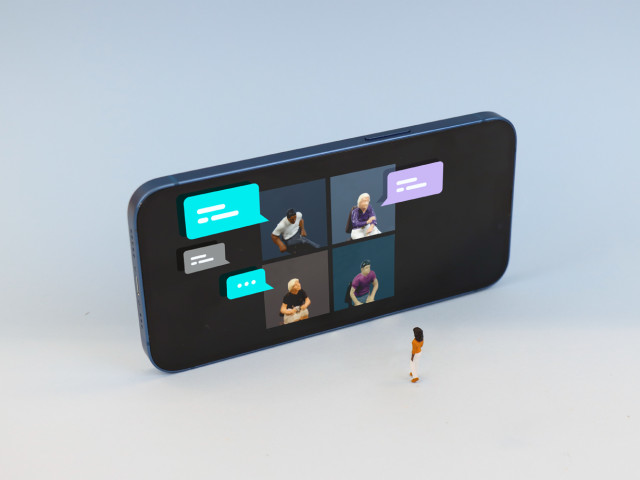
Looking for a VoIP application for your business? We’ve got you covered. Here’s a list of 7 VoIP apps for iOS that give phone companies a run for their money.
As cell phone data continues to replace telephone minutes and landlines whirl down into the drain of irrelevance, it’s time to take a closer look at VoIP solutions.
Although you may have no idea what VoIP means (Voice Over Internet Protocol), you’ve seen examples or used it before. In this article, I’ll give you some examples of popular VoIP solutions that have companion iOS apps (go here for VoIP solutions with Android apps).
Here’s a quick refresher on VoIP apps: Have you ever made a call to a phone number with Skype? If the answer is yes, then you’ve had some experience with VoIP. For those who are unfamiliar, a VoIP solution (at its core) essentially works as an alternative telephony solution.
I’ve also divided the article into two sections:
Apps that can make phone calls - These work as digital telephones and work with calling and receiving external telephone numbers. For example, if you have a telephone number assigned to your VoIP app, people can dial that number and connect via your app. Essentially, these apps can do everything an analog phone can.
Apps that can only message within the network - These are limited to the network of the app; users can only contact other users. For example, let’s imagine I had a messaging/VoIP app called MattsApp. Since my app isn’t aiming to be a replacement for a telephone, MattsApp users can only message and call one another.
A number of the apps listed below are free, so it’s worth playing around with them to see if they’d be right for your business. But remember that many of these apps don’t use minutes, and use cellular data instead, so keep an eye on your usage. I’ve also left out FaceTime because it’s already installed on iOS devices.
VoIP software we'll cover:
VoIP apps that can make phone calls
Skype
Although Skype is mostly known as a video calling solution, it’s probably the most famous VoIP application out there. Skype’s ubiquity gives it a big advantage when it comes to a user base; there’s a decent chance that your clients are available on Skype. Skype is also owned by Microsoft, which means that (in theory) it works pretty well with Microsoft Office products.
Another strength of Skype is that it will set up a phone number for you. After you’ve selected what area you’d like to have the phone number be registered to, it works much like a normal landline would: if people call your number, Skype will route it and your phone would ring like it normally would. Otherwise, Skype’s features aren’t that out of the ordinary: missed calls, voicemail, SMS, etc.

GetApp user, Brace Brittany, says that Skype has been an excellent solution for his company. He writes, “Skype is a good entry-level, low-cost VoIP service. It allows us everything including group video calling, rich text messaging, calling to standard phones, an actual public phone number, Wi-Fi hotspots and live translation also. This internet phone service provides call waiting, voicemail, caller ID and call forwarding. We can call people through your contacts list, which effectively makes it a speed dial function. The video conferencing feature is great for meetings or talking face-to-face virtually among friends.”
Note: There is also Skype for Business (formerly known as Lync) which is specifically designed for companies. If you have a larger company it’s worth checking out, but if you’re a smaller company you should be fine with plain ol’ Skype.
Skype for iOS
Nextiva
Nextiva doesn’t just work as a VoIP solution, it’s also a fully-featured call center and ranks well in our Category Leader ranking for call center solutions. The difference between Nextiva and an app like Skype is that Nextiva was built for businesses (as opposed to consumers) and therefore has features such as:
Group paging
Advanced call forward
Anonymous call rejection
Selective call acceptance/rejection
Auto attendant
Remote office
Voicemail to email messaging
Nextiva is not just for large businesses; it’s also designed to work for small businesses. If your business spends a lot of time on the phone with customers, it’s a good idea to try Nextiva because it’s built to handle large numbers of customers and it provides the infrastructure to organize it.

One user writes on the App store,”I make all my work calls from home through the app, using my wifi, which allows me to safeguard my cell phone number. Great App!”
Google Voice
You probably use Google to check your email, give you directions, watch (most) videos, translate your menu (or homework), and find the answer to most questions that pop into your head. At this point, why not give their phone offering a try? Google Voice is a service that gets you a U.S. user-selected telephone number, and allows you to receive and make calls from it. For example, you could set up a Google Voice account with a northern California number. If somebody calls that number, your phone will ring.
To get the most out of your Google Voice account, you’re also going to want to download the other Google apps (e.g. Hangouts) in order to get access to features such as MMS.

As it stands, Google Voice doesn’t have a high rating on the App store. Users have complained that the app has struggled to work due to recent updates. Despite having to download complimentary apps such as Hangouts and some negative comments on the App store, I would say it’s still worth at least trying Google Voice. It’s free to try, it can integrate with the suite of Google apps you might already be using, and it’s unlikely Google is going to stop working on the iOS version (even if it’s for a competitor).
Google Voice for iOS
Viber
Viber is similar to WhatsApp: it’s primarily a messaging app that also offers voice and video calls. However, through its feature Viber Out, you can make calls throughout the world. The price of those calls depends on the country, and you might be better off using an alternative service as a line. However, Viber does offer excellent Viber to Viber calls which could be useful with clients.

Aside from the calls, Viber also has some nifty features such as:
Delete messages after sending
Hidden and public chats
End-to-end encryption
Group chats that support up to 200 people
In a sign that Viber is moving closer to B2B, their most recent update gave businesses and brands more power. The update says, “Public Accounts - Chat with brands and businesses on Public Accounts. Follow them for news and updates; subscribe to get direct messages.” If you notice that a good chunk of your customers are on Viber, it’s worth giving this new feature a try.
Aircall
Like Nextiva, Aircall is a much more robust application than just a VoIP app and it also ranks well in our Category Leader ranking for call center solutions. If you are already using a number of cloud-based solutions, it’s worth checking out Aircall as it integrates with heavyweights such as Slack, Zendesk, and Pipedrive.

Some of Aircall’s features include:
Call cascading
Unlimited concurrent calls
Shared call inbox
Analytics
Queuing
Custom music and messages
The iOS version of Aircall is currently in beta. If you aren’t familiar with a “beta” version of an app, it means that it’s not “the final” version of the product and it’s still in a testing phase. However, it’s worth testing the beta version and, to expand upon that, provide feedback to Aircall in order to improve their product. Since it’s in an early stage, make sure to check its page on the App store to see if there have been updates.
VoIP apps that are limited to the ecosystem
Messenger
If Facebook is a big part of your business, it’s worth looking into using Facebook Messenger as a VoIP program. If you aren’t familiar with Messenger, it’s an app exclusively for handling Facebook messages which separates it from the fully-featured Facebook app. The advantages of Messenger are obvious: it can make the most of your Facebook page via customer service and, most importantly, there are over 1.5 billion daily active users.
Facebook privacy concerns, which have been plaguing Facebook for over a decade, are a concern for messenger. If you are concerned about permission changes or new features that might be added, Messenger probably isn’t the app for you.

At first glance, Messenger gets a lot of bad reviews on the App store. Upon closer inspection, many of the negative comments have to do with the Facebook app for iOS, rather than the Messenger app. The Android version of the Facebook app has received some criticism for being a battery drain. A reviewer on the App store explains why Messenger isn’t so bad, and why Facebook is spread out over a couple of apps.
They (with some light edits for readability) write, “This app tends to get a lot of bad reviews from people crying about it not being part of the FB app. From a programmer’s point of view this was the only way to make the app run smoother. FB itself takes a lot of the phone’s resources, and without the messenger app inside of it, it still can be slow. Plus the different “plugins” that can be utilized across various apps on your phone. This wouldn’t be as achievable if it was all rolled into one.
Right now, smart phones aren’t at a place powerwise where they can handle all of that. And limitations from Apple with 3rd party access to the different APIs limits what can, and can’t be done in a single app. I’d rather have a separate app with integration across my OS, that runs smoother, and has a bunch of new features and functions. All the complainers should really stop and think that maybe there is a reason it’s a separate app. Something that is beyond the concept of their knowledge.
This app is good. I use it more than iMessage at times. It’s the actual FB app that needs work.”
If you have a friend that’s travelled or lived somewhere outside of the U.S. (e.g. Europe), then you’ve probably had to download Whatsapp to talk to them. It hasn’t taken off as much in the U.S. because most people don’t worry about the costs associated with messaging people from different countries. In Europe, where there’s people from all over the world, getting on Whatsapp is a great first step into breaking into the market. In terms of VoIP features, Whatsapp lets you call and provides a notification of missed calls. Unfortunately, group calls are not a feature at the moment, but it’s not difficult to imagine this functionality eventually being integrated later on.
In terms of Privacy , Whatsapp is owned by Facebook. Although Whatsapp hasn’t faced the same scrutiny or problems as its parent company, it didcause a kerfuffle with changes to its privacy policy that allowed user data to be shared with Facebook. The fix is as simple as clicking a box, but it’s never bad to be vigilant when it comes to your data.

Although this user review for Whatsapp on iOS isn’t directly related to business, I still think it’s worth sharing. It shows that the app is user friendly (i.e. you’ll be able train employees to use it relatively easily) and it’s probably the sweetest App review I’ve ever read.
The user writes, “Very user friendly. Even my 77 year old mother who lives in the Dominican Republic can use it. When we sent her pictures of her grandchildren she cried. We live in Michigan and are unable to visit as much as we would like. It’s opened a new way of communicating with my parents.”
Why try one, when you can have a few?
Although these aren’t the only VoIP apps out there, you should give a few of these a try. For example, why not use Skype for landline numbers but also try and incorporate Facebook Messenger into your customer service? Obviously it’s not a long term strategy as you don’t want to become buried under multiple channels, but experimentation (at such a low cost) is worth it. If you’re still curious why not check out this comparison of some of the apps mentioned in the article?
Note: There is something that’s important to keep in mind when using one of these programs: if you aren’t on wifi, you’ll have to use cellular data and that can add up quickly after a long call. With that in mind, it’s a good idea to make sure that you’ve joined a secure network. I wouldn’t recommend making calls over any sort of “free” network that will likely require you to give up your phone number or some social network information.
More on Customer Service



Jun 18, 2024

Dec 08, 2023