

GetApp offers objective, independent research and verified user reviews. We may earn a referral fee when you visit a vendor through our links.
Our commitment
Independent research methodology
Our researchers use a mix of verified reviews, independent research, and objective methodologies to bring you selection and ranking information you can trust. While we may earn a referral fee when you visit a provider through our links or speak to an advisor, this has no influence on our research or methodology.
Verified user reviews
GetApp maintains a proprietary database of millions of in-depth, verified user reviews across thousands of products in hundreds of software categories. Our data scientists apply advanced modeling techniques to identify key insights about products based on those reviews. We may also share aggregated ratings and select excerpts from those reviews throughout our site.
Our human moderators verify that reviewers are real people and that reviews are authentic. They use leading tech to analyze text quality and to detect plagiarism and generative AI.
How GetApp ensures transparency
GetApp lists all providers across its website—not just those that pay us—so that users can make informed purchase decisions. GetApp is free for users. Software providers pay us for sponsored profiles to receive web traffic and sales opportunities. Sponsored profiles include a link-out icon that takes users to the provider’s website.
5 Field Service Management Challenges and How to Overcome Them
73% of field service organizations are struggling to achieve revenue growth- but why? I list 5 field service management challenges and how to overcome them.

Field service managers need to do more than ever before to keep their organizations afloat. Ensuring that customer expectations are met, and the work of field technicians and office processes are harmonized, all whilst ensuring the safety of staff and turning a profit are just some of the targets that field managers need to meet. Yet 73 percent of field service organizations say that they're still struggling to achieve growth in revenue.
But how effective is field service management software in addressing the many challenges field managers face? Not every field service organization requires comprehensive enterprise asset management software or product lifecycle management software to run their field service operations, but many organizations are unsure how end-to-end field service management solutions cater more specifically to that sector.
Furthermore, there is rarely a 'one size fits all' solution for field service managers. Each facet of field service management is unique, and often, multiple software solutions are required to target each function and challenge.
Below I list five of the most common field service management challenges, and software options that can help field managers overcome them.
Challenge #1: Effectively scheduling your entire workforce
In the field service industry, it can be difficult to meet every customer expectation. Your technician has every intention of arriving at their location on time, but their previous job ran over by half an hour, and they can't leave a job incomplete. But it's not the first time one of your technicians has left this particular kind of service call late, and therefore impacted other jobs and customers.
While you're still using manual methods to plan your technicians' service calls, you're unlikely to notice these kinds of patterns or trends.
If workforce scheduling has become cumbersome and inefficient, certain FSM tools contain scheduling functionality to prevent issues arising such as job incompletion, overtime costs, and customer dissatisfaction. Effective scheduling also helps to organize and prepare for PTO and technician crossover.
The benefits of scheduling optimization include:
Reductions in productivity gaps; increased visibility into the whereabouts and job progress of your technicians can reduce the time they spend traveling to locations, obtaining parts, and time taken per service call
Increases in job completion and customer satisfaction.
Software with strong scheduling functionality:
Kickserv(4.25/5 stars)
Kickserv is a Field Service Management solution with strong scheduling features. Kickserv's calendar has drag-and-drop functionality for appointments, color-coding, and extensive filtering options. The resource calendar enables easy technician dispatch, and employee availability can be seen by day, week, or month.
The scheduling features can also be used by staff in the field on their mobile devices, allowing employees to schedule themselves according to their availability, and track their onsite job progress.
"We are a mid-size service company with over 10 service technicians. Kickserv has made it easy to schedule appointments and is user friendly. The ability to be mobile on tablets with real time between the office and the field is awesome. We have used several different scheduling programs and Kickserv offers the easiest, fastest, and most updated program on the market."

Challenge #2: You're not capturing accurate information from the field
Gone are the days of extensive manual data entry, but despite cloud-based software eliminating the need for field service managers to copy paperwork from the field into their CRM, ERP, or billing and invoicing system, but coordination between in-field technicians and operations managers continues to be a struggle. Manually transferring information from paperwork gathered in the field can lead to duplicate entries and errors made.
By enabling your workforce to capture data in the field that can be synced directly into your back-end systems, organizations can:
Record accurate and timely job information such as time spent, parts needed, and expenses
Record job information such as customer signatures and pictures
Eliminate masses of paperwork, and therefore prevent loss of paperwork, duplicate entries, and human error
Software with mobile capture features:
Coresystems(4.78 out of 5 stars)
Coresystems enables organizations to capture customer information quickly through a self-scanner portal and QR code functionality, allowing customers to quickly make service calls. This feature also enables technicians to have detailed client and product information to hand, and to easily collect data such as customer signatures. Coresystems' also integrates and syncs with a variety of ERP systems to eliminate the need for paperwork transfers, in turn reducing duplicate and manual data transfers. Users can access all data using Coresystems' offline mode.
"Great to have offline access to all important data from my ERP. Additionally I can create service request, quotation, sales orders, activities with pictures etc. Signature from the customer and a nice service report is all I need."

Synchroteam(4.59 out of 5 stars)
Synchroteam's mobile app allows technicians to scan barcodes, capture signatures, take photos, and record time milestones, reducing paperwork and duplicate information.
Challenge #3: Your technicians are underprepared on the job
How many times does one service call turn into two (or more) calls because your technicians didn't have the necessary equipment, weren't fully informed about the extent of the job, or were unable to provide accurate quotes because they lacked information about the job in hand?
Using mobile devices to assist with service calls, technicians and field managers are able to:
Reduce the time technicians spend sourcing parts
Track jobs and job history to prevent misdiagnoses
Provide onsite quotes and estimations.
Software built for field technicians:
RazorSync(4.54 out of 5 stars)
RazorSync is a Field Service Management solution which is optimized for mobile, which makes it an indispensable tool for both managers and technicians in the field. RazorSync's mobile app enables onsite estimations, quotes, and invoices, and easy onsite mobile payment collections.
Technicians are able to view details of previous work orders, view notes and attachments for service requests, and update customer records from the job site. Managers are able to track their technicians with GPS, which streamlines job scheduling and dispatch.
According to one reviewer:
"This is an all-in-one solution we utilize to keep our team on schedule; they have access to upcoming appointments to make sure they have what parts they may need; I can use the field tracking to let a customer know when they should arrive based on location; it helps coordinate payments in the field vs. billing I need to collect; I love the search option when a customer calls in (I can find them by the phone number on the caller ID before they even tell me who they are!); I could go on and on but I have to get back to work…"

Challenge #4: You spend too much time trying to reach operational utopia
Operations management in the field service arena is a mammoth affair: you're chasing invoices and contracts one minute, tracking service histories the next, and on top of this, your technicians are leaving you piles of paperwork to sort through at the end of each day.
With so many operational processes to track and keep on top of, field managers who employ a solution that streamlines them feel the benefits of:
Reductions in customer dissatisfaction
Improvements in the billing process and time spent collecting payments
Less equipment failures due to proactive service and maintenance tracking.
Software with strong operations management functionality:
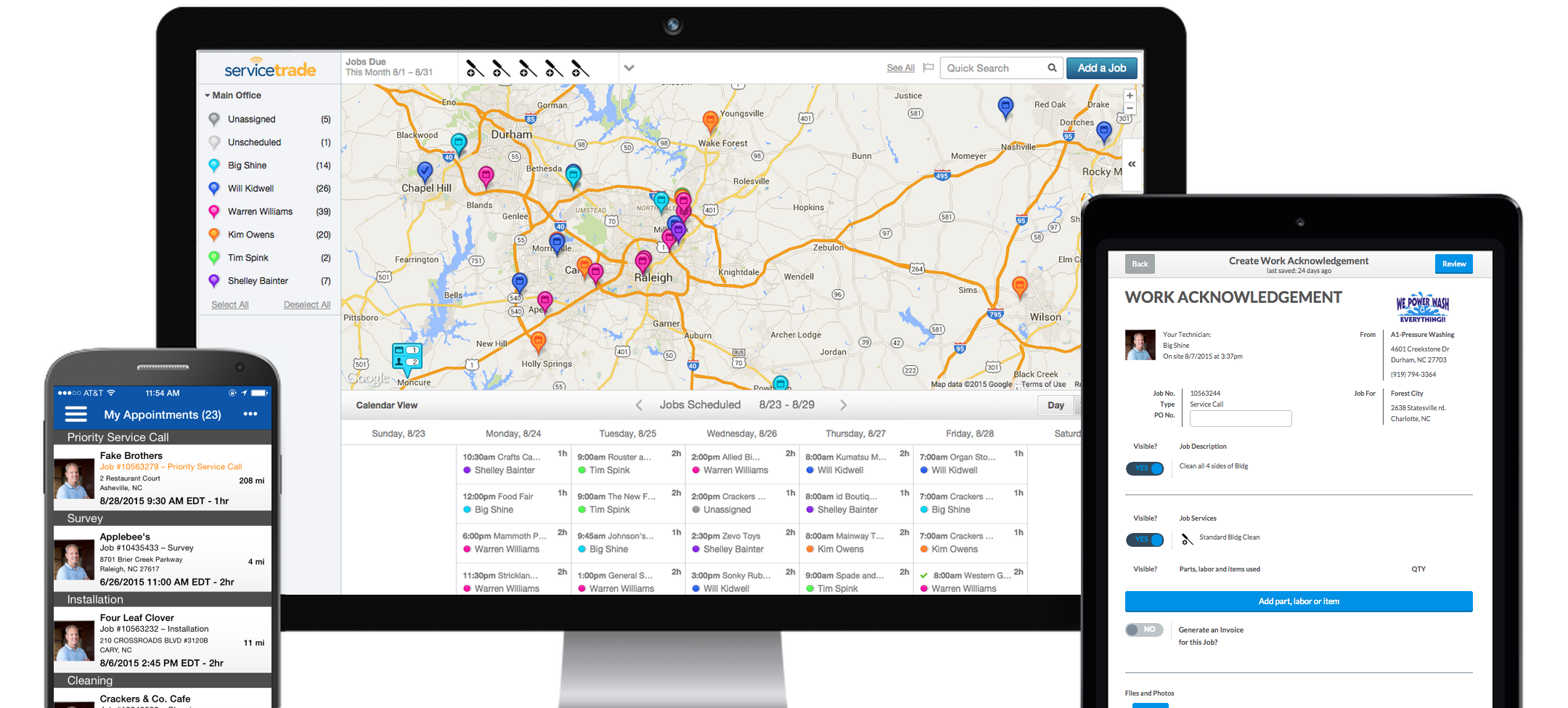
ServiceTrade Commercial(4.63 out of 5 stars)
ServiceTrade Commercial is a solution with a heavy focus on customer service and operational management. Its integrations with popular accounting solutions such as NetSuite, QuickBooks, and Intacct improves the billing process and eliminates manual transfer errors. ServiceTrade Commercial also allows users to keep on top of equipment management by enhancing the tracking of equipment, equipment upgrades, services, and equipment history.
According to one reviewer:
"The software and app keep us organized, provide our techs with location and equipment specific history, and our customers with electronic paperwork. All that makes us better, and makes us look good with our customers. Management of recurring services is very good, don't know what we would do without it now. They are also easy to reach with support requests and new feature ideas."
Challenge #5: You don't know how your business is performing, or where to improve
Maybe the last piece in the field service puzzle is effective analytics that help direct your efforts and investments to the right places. Although you may not realize it, small issues in your organization can not only grow over time, but can also have a trickle-down effect on other areas of your business. You may also be able to save money in areas you're unaware of, or improve in areas such as time or fleet management.
Using a robust analytics solution, field managers can:
Access key organization-wide metrics on business KPIs e.g. complete/incomplete service calls, average time of repairs, average time between equipment failures
Predict potential issues and plan for them accordingly
Enable notifications that can trigger certain actions when issues arise.
Software with strong business analytics:
GoSpotCheck(4.84 out of 5 stars)
GoSpotCheck is an execution management tool for field teams that enables organizations to collect data and insights into business efficiency. GoSpotCheck's mobile data collection app allows field workers to conduct surveys, audits, and reports to retrieve real-time analytics on business performance. This data is aggregated, allowing users to identify areas for improvement, issues, and trends.
"Excellent resource to gauge/measure key performance indicators in field with real time dynamic reporting capabilities. Customer support is best in class. Highest recommendation!"

Looking for further solutions to your field service management challenges?
Check out our full catalog of field service management software.
Use our field service management scorecard tool to help you create a shortlist of solutions that best match the features you need.
Bandita Awasthi