GetApp offers objective, independent research and verified user reviews. We may earn a referral fee when you visit a vendor through our links.
Our commitment
Independent research methodology
Our researchers use a mix of verified reviews, independent research, and objective methodologies to bring you selection and ranking information you can trust. While we may earn a referral fee when you visit a provider through our links or speak to an advisor, this has no influence on our research or methodology.
Verified user reviews
GetApp maintains a proprietary database of millions of in-depth, verified user reviews across thousands of products in hundreds of software categories. Our data scientists apply advanced modeling techniques to identify key insights about products based on those reviews. We may also share aggregated ratings and select excerpts from those reviews throughout our site.
Our human moderators verify that reviewers are real people and that reviews are authentic. They use leading tech to analyze text quality and to detect plagiarism and generative AI.
How GetApp ensures transparency
GetApp lists all providers across its website—not just those that pay us—so that users can make informed purchase decisions. GetApp is free for users. Software providers pay us for sponsored profiles to receive web traffic and sales opportunities. Sponsored profiles include a link-out icon that takes users to the provider’s website.
Key HR Features Explained
Select an HR tool that meets your business needs. Check out this article to learn about the key features you need to look out for!

If you are a business owner or an HR manager, here’s a quick test to identify areas of friction in your HR processes. Ask yourself:
Am I storing sensitive employee information in unsecured locations, thereby exposing it to security risks?
Do I often struggle to maintain fulfilling relationships with employees while managing them?
Do I frequently use spreadsheets and manual methods for HR operations?
If you answered more than one of these questions in the affirmative, it’s likely you are facing some challenges with your HR process.
It could be because the HR tool you’re using doesn't sufficiently address your business needs or maybe you aren’t using an HR tool at all. Either way, a robust HR system can help you effectively deal with process concerns and manage employee data, recruitment, payroll, and more.
To find the right tool, you need to know the key features to look for in a tool. Identifying the key features also makes it easy to cut through the clutter in a marketplace that’s buzzing with software options.
With so many options to choose from and each excelling at what it does, picking the right HR product can be overwhelming. This article will help you understand which features you need to look for in a HR tool and why. To learn how we selected these features, see our selection methodology at the bottom.
We’ll also list out some of our HR Category Leaders for 2020, which are top-rated HR software tools picked per our in-house research. We’ve performed in-depth research into hundreds of HR products to identify the top features you need (for more details, refer to our HR software buyers guide).
In our annual Category Leaders ranking, we use data from over one million user reviews to identify top-rated software tools across key areas including ease of use, value for money, functionality, customer support, and likelihood to recommend. Refer to our Category Leaders selection methodology to learn more about how we shortlist these market-leading products.
Let’s dive deep into these features and the HR Category Leaders for 2020 that fulfill these needs.
Key feature #1: Employee profiles
This feature forms the very base of an HR tool. Employee details such as name, designation, reporting manager, and contact information need to be maintained in one place for easy and timely access. This need is met through employee profiles.
Here are some questions you can ask a vendor to ensure the tool offers a compelling employee profiles feature.
How many employee records can I store?
What employee details does the tool allow me to capture?
How customizable is the employee profile feature in your product?
Here’s an example from our 2020 HR Category Leaders report to give you some more context into the employee profiles feature.
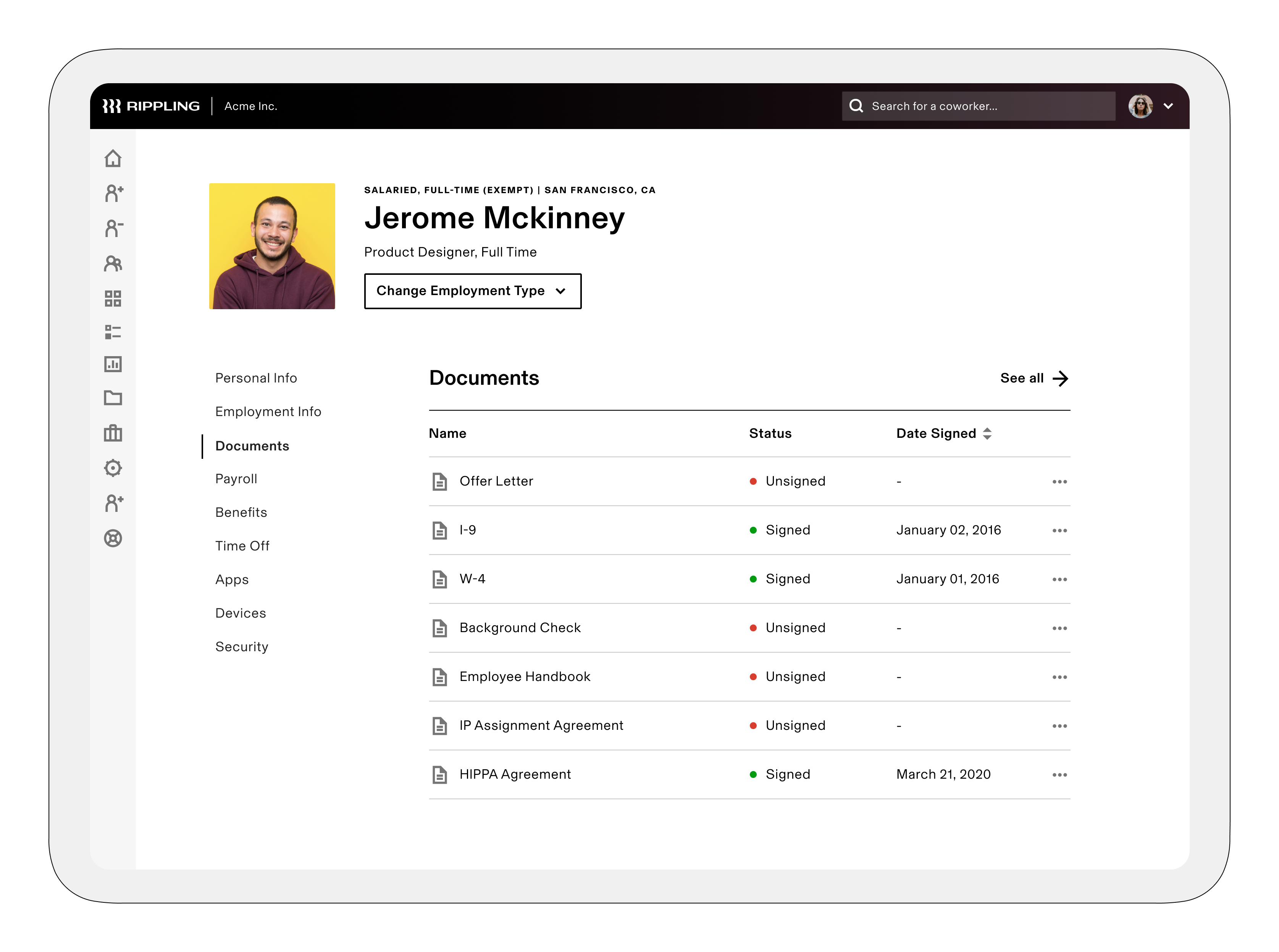
Rippling
Rippling is an HR tool that allows you to create employee profiles with details such as name, designation, type of job, and personal info. Besides the pre-existing fields, you can also create and add custom fields as needed.
Key feature #2: Employee database
The tool should offer a centralized database or directory where employee documents such as resumes and I-9 and W-2 forms can be stored. The feature should also allow you to perform keyword-based searches to find relevant information.
Here are some questions you can ask a vendor to learn more about this feature.
Can I maintain a directory of global employee profiles and org charts in the tool?
What are the security measures the tool offers to protect the info in the database?
Here’s an example from our 2020 HR Category Leaders report to give you some more context into the employee database feature.
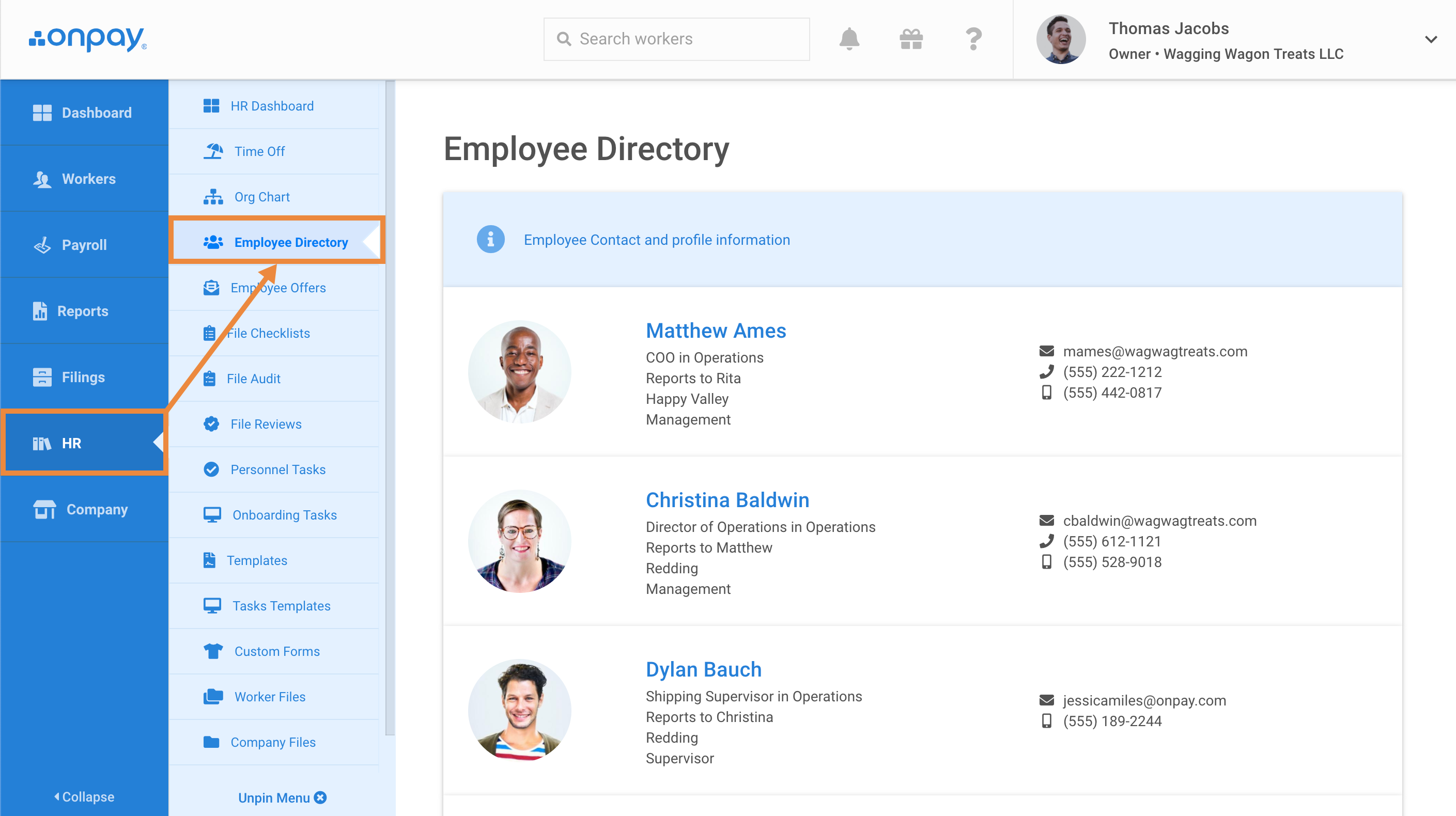
OnPay
OnPay helps you create org charts and employee directories that anyone within the organization can view. The directory automatically updates employee info when a change is made. The solution allows employees to withhold any personal information from the public directory if they wish to.
Key feature #3: Reporting
Reports on employee performance ratings, years of experience, payroll, attendance, etc., are crucial, as they provide key insights into employee data. The reporting feature helps managers gain insights into employee data across the organization.
Here are some questions you can ask a vendor to inquire about this feature.
Can the tool generate reports on revenue per employee?
Is there an option to calculate cost per hire?
Can I determine the average hours compensated for an employee?
Can I generate employee satisfaction and engagement reports?
Here’s an example from our 2020 HR Category Leaders report to give you some more context into the reporting feature.
APS Online
The reporting feature in APS Online, an HR and payroll solution, offers a variety of pre-built report templates to process payroll, benefits, attendance, and Affordable Care Act (ACA) data, among others. The feature also allows you to create customized filters, schedule report generation, and control the visibility of reports (public or private).
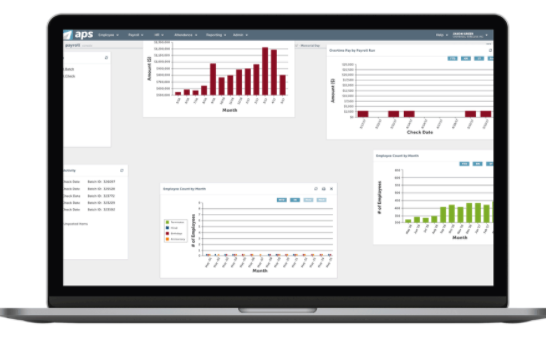
Reporting in APS Online (Source)
Key feature #4: Self-service portal
A secure self-service portal is indispensable for any business, as it helps employees manage their benefits, personal information, leaves, salary information, and more. Not only does it let employees access their details easily but it also helps reduce the workload of HR staff.
Here are some questions you can ask a vendor to inquire about this feature.
Can employees check the status of their queries and requests on the portal so as to reduce the emails and calls going to the HR team?
Does the tool offer instant messaging capabilities to let employees seek help from the HR team?
Here’s an example from our 2020 HR Category Leaders report to give you some more context into the self-service portal feature.
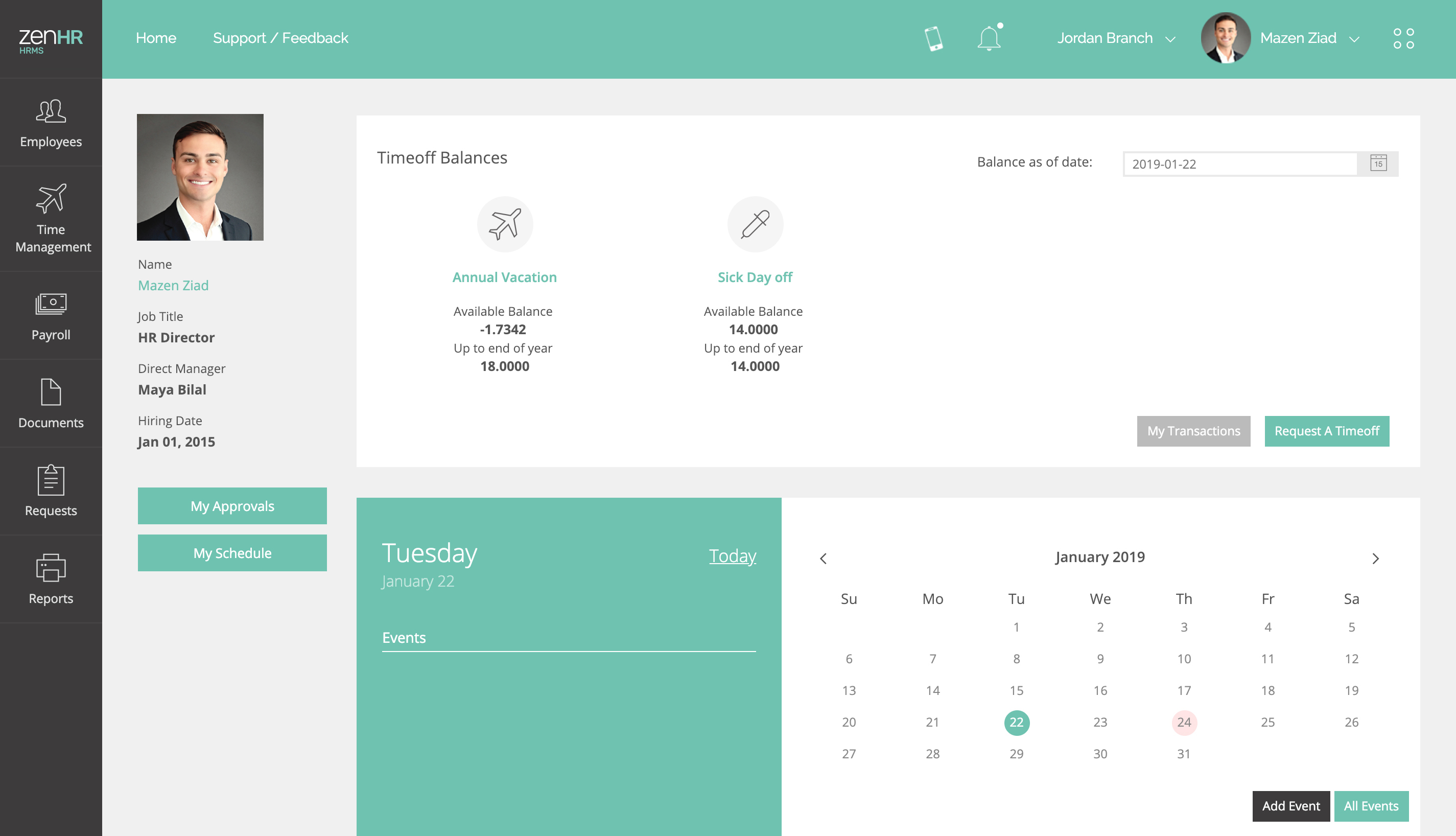
ZenHR
The self-service module in ZenHR helps you free up much of your HR team’s time by allowing employees to access their data and manage their requests/queries. They can use the portal to perform tasks such as request leaves, manage reimbursements, and access important documents. ZenHR offers iOS and Android mobile apps that allow employees to immediately access HR-related information from anywhere.
Key feature #5: Payroll management
The payroll management feature helps track and manage employee salaries, wage rates, the net payable income, 401(K) contributions, allowances, and other deductions. It helps make sure your business compensates employees accurately and on time.
Typically, the payroll management feature also allows printing checks and generating tax forms for W-2s and 1099s.
Here are some questions you can ask a vendor to inquire about this feature
Can I make a direct-deposit using this tool?
Does the tool allow employees to file taxes using the payroll feature?
Does your product have an option to generate payroll reports and view payroll history?
Here’s an example from our 2020 HR Category Leaders report to give you some more context into the payroll management feature.
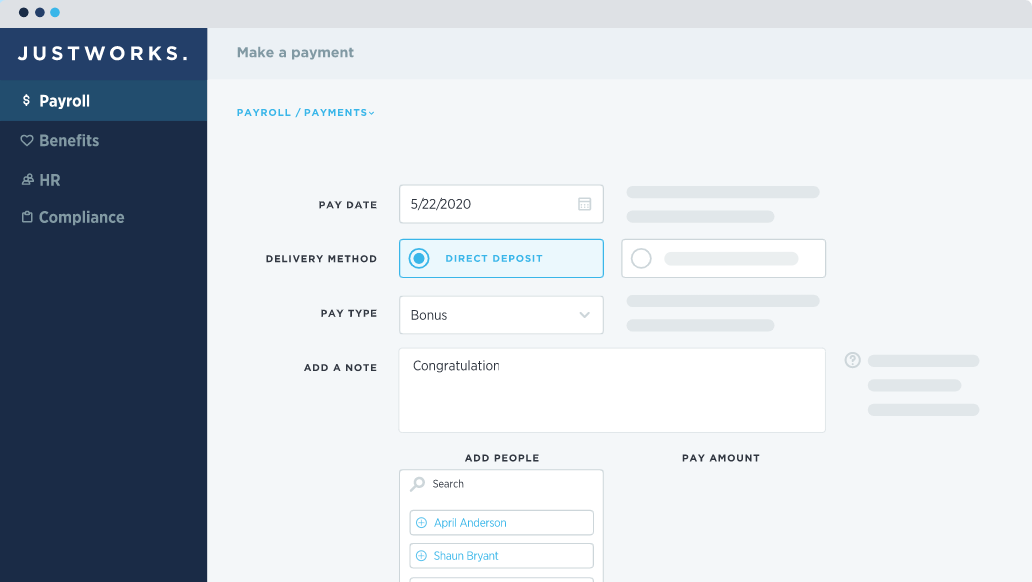
Justworks
The payroll feature in Justworks helps you make automated deposits and one-time payments, file taxes, fill out W-2s and1099s, and share automatic notifications with employees. The tool can also integrate with accounting solutions such as QuickBooks and Xero.
If payroll management is a vital capability you are looking for and need a dedicated tool that can do just that, explore our 2020 Payroll Software Category Leaders.
Key feature #6: Benefits administration
The feature helps manage employee benefits such as housing allowances, retirement benefits, employee insurance policies, and 401(k) participation and contributions. It also allows organizations to ensure compliance with the Affordable Care Act (ACA) and file necessary paperwork and reports.
Here are some questions you can ask a vendor to inquire about this feature.
Does the tool allow employees to choose different levels of coverage under insurance plans?
Does the tool allow us to share insurance data, such as census enrollment and form enrollment data, directly with insurance carriers?
Here’s an example from our 2020 HR Category Leaders report to give you some more context into the benefits administration feature.
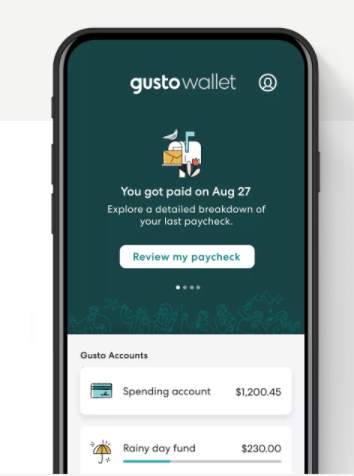
Gusto
The benefits module in Gusto allows you to extend numerous benefits to employees. These may include health insurance, 401(k) retirement savings, the option to split paycheck between multiple accounts, licensed financial advisors, and more.
Based on your preference, you can choose the benefits you wish to extend to employees, and they can use Gusto’s benefits portal to pick and manage the benefits they want.
Key feature #7: Time and attendance
The time and attendance function allows you to accurately capture working hours by monitoring employees’ clock-in and clock-out times and attendance records. Some tools also allow monitoring employees’ idle time or the time they spend on projects.
Employees can also use this function to request time off and have their managers approve or reject it.
Here are some questions you can ask a vendor to inquire about this feature.
Is there an option for employees to clock-in or clock-out using a device of their choice?
Is it possible to give employees alerts when they are about to exhaust their leaves?
Does the tool support timesheet review, approval, and audit?
Here’s an example from our 2020 HR Category Leaders report to give you some more context into the time and attendance feature.
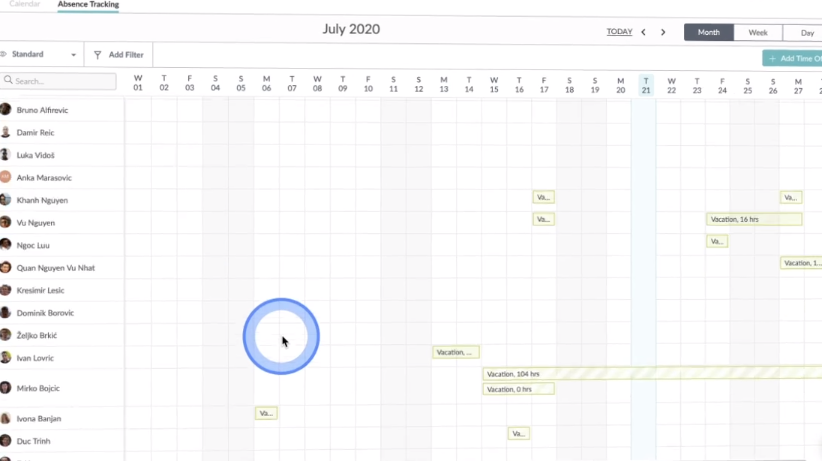
HR Cloud
The time and attendance tracking feature in HR Cloud allows employees to track and request various types of leaves. The tool also offers a mobile app that lets employees view their leave balance and absence report from their laptop or smartphone.
Key feature #8: Applicant tracking
The applicant tracking feature helps the talent acquisition team manage the hiring process. It helps maintain candidate records across recruitment stages such as screening, interviews, and background verification.
In some tools, this feature may also offer the option to post job openings, automate applicant screening, customize hiring workflows, manage resumes, and score applicants.
Here are some questions you can ask a vendor to inquire about this feature.
Is there an option to find candidate records via keyword-based search?
Can I segment my candidates using different criteria?
Here’s an example from our 2020 HR Category Leaders report to give you some more context into the applicant tracking feature.
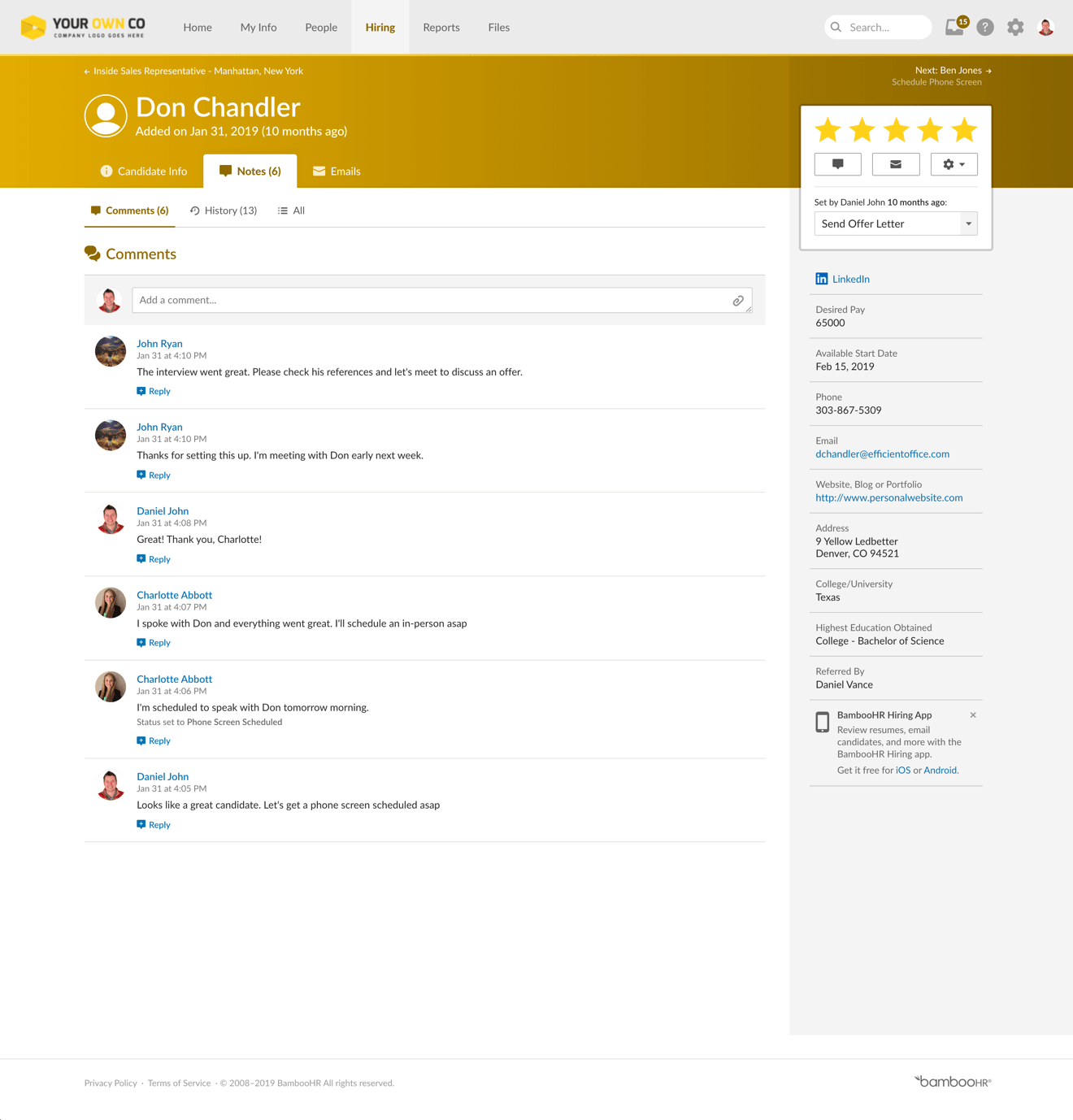
BambooHR
BambooHR offers an applicant tracking system that organizes applicant info through each stage of the recruitment process. Features such as automatic alerts and in-system messaging keep communication upbeat and help gather inputs from stakeholders and team members at any stage.
If applicant tracking is a vital feature you are looking for and need a dedicated tool to do just that, explore our 2020 Applicant Tracking Software Category Leaders.
Something to remember when you go tool shopping
HR is an umbrella term that covers a lot of functions. We’ve covered the key features, but depending on your business requirements, you may require only a handful of these or some additional ones.
Either way, when you start shortlisting tools, here are some questions to ask a vendor before sealing the deal.
Do you offer a pricing plan that includes all the features I need?
What is the total cost of ownership (TCO) of the tool?
What are the support and training options post-implementation?
How well can I integrate this tool with my existing systems?
If you want a quick view of the tool’s performance, you can also check out user reviews on third-party websites, such as ours, to glance at the pros and cons of the tool based on the experience of actual users. You simply need to select the tool of your choice and click on the reviews tab.
Methodology and note
Features listed have been picked from GetApp HR Buyers Guides. Each feature has one example, which has been picked randomly from GetApp’s 2020 HR Category Leaders report so as to better explain the respective feature.
The applications selected in this article are examples to show a feature in context and are not intended as endorsements or recommendations. They have been obtained from sources believed to be reliable at the time of publication.
Bandita Awasthi, Priyanka Aggarwal
More on Human Resources

Jul 09, 2024
Jan 17, 2024