GetApp offers objective, independent research and verified user reviews. We may earn a referral fee when you visit a vendor through our links.
Our commitment
Independent research methodology
Our researchers use a mix of verified reviews, independent research, and objective methodologies to bring you selection and ranking information you can trust. While we may earn a referral fee when you visit a provider through our links or speak to an advisor, this has no influence on our research or methodology.
Verified user reviews
GetApp maintains a proprietary database of millions of in-depth, verified user reviews across thousands of products in hundreds of software categories. Our data scientists apply advanced modeling techniques to identify key insights about products based on those reviews. We may also share aggregated ratings and select excerpts from those reviews throughout our site.
Our human moderators verify that reviewers are real people and that reviews are authentic. They use leading tech to analyze text quality and to detect plagiarism and generative AI.
How GetApp ensures transparency
GetApp lists all providers across its website—not just those that pay us—so that users can make informed purchase decisions. GetApp is free for users. Software providers pay us for sponsored profiles to receive web traffic and sales opportunities. Sponsored profiles include a link-out icon that takes users to the provider’s website.
5 Best Project Management Software for Creatives
Let your software keep things organized so you can focus on your creativity.

If you’re an account manager at a creative agency or a freelancer, you probably struggle to find time to manage both the creative side of things and the business end. You know keeping track of your budget is essential, but that campaign concept isn’t going to create itself!
Budgets, timelines, and invoices can slip through the cracks when you’re in the zone on a creative project. And too many dropped balls can mean your downfall. If this thought brings you anxiety, rather than repeatedly stabbing your Moleskine with a felt-tipped pen, consider investing in a project management system to help manage your creative workflow.
Having a project management software system can help you better manage your projects and tasks from beginning to end, while facilitating better communication and collaboration with your team to keep creative projects on time and within budget.
Totally new to project management software? Check out our buyers guide to learn more about these tools' benefits and common features.
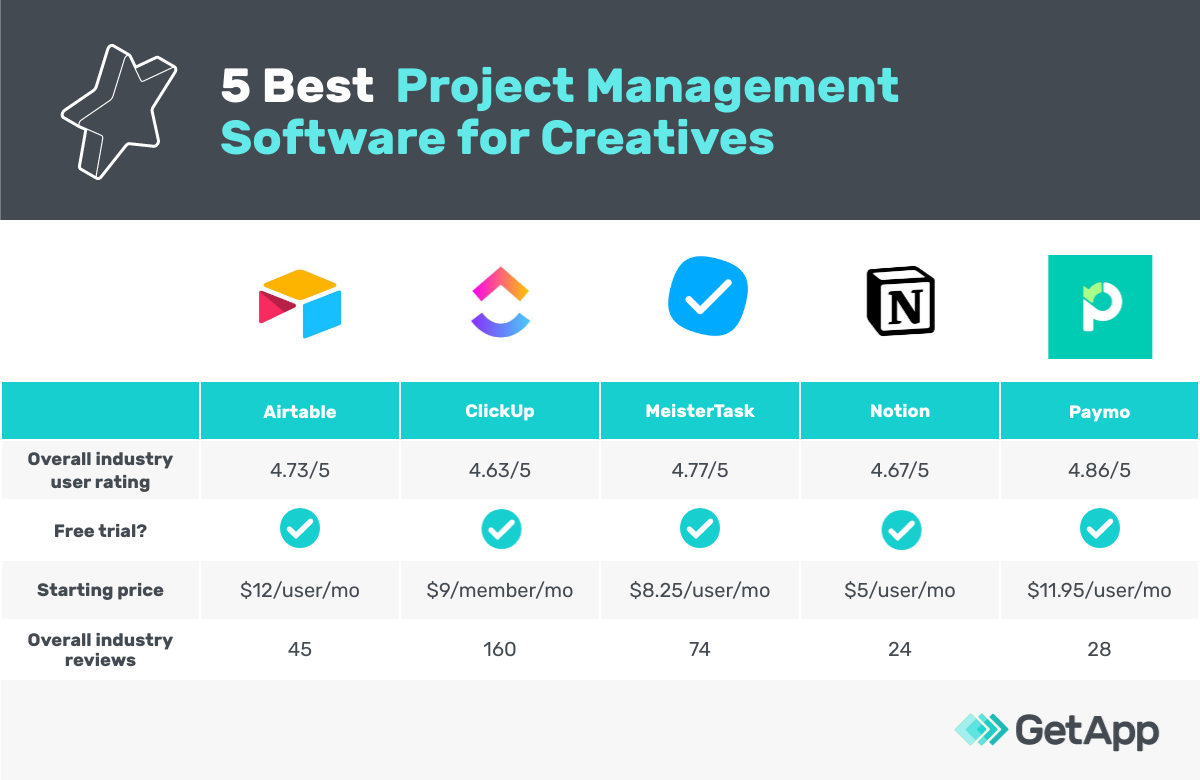
If you’re ready to decide on a platform, though, we built this list of PM products on GetApp.com with the highest ratings from art/creative types like you. Products that made the cut are listed in alphabetical order below; you can read our full methodology at the bottom of this page.
Airtable
Overall art/creative user rating: 4.7/5.0 (45 reviews)
Notable features: Spreadsheet format, customizable views, Gantt charts
Airtable is a cloud-based project management tool targeting small to midsize businesses and departments within larger companies. Airtable primarily focuses on data organization and collaboration.
Airtable uses a spreadsheet format to organize data. Users can easily link related data together, create marketing calendars, and customize fields. For creative project management, that could look like linking contacts to their companies or creative assets to their campaigns, as well as creating a checkbox field to indicate budget approval for a photoshoot or to move forward with a logo design project.
In terms of task management functionality, Airtable works well for creative teams as there are several different view options. With personal view, a team member can choose to only view the tasks assigned to them. Other views include gallery view and Kanban view, while pro and enterprise Airtable customers can take advantage of the Gantt block to view their tasks and dependencies in a Gantt chart.
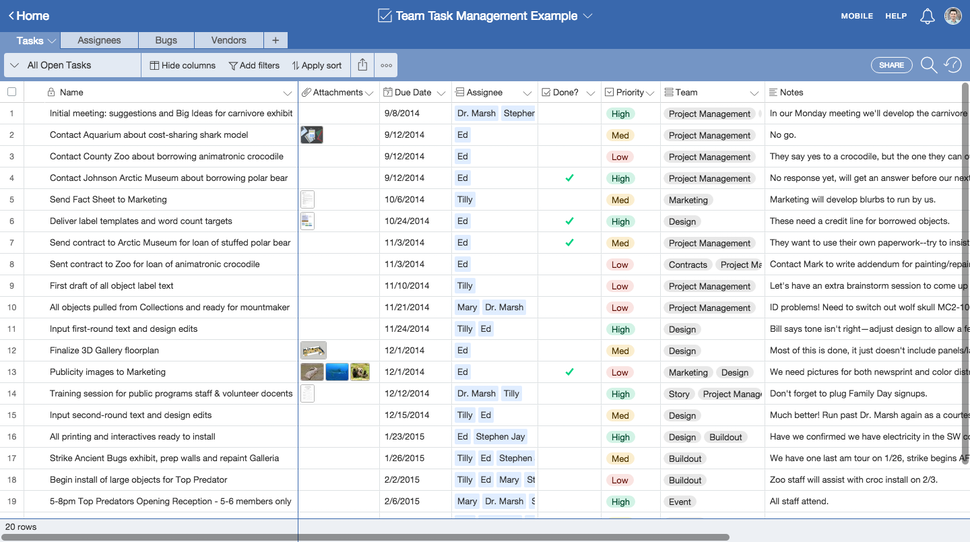
Spreadsheet view of task management items in Airtable (Source)
Here’s what reviewers on GetApp have to say about Airtable:
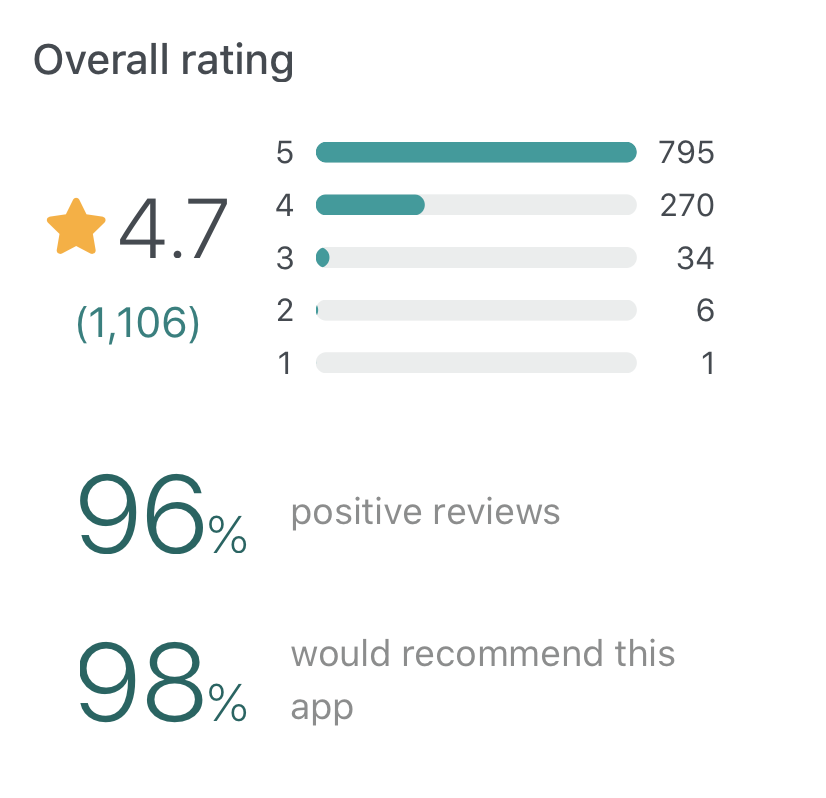
Visit our reviews page to read more in-depth opinions, including pros and cons.
ClickUp
Overall art/creative user rating: 4.6/5.0 (160 reviews)
Notable features: Mind mapping, Agile project management features, proof and annotate art/design files directly
ClickUp is a cloud-based collaboration and project management platform with features including communication tools, document sharing, task assignments and statuses, alerts, and a task toolbar.
Users can assign tasks and comments to specific team members, and those tasks and comments can be marked as resolved or in progress. Users can also create custom statuses. Projects can be viewed from an Agile dashboard or organized by assignee. The activity stream displays tasks as they’re created and completed in real time.
Notable features for creative project management include mind mapping functionality, a visual brainstorming capability. ClickUp can also help fastrack the feedback and reviews process on creative assets, as you can proof and annotate design files directly within the system.
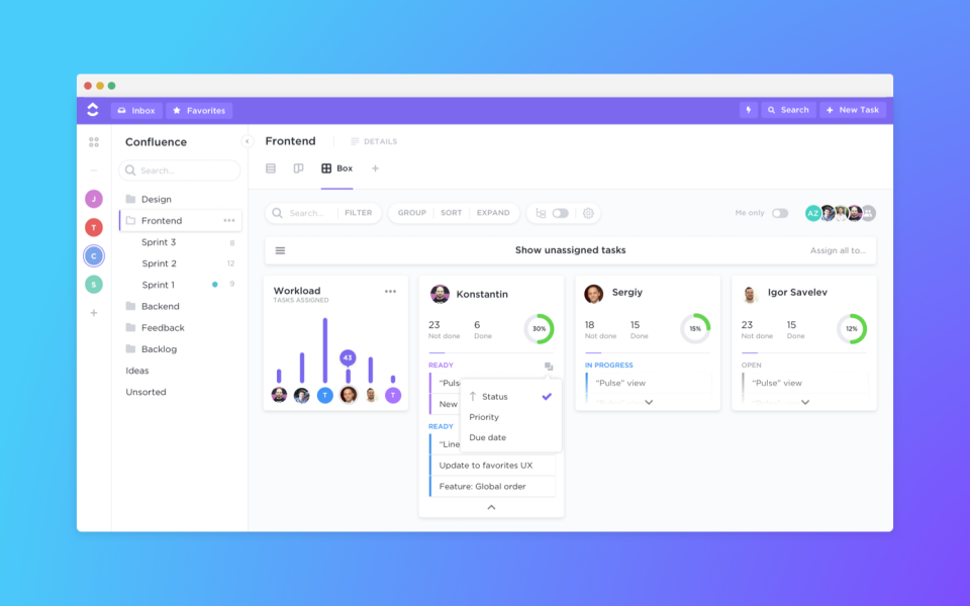
Box view in ClickUp showing graphics and illustrations (Source)
Here’s what reviewers on GetApp have to say about ClickUp:
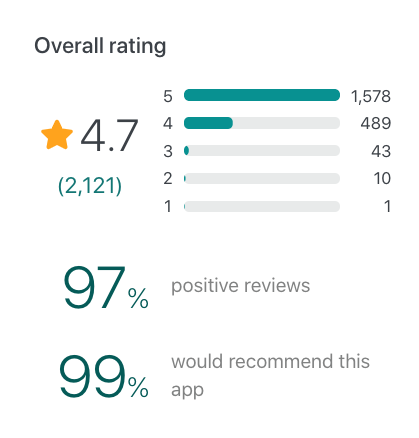
Visit our reviews page to read more in-depth opinions, including pros and cons.
MeisterTask
Overall art/creative user rating: 4.7/5.0 (74 reviews)
Notable features: Mind mapping, clean design, built-in time tracker
MeisterTask is a cloud-based project and task management tool that caters to businesses of all sizes, including those in the creative industry. Key features include file management, time tracking, and reporting.
MeisterTask can be great for creative project managers as it integrates with mind mapping tool MindMeister. This integration gives you the ability to mind map, which could be a helpful collaboration tool when brainstorming with teams and for visual project planning.
For those who value aesthetics, MeisterTask is beautifully designed with color coding, illustrations, and icons. The tool includes a built-in timer for time tracking, so you can easily keep track of every step of your creative process within the app.
Users can also discuss job details with team members, set due dates, upload files or creative assets, and add checklist items.
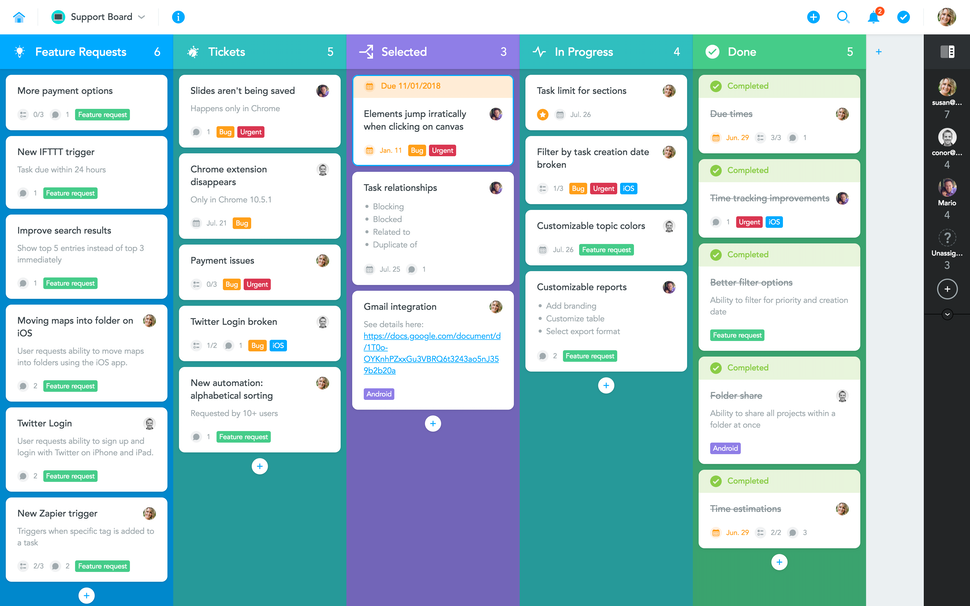
Colorful board view in MeisterTask (Source)
Here’s what reviewers on GetApp have to say about MeisterTask:
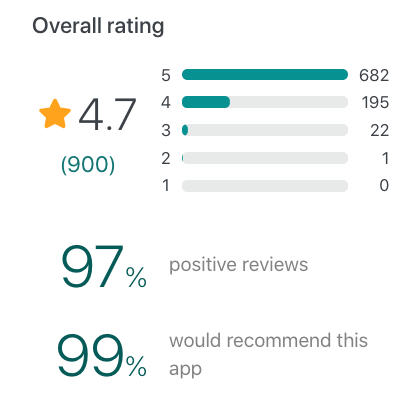
Visit our reviews page to read more in-depth opinions, including pros and cons.
Notion
Overall art/creative user rating: 4.6/5.0 (24 reviews)
Notable features: Designer templates, creative asset cataloging, design system publishing
Notion is a digital workspace that lets businesses streamline and manage notes, tasks, projects, records, and calendars. Key features include a portfolio tracker, designer templates, database management, documentation, and data export.
Notion can be specifically used as creative project management software, as the platform offers the ability to track design projects, catalog logos, fonts, and creative assets, as well as publish a design system.
Notion can be hosted in the cloud or via on-premise servers. It offers a product roadmap, task lists, and repository patterns, while also helping users streamline project workflows. The tool has mobile applications for iOS and Android devices, which let users view and manage tasks on the go.
Users can also collaborate and perform team tasks, share meeting notes, update project expense reports, and maintain benefits and vacation policies.
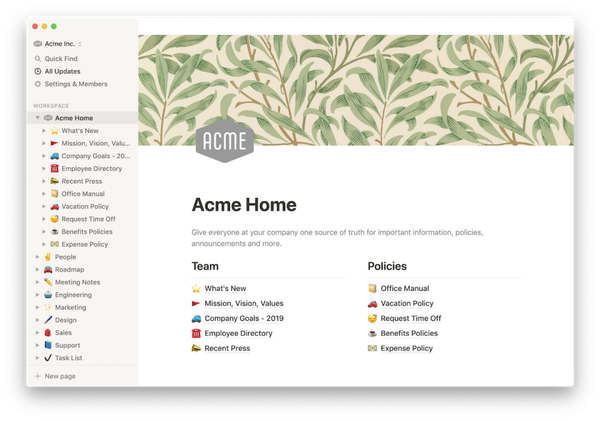
Notion homepage showing the ability to host a design system or style guide (Source)
Here’s what reviewers on GetApp have to say about Notion:
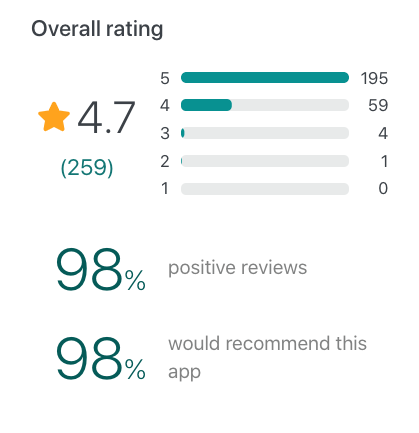
Visit our reviews page to read more in-depth opinions, including pros and cons.
Paymo
Overall art/creative user rating: 4.8/5.0 (28 reviews)
Notable features: Built-in timer, Gantt charts, invoicing
Paymo is a cloud-based work and project management tool for small and midsize client-based businesses, including creative and marketing agencies. Paymo’s project management system supports remote work and offers team collaboration, resource scheduling, time tracking, and project accounting features.
If you’re looking for a project management system to help with your team’s creative workflow, Paymo is worth a look. According to its site, Paymo users like that they can use the tool to take care of administrative work, budgeting, and invoicing while being freed up to let their creative juices flow.
Paymo’s project management features let users create projects, add tasks with multiple assignees, as well as save them as a template for later use. You can monitor project progress (time tracked vs initial budgets) and manage work through one of the four different task views: list, table, board, and Gantt chart.
To help track time spent on creative work so you can bill clients fairly, Paymo includes a built-in timer. The tool offers desktop and mobile apps, as well as accurate timesheets that act as a window into your productivity. Data can be exported as time reports and shared with clients for an extra level of transparency.
The project accounting functionality to track expenses, create automated client invoices, and transform proposals into projects helps make sure you get paid on time.
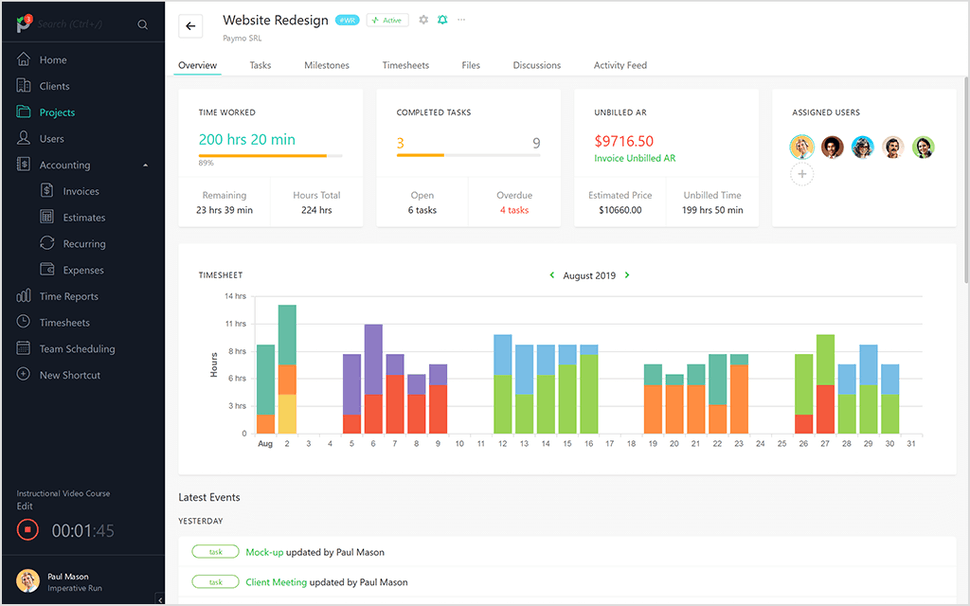
Project overview in Paymo that helps you keep track of time worked and completed tasks (Source)
Here’s what reviewers on GetApp have to say about Paymo:
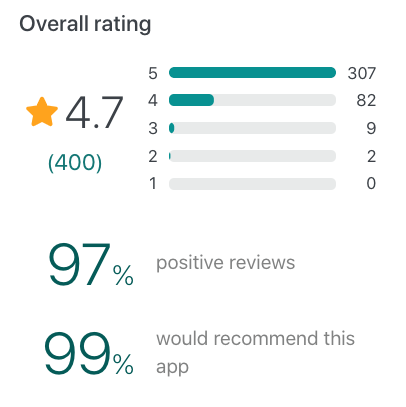
Visit our reviews page to read more in-depth opinions, including pros and cons.
Don’t let the details fall through the cracks on your next creative project: Use a project management tool
We shared some of the best project management tools for creatives here, but every team has different needs.
Need more options?
If these tools don’t have the features you’re looking for, check out our Category Leaders for project management where you can look at other top-rated platforms based on user reviews.
On the Category Leaders page, you can also quickly compare products based on things like ease of use, functionality, and value for money.
Methodology:
The five products with the highest ratings from art/creative reviewers are featured in this article.
To be considered for this article, products must:
Meet the market definition for project management software: Project Management software automates task assignment, resource allocation and milestone tracking for all phases of a project. Project Management tools and systems may take one of several approaches: collaborative, when multiple people work on a project; top-down, when one person works on a project at a time; or integrated, when multiple aspects of the organization are involved. There are a variety of project management systems and tools that have been designed to fit your project needs. Project Management software is related to Professional Services Automation software, Time and Expense software, Web Collaboration software and Workforce Management software. Find the best project management software for your organization.
Offer the following core features: task management, collaboration, project tracking/reporting
Have at least 20 reviews from art/creative reviewers in the past two years
Only reviews from users in the art/creative industry were evaluated to select the products featured in this article.
Amanda Kennedy
mentioned in this article





More on Project Management

May 30, 2024

Jun 11, 2024

May 28, 2024