

GetApp offers objective, independent research and verified user reviews. We may earn a referral fee when you visit a vendor through our links.
Our commitment
Independent research methodology
Our researchers use a mix of verified reviews, independent research, and objective methodologies to bring you selection and ranking information you can trust. While we may earn a referral fee when you visit a provider through our links or speak to an advisor, this has no influence on our research or methodology.
Verified user reviews
GetApp maintains a proprietary database of millions of in-depth, verified user reviews across thousands of products in hundreds of software categories. Our data scientists apply advanced modeling techniques to identify key insights about products based on those reviews. We may also share aggregated ratings and select excerpts from those reviews throughout our site.
Our human moderators verify that reviewers are real people and that reviews are authentic. They use leading tech to analyze text quality and to detect plagiarism and generative AI.
How GetApp ensures transparency
GetApp lists all providers across its website—not just those that pay us—so that users can make informed purchase decisions. GetApp is free for users. Software providers pay us for sponsored profiles to receive web traffic and sales opportunities. Sponsored profiles include a link-out icon that takes users to the provider’s website.
10 Top Rated CMMS Software
Check out the highest-rated CMMS software designed to help you ensure consistent performance and increased efficiency of assets.


Facility and maintenance managers or asset planners have to routinely identify new ways to distribute work orders, implement preventive maintenance tasks, and assess asset performance. Managing all these tasks can be overwhelming, especially for small businesses, who may lack the right tools, leading to inefficient resource planning and disruptive workflows.
As someone managing the maintenance process, if you find yourself struggling to strike a balance between people and processes, it is time to invest in CMMS software.
A computerized maintenance management system (CMMS) is a tool that helps reduce the time spent on manual resource tracking, eliminate the travel time for field technicians, provide access to real-time asset performance, and much more. You can efficiently manage the workforce, inventory, and assets from anywhere.
There are various CMMS software solutions available in the market, making it difficult to pick the right one. To help, we’ve compiled this list of the 10 best CMMS software based on the reviews from users like you to help you narrow down your search for the right tool. Select the one that fits your maintenance needs and enhance your operational efficiency.
(Products are sorted alphabetically. Learn how we shortlisted these best CMMS software at the bottom of this page.)
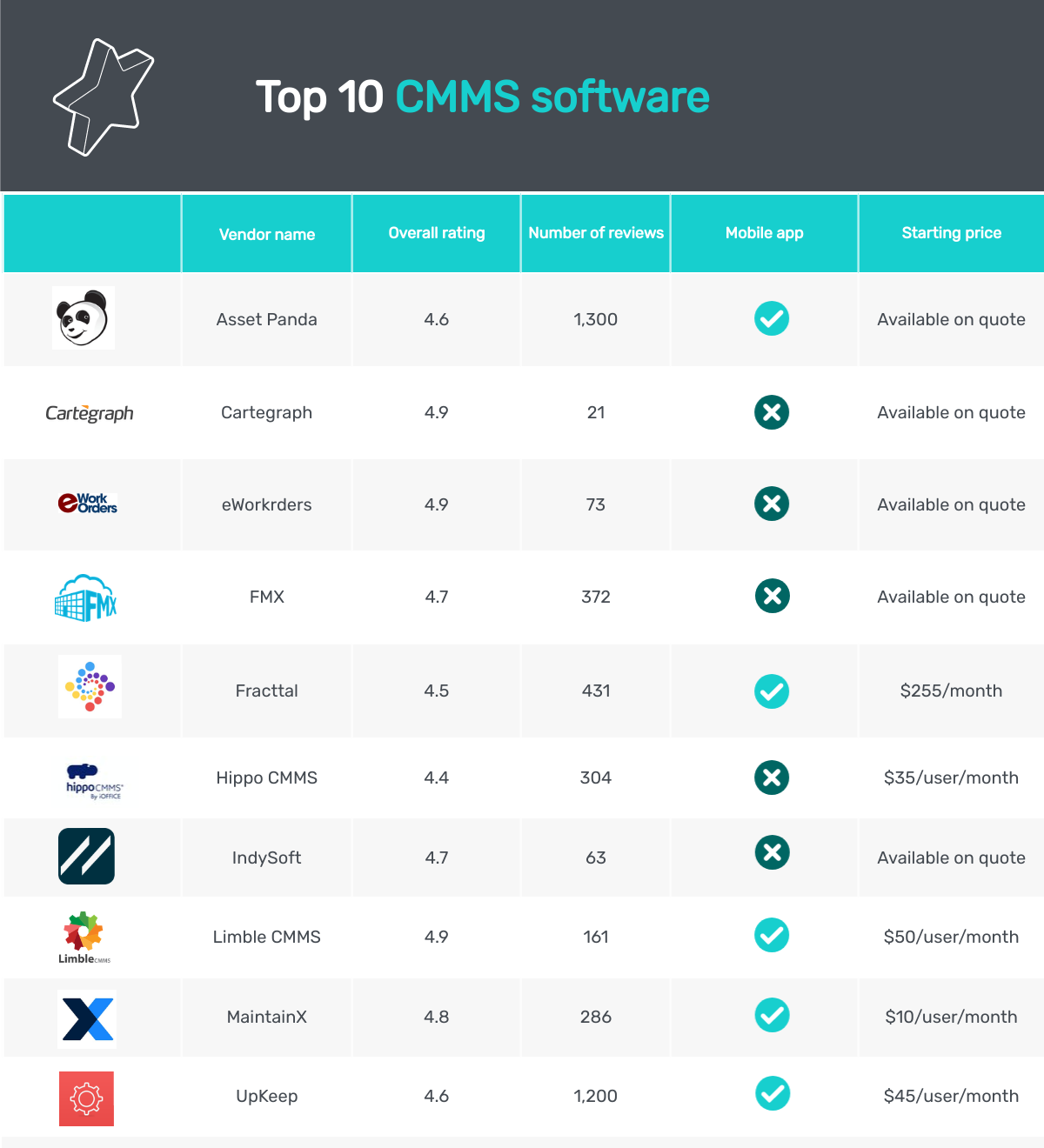
1. Asset Panda
Asset Panda is a CMMS tool that lets you prepare asset performance reports with specific metrics such as assigned tasks or actions performed. You can share the prepared reports with the maintenance team using role-based access controls such as read-only, read and write, or download, and more. The tool enables SSL encryption (secure socket layer technology used to secure a network between two applications) while sharing reports to ensure data security.
Asset Panda has a mobile application for Android and iOS devices that enable you to monitor assets and access reports on the go. You can also use the built-in barcode scanner on the mobile app to access or update asset information. The app sends alerts to the users each time an asset is scanned using a mobile device.
Asset Panda offers email, chat, and on-call support to users for software-related issues.
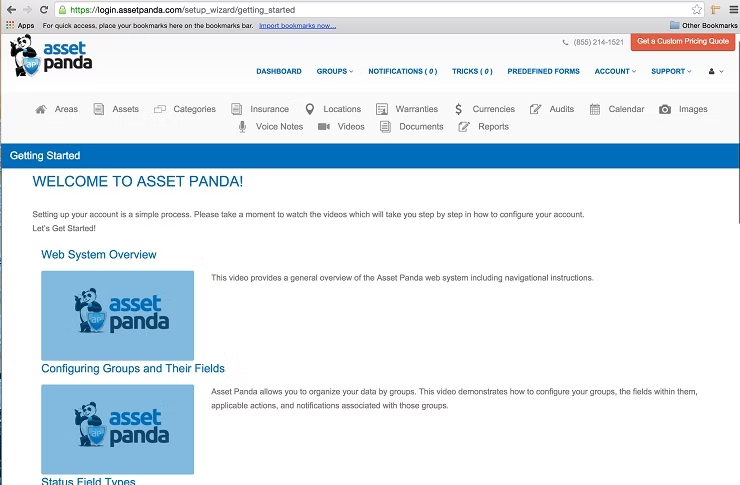
Dashboard in Asset Panda (Source)
2. Cartegraph
Cartegraph is a CMMS software designed to help you monitor and track the overall health of your physical equipment. The tool offers access to the assets’ age and inspection data based on the work history to schedule repair and maintenance tasks.
With Cartegraph, you can manage your large container assets such as facilities and plants with small component assets such as machinery and devices using a single dashboard. Having an integrated dashboard lets you track the performance of and prepare collaborative reports for both container and component assets.
Carteraph’s scenario builder tool lets you predict and plan the purchase of future assets based on activities that maximize the life of your high-value assets and the deployment cost. You can adjust the timeline and budget to match your business goals.
Cartegraph offers email and on-call support to clients for software-related queries in addition to the knowledge base.
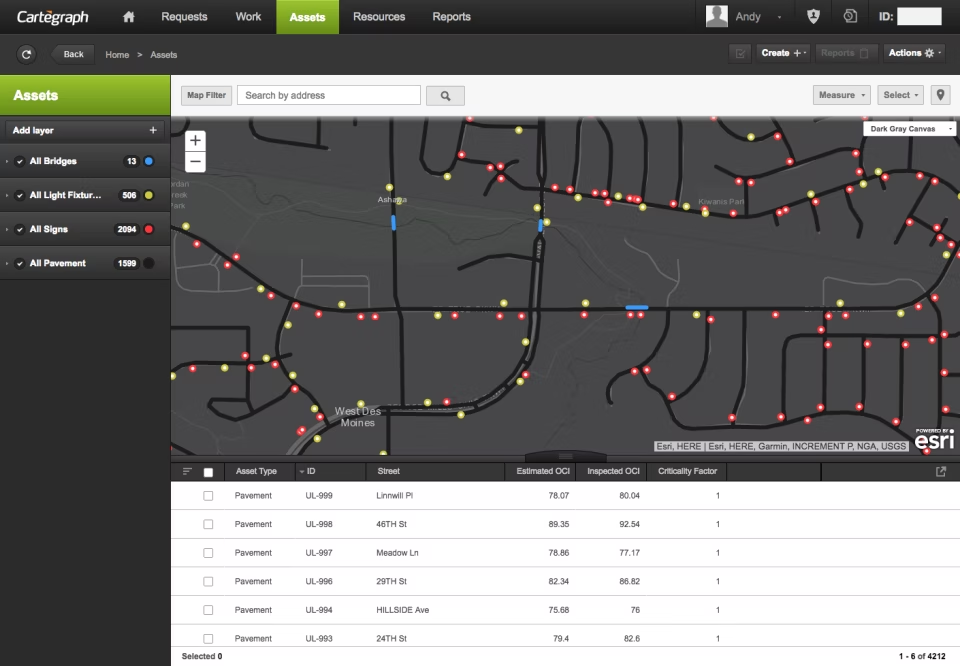
Asset tracker in Cartegraph (Source)
3. eWorkOrders
eWorkOrders is an asset maintenance software with a single sign-on feature for users to securely log into their asset management system and access all the dashboards, reports, and documents at once. The tool sends real-time alerts to users when an unauthorized attempt is made.
eWorkOrders’s service request interface lets you raise maintenance and repair requests for your assets from the user dashboard. You have to fill out a form with the asset information and the required service. Requests will be automatically assigned to the specific technician and you can monitor the progress of the service in real time.
eWorkOrders offers on-call and email customer support. In addition, you can also access the online video library to learn more about the product's features.
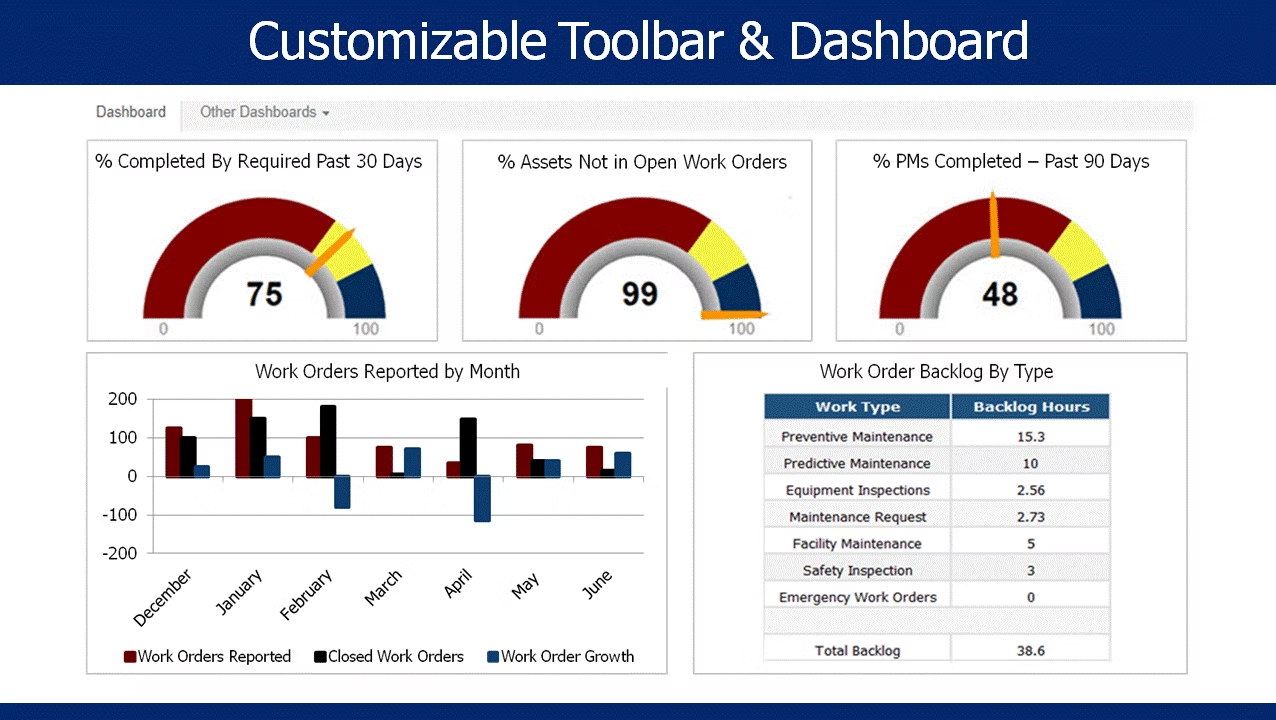
Customizable dashboard in eWorkOrders (Source)
4. FMX
FMX is a software suite that offers CMMS tools to create interactive asset performance reports with metrics such as tasks assigned or time range. You can filter the metrics in real time to match your current business objectives. The tool allows you to export the created reports in PDF format to share with other employees.
FMX preventive maintenance tool allows you to access the work history, user manual, and warranty information of the assets to maintain records and monitor the overall health. You can schedule time-based or meter-based maintenance operations using a calendar and get notified of upcoming tasks.
FMX’s automated reporting feature creates auto-generated asset performance reports to view task completion rates, hours utilized, and more.
FMX offers email and on-call customer support.
5. Fracttal
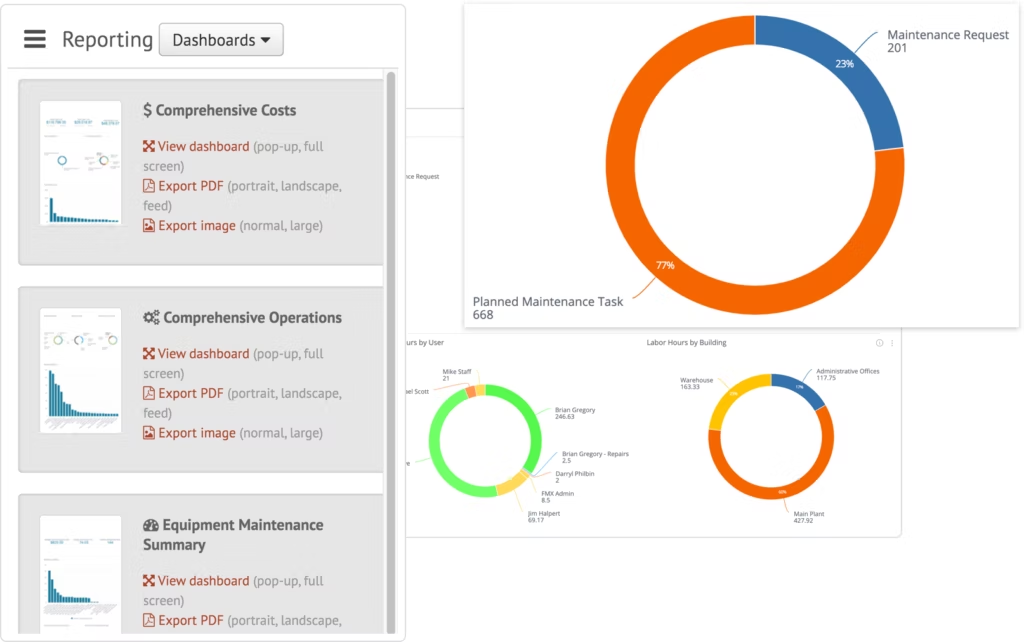
Fracttal is an asset maintenance software that lets you predict the future health of assets using the Predictto tool. The tool uses machine learning (ML) algorithms and internet of things (IoT) techniques to analyze the current state of assets and their ability to perform tasks in the future.
Predictto tool lets you create predictive models using role-based performance metrics to test your assets for repair and maintenance work. The tool can be integrated with other software solutions such as enterprise resource planning (ERP) or enterprise asset management (EAM) for regular maintenance management.
Fracttal CMMS solution has a mobile application (Fracttal One) for Android and iOS devices. You can use the application to access or update asset information on the go. For any queries related to the software, you can reach out to Fracttal’s customer support team on call or via email.
6. Hippo CMMS
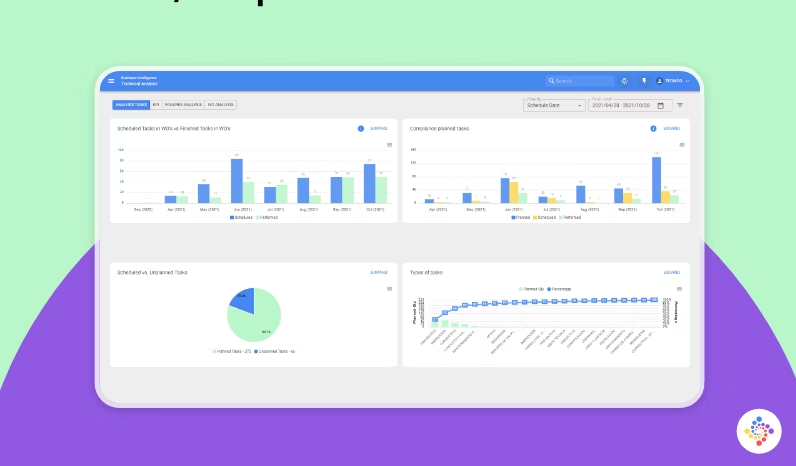
Hippo CMMS is a maintenance management software designed for you to view and drill down into facility management activities, work orders, and asset information via floor and site plans. You can use the interactive floor and site plans to reach the asset location and scan its barcode to access information such as completed tasks or hours utilized.
Hippo CMMS system automatically collects asset information and prepares performance reports that are stored in a centralized location. These reports can be accessed by stakeholders across the organization based on their job role and relevance to use the information.
Hippo CMMS offers on-call and email support to customers for software-related queries.
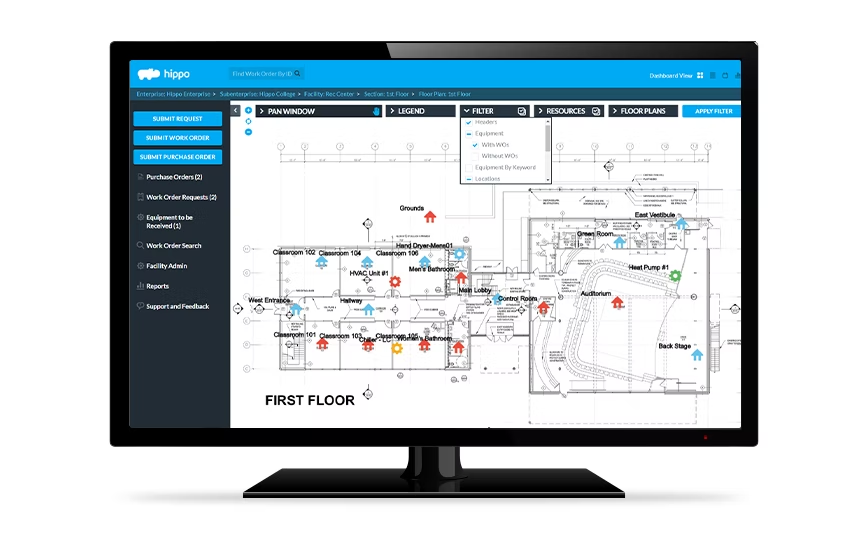
Asset tracker in Hippo CMMS (Source)
7. IndySoft
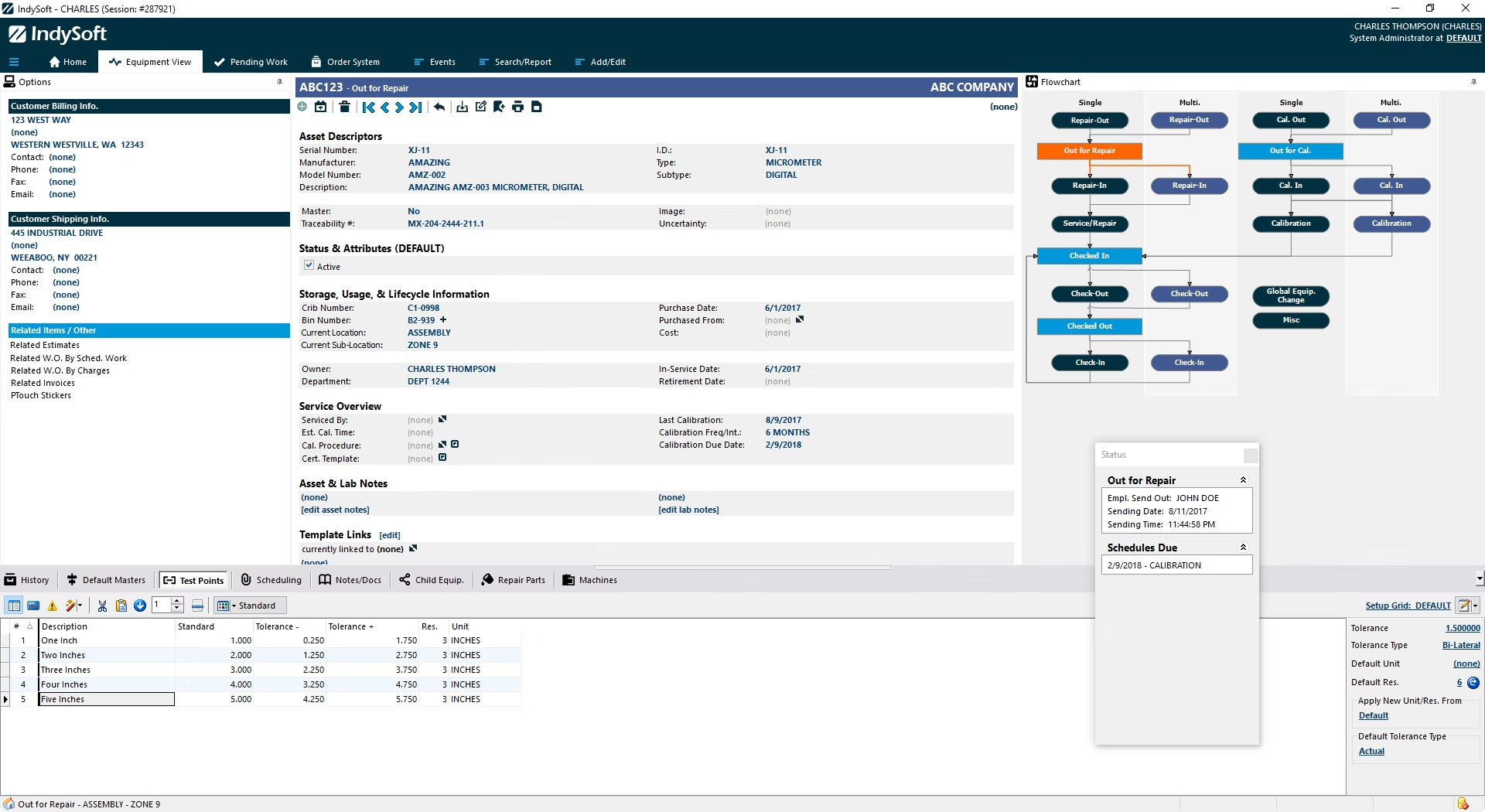
IndySoft is a calibration management tool that lets you automate the maintenance activity for business assets based on their performance history, date of deployment, and last maintenance service. In addition, the tool automatically assesses the ongoing issues with the asset performance such as delays in task completion and updates the maintenance schedule accordingly.
IndySoft’s editing tool lets you visually represent the workflows using charts, design customized searches, reports, and views for enhanced visibility on asset performance. You can share the reports with employees across the organization to update them on any changes in the workflow or asset performance.
IndySoft offers email and on-call customer support for software related issues.
8. Limble CMMS
Limble CMMS is a maintenance management solution that lets you manage all the maintenance work using a mobile application. Use your Android or iOS mobile device to view work orders, assign tasks, get alerts when a new task is assigned or an existing task is completed, find asset information, and much more.
Limble CMMS solution offers an asset viewer dashboard to know the health of your assets in real time, access maintenance logs, organize your assets in a parent-to-child hierarchy, track performance metrics, and much more.
Limble’s calendar planner allows you to automate predictive maintenance on a daily, weekly, monthly, yearly, or event basis. The tool sends automatic alerts for all upcoming maintenance and repair services. You can drag and drop the elements on the calendar to change the due date of the planned service.
Limble CMMS has a mobile application for Android and iOS devices. The tool offers email, chat, and on-call support to customers.
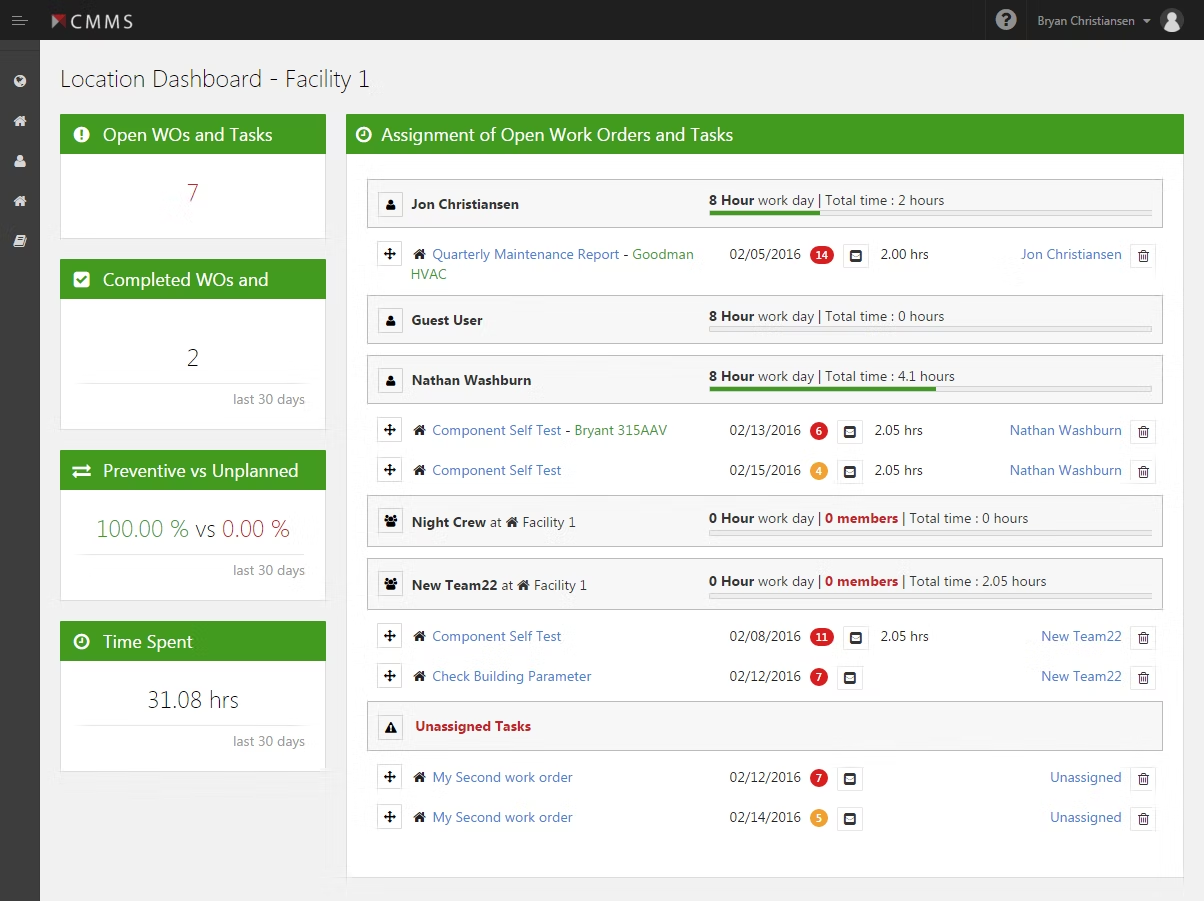
Asset tracker in Limble CMMS (Source)
9. MaintainX
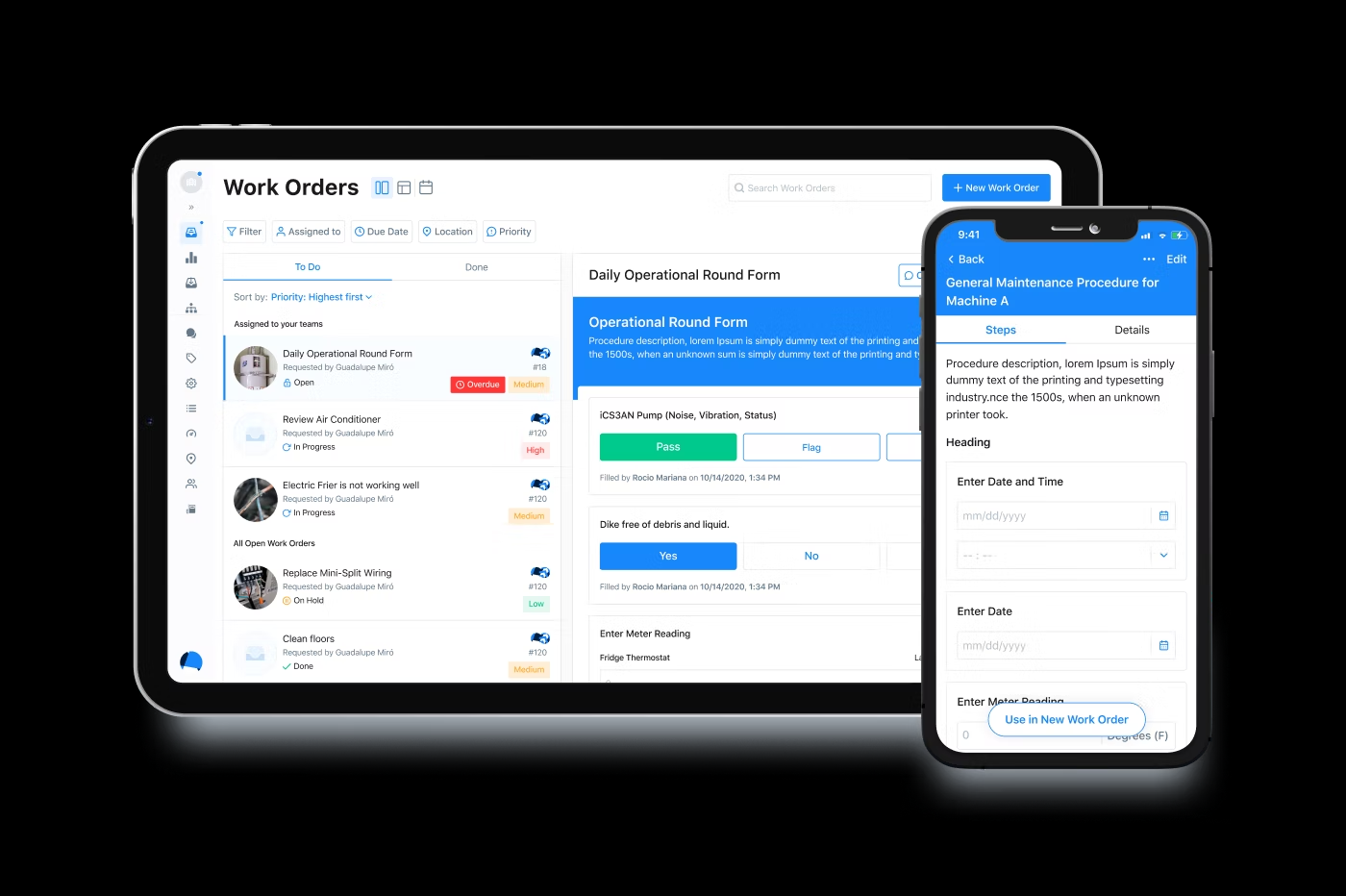
MaintainX is a CMMS software that aligns assets to tasks and tracks performance and progress in real time. You can make changes to your workflow in case an asset is not giving the desired outcome and raise maintenance requests directly from the asset management dashboard.
With MaintainX, you can digitize paper procedures such as audits, safety, or checklists and receive real-time alerts and insights directly from the asset location or site of work. The tool stores all the documents in a centralized location to be securely shared with internal and external stakeholders.
MaintainX has a mobile application for Android and iOS devices that lets your manage all the maintenance activities on the go. The tool offers email and chat support to customers. In addition, you can access the MaintainX learning center to understand more about the software features.
10. UpKeep
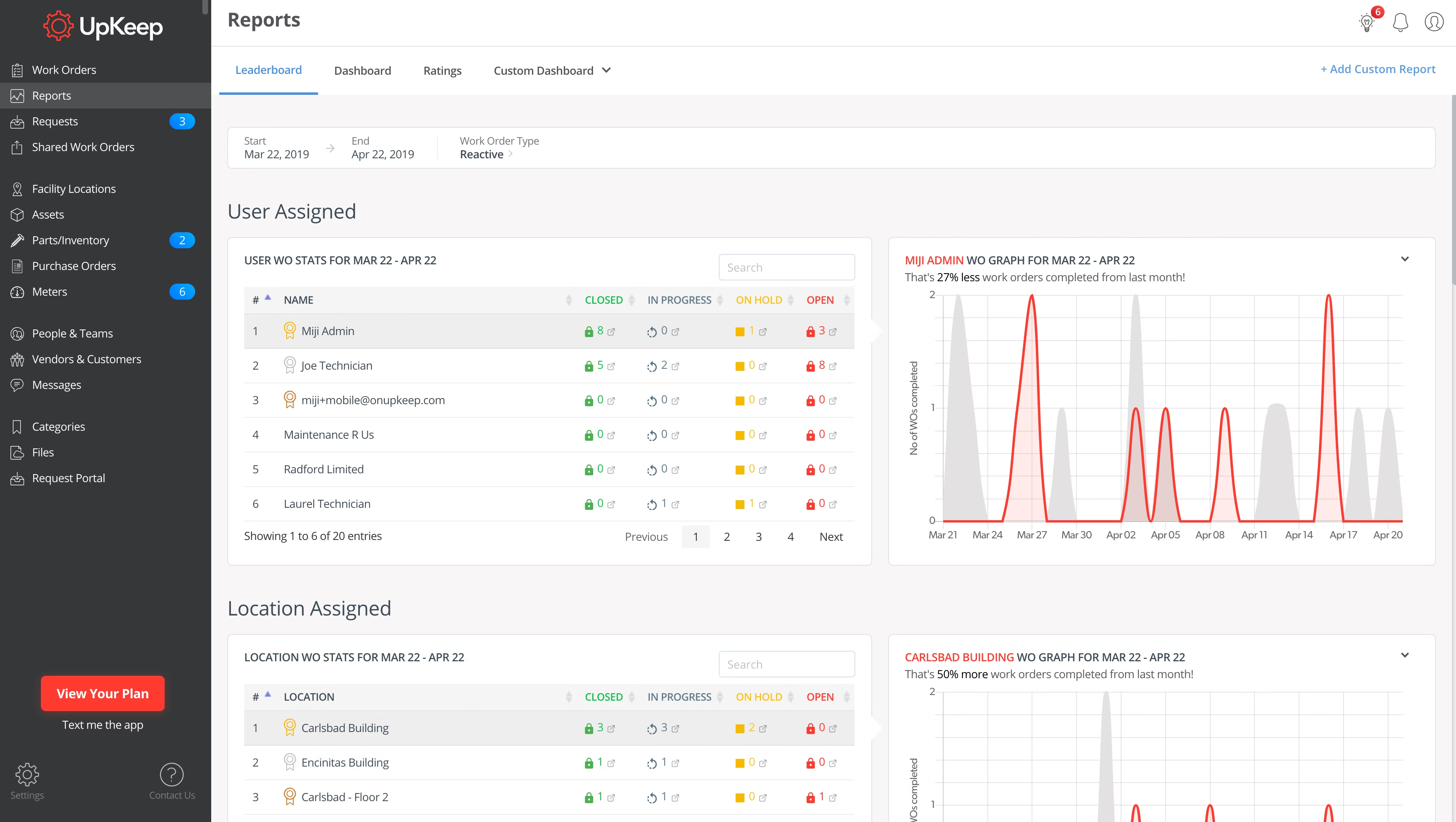
UpKeep CMMS software offers inventory management features for you to manage the list of spare parts required for asset maintenance along with the associated purchase and deployment costs. Using the tool, you can track the utilizations and purchase of parts in real time and update the database accordingly.
UpKeep lets you create unique barcodes for any parts to track their utilizations anytime. The codes can be scanned using mobile devices to access work and purchase history. In addition, you can assign a minimum quantity of parts to be maintained at all times and get notified when running low.
UpKeep’s analytics tool lets you analyze the availability of parts against consumption and take actions to reduce costs to your business. For any software-related queries, you can reach out to UpKeep’s customer support team on call or through chat or email.
Upkeep has a mobile application for Android and iOS devices.
How to choose CMMS software for your business
The following are key considerations for selecting the best CMMS software to manage your business assets.
Check the reporting and analytics feature: Most CMMS software offers real-time access to asset performance and automatically generates reports. However, there are a few tools that require the manual generation of reports based on specific performance metrics. Always look for a CMMS tool that automatically generates reports to save time from manual data entry.
Look for preventive maintenance: Preventive maintenance is one of the core elements of CMMS software. The feature helps predict the overall health of an asset based on the work history for you to schedule maintenance/repair or make a new purchase. However, the feature varies for different software subscription plans based on the days of work history, which spans from a week to 30 days and 12 months.
Assess the role-based user security features: Some CMMS software lets you share asset performance reports with other employees directly from the user dashboard. However, not all tools allow you to set the security features based on the employee’s relevance to use the shared information. Pick a CMMS tool that lets you restrict certain abilities such as printing, downloading, or editing of the report or other documents while sharing.
Common questions to ask software vendors when selecting CMMS software
Ask the following questions to CMMS software vendors so that you choose the best match for your maintenance management needs.
How many days of asset work history can be accessed? The asset work history stored by CMMS tools spans from a week to 30 days and 12 months. Some tools even allow you to access the work history since the deployment of assets. It is important to enquire about the number of days, weeks, or months covered by your chosen CMMS tool to ensure it meets your business needs.
What are the options to customize the asset performance reports? Most CMMS tools let you select the desired asset performance metrics while preparing reports. However, there are a few tools that allow you to add graphs or charts to highlight certain aspects of the report. Check the report customization and editing features offered by your chosen software.
Does the software allow barcode generations? Every business asset should have a unique barcode to scan information such as purchase, warranty, or work history. You can generate these barcodes directly from the CMMS tool or use a third-party application. Ask the software vendor about the barcode generation and scanning abilities of the chosen tool before purchase.
How did we choose these products? We didn’t—you did
At GetApp, we verify all our user reviews to recommend the most efficient tools for your business.
Our software recommendations reflect the views and experiences given by your peers. These recommendations are never bought or sold, nor based on the opinion of a single individual.
Methodology
For this article we selected the highest rated products as of July 26, 2022, from our GetApp's Category Leaders report for CMMS software. Check out the full methodology description for the Category Leaders report here.
1. Each product should have at least 20 unique product reviews published on GetApp within the past two years, with an average rating of 3.0 or higher as of July 26, 2022.
2. Have asset tracking as a primary feature along with preventive maintenance and work order management.
3. Each product must meet our market definition for data analysis software: “CMMS software, also known as a Computerized Maintenance Management System, streamlines maintenance processes, management and planning, helping organizations ensure consistent performance and increased efficiency. By automating and monitoring maintenance schedules, CMMS applications reduce costs and optimize the process of repair and replacement of vital equipment. CMMS software is related to Calibration Management software, Equipment Maintenance software, and Maintenance Management software.”
The 10 products with the highest ease of use, functionality, customer support, value for money, and likelihood to recommend are featured in this article from the GetApp Category leaders for CMMS software.
Disclaimer: We conducted this analysis based on reviews and ratings data as of July 26, 2022. In order to present the most up-to-date information, the product cards show real-time ratings. Please note that this means the ratings value in the product card may not reflect the ratings value at the time of analysis.